

AI Copilot vs. AI Agent: The UX Difference Comes Down to Who Has Final Control
The most practical way to distinguish a Copilot from an Agent is not which model it uses, but who has final authority to change real-world state. When that authority changes, the UX, permissions, approval flow, and accountability model must change with it.
More and more products on the market use terms such as Copilot, Agent, Assistant, and Autopilot simultaneously, but the name does not determine the form of the product. The same model can either merely offer suggestions to users or obtain tool permissions and continuously perform multi-step tasks. What product design should truly focus on is the "authority to act".
01 The key distinction: Copilots assist decisions; Agents execute delegated tasks
If the output of AI must be actively adopted by users before changing the system state, it is closer to Copilot. If AI can invoke tools within the agreed range, continuously execute and generate external effects, it falls into the category of Agent.
This is not an absolute dichotomy. Many mature products mix two modes in the same process: low-risk steps are automatically executed, while high-risk steps request approval. However, the closer one gets to the Agent, the more permissions, visible progress, auditing and revocation mechanisms are needed.
02 Copilot UX helps users make better decisions faster
Copilot is usually embedded next to existing workflows, such as writing emails, analyzing reports, generating code suggestions or summarizing contracts. The user still holds the final right to submit, send, publish or modify. The key points of the design are whether the context is accurate, whether the suggestions are easy to edit, why such suggestions are made, and whether users can reject them and continue with the original process.

03 Agent UX lets users delegate with confidence
The Agent receives a target rather than a single-step instruction, such as "Sort out this week's overdue customers and send a draft reminder." The system needs to plan steps, call data and tools, handle exceptions, and then return the results. At this point, what users care about is not just the quality of the answers, but what they are doing, which permissions they are using, and whether irreversible consequences will occur.
04 Confirmation works differently for Copilots and Agents
Most operations of Copilot are naturally confirmed by the user, as the user must click "Apply", "Send" or "Insert". For agents, risk classification is required: reading public information can be automatic, modifying internal records may require confirmation, and high-impact actions such as transferring, deleting, and sending externally should display specific parameters and the scope of impact before execution. The confirmation button should not merely "approve", but rather enable users to understand what is being approved.
05 Agents need progress and intermediate states
The generation of Copilot might only take a few seconds. The Agent task may last for several minutes or even longer. The interface needs to display the current stage, completed steps, what is being waited for, and whether the user can pause, cancel or modify the target. The infinitely rotating Loading will make it impossible for users to distinguish between "the system is working" and "the system is stuck".
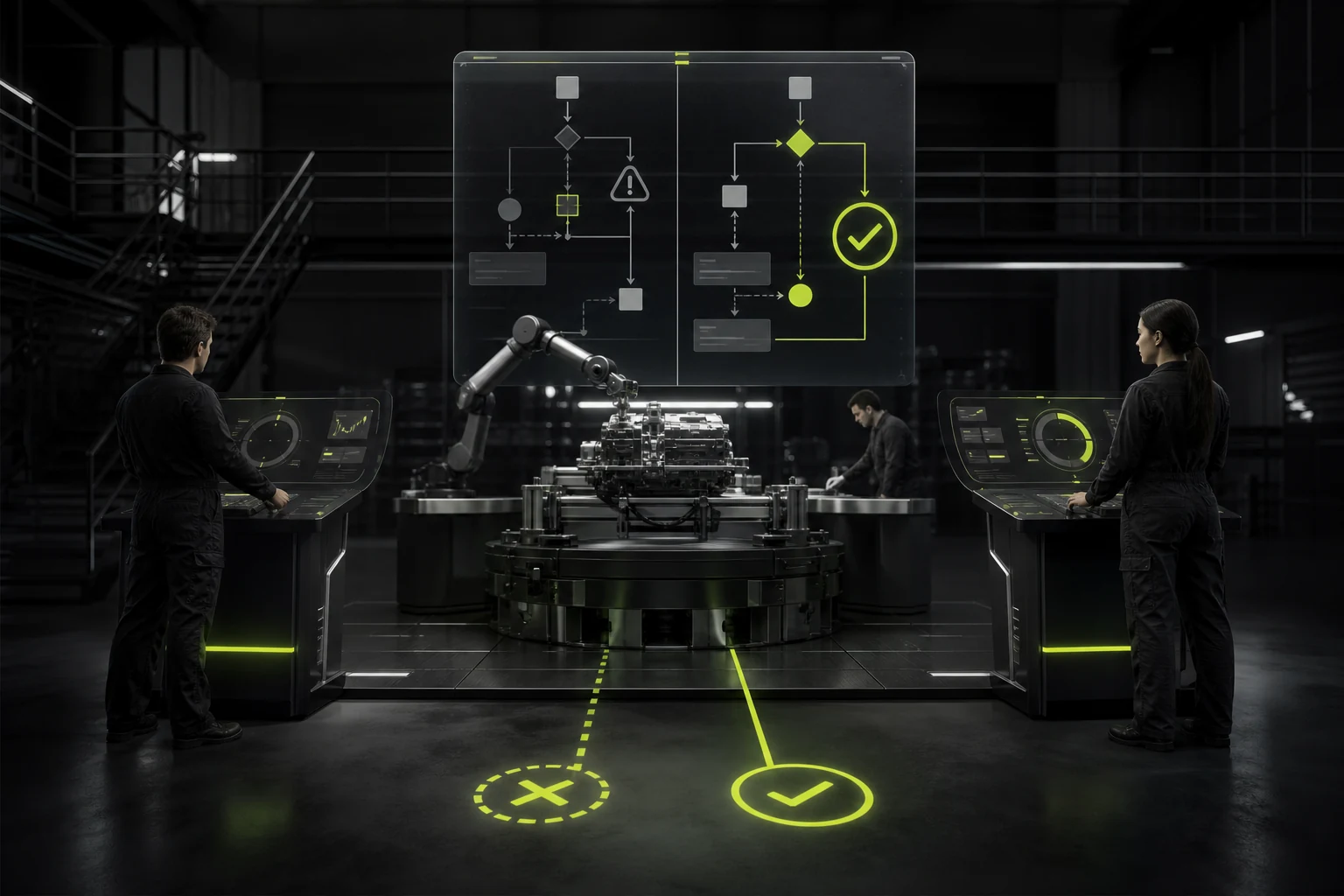
06 Error recovery differs fundamentally
Copilot doesn't generate well. Users usually just need to regenerate it or modify it manually. Once an Agent has performed an external action, recovery may involve rolling back data, withdrawing emails, restoring files or re-authorizing. Therefore, in Agent design, reversibility should be incorporated into tools and processes in advance instead of adding a "mistake" afterwards.
07 Permissions are a core part of Agent UX
The Agent should follow the principle of least privileges and minimum agency capabilities: only obtain the data and tools required for the current task, separate read and write permissions, and temporarily authorize high-risk capabilities as needed. Users should also know what the Agent can access currently. Excessive authority not only increases security risks, but also expands the impact radius of any prompt injection or model errors.

08 How to choose between a Copilot and an Agent
- High-frequency tasks, stable rules, and recoverable errors: More suitable for gradually increasing Agent automation.
- The results are highly subjective and require professional judgment: Prioritize Copilot.
- For matters involving money, legal commitments, deletion, and public release: Even if an Agent is used, explicit manual approval is retained.
- The system operates across multiple tools: task history, permission boundaries, and auditing are required.
- What users truly want is advice rather than agency: Don't add complexity for the sake of the "Agent" concept.
09 Greater autonomy does not equal product maturity
Agents are not inherently more advanced than Copilot. For many professional jobs, reserving people's right to judge is actually more in line with the risk and responsibility structure. An outstanding AI product is not about having AI do the most, but about placing automation in the most appropriate position and ensuring that users always know who is making decisions, who is executing, and how to recover when problems occur.
10 Many products need a hybrid mode that can scale up
Actual business operations often do not permanently choose Copilot or Agent. A more reliable product contract is: to make suggestions first, then fill them out on behalf of the user, then carry out low-risk steps, and finally allow the automation of specific tasks after the user has established trust. Each stage clearly defines the scope of action and the exit method. This way, the maturity of automation can be enhanced simultaneously with user trust, permissions, and error costs, rather than entrusting all the work to the Agent at once.
For example, the sales assistant can first only generate follow-up suggestions; The second stage allows for one-click creation of CRM tasks; It is only in the third stage that automatic execution is allowed under constraints such as "only internal drafts, only designated clients, and no more than N per day". The more autonomy a product can be classified, the easier it is to be implemented in an enterprise environment.
Frequently Asked Questions
Is a chatbot considered a Copilot or an Agent?
Simply answering questions is closer to Assistant/Copilot; If it can invoke tools and continuously execute tasks without step-by-step confirmation, it is closer to an Agent.
Does an Agent have to be fully automatic?
No need. It is more common for enterprise products to be classified and autonomous: low-risk steps are automatically carried out, while high-risk steps are manually confirmed.
Can Copilot invoke tools?
Sure. The key is not whether the tool is called or not, but whether the result of the tool directly changes the external state and whether the final authority to act still lies in the hands of the user.
In what scenarios is it not suitable to directly act as an Agent?
Tasks that are high-risk, low-frequency, have ambiguous goals, difficult-to-verify results, irreversible errors, or whose responsibility must be borne by professionals are not suitable for complete autonomy from the very beginning.
What should be added first when upgrading an Agent from Copilot?
It's not about adding more model capabilities first, but rather completing permission boundaries, confirming policies, task progress, logs, rollback, and exception handling first.
| Related Service | Learn More |
|---|---|
| UI/UX Design Services | View Service Details |
| Project Consultation | Contact JVDS Design Studio |
| Design and Website Development Articles | Read More Related Articles |
 Link copied








