

How to optimize the images on the corporate website? It's not the case that the smaller the pressure, the better: clarity, loading speed, SEO and accessibility should all be addressed simultaneously
Image optimization is not about pressing a JPEG to the lowest quality with just one click. The corporate website needs to simultaneously control visual quality, actual display size, file format, loading priority, responsive resources, Alt information and search discoverability.
01 Why is it that the more "advanced" the corporate website is, the more easily it is slowed down by images
High-end corporate websites often feature large-scale photography, product renderings, case screenshots, background images and videos. While the visual quality is improving, single-page resources can easily expand to tens or even dozens of MB. When the designer's local network is fast and the image has been cached, it is not obvious. However, when the user enters from the mobile network for the first time, they will actually wait.
Images are often an important source of page size, so optimization should not be a unified "press" at the end of development, but should be handled together from the aspects of design assets, size, format, layout and loading strategy.
02 The first step is not to change the format, but not to download images that are much larger than the display size
A 3000px wide image is only displayed at 360px on a mobile phone, yet the original image is still downloaded, which is the most direct waste. The responsive image guide of web.dev suggests using srcset and sizes, allowing browsers to select appropriate resources based on viewports and pixel density.
For CMS, multiple sizes can be automatically generated after the original image is uploaded. The front end uses reactive rule invocation. In this way, the desktop large screen can achieve sufficient clarity, and the mobile phone doesn't have to pay the cost of data traffic for the invisible resolution.

03 AVIF and WebP are worth using, but don't take "new format" as the only optimization
The current image format guidelines of web.dev indicate that WebP and AVIF typically offer better compression than older formats and should be used when appropriate. Additionally, downgrading solutions can be provided through picture. Photos and renderings are suitable for lossy compression, while transparent graphics or extremely high-precision assets should be selected based on the content.
Format is just a variable. If the image itself is too large in size, there are too many of them, or ten images are loaded simultaneously on the first screen, even if all of them are replaced with AVIF, the performance may still be very poor.
04 Do not casually add "loading="lazy" to the LCP image on the first screen.
Lazy loading is suitable for off-screen images, but the main visual on the first screen, especially the LCP candidate images, needs to be loaded as soon as possible. The browser-level lazy loading guide of web.dev explicitly recommends that visible images in the initial viewport, especially LCP images, should remain eager loaded; loading="lazy" should mainly be used for resources outside the first screen.
This is a very common counter-intuitive issue in the performance of corporate websites: developers uniformly add attributes for "all lazy loading", but instead make the most important main visual load even later. Loading strategies should be differentiated by location and importance.
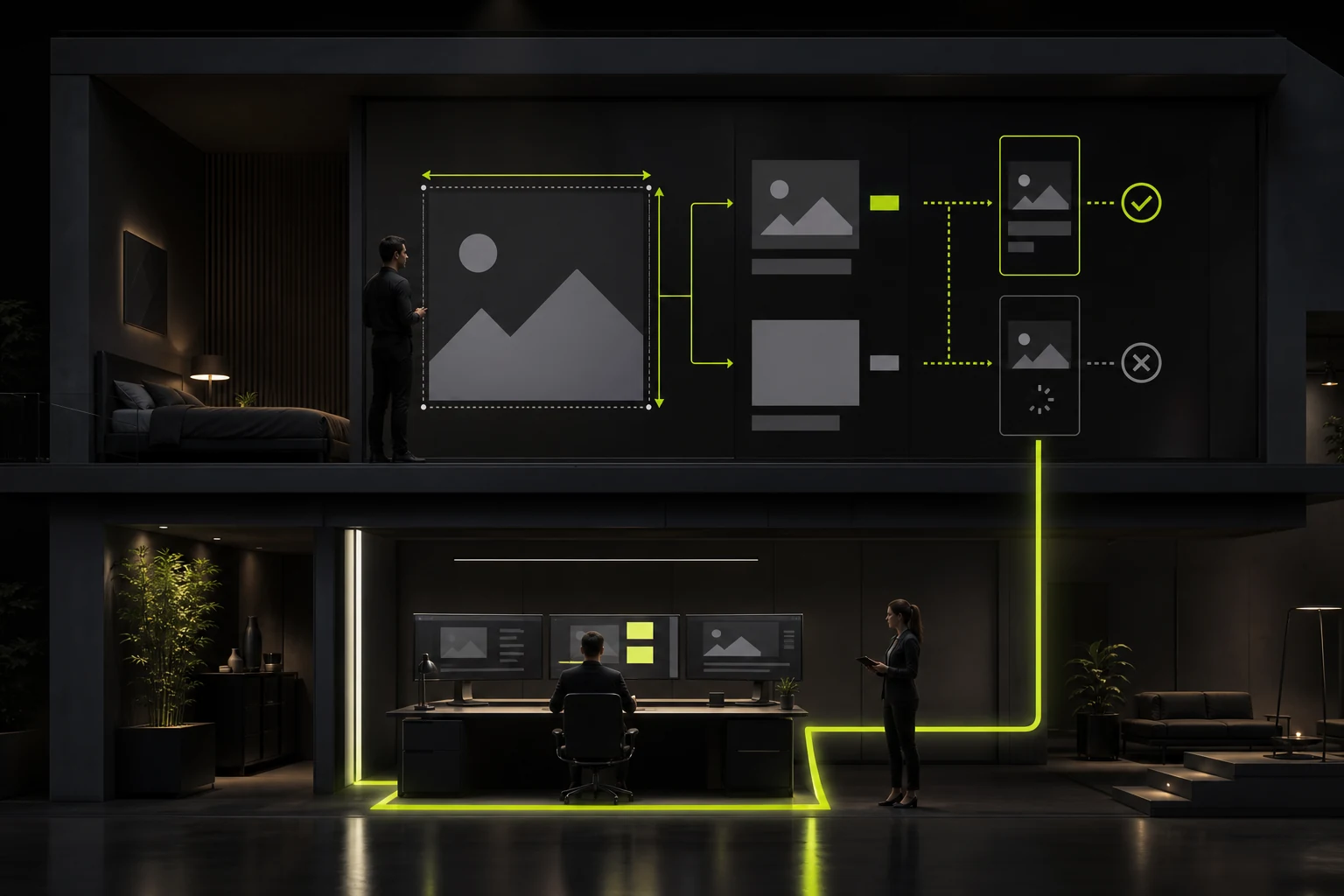
05 The image size attribute can prevent page jumping
If the browser does not know how much space an image will take up before loading it, it will suddenly push the content below when the resource arrives, resulting in layout displacement. Providing width/height to the img or using CSS aspect-ratio to retain the ratio can stabilize the layout before the image arrives.
This work can be prepared in advance for both design and development: clearly define the common image proportions in the design system, CMS restrictions or automatic cropping, and reserve space on the development end. There is no need to wait until CLS issues are discovered during performance testing before reworking.
06 The foundation of image SEO remains "enabling search systems to discover and understand"
Google's 2026 updated Image SEO documentation suggests using standard HTML img elements. Google can discover images from structures such as the src and picture of the img. But CSS background-image will not be treated as the same index entry. The core content images that need to be involved in the search should not all be hidden in the CSS background.
Google also suggests placing images near relevant text and using clear file names, title contexts, and Alt. Image SEO is not about stuffing keywords into alt, but about accurately stating what the image is expressing on the current page.

07 Alt text first serves accessibility and also helps with search understanding
For informative images, Alt should provide short, context-relevant alternative descriptions; Pure decorative images can use empty alt to make assistive technologies ignore them. Google's current guidelines also explicitly oppose keyword stuffing in Alt.
For instance, a device photo on the product detail page could describe "Front interface of XX-200 optical fiber inspection equipment" instead of "High-end optical fiber equipment from the equipment product manufacturer". A good Alt usually reads like a normal person describing an image.
08 Different strategies should be adopted for the background image, case image and product image on the homepage
The main visual on the home page emphasizes the brand and the speed of the first screen, and it is necessary to strictly control the number of resources and loading priority. Case images focus more on clearly presenting the project. You can use thumbnails to enter the details and then load large images. Product images need to ensure details and take into account image search and Alt.
Don't solve all the pictures with a single site-wide rule. For instance, "pressing all to 200KB" would blur the details of precision products, while "pressing all to the original image" would result in a waste of performance. Optimization must be combined with the purpose of the pictures.
09 Conclusion: Image quality and speed are not an either-or issue but rather a matter of resource matching
A truly high-quality website is not one with "few pictures", but rather one where users only download the resources they truly need for the current device, the current page and the current stage. To achieve clarity, performance and search visibility simultaneously, it is necessary to choose the appropriate size and format, distinguish the first screen from the outside, reserve layout space, and complete the Alt and context.
If the image ratio, the priority of the main visual and the cropping rules can be marked during the design delivery stage, the development and optimization will be much easier. Image performance is not a compression action before going live, but a part of the design system.
Frequently Asked Questions
Which should be preferred for corporate website images, AVIF or WebP?
Both can be selected based on browser support, compression effect and toolchain. WebP is compatible and mature. AVIF performs better in compressing many photo scenes and can also provide multi-format solutions through picture.
Should all pictures be lazily loaded?
It shouldn't. The visible images on the first screen, especially the LCP main visual, should usually be loaded as soon as possible. lazy loading is more suitable for images outside the initial viewport.
Must the image be marked with Alt?
Informative images should provide useful Alt. Pure decorative images usually use empty alt. Alt is not a keyword field.
Can CSS background images be normally understood by Google Image Search?
Google's current image guidelines clearly state that CSS images will not be indexed like the standard img src. Therefore, important discoverable content should prioritize the use of appropriate HTML image elements.
Is it true that the smaller the picture, the better?
No. The goal is to provide the visual quality required for the current display scene with as few resources as possible, rather than sacrificing product details and brand quality in pursuit of extremely small files.
| Related Service | Learn More |
|---|---|
| Corporate Website Design Services | View Service Details |
| Project Consultation | Contact JVDS Design Studio |
| Design and Website Development Articles | Read More Related Articles |
 Link copied








