Hyundai Auto Ever uses rounded shapes, transparent materials, and vivid colors to make icons approachable, with distinct objects for errors, emptiness, and completion. Their names explain responsibilities alongside images rather than leaving three-dimensional forms to do all the work.
Different states have different visual cues
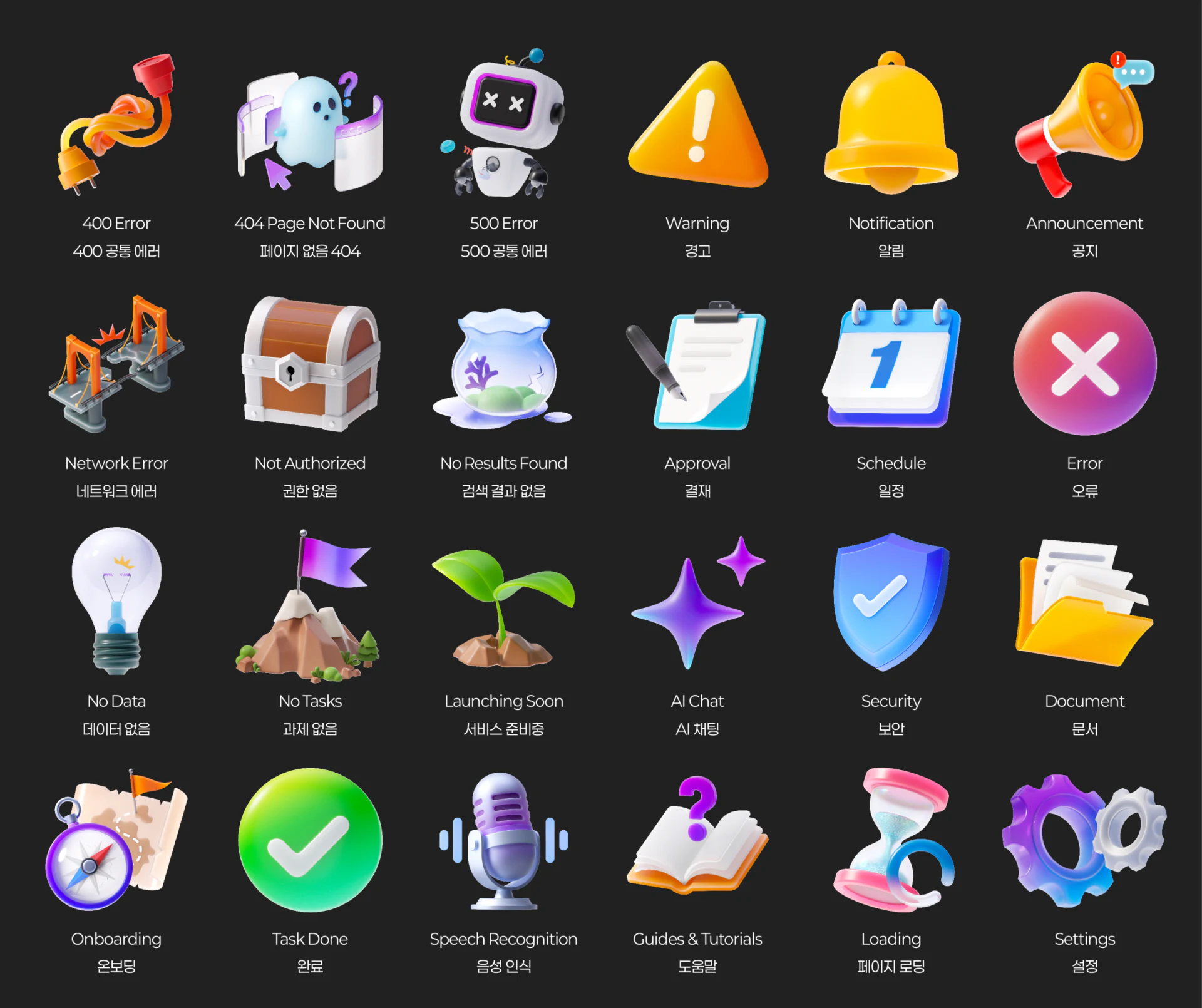
A tangled plug marks 400 Error, a ghost window 404 Page Not Found, and a cross-eyed robot 500 Error on dark backgrounds. Soft edges and gloss connect them without identical silhouettes. Repetition can support memory; bilingual names explain them to first-time viewers.
No results uses a fishbowl, no data a bulb, no tasks a mountain flag, and completion a green check. Distinguishing these seemingly empty states is valuable because unsuccessful search and data not yet produced require different actions.
Actual pages need causes and recovery routes beside icons. A friendly ghost does not explain an expired link, and a locked box needs access-request conditions. Product wording should continue the semantic divisions already established in the asset names.
Material rules connect varied objects
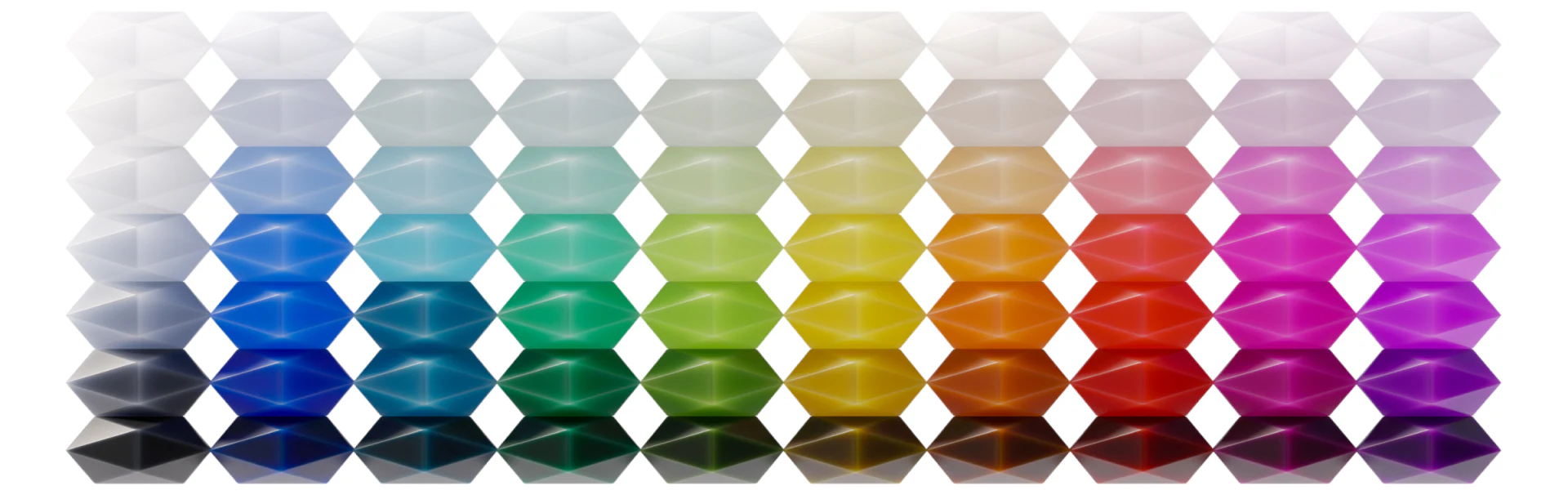
Samples use the same geometry with hues across columns and brightness from pale to dark vertically. Blue, cyan, green, yellow, orange, red, and purple retain comparable highlights and facets, providing extensible material rules beyond color options.
Finished icons vary: yellow-orange warnings, green completion, and purple-blue settings and AI forms. Light, roundness, and surfaces unify them while colors assist meaning. New objects need not all become one brand color to feel related.
JVDS Design Studio considers these suitable for status illustrations and larger entries. In compact toolbars, silhouettes should be recognizable before transparent details, with simplified sizes if needed. A complete palette does not mean every brightness suits every background; conditions need separate checks.
Background changes also need contour adjustments
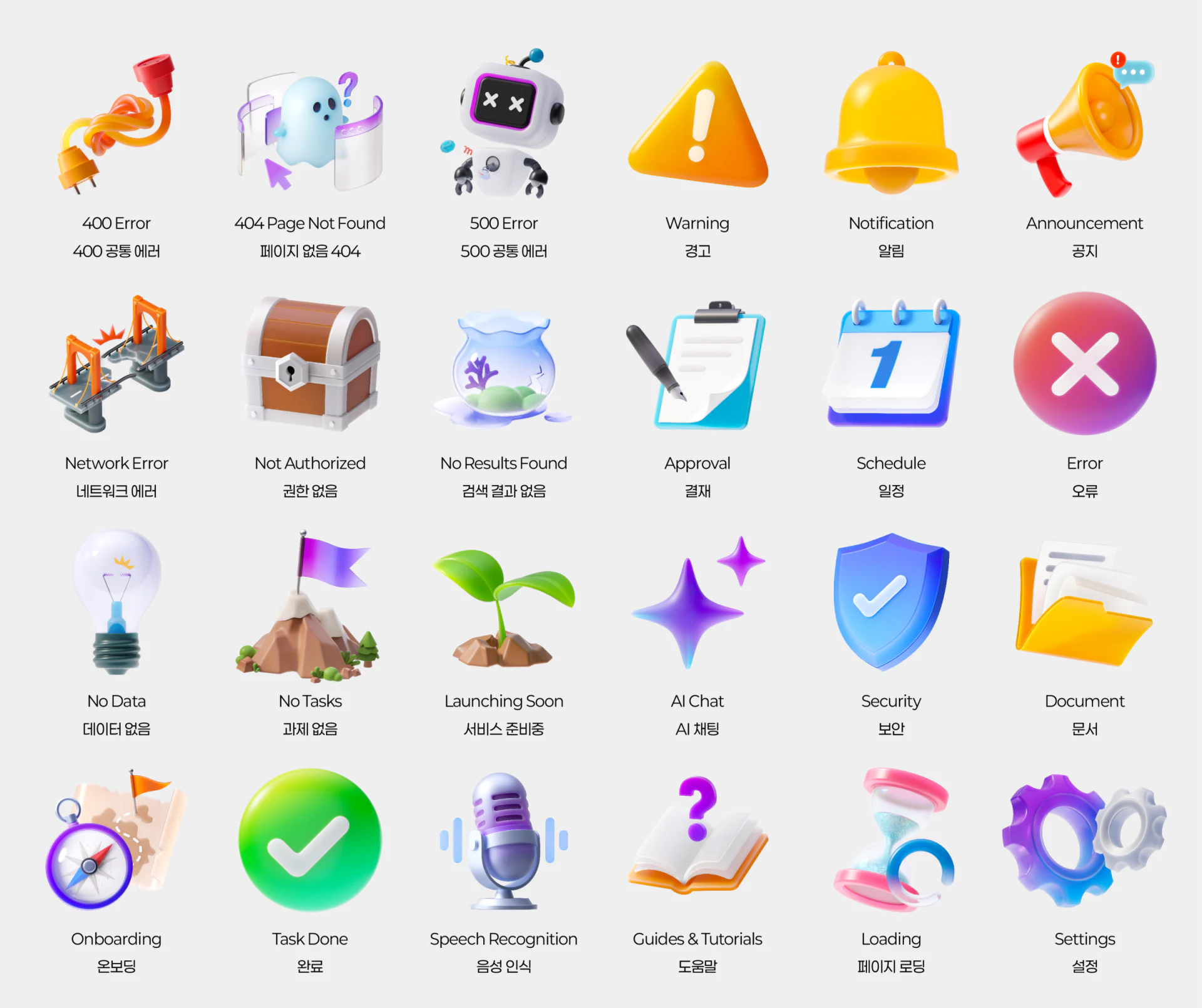
The pale array retains objects with dark labels and consistent viewpoints and gloss. Solid yellow warnings and green checks stay stable; transparent windows, bowls, and bulbs depend more on edges and shadows.
The upper No Data bulb and internal fine lines weaken against pale backgrounds. Label-color changes alone are insufficient: boundaries, local brightness, or shadow need adapting. Critical distinctions should not depend on a fine line that disappears when reduced.
The system needs two kinds of consistency: related styles with different meanings, and continuous recognition when one meaning changes theme. Names, shapes, backgrounds, and next actions should be planned together for icons to support status understanding.
Connect an icon system to actual states
Products needing empty states, errors, and function entries can organize state names before shapes, themes, and application sizes.
JVDS Design Studio provides UI/UX design, website design, and development services for interface states, visual asset rules, and component use.
 Link copied