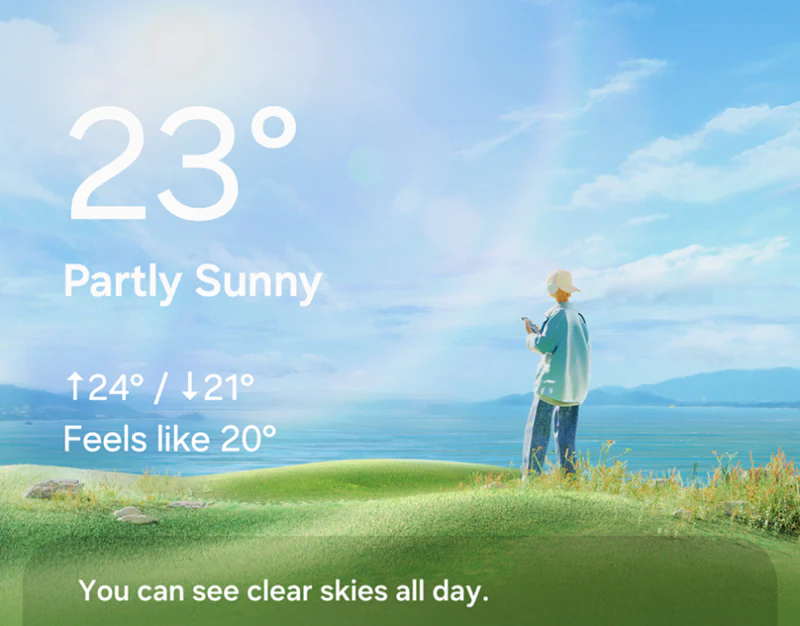
This weather app scene design expands flat characters into skies, grass, and dimensional figures. Sunshine, night, rain, and snow change the atmosphere while temperature, hourly forecasts, and charts largely retain their positions. Scenes vary, but the route to information has continuous references.
Key takeaways
- Characters and environments enrich atmosphere while city, temperature, and forecast positions retain lookup cues.
- Combination rules extend icons; each background still needs text-contrast and state correspondence checks.
Characters enter scenes; the information structure stays
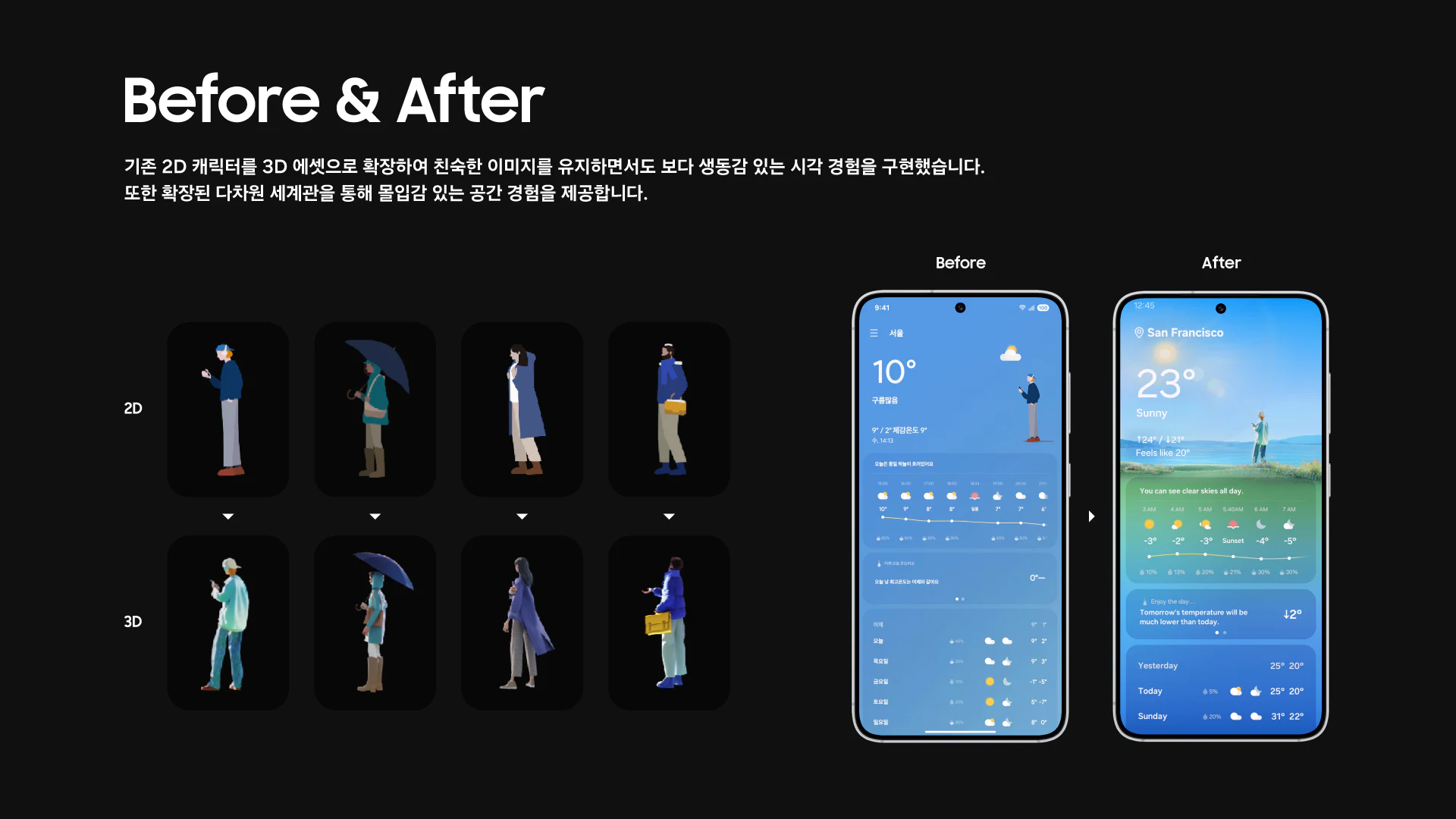
The comparison replaces figures on plain blue with characters in grass and sky, adding clothing and movement detail. The mobile After page still has city, temperature, and state above hourly and daily forecasts. Background changes do not displace every text element.
Weather illustrations suit pages opened repeatedly, adding memory and atmosphere. Someone checking tonight’s temperature still needs the time segment without interpreting a character story. JVDS values this division: scenes add feeling and words provide the basis for checking.
Dimensionality does not prove forecast accuracy or constitute clothing advice. Review can first locate city, current temperature, and hours in the same places, then check whether characters occupy too much text space, preventing richer visuals from slowing lookup.
Combination rules organize icon expansion
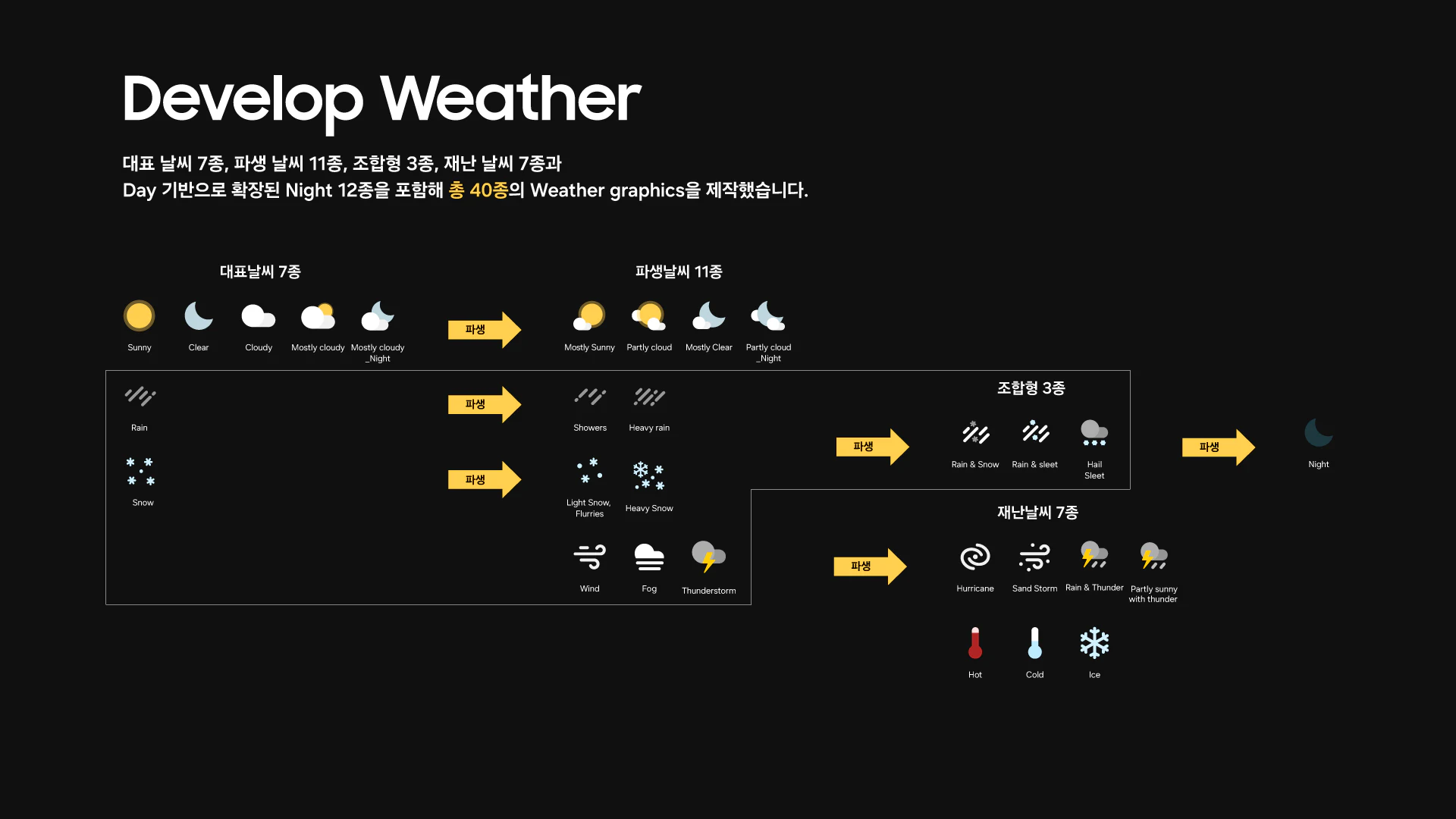
The icon diagram groups sun, moon, and cloud as basics, then uses arrows to extend different cloud-covered states. Rain and snow vary symbols and density; storms, heat, cold, and ice have their own graphics. Yellow arrows stand out on black, making expansion traceable.
Components and rules connect new weather states with existing forms. Review can check groups by day/night, precipitation, and intensity rather than judging every icon in isolation.
At hourly size, details may become similar. Names should accompany icons, with important alerts separately stating title, scope, and validity. Darker clouds or one lightning symbol cannot communicate everything.
Small text needs stability under every sky
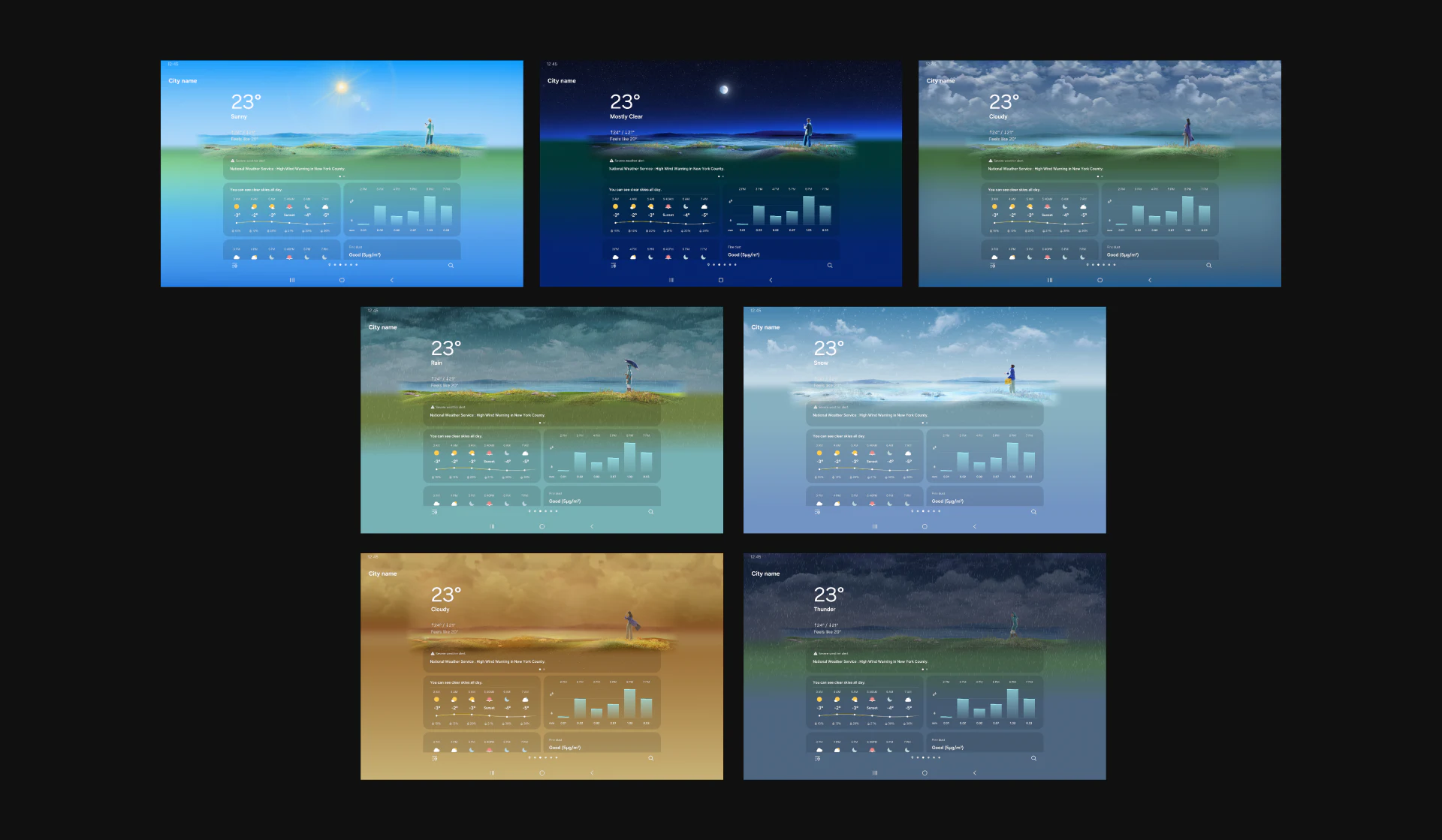
Seven widescreen groups show blue sky, night, thick cloud, rain, snow, and other environments, with forecasts in similar positions and mainly pale text and charts. Changing grass and sky brightness gives text different readability conditions.
Snow and deep night need separate checks: readability in sunshine does not establish readability over snow. Dense modules could gain a modest backing layer or stronger contrast. Weather names, icons, and scenes should use the same state data. Switching to snow or night should retain clear names, units, and field positions.
JVDS would check each scene with its location, time, and alerts before evaluating animation. Scene and text should come from the same state, preserving lookup positions during transitions. That stability lets character and weather changes enrich everyday use.
Frequently asked questions
Must each weather state rearrange information?
Scenes and emphasis can change, but common lookup positions should remain stable. City, time, and alerts still need accurate updates for the current state.
Design review checklist
- Read small text individually over night and snow scenes.
- Check location, time, and alert objects for every scene.
Support everyday checking with scene visuals
If a weather, everyday service, or data app needs richer visuals while keeping common information findable, bring its different state screens for discussion.
JVDS Design Studio provides UI/UX design, website design, and development services, helping organize page content, interface structure, and implementation needs.
 Link copied