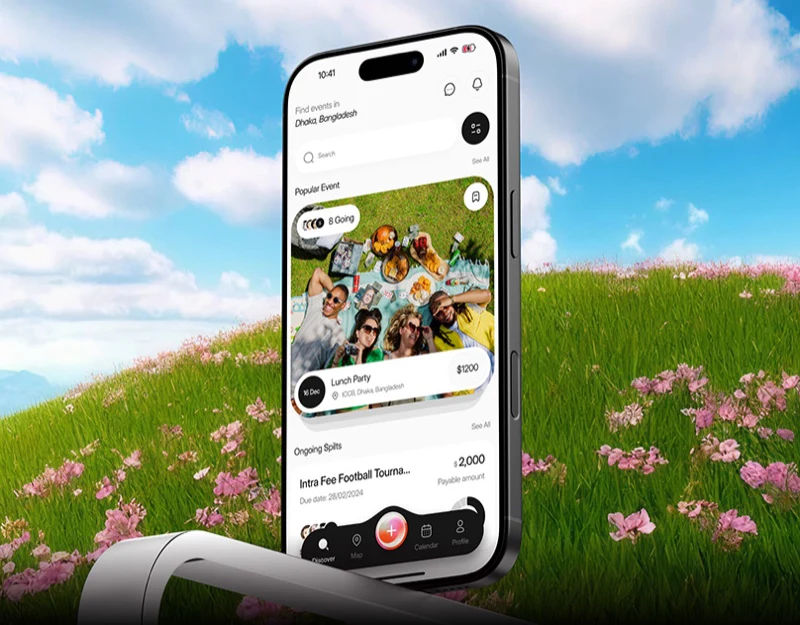
This bill-splitting app design divides personal shares, activity summaries, and payment progress into pale cards, reserving pink for a few actions and selected states. Amounts remain connected to activities and participants. Splitting bills, buying tickets, and group discussion still have different tasks that need clarity within the shared style.
Key takeaways
- Separate personal shares and overall summaries give amounts an activity and participant context.
- Payment methods and results have clear levels; splitting and ticketing need corresponding result explanations.
Share and summary cards each have a role
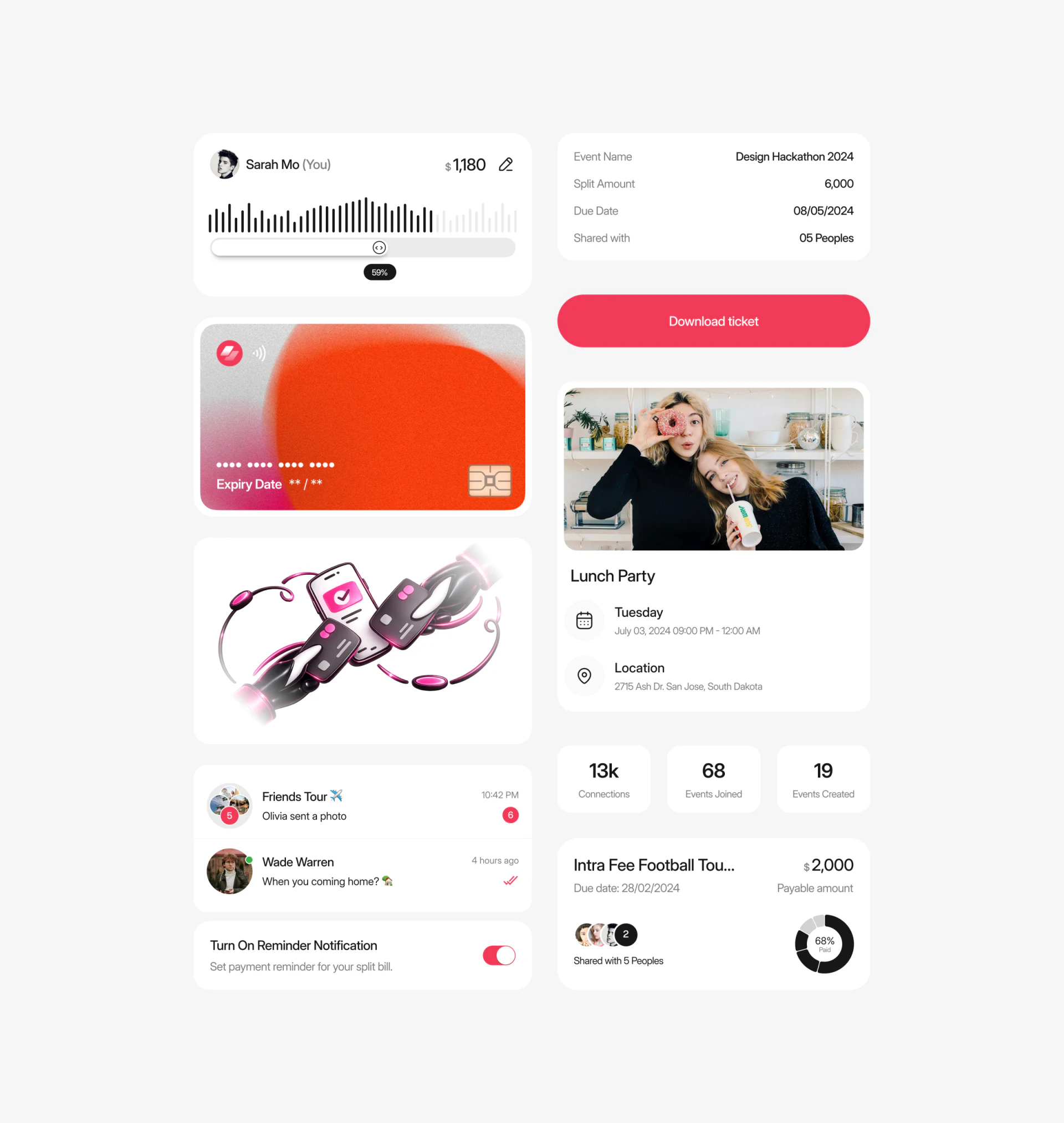
At the upper left of the component image, an avatar, Sarah Mo, and You sit beside an amount, with scale marks and a slider below. The upper right separately lists activity name, total, due date, and participants. Personal and overall information have their own areas, providing a reference while changing a share.
Scale marks vary the visual presentation more than an ordinary input, supporting a quick view of proportions. Text still needs to explain what the slider changes. Equal splitting, fixed amounts, and proportional splitting are different rules. JVDS would first check whether the value and rule can be understood together, then assess dragging convenience.
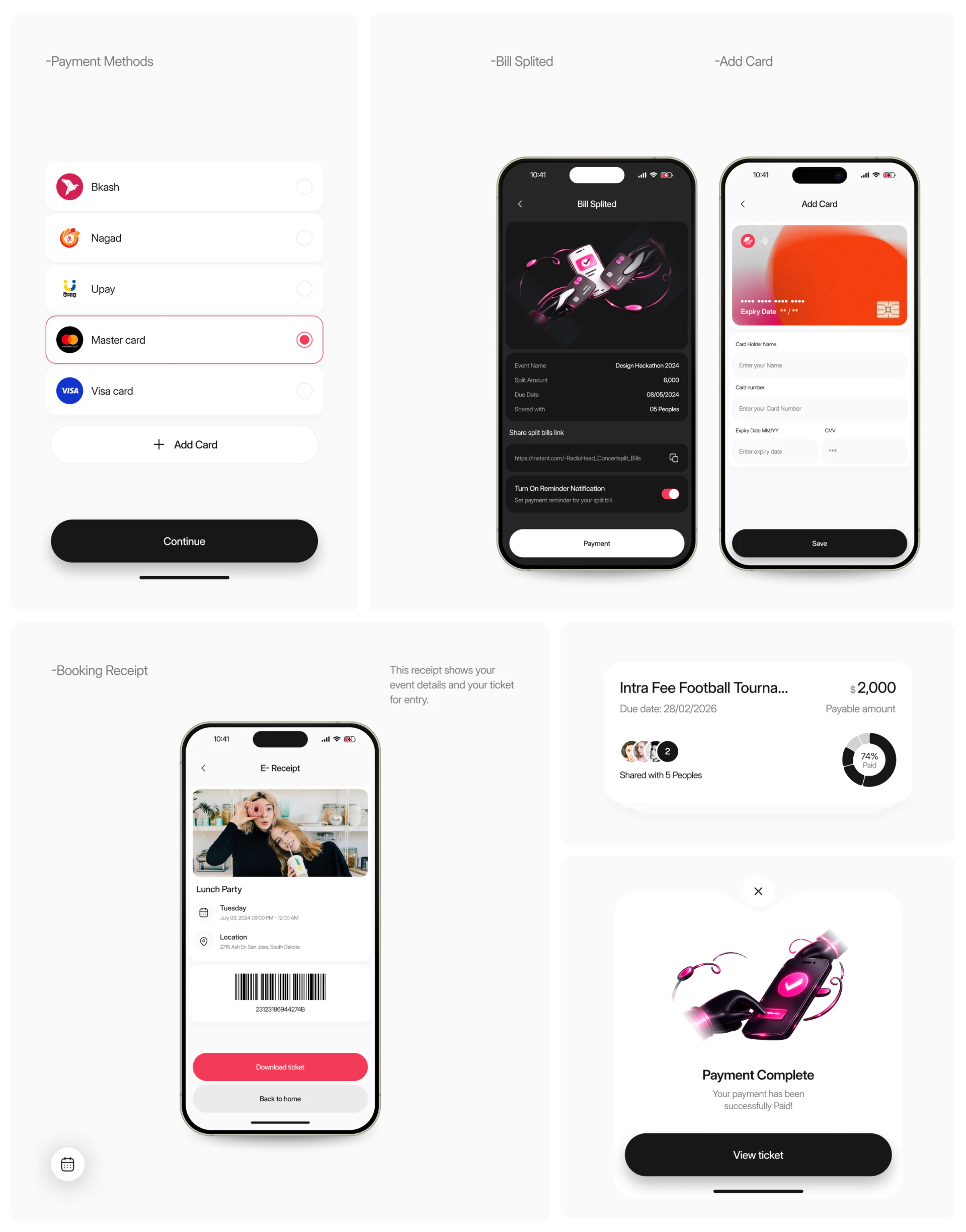
A lower bill summary groups participant avatars with a Paid ring, showing overall progress quickly. Whether the percentage is based on people or amounts is not explicit. The basis and the current person’s state should be added; a nearly complete ring cannot replace individual accounting.
Pink outlines identify the payment choice
Payment methods mainly use white row cards. The selected card gains a pink outline and radio marker, while Continue is black. Pink identifies the choice and black emphasizes proceeding. Names and identifiers remain, so selection does not depend only on color.
Bill Splited beside it uses a dark interface, grouping the event summary, sharing link, and reminder switch. Opening a shared link from chat can restore bill identity through event name, date, and share summary. These are closer to a checking task than a celebration illustration.
Success and electronic-ticket pages show View ticket, Download ticket, and a barcode. They suggest an event-ticket result, but cannot establish that all shared payments buy tickets. Comparable results should lead to the relevant ticket, bill record, or event entry rather than use one success message for different tasks.
Chat and event creation should retain the same name
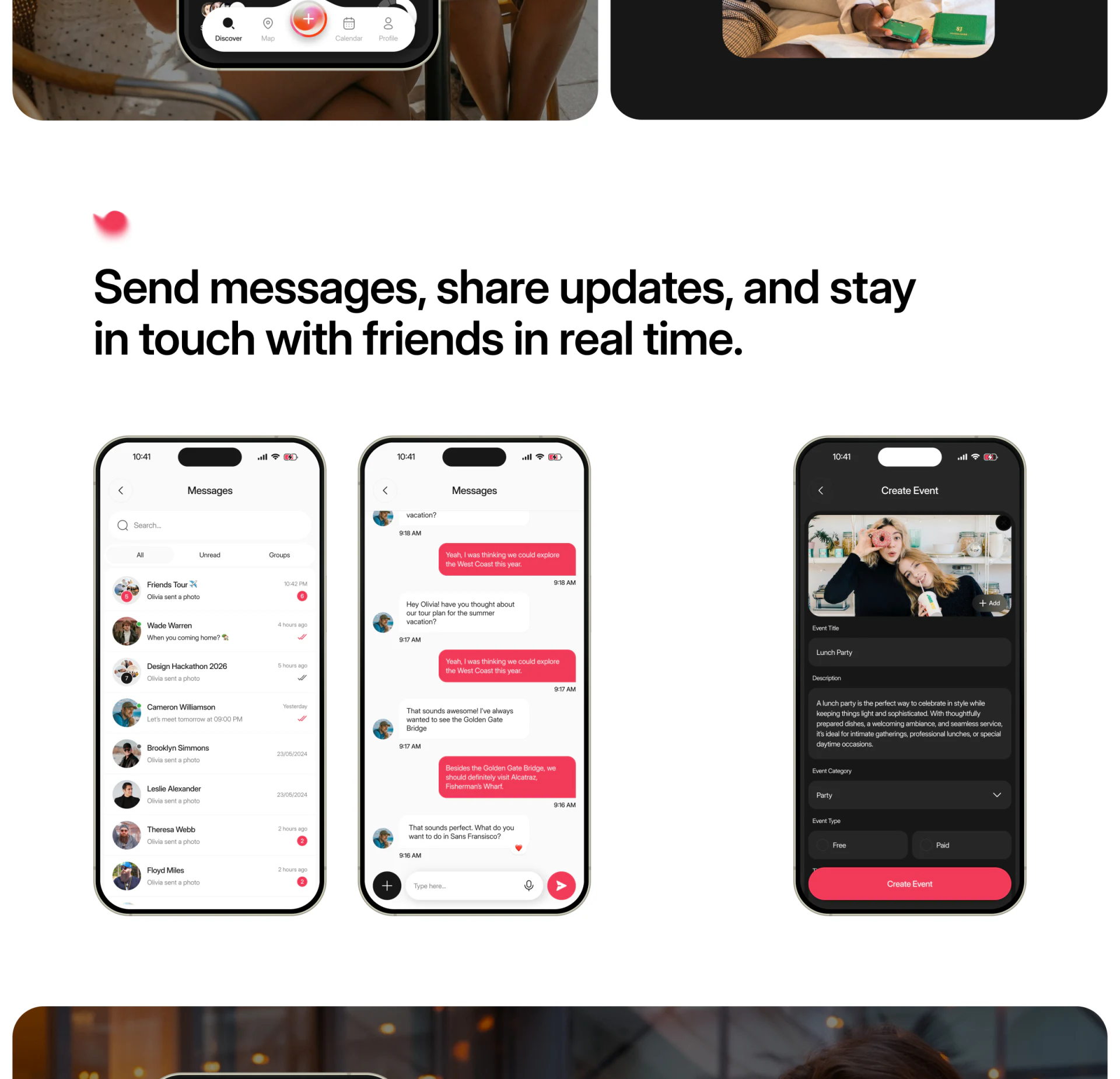
Messages separates All, Unread, and Groups, with pink and white bubbles distinguishing message direction. The dark Create Event page beside it has photo, name, description, category, and Free/Paid options. Event creation and everyday discussion share a light visual character.
Together, the screens show the context for events and shared payments. Chat does not automatically establish bill rules, and creating a paid event does not mean shared spending is settled. JVDS suggests placing related bill entries near communication with the event name and short status, so readers need not reconstruct identity from group messages.
Return behavior, reminder frequency, and bill-change notifications are not shown. A later walkthrough could check whether changed shares notify affected people clearly, reminders can be disabled, and returning to an event still matches the original bill. The screenshots support judging grouping and selected styles, not proving payment or notification logic.
Frequently asked questions
Is a percentage enough for bill-splitting progress?
The percentage should state whether it measures people or amounts, and show whether the current person has completed payment. An overall graphic cannot explain individual accounting alone.
Design review checklist
- Explain which field the slider changes and which splitting rule applies.
- Check next actions separately for ticket purchases and settled personal shares.
Organize shared payments and event communication
If a community or event product needs clearer shares, shared bills, and payment results, begin the discussion with several real payment objects.
JVDS Design Studio provides UI/UX design, website design, and development services, helping organize page content, interface structure, and implementation needs.
 Link copied