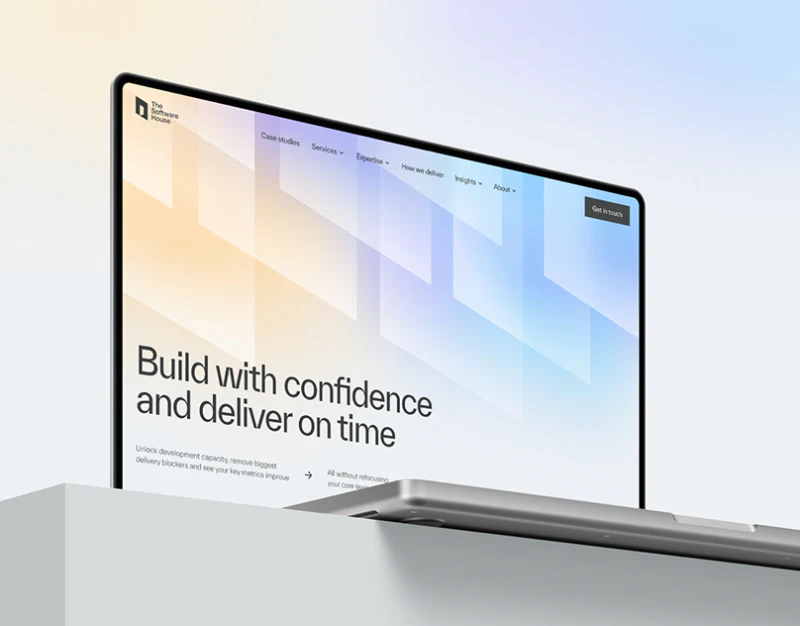
The Software House’s software service website design shares dark gray, geometric planes and yellow actions, making technical pages one recognizable system. Industry pages switch to cropped photographs and pale backgrounds. Stable structure is useful, while a changed title should bring a changed question and answer.
Key takeaways
- Technical templates stabilize headings and inquiry positions; specific tasks should change with content.
- Yellow problem areas and dark scope areas establish levels, while industry photographs need accurate text.
Technical headings and buttons stay in similar places
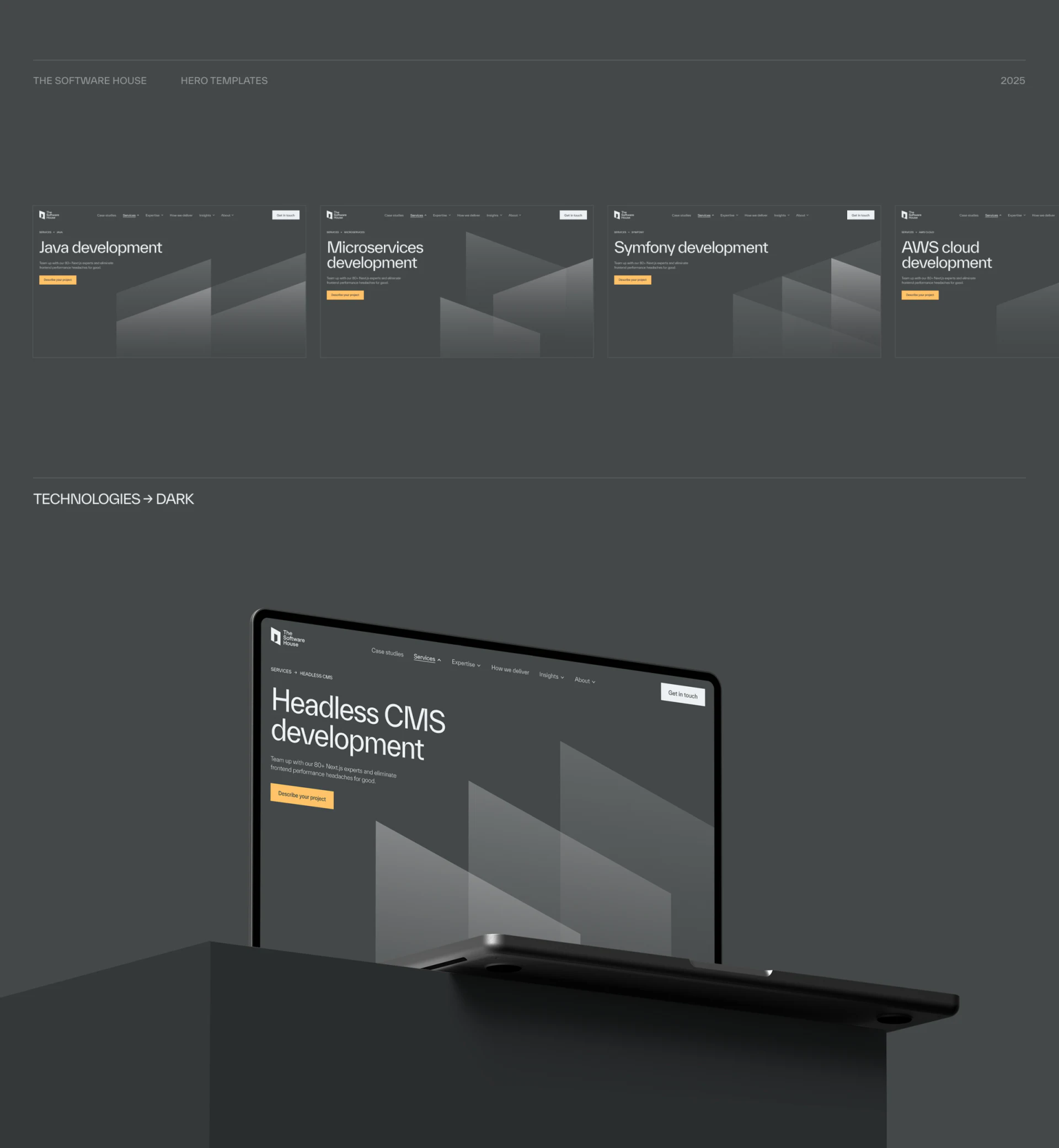
Java, Microservices, Symfony and AWS cloud heroes sit together, with headings upper left and yellow Describe your project below descriptions. Gray angled planes cross the right and lower areas. The Headless CMS mockup below continues the structure, keeping explanations and inquiries easy to find between pages.
This suits software companies with many services. Shared components reduce unnecessary layout changes and give editors stable positions. Geometry does not displace headings, while yellow buttons focus clearly on dark backgrounds.
JVDS sees content as the real template requirement. Technical names indicate direction; brief introductions should state tasks such as new builds, taking over existing systems or solving specific problems. The same framework can carry different answers rather than changing names around one broad promise.
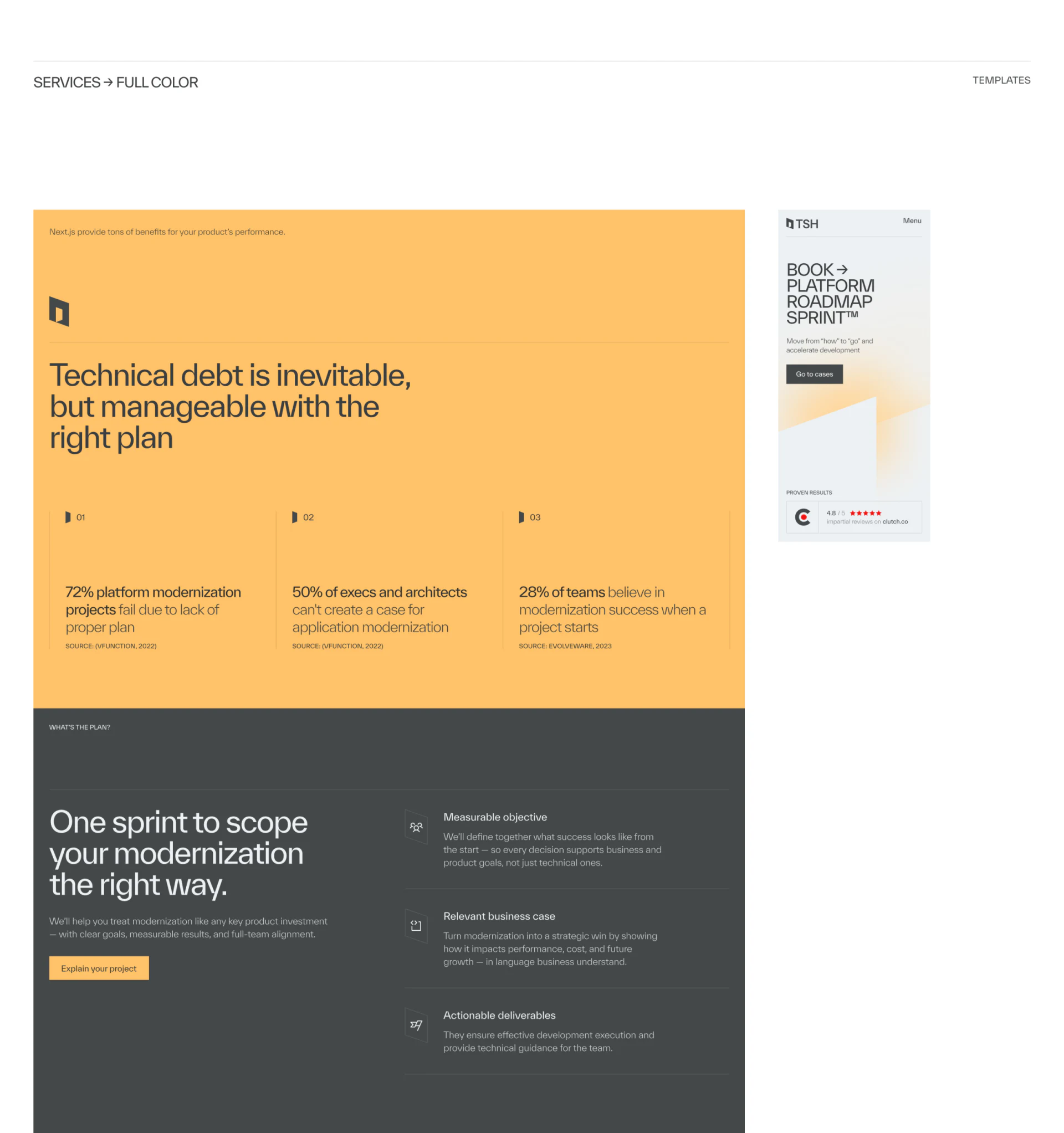
A yellow problem area leads to dark discussion scope
The modernization page uses yellow for technical debt and planning above, then dark gray below with a large left heading and inquiry action, and goals, business case and deliverables on the right. Background change separates problems from discussion direction, suiting long service explanations.
Three right-hand items show possible discussion topics. Recognizable material names can clarify how goals are defined, what the business case includes and who uses deliverables. Concrete content beneath broad headings helps readers prepare.
Percentages above have source marks and could add period and subject to align industry claims with definitions. JVDS prioritizes connecting lower scope and inquiry: does clicking retain modernization context and prompt relevant materials?
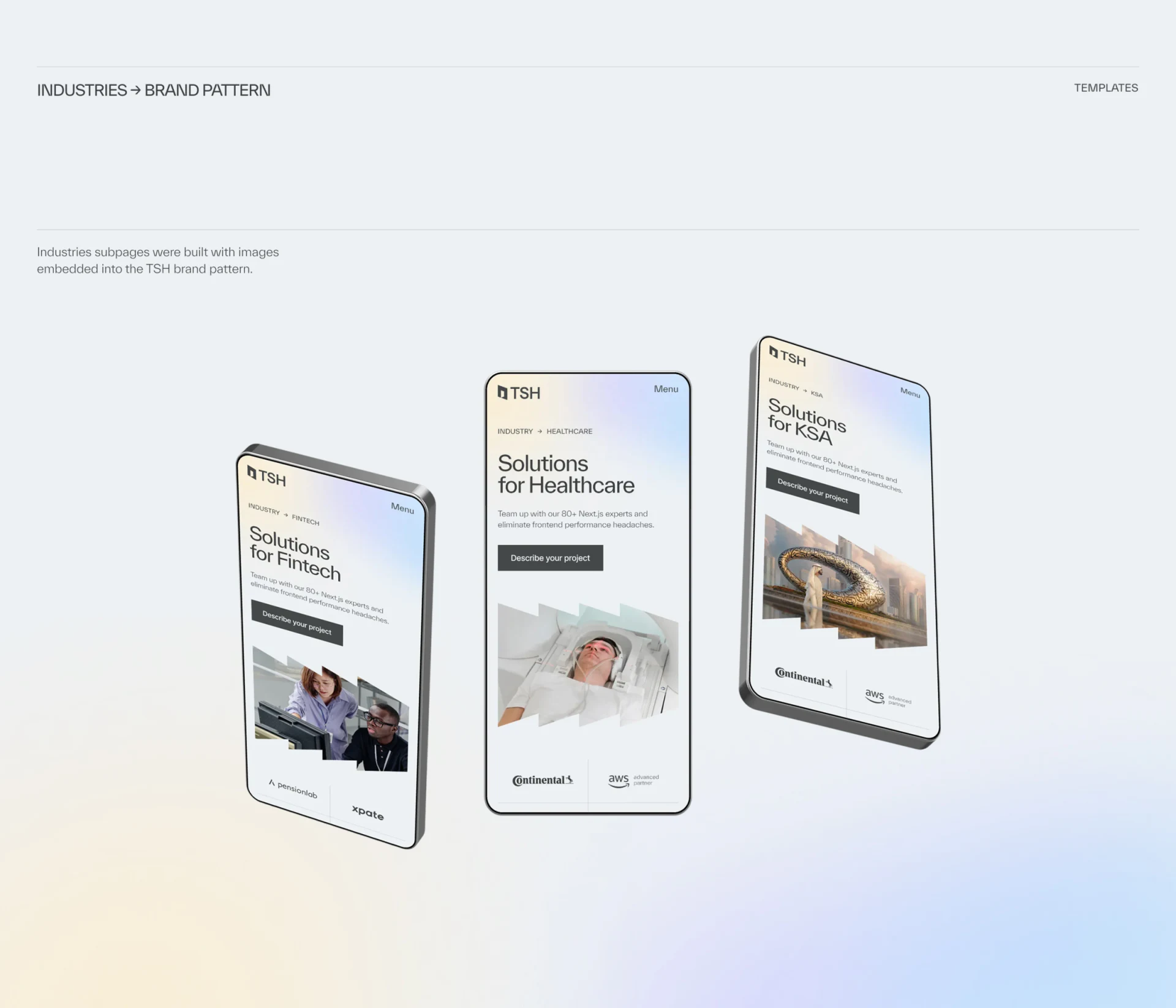
Industry photos distinguish context; words explain tasks
Three phones show Fintech, Healthcare and KSA on pale backgrounds with geometric image crops. Work scenes, equipment and buildings establish contexts, but industry and region are different classification dimensions, requiring explanations for separate pages.
Keep heading, description, evidence and action positions stable in industry pages, with typical problems and participants carrying differences. Photographs supply atmosphere without establishing scope, credentials or partnerships.
JVDS would carry each chosen subject into inquiry rather than end in a generic introduction stripped of context. Stable templates reduce unfamiliarity; specific answers explain why a page deserves reading.
Frequently asked questions
Will shared service templates feel repetitive?
Stable structure is usually useful; repeated answers hinder understanding. Each page should state its task, scope and subsequent material.
Design review checklist
- Check whether introductions merely replace technical names.
- Retain service or industry context into inquiry.
Let service templates carry different answers
If your software or professional website has several technical and industry pages requiring consistent visuals and clear business content, start with each page’s central question.
JVDS provides UI/UX design and website design and development. We can work through page content, interface structure and implementation needs together.
 Link copied