Widepay uses light white-gray containers, with channel marks and pale curves supplying local color. Desktop dashboards hold multiple accounts and operating metrics; payment cards narrow to one transaction, and watches further compress to an approval object. Scope changes matter more than container style: each move from overall view to transaction to action should retain enough verification cues.
Key takeaways
- Assets, period results and channel proportions have separate containers that bound overview scope.
- Payment choice states amount, purpose and recipient before channels, identifying the transaction first.
- The watch retains amount and invoice number, while approval consequences still need flow explanations.
Account cards and statistical results form layers
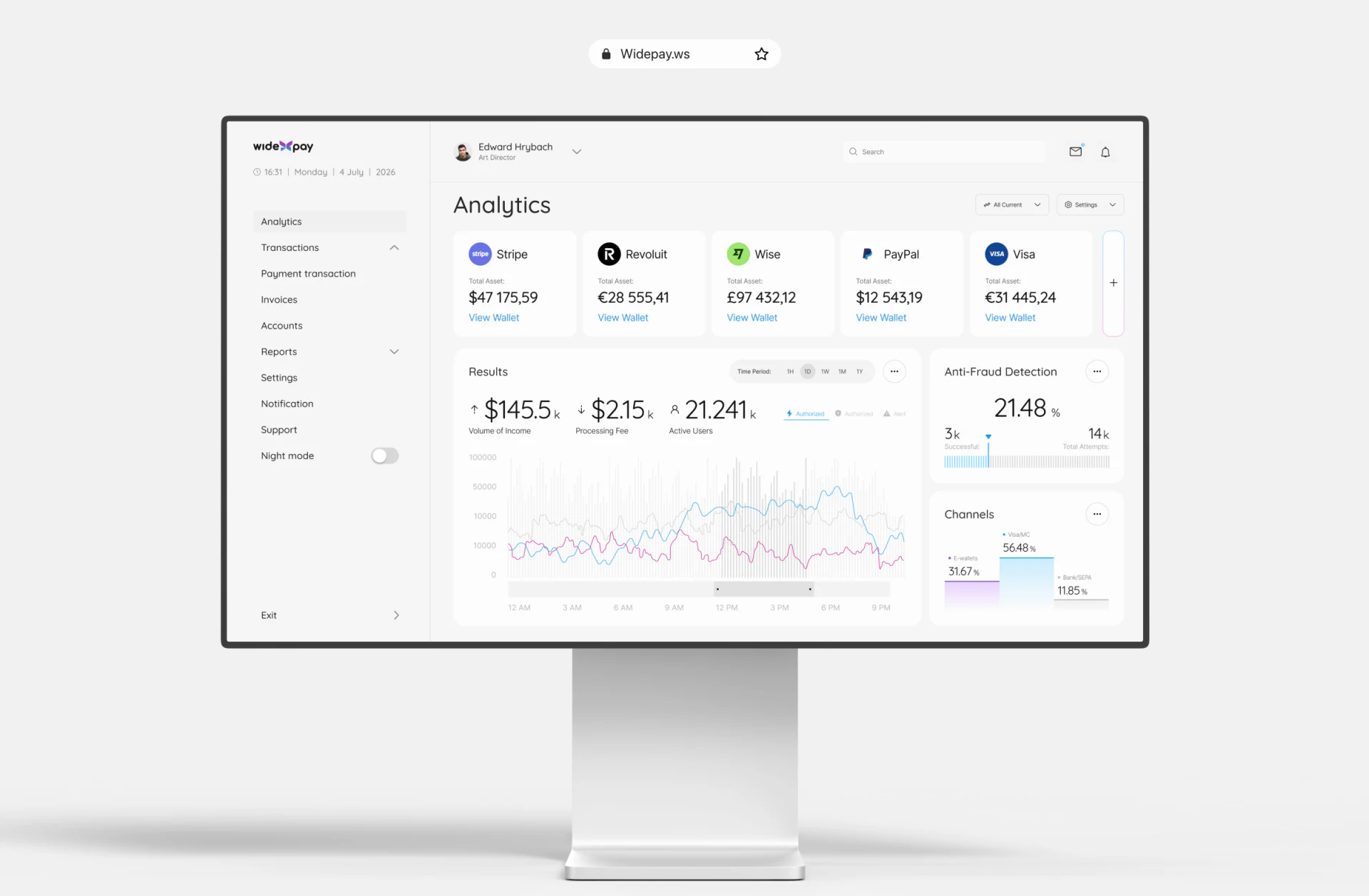
Analytics has Stripe, Revolut, Wise, PayPal and Visa asset cards above, each with Total Asset, amount and View Wallet. Dollar, euro and pound signs accompany values; uniform cards support horizontal browsing and continued viewing per account. A narrow plus at right shares this account row.
Results below changes to period observation, with Time Period upper right, revenue, processing fees and active users as summaries, then trends. Anti-Fraud Detection and Channels remain independent beside it rather than crowding account cards. Account distribution and period operations are structurally separate questions.
Pale blue and pink-purple curves over gray keep the page light. Actual work needs legends, period and account scope synchronized with filters. Different currencies cannot be summed simply because their cards share a row; aggregate views must explain their definitions.
An individual payment names purpose and recipient first
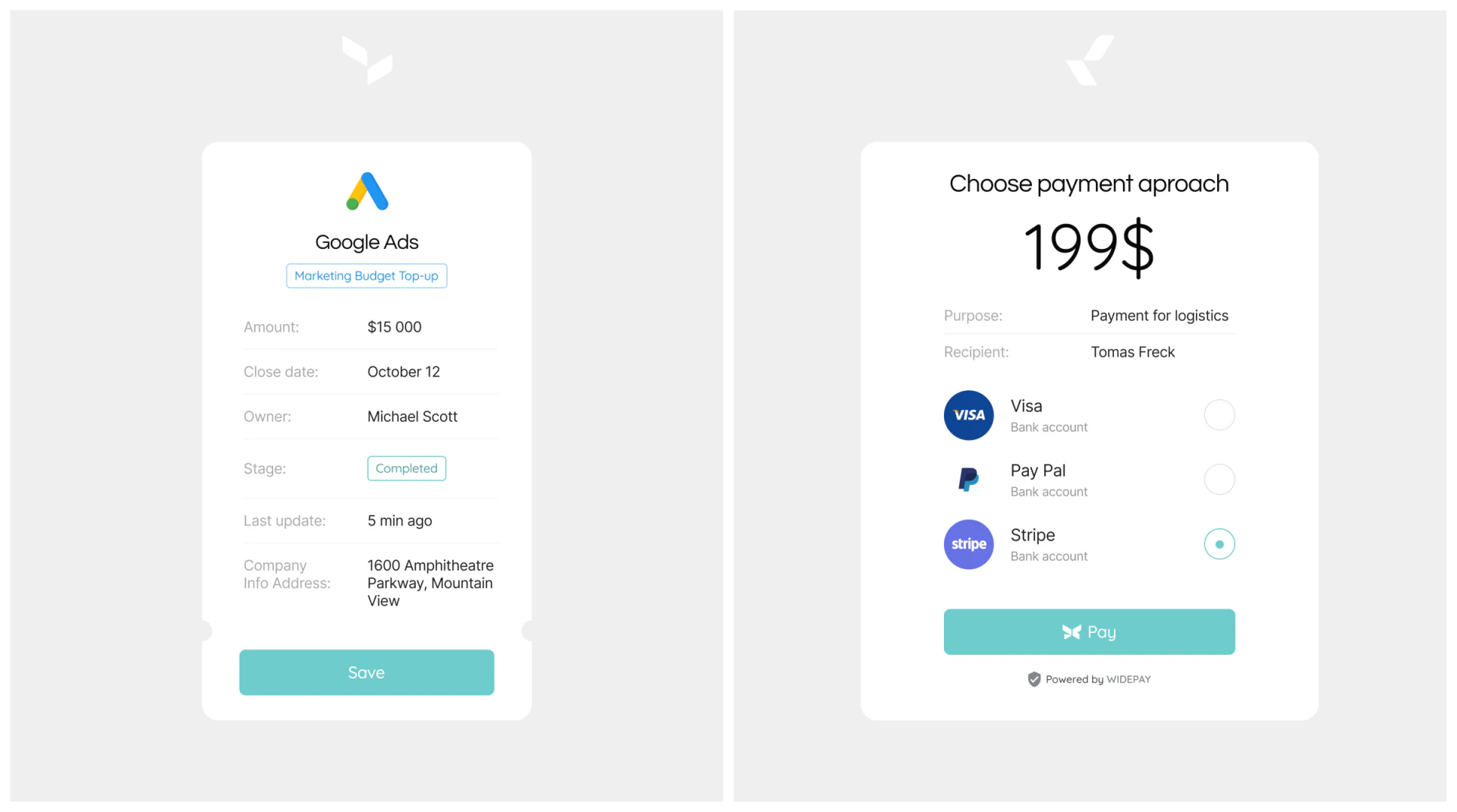
The payment card starts with large 199$, then Purpose and Recipient, before Visa, Pay Pal and Stripe. Stripe’s selected radio is teal, repeated on Pay. People identify what the payment is before choosing its method.
All three options repeat Bank account without distinguishing account identity. Channel marks identify brands but cannot establish which specific account a selection uses. JVDS prefers brief source-account identity and necessary fee explanations in confirmation, making differences checkable.
A left Marketing Budget Top-up receipt shows 15,000, responsible person, date, Completed and latest update, but its bottom says Save. The form groups fields neatly; whether Save means editing data, saving a record or something else needs an accurate action name. It differs in scope from Pay on the right, so state and button should each specify their objects.
Small-screen approval retains transaction identity
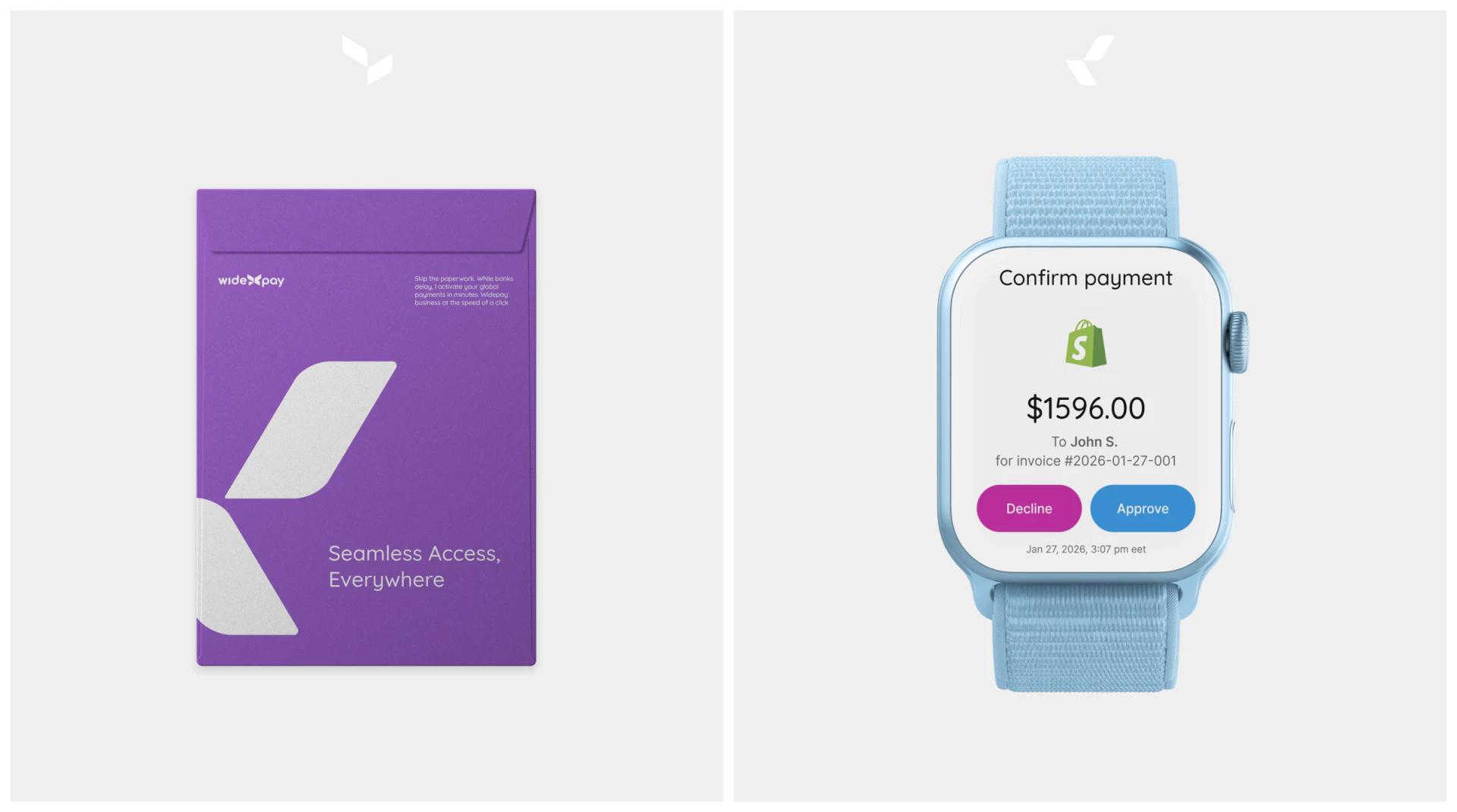
The watch says Confirm payment above merchant mark, 1596.00, To John S. and invoice number. Pink-purple Decline and blue Approve sit together, with date/time below. It keeps amount, shortened recipient, identifier and time rather than only two buttons, enabling a specific decision.
The recipient is shortened while the identifier is long, providing different cues. A linked phone or record page can reveal full details if it retains the same payment. Explain whether approval authorizes review or also triggers payment before and afterward; the same Approve can otherwise cover different flows.
Carry transaction identity and state from desktop overview to watch approval rather than shrinking all desktop metrics. Explicit result feedback and traceable records give this small-screen process a complete destination.
Frequently asked questions
Does a watch approval need every detail?
Avoid crowding all content, but keep amount, object, identifier and action consequences clear, with access to the same full record. Reduce secondary fields without removing approval scope.
Design review checklist
- Label account, period and channel-statistic scopes separately.
- Tie methods to specific sources and check currency and fees.
- Clarify what saving, paying and approving change, including subsequent record states.
Connect operational overview and individual flows
If your payment product needs account dashboards, payment confirmation and mobile approval, JVDS can help with UI/UX and website design and development, organizing data scope and action states.
Discuss account identities, transaction confirmation fields and approval rules before adapting pages to different sizes.
 Link copied