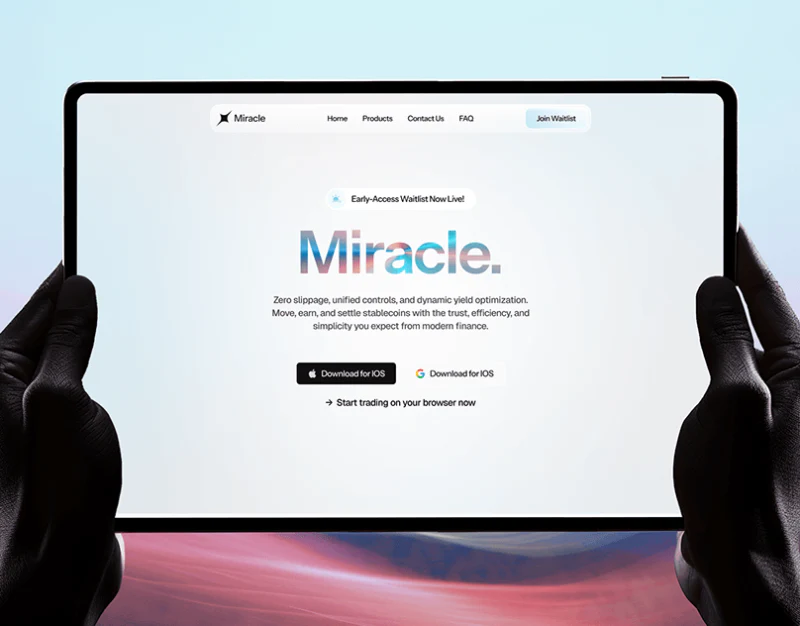
Miracle creates a light character through pale blue, white cards, and multicolor gradients, including flowing color inside the brand heading. This continues through features and rewards, but hero actions have different contexts: waitlist, download, and immediate browser access appear together. Reviewing this trading platform website entry design starts with whether the vivid visuals explain availability and later rules.
Key takeaways
- Gradients concentrate on branding, illustrations, and local backgrounds, while black text and buttons anchor reading.
- Waitlist, downloads, and browser entry coexist and need explicit access scopes.
- Points, XP, levels, and channel choices have separate components, but explanations need to connect their meanings.
Light colors, several actions
Navigation sits in a white rounded bar: brand left, Home and Products centrally, and pale blue Join Waitlist right. Early-Access Waitlist Now Live precedes a large gradient Miracle and explanatory text, then download and browser actions. State, brand, proposition, and entry already form a sequence.
A black download button beside Apple and a pale entry beside G avoid filling the hero with solid buttons. An arrow introduces browser access below. Both download labels say Download for IOS, however, so icons and words do not clearly distinguish platforms and need checking.
The waitlist and Start trading on your browser now also need scope: does waiting concern the app, one feature, or everything? JVDS prefers states beside corresponding actions, with each platform explaining what is available. Visual emphasis then reflects real paths and readers can understand the next result.
Colored feature cards need explanatory text
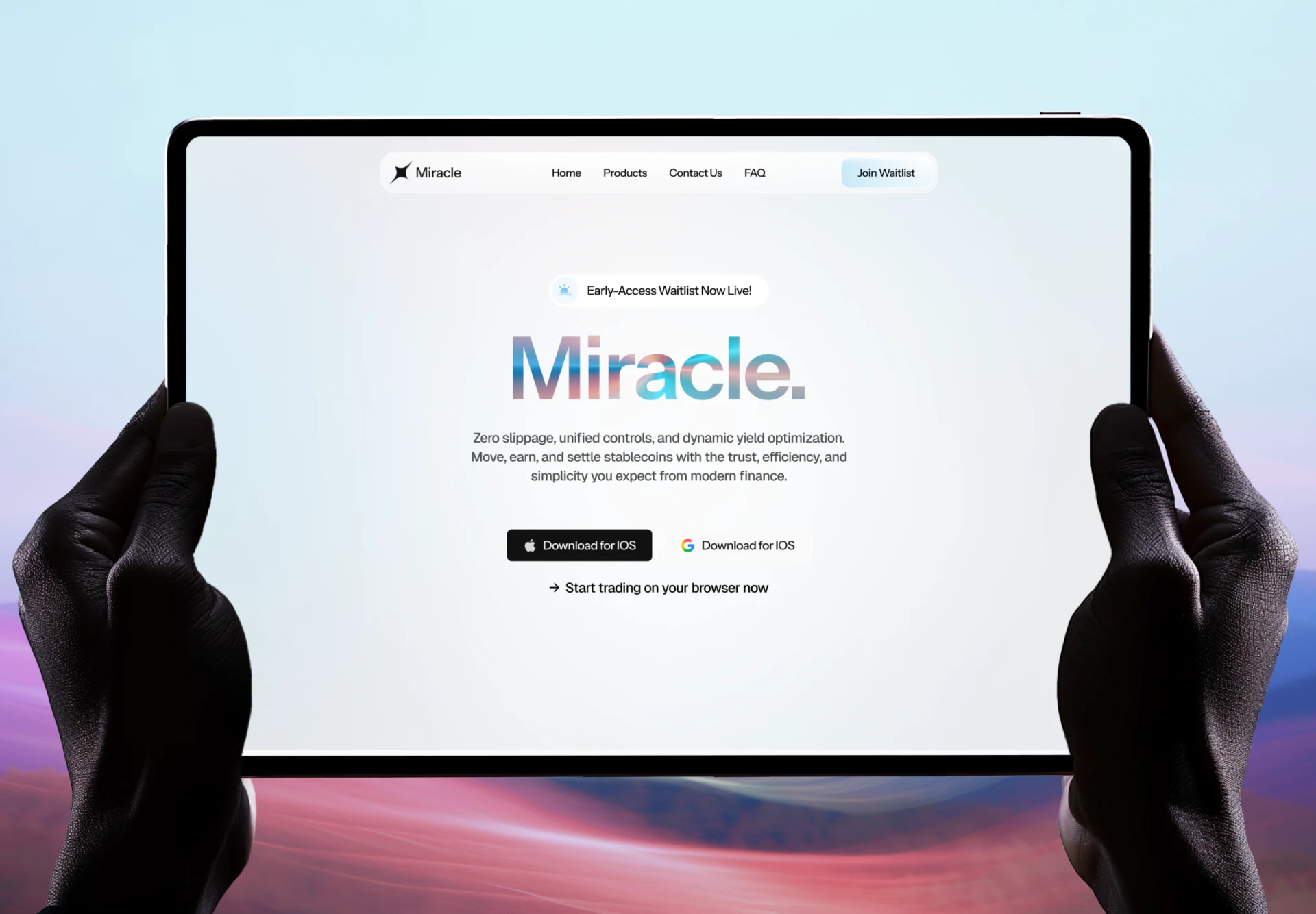
Trade Everything, Self Custody, and Fully Decentralised sit together in warm, pale blue, and lavender cards with trade marks, lock, and asset icons. Lower areas fade toward white, keeping black headings readable. Graphics suggest themes before words explain conditions, separating broad claims.
Card bodies and some partner descriptions remain Lorem ipsum. Containers and themes are clear, but scope and meaning are not. Production copy could state supported objects, user-controlled elements, and prerequisites. Explanations need not all occupy the hero, but every promise needs a place for further understanding.
A larger two-column partner card places a purple brand image right and relationship text left. Clear relationship names and explanations help judgment more than logo size. Display material is page content whose editing still needs actual supporting information.
Points and levels need distinct units
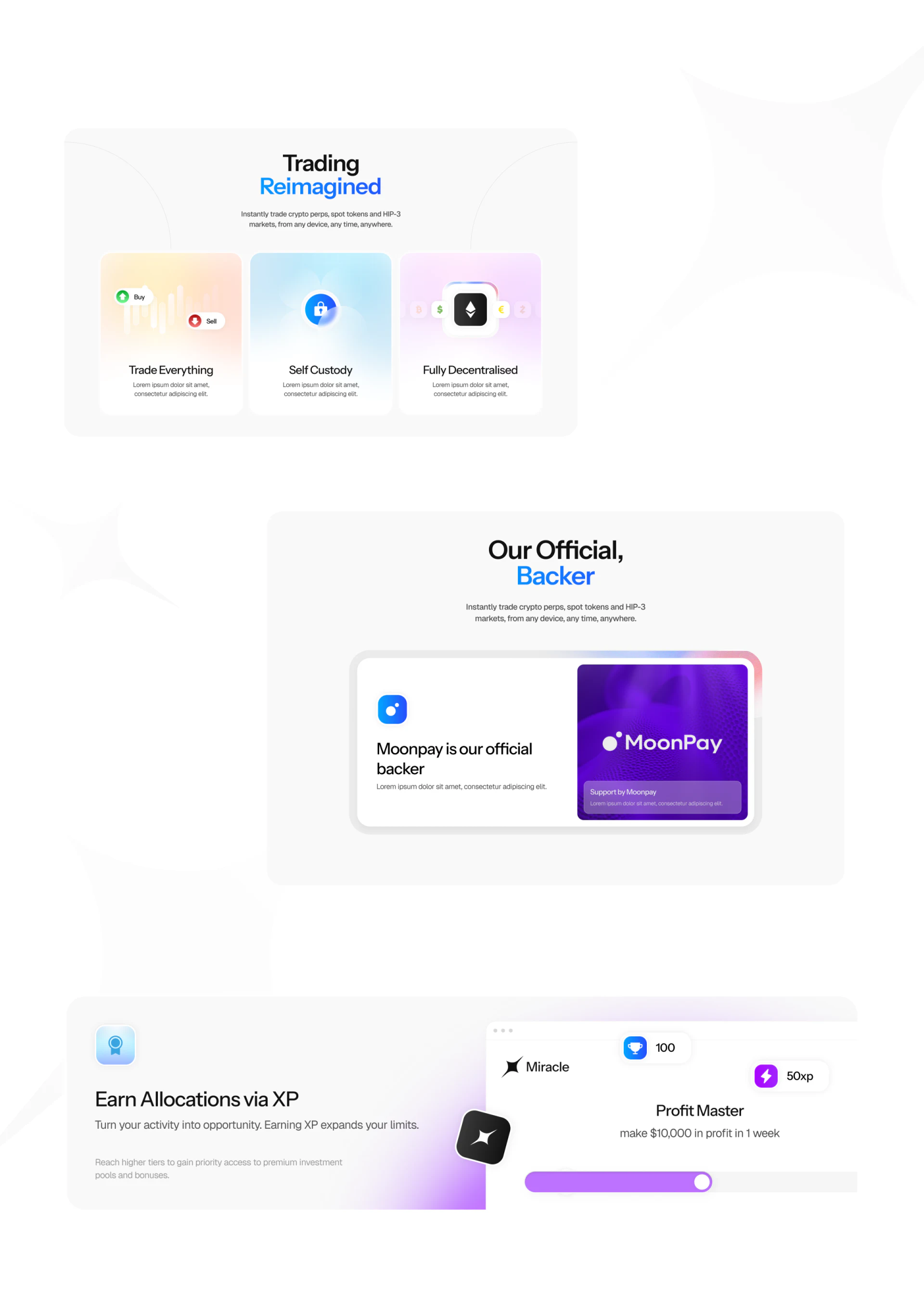
Points shows 21,492 pts on an orange curve. Challenges uses a blue segmented bar from Level 3 to Level 4 with 250 XP to next level. Curves suggest change over time, while segments suggest progress toward a level, matching different questions.
An XP task below adds a 100 trophy marker, 50xp, and progress. Their positions are distinct, but relationships between Points, XP, and levels are unexplained. Rules could identify contributing actions, effects on levels, update timing, and scope. Understanding units makes gradient emphasis point to meaningful progress.
One interface, Any DEX below uses a radio list with Lighter blue and Confirm lower right. This is separate from rewards and should identify which entry or service the choice affects, retaining the option afterward. A marketing page can show several capabilities without relying only on shared glossy styling to connect components.
Frequently asked questions
Can several platform entries share a hero?
Yes, if icons, platform names, and availability agree. Waitlists, downloads, and browser access may have different scopes, best explained nearby to reduce reassessment after entry.
Design review checklist
- Check platform icons, download names, and access scopes together.
- Replace feature and partner placeholders with understandable explanations.
- Distinguish points, XP, and levels, and explain channel confirmation.
Put access and rules into the interface
If a trading website presents multiple platforms, features, and rewards, JVDS Design Studio can help with UI/UX design, website design, and development, aligning availability, rules, and action hierarchy.
Start by organizing what each platform currently supports, then discuss hero entries and feature components.
 Link copied