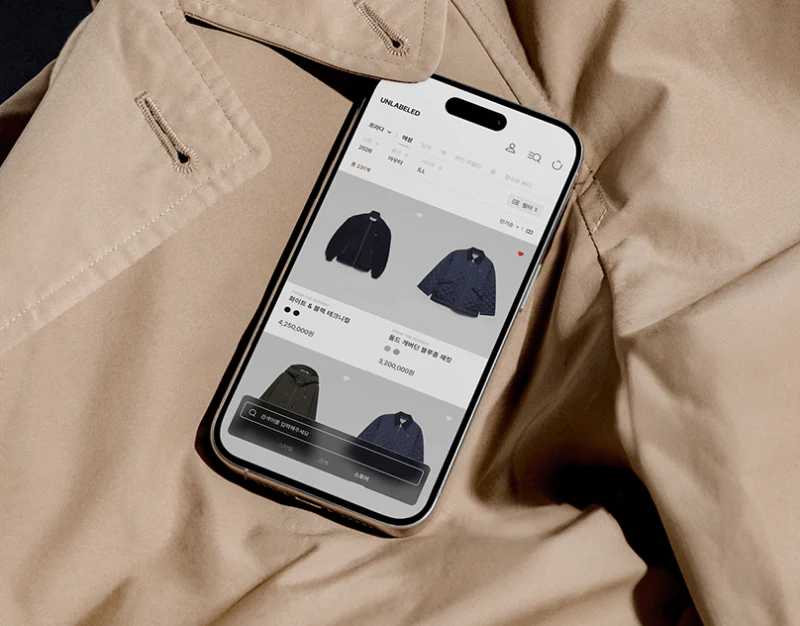
UNLABELED attracts browsing through fashion photographs, then uses pale grids for products. Home, brand categories, and details gradually change density, moving from style interest to specific selection. Photography can support exploration, while conditions and versions become more explicit in lists.
Key takeaways
- Home photography creates interest; list fields support specific comparison.
- Layered filtering and versions need persistent textual summaries.
Photography and grids have different densities
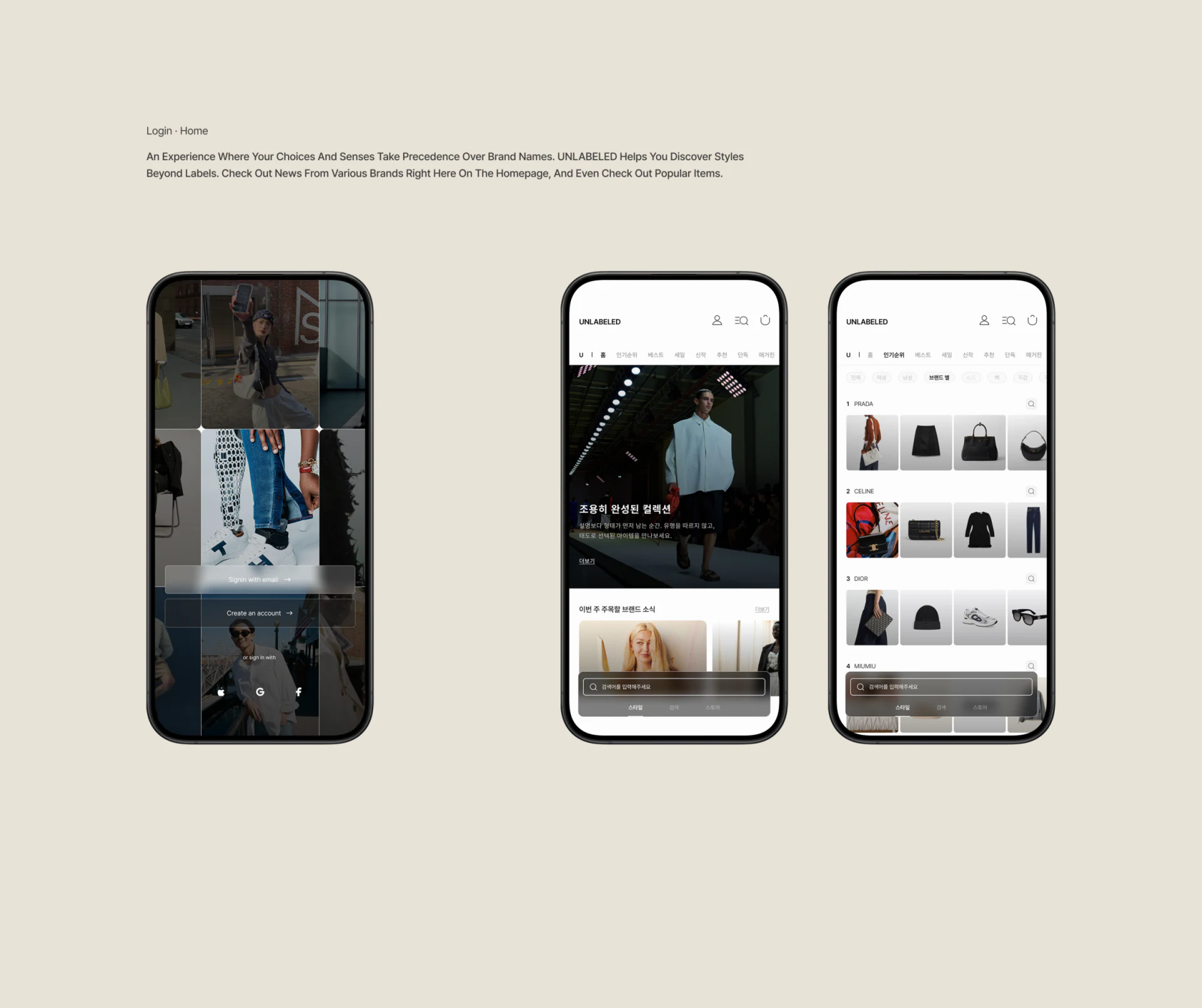
Login collage and large home images emphasize people and outfits. Brand or product collections introduce thumbnails, while lists fix images, names, color dots, and prices. Content becomes specific with the task rather than remaining atmospheric.
Features should carry their theme into collections and explain whether they concern one item or a whole style. JVDS prefers preserving this origin, so returning visitors recognize the feature instead of searching photographs again.
A translucent bottom search bar covers photographs and pale product areas. Stable position adds background-adaptation requirements: text, buttons, and the last row must each stay readable, with sufficient lower scroll space.
Categories separate different conditions
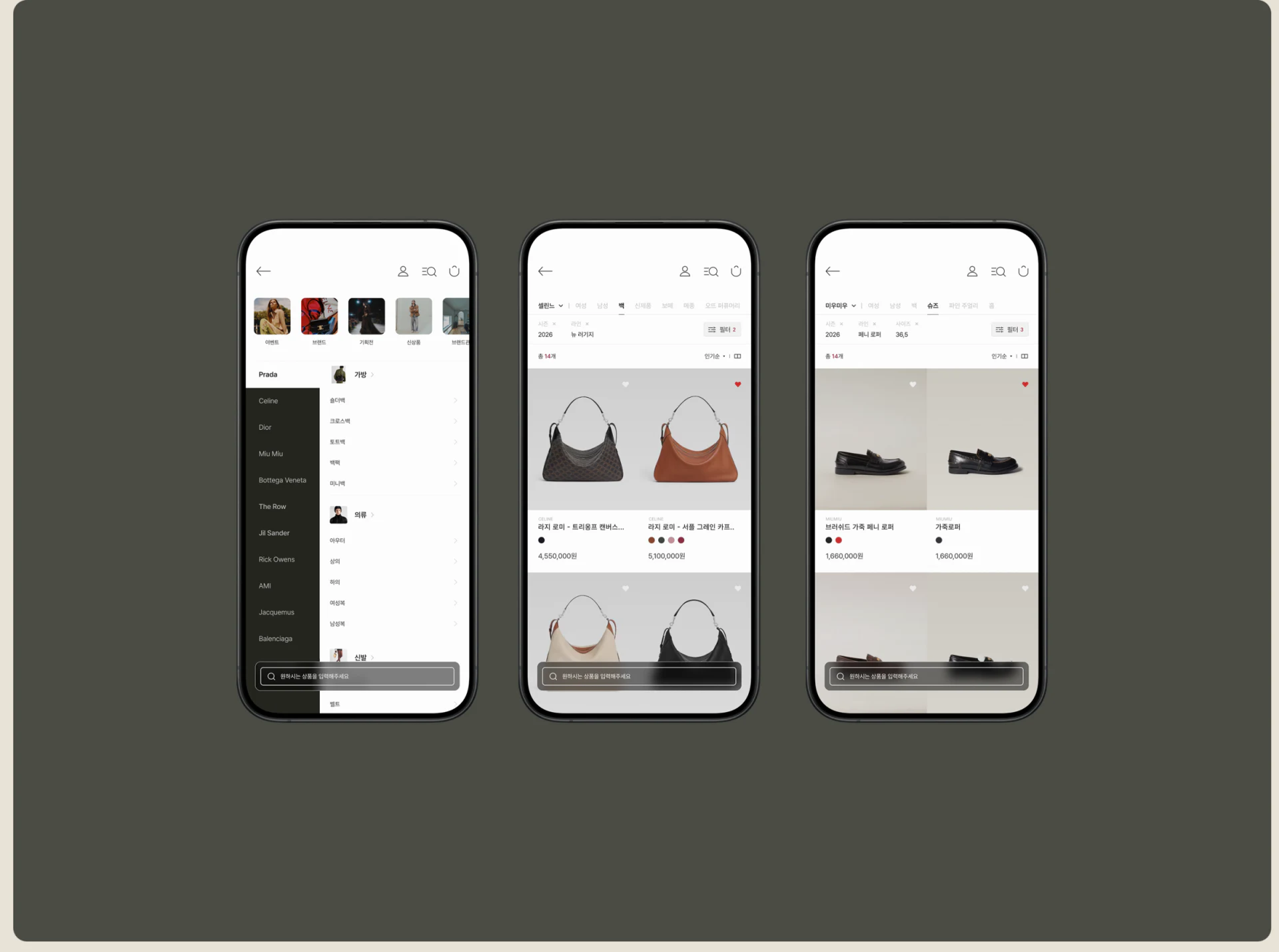
Brands occupy the category page’s left, with bags, clothing, and other types right. Lists retain brand, category, season, and size above. Multiple dimensions suit broad ranges but answer different questions.
Brand describes origin, category the object, and size suitability. A summary could retain the combination and allow individual removal. Changing brand should explain which conditions remain valid, helping users understand why these results appear.
Two-column lists keep similar image proportions with dots and prices below for comparison. Filters and sorting need stable positions, counts, empty feedback, and preserved return positions to prevent losing a target after changes.
Name the version before purchase
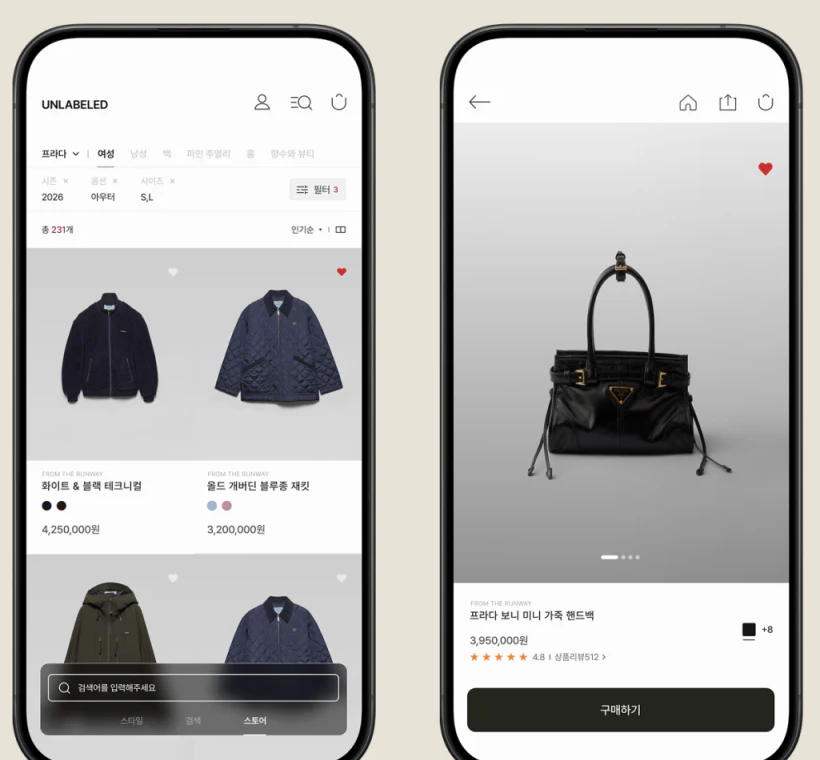
A black bag image centers the detail page, with separate favorites upper right and name, price, rating, and a wide purchase button below. Image and action areas are clear, leaving shape visible and purchase findable.
+8 beside color blocks suggests further choices without fully naming the current version. Color, size, and availability belong near purchase and should remain visible after expansion. A black dot or large image cannot replace version words.
Lists can be lightweight while details and orders need complete checks. Added products should retain version, quantity, and an edit path, turning multi-brand exploration into a readable summary. Ratings also need their source and relevant scope explained in the actual page.
Frequently asked questions
Should a fashion home use photographs or product grids?
Arrange them by task. Features express style and collections support comparison, with topic continuity and return paths between them.
Can dots fully replace color names?
They help scanning, but purchase needs names and selected states. Screens can change apparent color and orders need readable versions.
Design review checklist
- Match feature themes with destination collections.
- Make current filters individually understandable and removable.
- Show version and availability in the purchase area.
Move style browsing toward a confirmable order
Fashion ecommerce can organize features, filters, and version summaries before connecting favorites, carts, and checkout.
JVDS Design Studio provides UI/UX design, website design, and development services, helping organize page content, interface structure, and implementation needs.
 Link copied