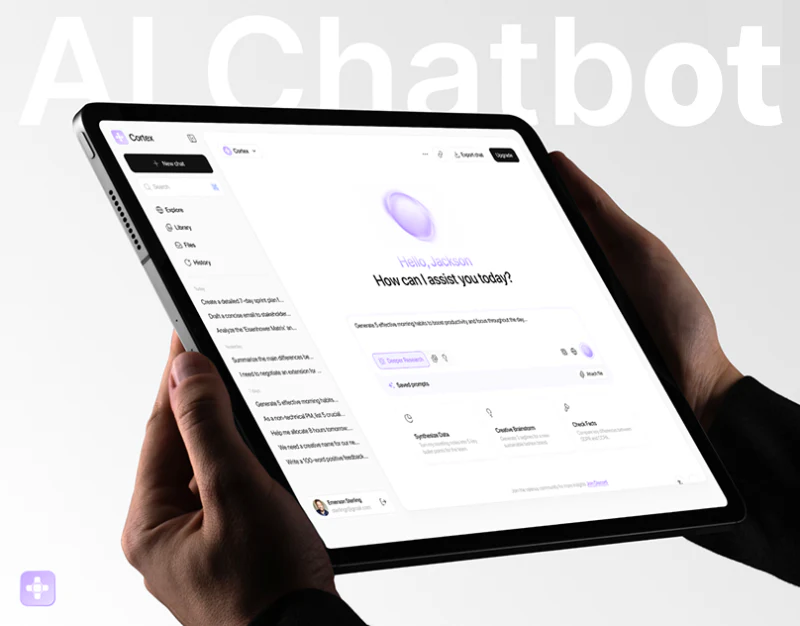
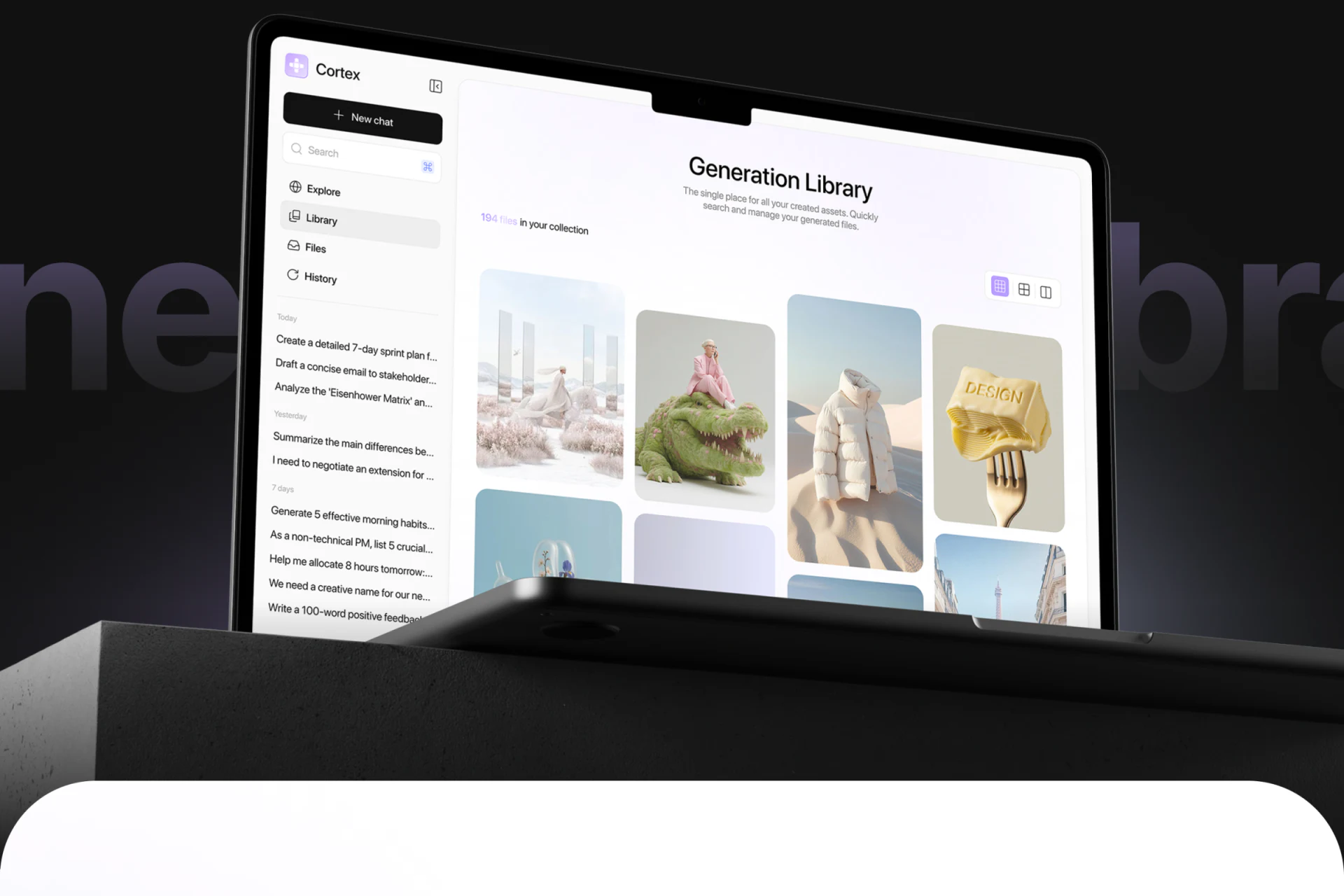
Cortex presents an assistant that remembers, organizes, and browses outputs. Pale purple connects the mark, cards, and selections, while black primary actions anchor the soft interface. The image library is striking, but lasting value depends on returning outputs to their tasks. New chat, history, input files, and results need a stable relationship beyond an attractive image wall.
Key takeaways
- An image grid makes generated outputs browsable, with new and history entries in fixed navigation.
- The task map separates navigation, commands, and account management, while execution and results still need states.
- Capability cards distinguish memory, libraries, and curation; the interface should explain where each object is saved.
The library makes outputs a browsable collection
Generation Library says 194 files in your collection, with the first of three view icons selected in purple. Varied image proportions form a staggered grid of people, clothing, and objects. Large previews identify appearance, while shared corners and whitespace preserve order.
New chat is a wide black button above search, Explore, Library, Files, and History, with Library pale-gray selected. Conversations grouped by Today and Yesterday sit below. Collection and recent tasks coexist, allowing browsing alongside return to existing work.
This grid lacks obvious names or task summaries, making similar images harder to distinguish. JVDS prefers findable names, creation times, and original-task entries, with lists or details alongside large browsing. Users can identify requirements behind an image and revise without recreating context.
A task map separates entries and still needs execution links
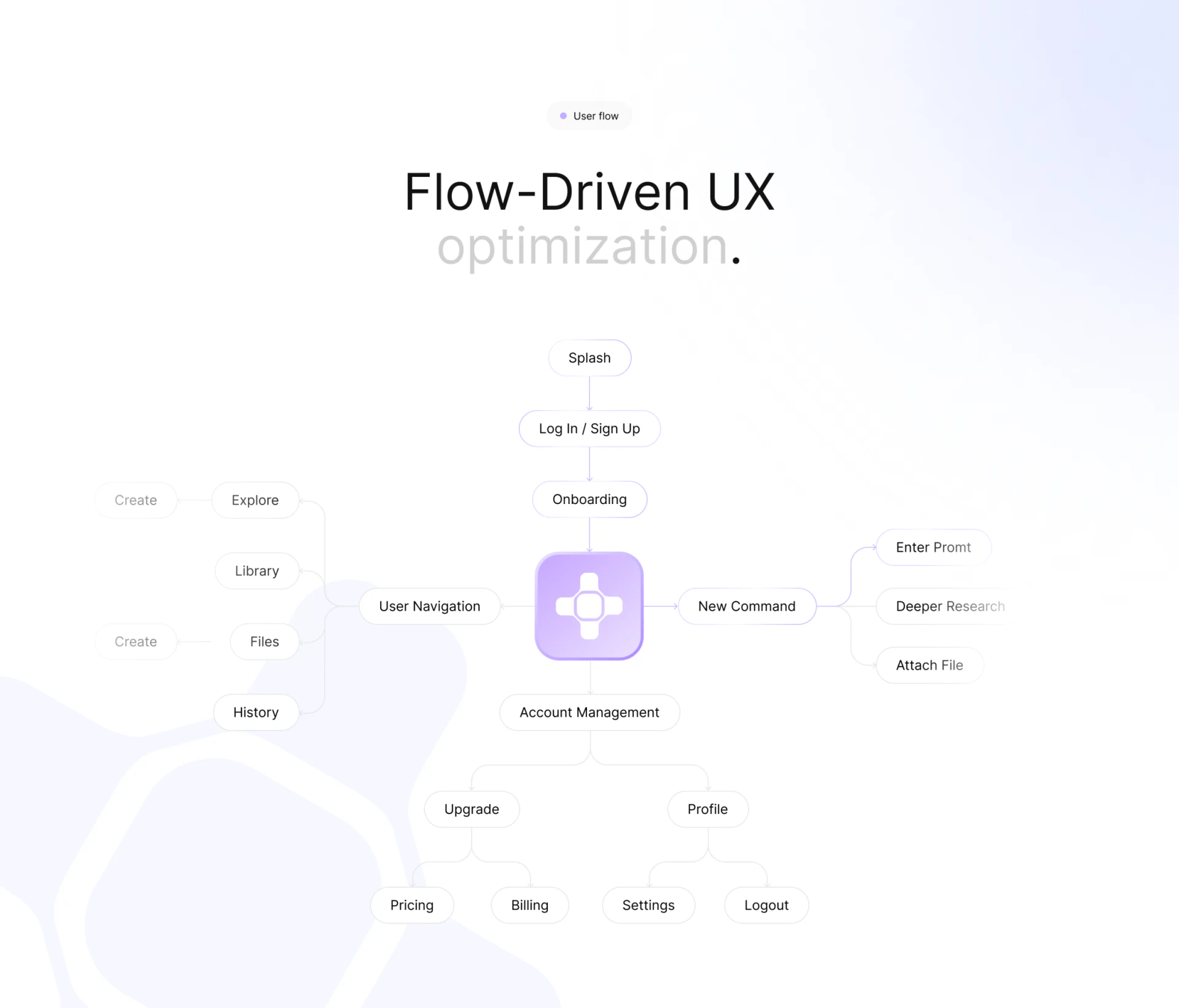
Flow-Driven UX moves from Splash, authentication, and Onboarding into a center branching left to User Navigation, right to New Command, and down to Account Management. Navigation includes Explore, Library, Files, and History; commands include Enter Prompt, Deeper Research, and Attach File; accounts lead to pricing, billing, settings, and exit. Recognizable branches organize scope.
Prompt, research, and attachments share a branch, suggesting varied inputs. Clarify whether attachments are task material or saved files, how research mode changes a task, and whether text and files coexist. These relationships define Library versus Files and what history can retrieve.
Waiting, failure, cancellation, and result confirmation after submission are absent. Follow an actual task to add states and define where results open, change, and save. Complete sections are only a start; input-to-result continuity lets work reliably return to its task.
Capability descriptions should match findable content
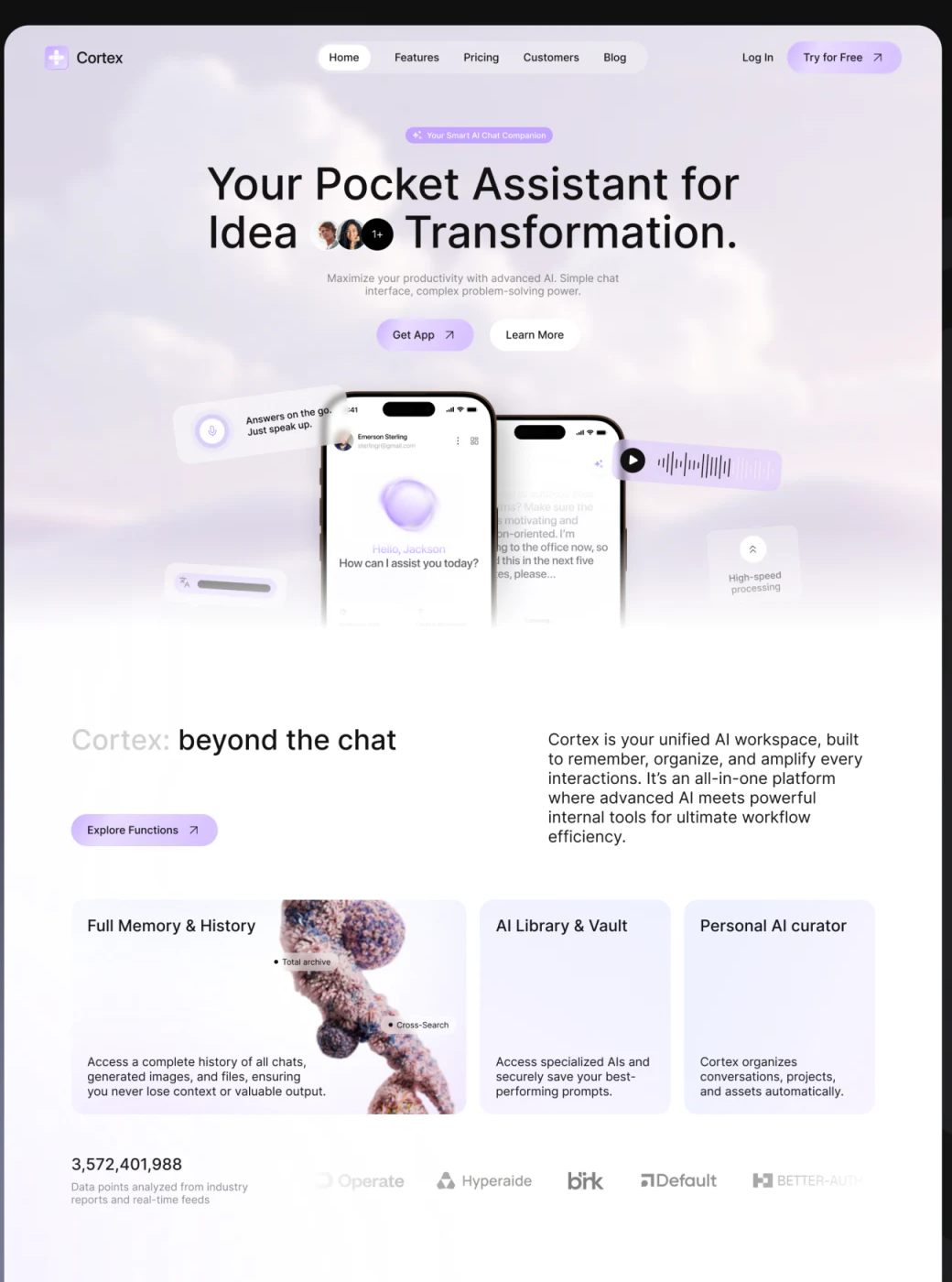
The promotional hero uses two phones and a floating voice card, with primary Get App and secondary Learn More. Full Memory & History, AI Library & Vault, and Personal AI curator sit below on pale purple, separating memory, storage, and curation.
These headings can explain navigation: which records History keeps, which outputs Library stores, and what Files contains. Automatic changes to collections or project ownership should be visible and adjustable. Descriptions tied to actual objects connect promotion to use.
The phone says Emerson Sterling above but Hello, Jackson centrally. Example identities need alignment, especially in a product emphasizing memory and personal assistance. Check identity, tasks, and material ownership before enriching them with voice, images, and purple gloss.
Frequently asked questions
Should generated libraries and input files be combined?
They can share management while retaining source differences. Inputs, results, and conversation history serve different tasks; names, sources, and linked tasks clarify their roles within one collection.
Design review checklist
- Retain result names, times, and original-task relationships.
- Complete attachment submission, execution, failure, and confirmation paths.
- Distinguish file, output, and history scope; check personal identity and ownership.
Return AI outputs to ongoing work
If your AI product manages conversations, attachments, and generated materials, JVDS Design Studio can help with UI/UX, website design, and development around tasks, results, and libraries.
Start with input through later revision to discuss navigation, status feedback, and retrieval entries.
 Link copied