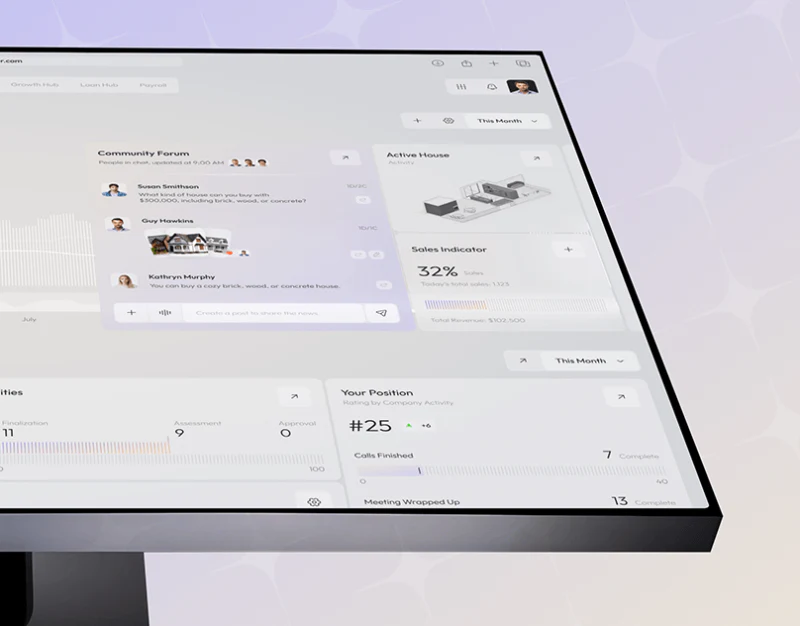
Loanza’s loan CRM dashboard design uses gray-white and pale purple for rates, forums and stage summaries. Large numbers, topic cards and small charts have separate pages, with consistent softness without mixing all tasks. This division is useful in workspaces for information and discussion.
Key takeaways
- Rate categories and updates sit near values; forums and stage summaries have task-specific pages.
- Summaries should link to records with consistent numerical formats and scope.
Categories and updates sit beside large numbers
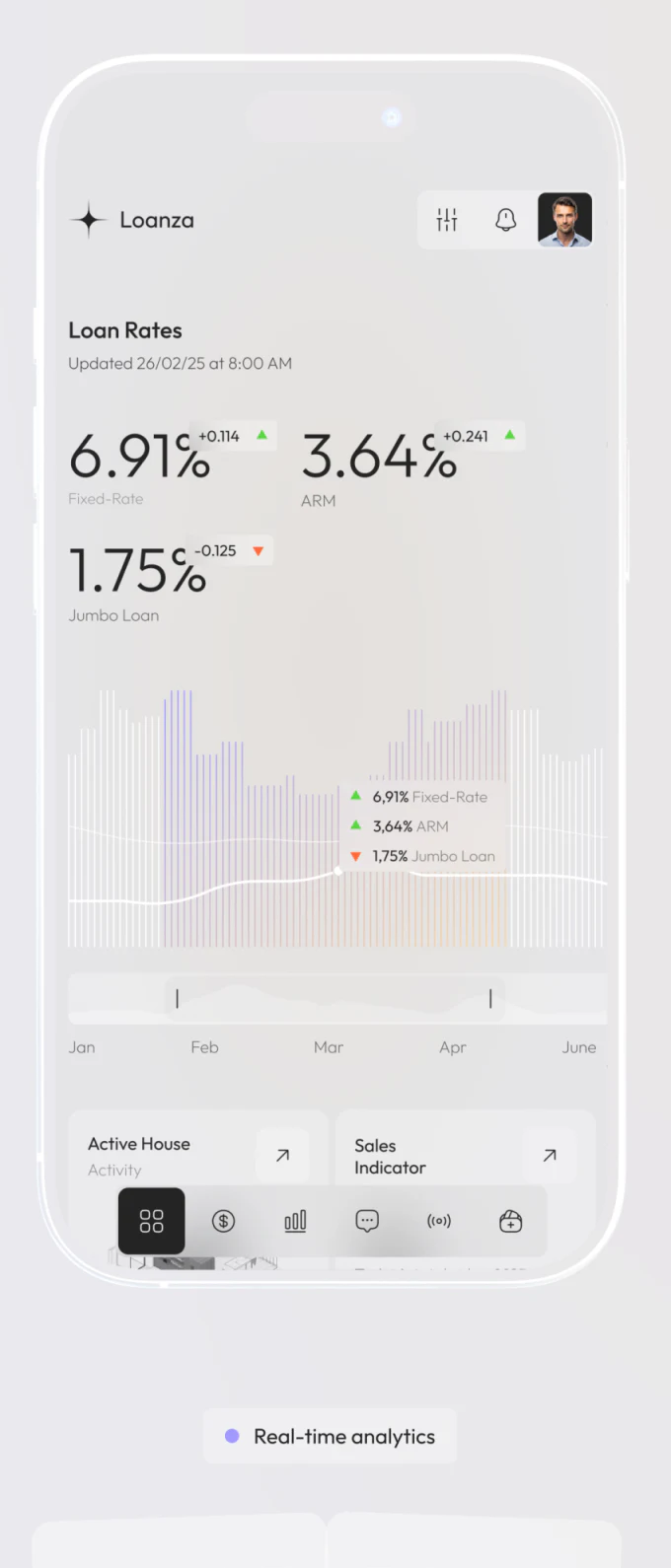
Loan Rates shows update time under the title, three values with change cues, then Fixed-Rate, ARM and Jumbo Loan. Curves and thin bars follow; categories need not be found separately in legends.
Context before change supports scanning. Green-orange arrows distinguish directions without establishing that one is favorable. Sources and comparison baselines still need explanations; dates and figures are not current quotes.
The upper page uses decimal points while the chart overlay uses commas for the same example. JVDS would establish regional formatting before adjusting large type and charts. Light visuals still need consistent verification wording.
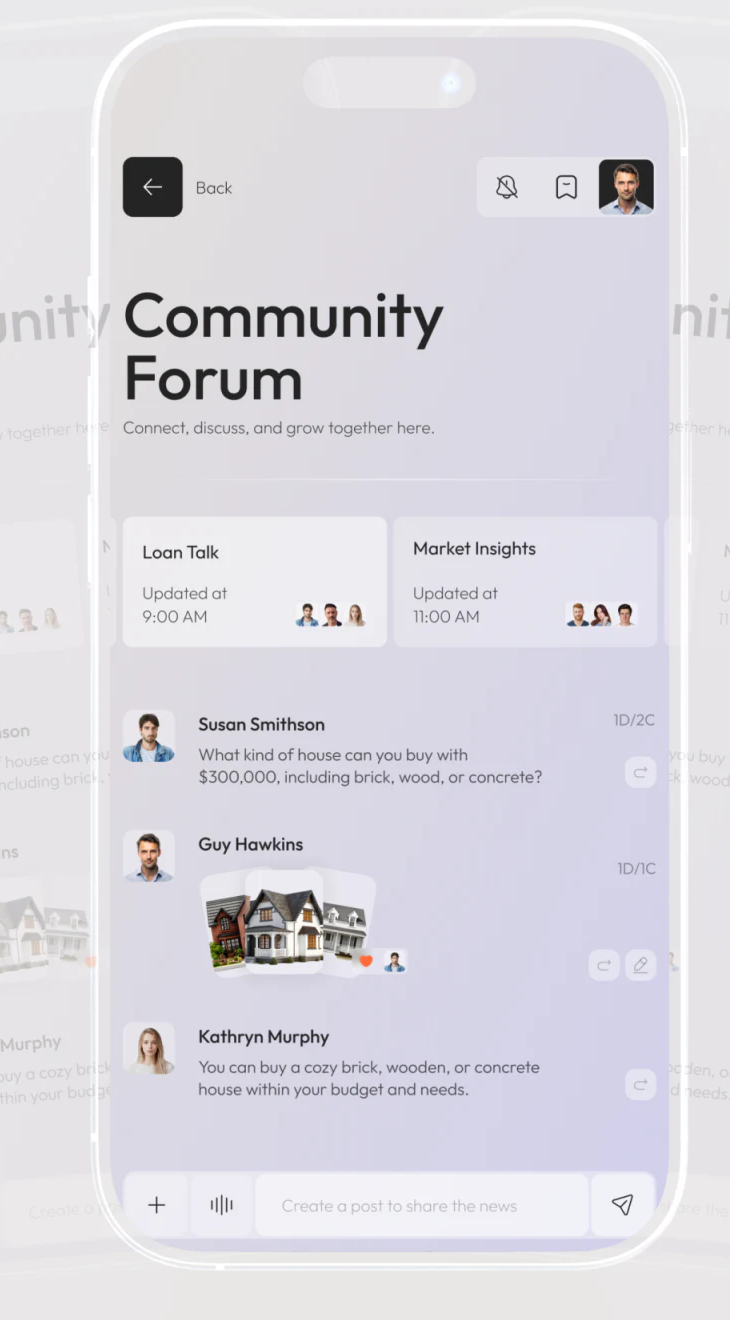
The forum gives topics and participants their own areas
Loan Talk and Market Insights form two updated, avatar-bearing cards below Community Forum, with people, text and images in messages below. Pale purple differs from data pages, making discussion central.
Forums support exchange; formal records confirm status. Images and replies explain background without establishing confirmed conditions. Related record entries can make conversations traceable to objects.
JVDS prioritizes current topic, visible scope and business identity over message popularity. Formal changes need explicit operations rather than inferred replies. Post input and reply actions were not operated in this review.
Month and arrows make summaries starting points
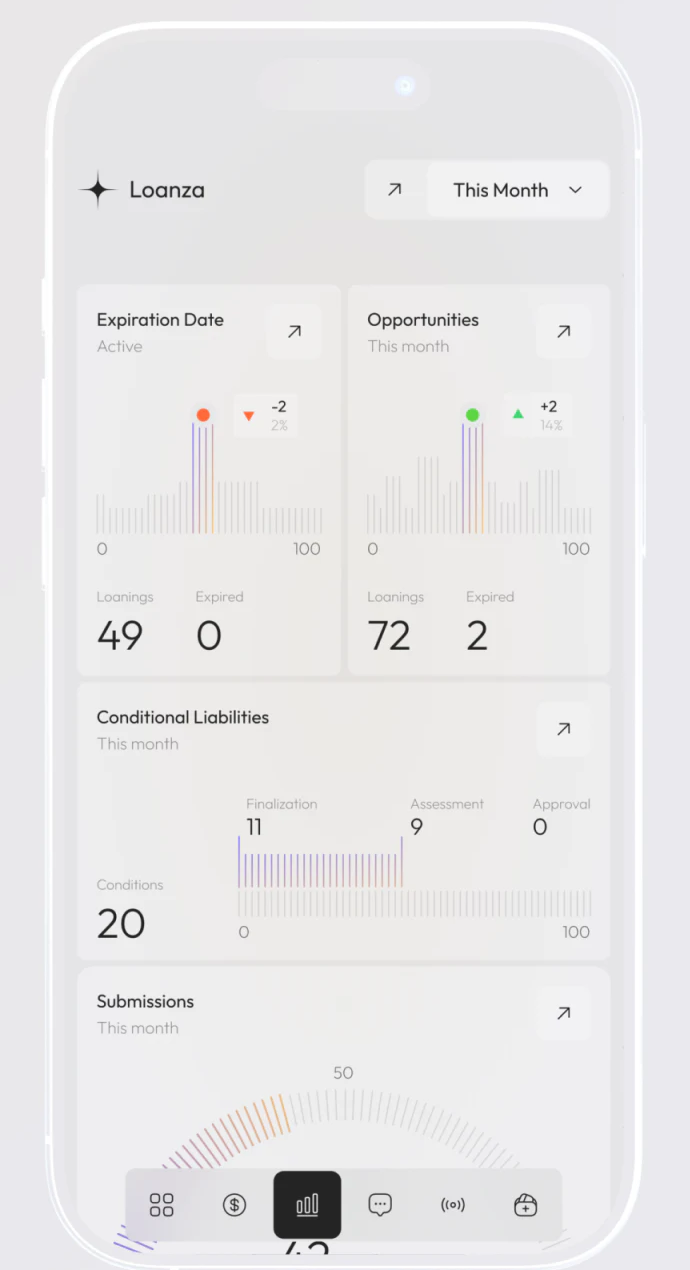
This Month sits above Expiration Date, Opportunities, Conditional Liabilities and Submissions cards. Large values, components and fine graphics have stable places, with corner arrows suggesting access to corresponding scope.
Useful summaries align month, name and subsequent list conditions. Expiration concerns periods and stages the same object group; returning should retain recognition of the choice. Similar graphics do not imply identical definitions for every number.
Lower navigation sits near content and needs checking so the final card stays fully readable. JVDS would trace discussion to record and back to stage summary for retained objects. Distinct places for overview, exchange and confirmation make shared style practical.
Frequently asked questions
Can forum messages replace business states?
Communication and formal records have distinct uses. Messages can link objects, while formal changes still need explicit sources and confirmation.
Design review checklist
- Align numerical formats between main values and overlays.
- Check month and filters after entering lists from summaries.
Connect business overview and discussion to records
If your financial or sales workspace needs data, forums and stage summaries organized, bring objects and statistical scope to discuss.
JVDS provides UI/UX design and website design and development. We can work through page content, interface structure and implementation needs together.
 Link copied