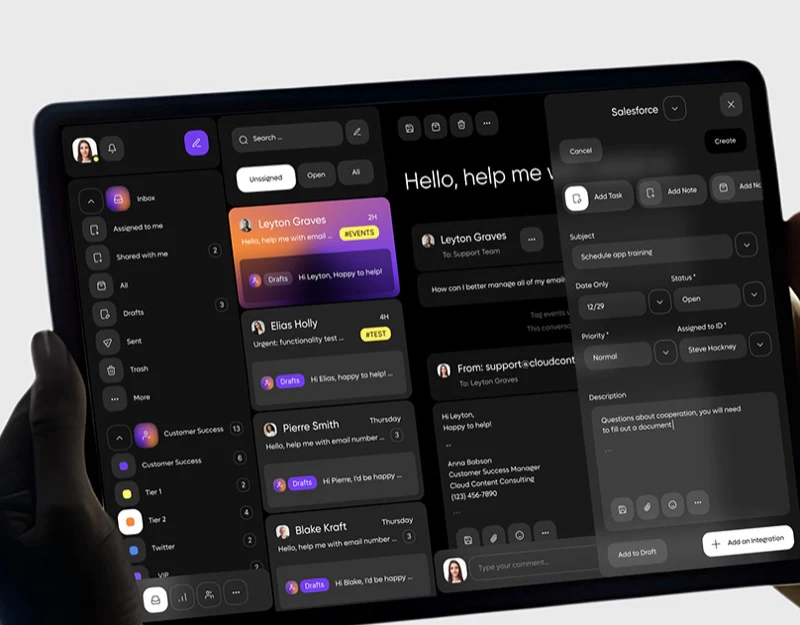
This email CRM interface design places inbox, conversation and task form in dark-gray columns, using purple-orange only for the current email. Its most useful feature keeps the original message visible during task creation. Classification and assignment also occupy different places, separately explaining scope and responsibility.
Key takeaways
- Scope navigation and status filtering form layers, with explicit focus on the current conversation.
- The task form remains beside email, while creation, assignment and integration results need separate explanations.
Left navigation states scope; upper filters state status
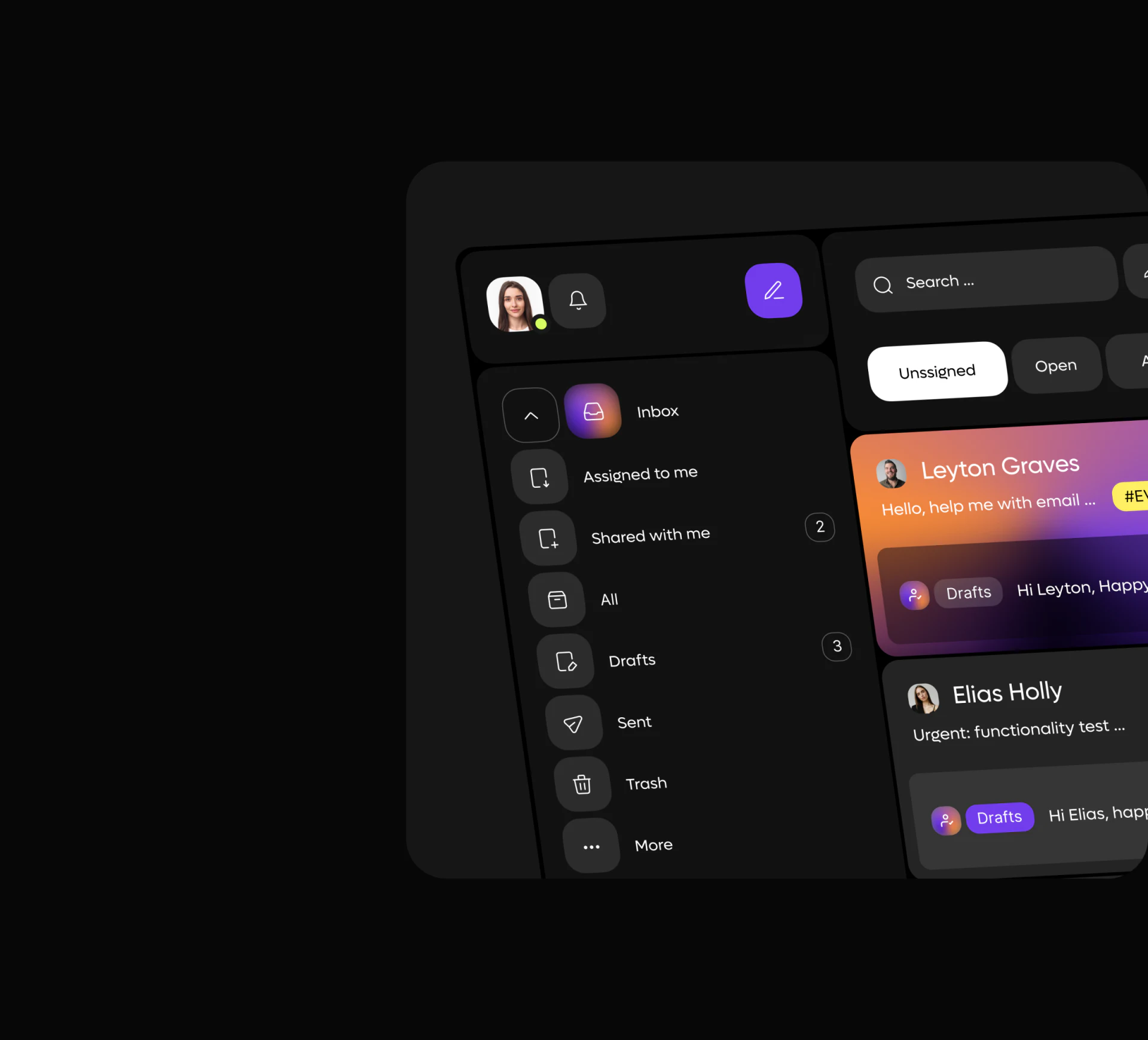
Inbox, Assigned to me, Shared with me and Drafts run vertically with icons and words. Unassigned, Open and All form short horizontal tabs above the list, with white selection. The two levels have different visual forms.
This shared inbox supports personal and collaborative scope together. Navigation identifies the record group; filters narrow its status. Counts near sections and avatars near email give dense information stable lookup positions.
JVDS would clarify reply ownership and draft ownership. Shared access and execution responsibility differ, and the two All entries need contextual scope. A Drafts cue in the gradient card means an avatar alone cannot establish assignment.
The right task form keeps the source visible
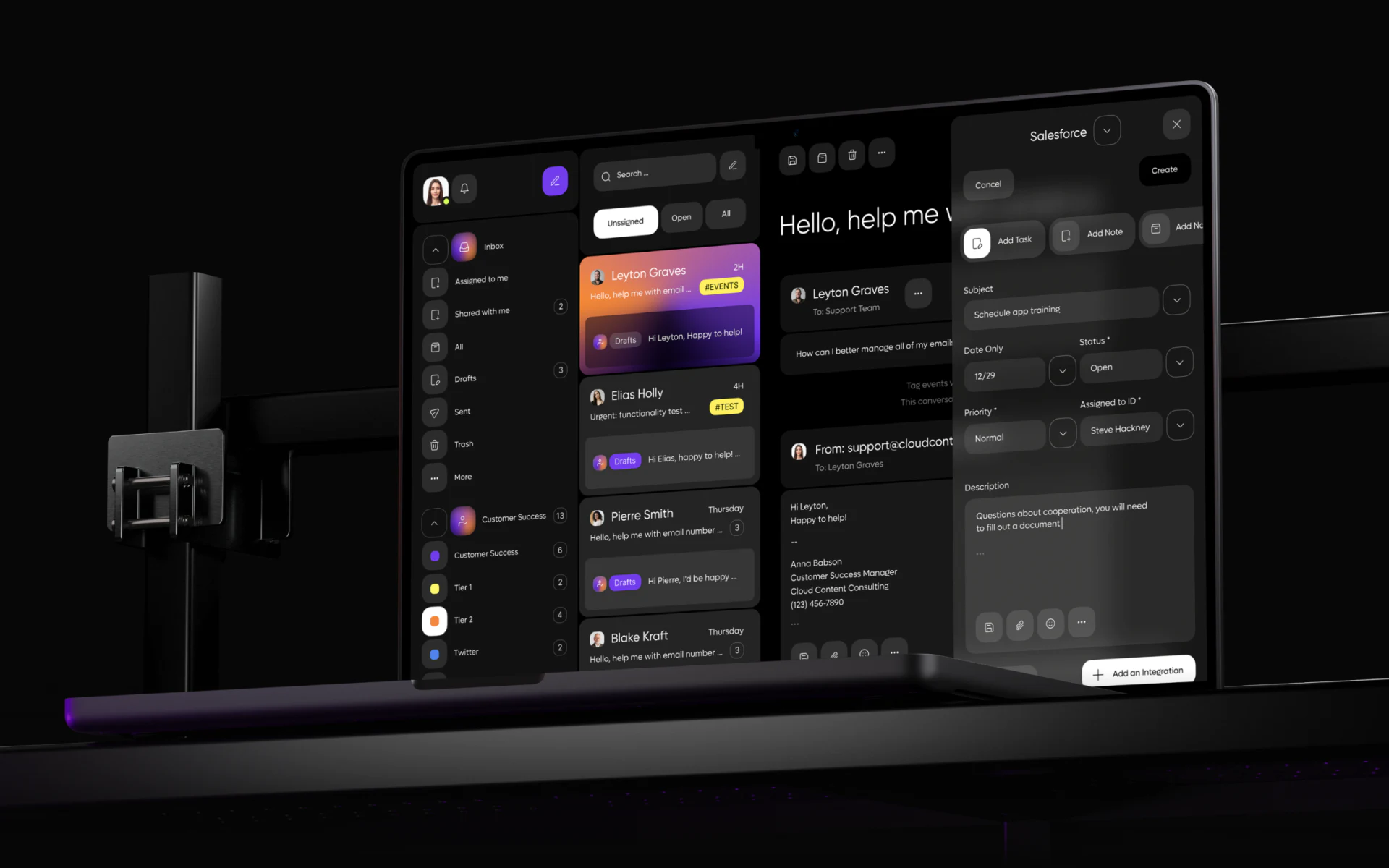
List left, conversation center and Salesforce sidebar right offer Add Task and Add Note separately. Task fields include subject, date, status, priority, assignee and description, with Cancel and Create at the top.
Placing the form beside conversation lets people verify against original text rather than fill from memory after leaving email. Message owner and task assignee may differ. After creation, explain the new item separately from email processing status rather than imply both are complete.
Subject and Description examples refer to different things, and the date only shows month and day. Align the task and date role first. Training, partnership materials or another activity should be understandable from title and description together. JVDS would fix these field relationships before finer spacing.
Task creation and system connection need separate meanings
Add an Integration is another operation. Salesforce identifies the illustrated destination system without establishing an available integration. Connecting a system, creating a task and sending email have different results and need distinct feedback.
Review one incoming message for source connection, title/description, assignee and deadline, then check for a created-record link in the conversation. Preserve fields on failure and name the object on success rather than use generic completion.
The mockup stand hides part of the bottom; this does not establish missing real-interface content. JVDS would retain the visible multi-column advantage—original text beside a form for informed decisions—then refine responsibility and result accuracy.
Frequently asked questions
What should email-to-task creation retain?
Keep source conversation, explicit task, assignee and date role. Successful task creation does not mean the email was answered.
Design review checklist
- Align task subject and description around one activity.
- Distinguish email owner from task assignee.
Turn communication records into clear tasks
If your CRM or collaboration product needs email, task sidebars and handover responsibility organized, begin with fields from a real conversion.
JVDS provides UI/UX design and website design and development. We can work through page content, interface structure and implementation needs together.
 Link copied