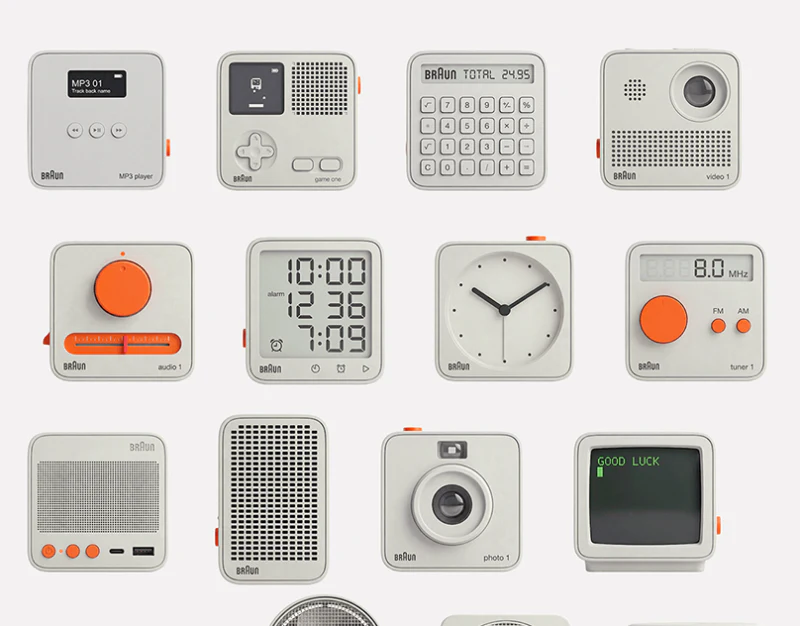
This icon family themed around BRAUN lettering and product language combines gray-white shells, orange parts, and delicate shadows. Players, cameras, fans, and clocks share character while keeping defining structures. Skeuomorphic icon design needs to preserve recognition after reduction.
Key takeaways
- Shared materials establish a family while each object retains distinct core structure.
- Size and intended use determine detail and state requirements.
One language accommodates different forms
Most overview objects have rounded shells, but calculators use dense keys, cameras emphasize lenses, and players retain screens. A fan forms its own mesh-and-base silhouette. Unity comes from material, lighting, and detail rhythm rather than identical shapes.
Orange knobs, buttons, and side keys provide recognition points without overwhelming differences. JVDS first checks silhouettes and main components, then materials. If tiny lettering is needed to identify the object, structure still requires refinement.
Equal app frames do not give circular and slender objects equal visual weight. Delivery should check centers of gravity, space, and shadow bounds together for stable presentation in shared positions.
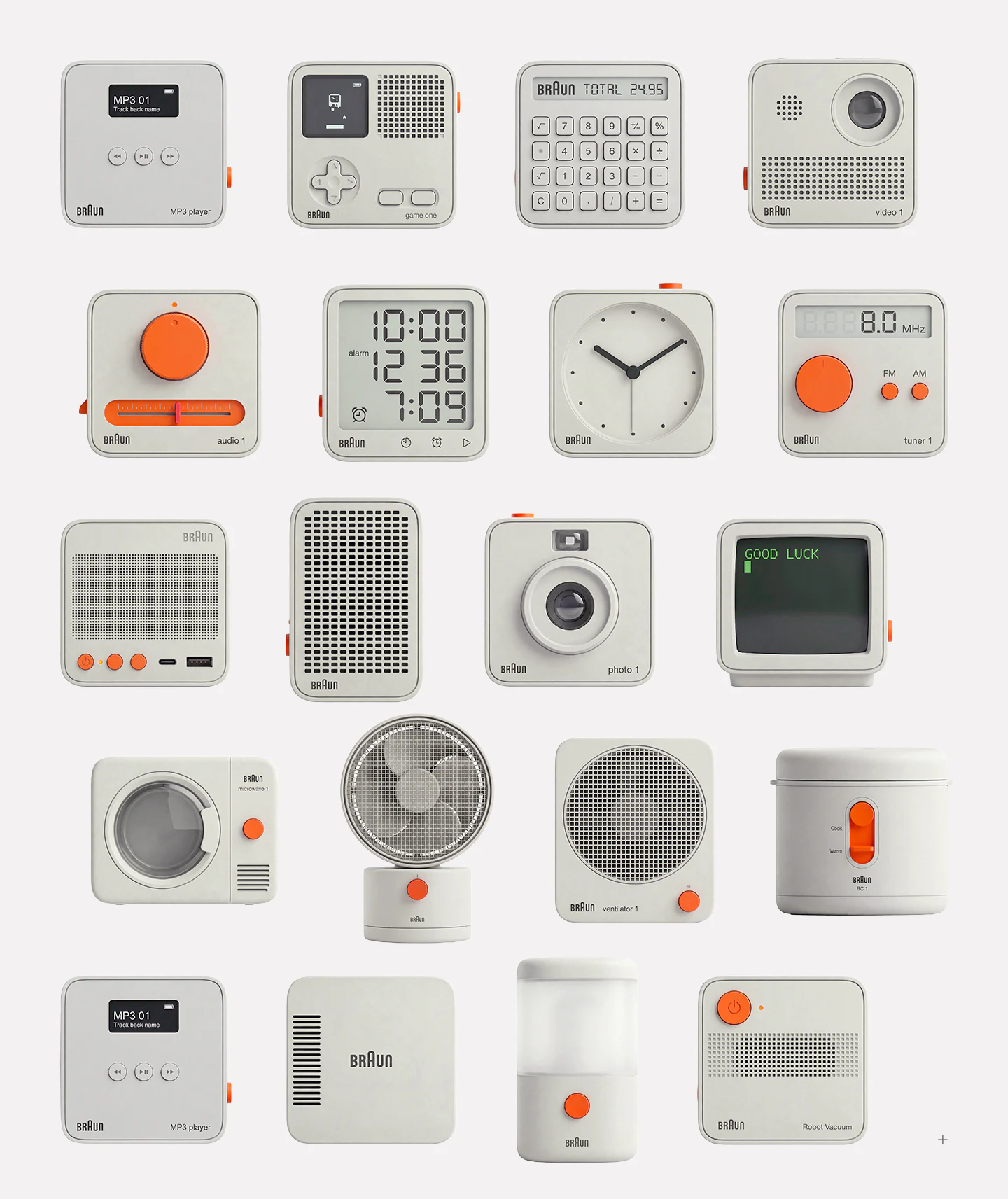
Retain dimensional detail according to size
The enlarged fan shows mesh, blades, shell, and base, with smaller devices at different angles nearby. Shadows and bevels suggest objects, but dense grids, holes, and seams can merge into gray at small sizes.
Size tiers can retain one recognizable subject: silhouette and main structure at small size, primary divisions at medium, materials at large. This means selecting information for viewing range rather than mechanically shrinking one detailed image.
A container’s blue handle and top button vary the recurring orange, expressing different construction. Component colors can suggest operation, but independent clickability depends on whether the asset is a launch icon, decoration, or control.
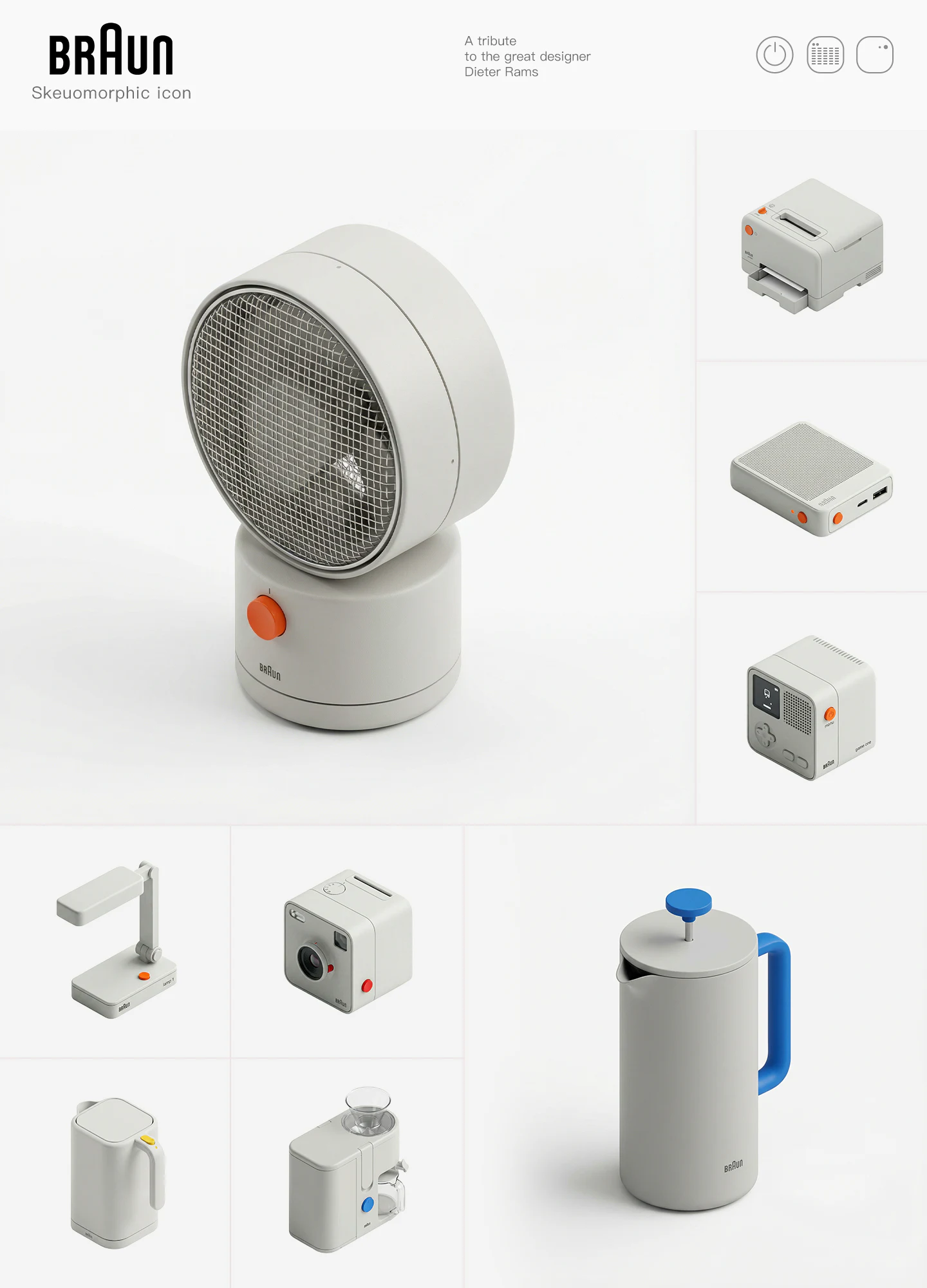
Screen numbers need defined purposes
Three segmented-number rows fill most of the clock face, with alarm and a bell symbol adding references. Clock, alarm, and play symbols appear below. The screen is distinctive, but the relationship between the three values is not fully explicit.
For a fixed theme image, numbers are styling. If updated dynamically, current time, alarm setting, and timer need distinction, including middle-row separators. Asset descriptions should identify static and dynamic use.
Real controls also need pressed, selected, and unavailable feedback, while decoration should not imply every small part works. The tribute is thematic expression, not evidence of official collaboration or real product models.
Frequently asked questions
Can skeuomorphic icons simply shrink proportionally?
Check whether core structure remains clear. Fine mesh, tiny text, and dense holes can be simplified by size while keeping silhouettes and key parts.
Should numbers inside icons update live?
It depends on use. Fixed theme images and dynamic states need separate descriptions; dynamic values also need names, formats, and update rules.
Design review checklist
- Distinguish objects without small text.
- Check visual weight and fine textures at target size.
- Define decoration, launch-icon, and actual-control uses.
Plan the actual sizes for icons
Themed icons and skeuomorphic interfaces can establish size tiers and state rules first, then review assets in app lists and actual controls.
JVDS Design Studio provides UI/UX design, website design, and development services, helping organize page content, interface structure, and implementation needs.
 Link copied