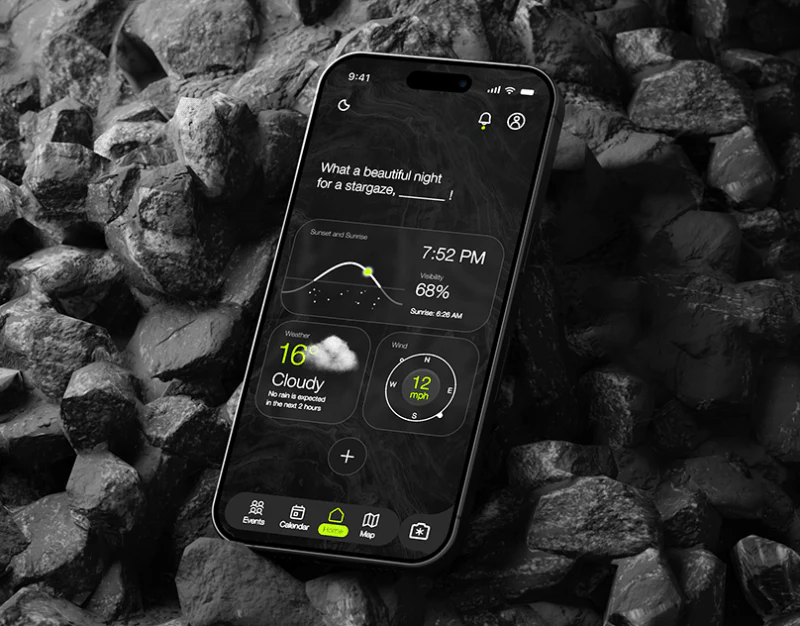
Black and fluorescent green establish a night theme, with celestial images adding blue-green and starry accents. Green marks dates, filters, selected tags, and publish actions as well as decoration. From discovery to creation and sharing, users need to know what they see, what they selected, and which event they will pass to others.
Key takeaways
- Calendars organize discovery by date; browsing filters by topic, time, and distance.
- Creation gathers event name, period, location, and invitees while separating draft from publication.
- Sharing continues the green language, with event summaries and sending states needing equal clarity.
Calendar and browsing offer two search approaches
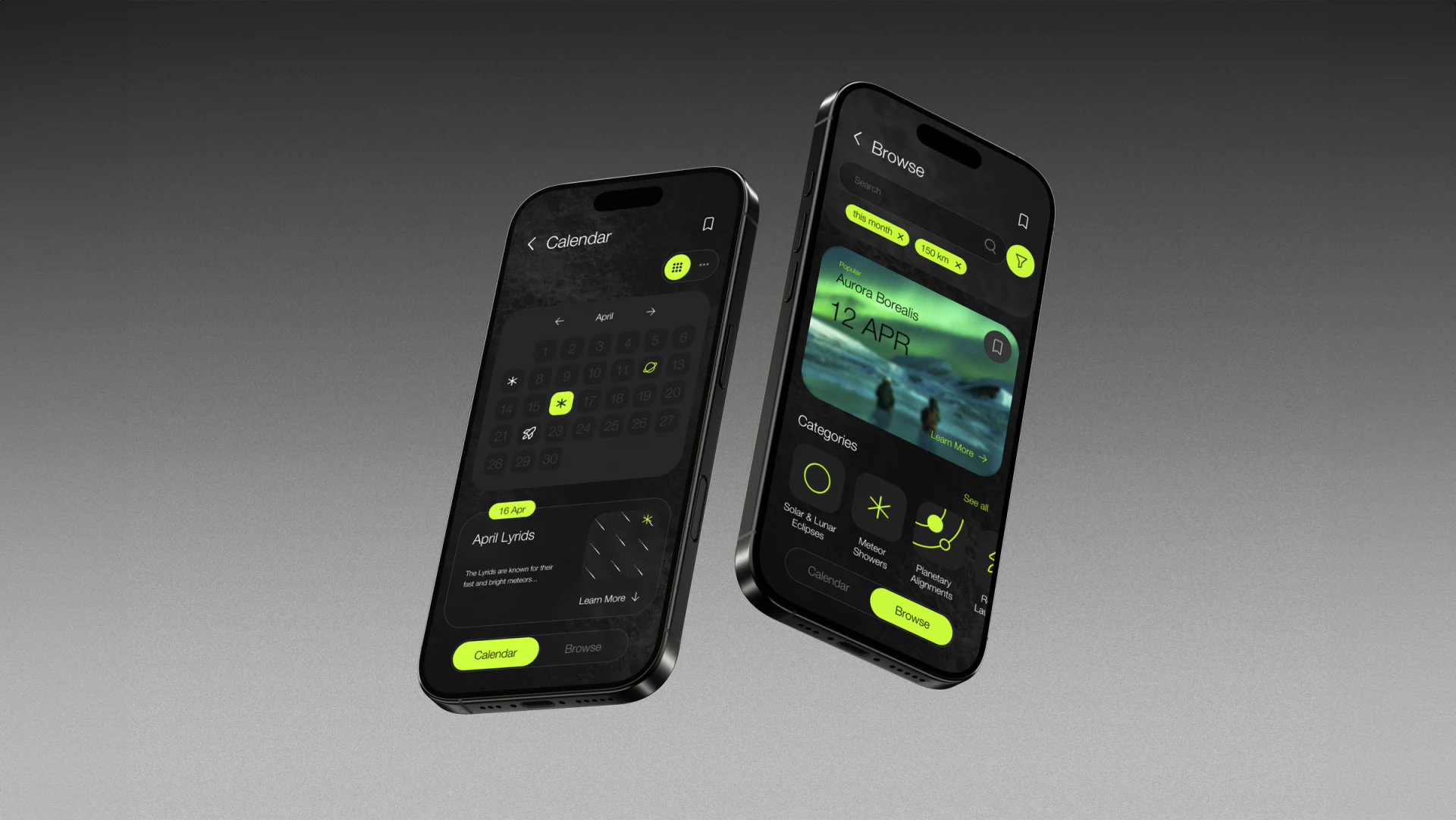
Calendar places April above an April Lyrids card and 16 Apr label, with green selection around the 16th. Small calendar icons suggest entries, and the card adds name, description, and Learn More. Date-based planners see when before inspecting the day’s content.
Browse puts search below its heading, with removable green this month and 150 km conditions and a green filter icon. Aurora Borealis and 12 APR lead into eclipse and meteor-shower categories. Readers can explore interests and scope without specifying one day first.
Calendar/Browse switching remains below, with the current segment filled green, giving both approaches a visible return point. Results should label phenomenon dates separately from community meeting times because observational clues and organized arrangements have different conditions.
Creation returns time and invitations to an event
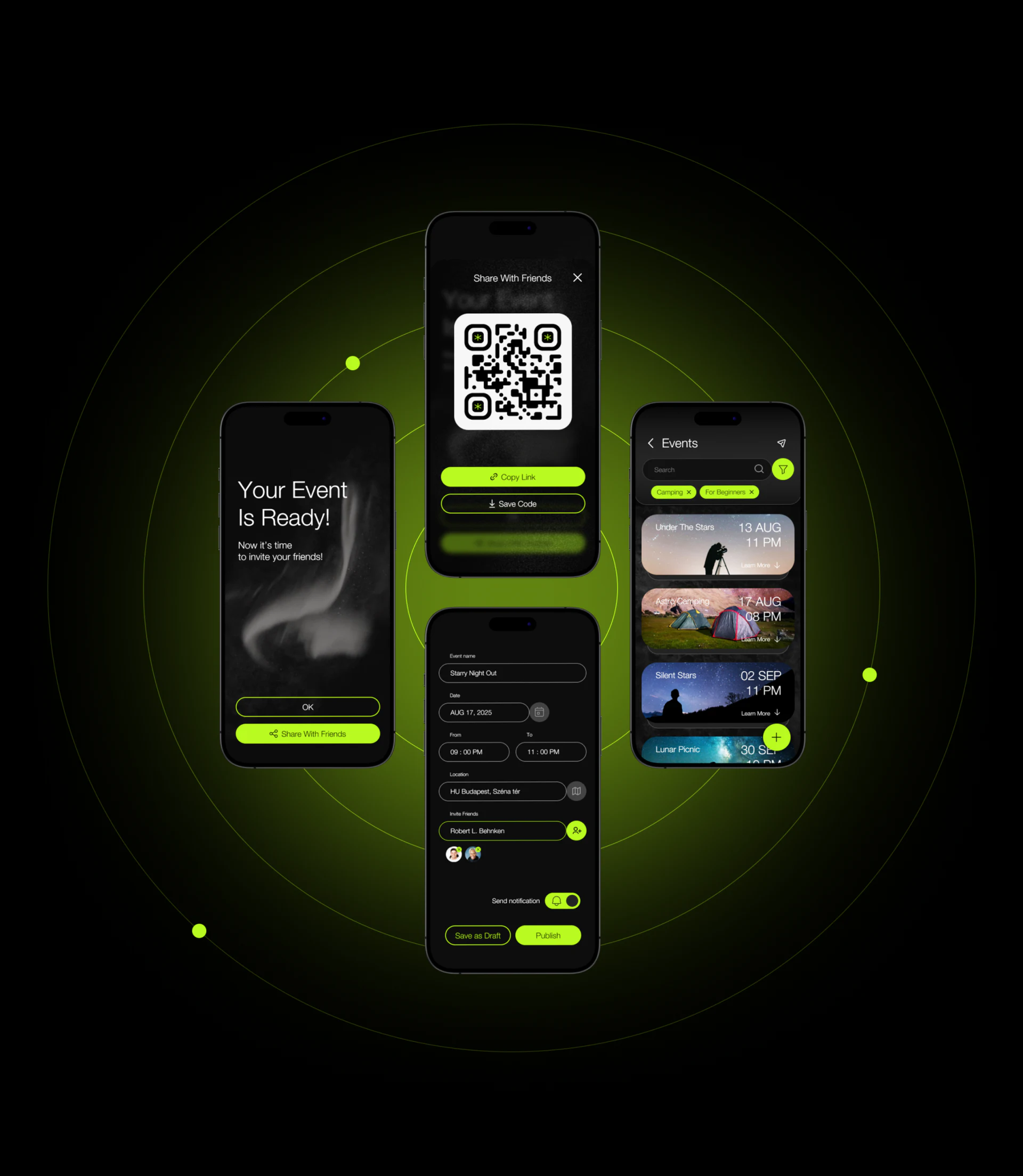
Event name, Date, From, To, Location, and Invite Friends run vertically, with start and end side by side. An add-person icon and selected portraits sit near invitation input, while Send notification and Save as Draft/Publish have separate positions. Entry, notification choice, and publishing remain distinct.
Your Event Is Ready provides OK and Share With Friends, allowing completion or continued sharing. JVDS prefers final confirmation to retain name, time, place, and notification recipients before publishing, especially separating selected friends from notification choice. Portraits show selection but cannot alone establish delivery.
Event lists use photo cards for name, date, and time, with Camping and For Beginners conditions and search/filter above. Created objects should use the same information across forms and sharing; date or location edits need synchronized summaries.
Green components need to name different states
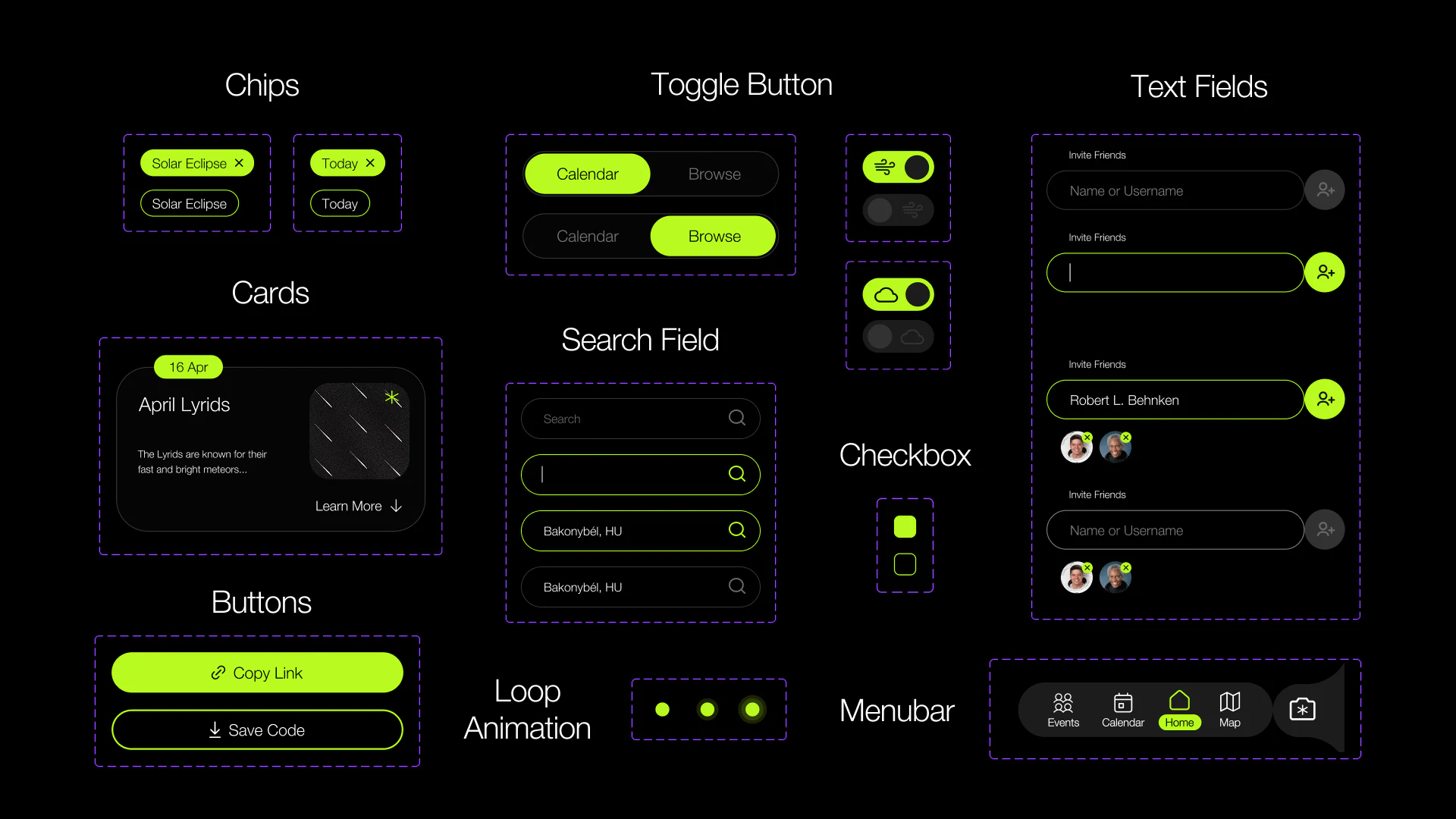
Components show filled and outlined Chips, Calendar/Browse selections, and empty, focused, and completed search states, plus invitation portraits. Green borders and cursors signal entry, filled tags signal selection, and gray icons differ. Brand color becomes part of actual use.
Removable invitation portraits let users inspect and adjust lists, while search and invite inputs retain different icons. Added and notified need distinct feedback rather than green implying every completion state. Color can unify while words specify scope.
A white QR code creates a strong sharing focus, with filled-green Copy Link and outlined Save Code. Blurred event imagery lacks a complete name, time, and place on the saved code. A brief summary beside it would let recipients understand the invitation before opening the app.
Frequently asked questions
Why include event information beside a QR code?
Recipients may first see a saved image or forwarded message. Name, time, place, and organizer make the invitation independently understandable; the code then opens full content.
Design review checklist
- Separate phenomenon dates, visible conditions, and event meeting time and place.
- Confirm invitees and notification switches, separating adding, publishing, and delivery.
- Check sharing summaries and QR destinations for consistency after edits.
Connect discovery, creation, and friend invitations
If your stargazing or interest-based event product moves from discovery into organizing and sharing, JVDS Design Studio can help with UI/UX, website design, and development across calendars, forms, and invitation states.
Start with preparation for an actual gathering to discuss which information should follow an event across pages.
 Link copied