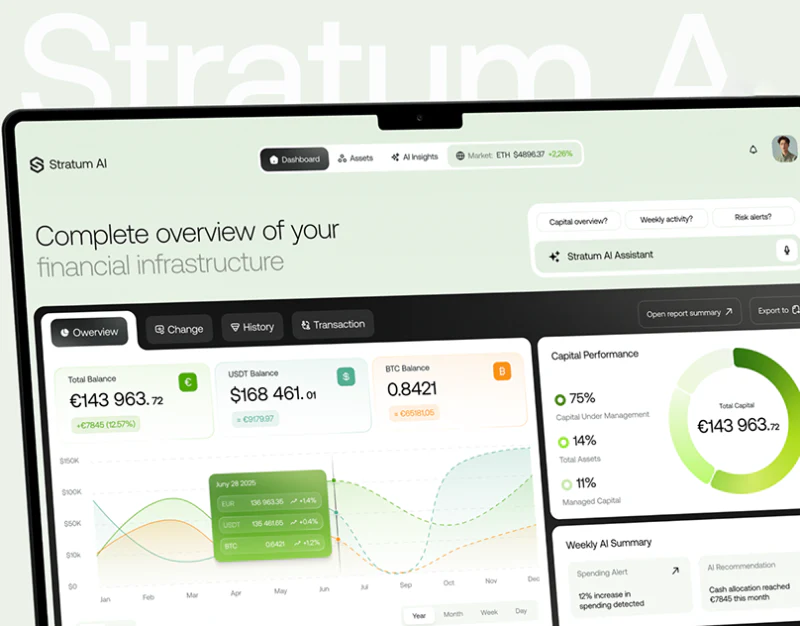
Stratum AI organizes overview, history, and AI summaries in a pale-green workspace. Beyond a prominent total, readers need current scope and a route from summary sentences to records. Distinct reading depths already have sections; their connections can become more explicit.
Workspaces and views occupy two levels
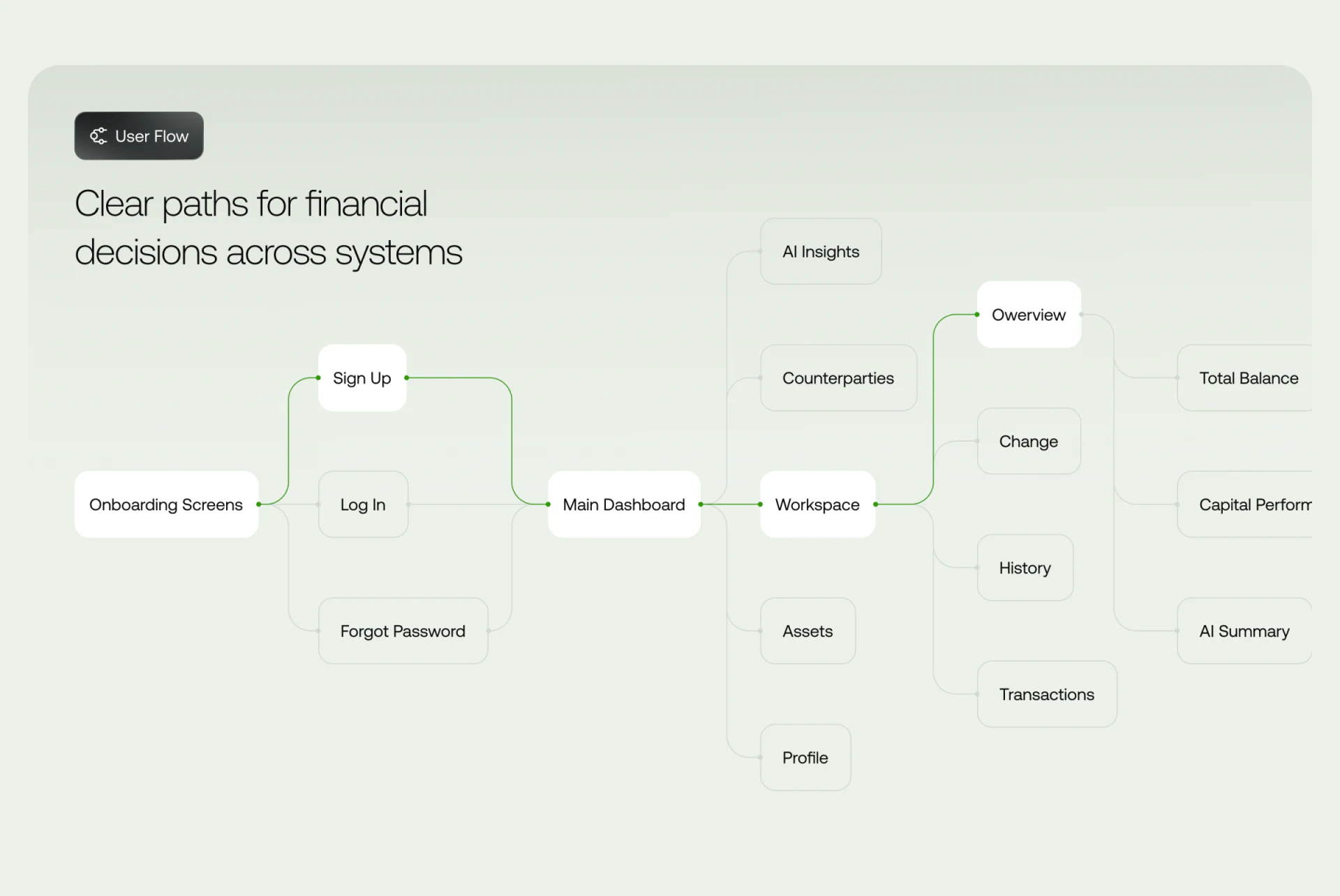
A structure diagram leads from onboarding and registration into the workspace, then Workspace, Assets, AI Insights, and other branches. Overview, History, and Transactions sit under Workspace, separating object and reading-view levels. Green highlights a main route while pale lines retain other branches.
The diagram explains sections, not a complete flow. Whether dates persist into history or summaries update on workspace changes needs in-page scope cues. Paths express destinations; states express current location, both supporting checks.
For multiple-source workspaces, current objects should remain identifiable. Pale backgrounds and simplified navigation cannot leave account or workspace identity only on the initial page.
Balance cards and curves need a common comparison basis
Total Balance, USDT Balance, and BTC Balance use colors linked to curves, with Year, Month, Week, and Day controlling scale. A ring and weekly summary have separate right-side cards, leaving the main trend ample space.
Names and units help identify values, but cards mix euros, dollars, and asset quantities while the trend uses dollars. Shared coordinates should explain conversion, with legends and tooltips on the same basis. Solid-to-dashed transitions need stage meanings; similar colors alone cannot make different scales comparable.
Spending Alert and AI Recommendation are separate below, with another assistant question entry above. JVDS Design Studio sees distinct alert and advice identities as a useful start. Periods and original-record entries would clarify whether each describes events or suggests a next choice.

History gives summaries a checkable destination
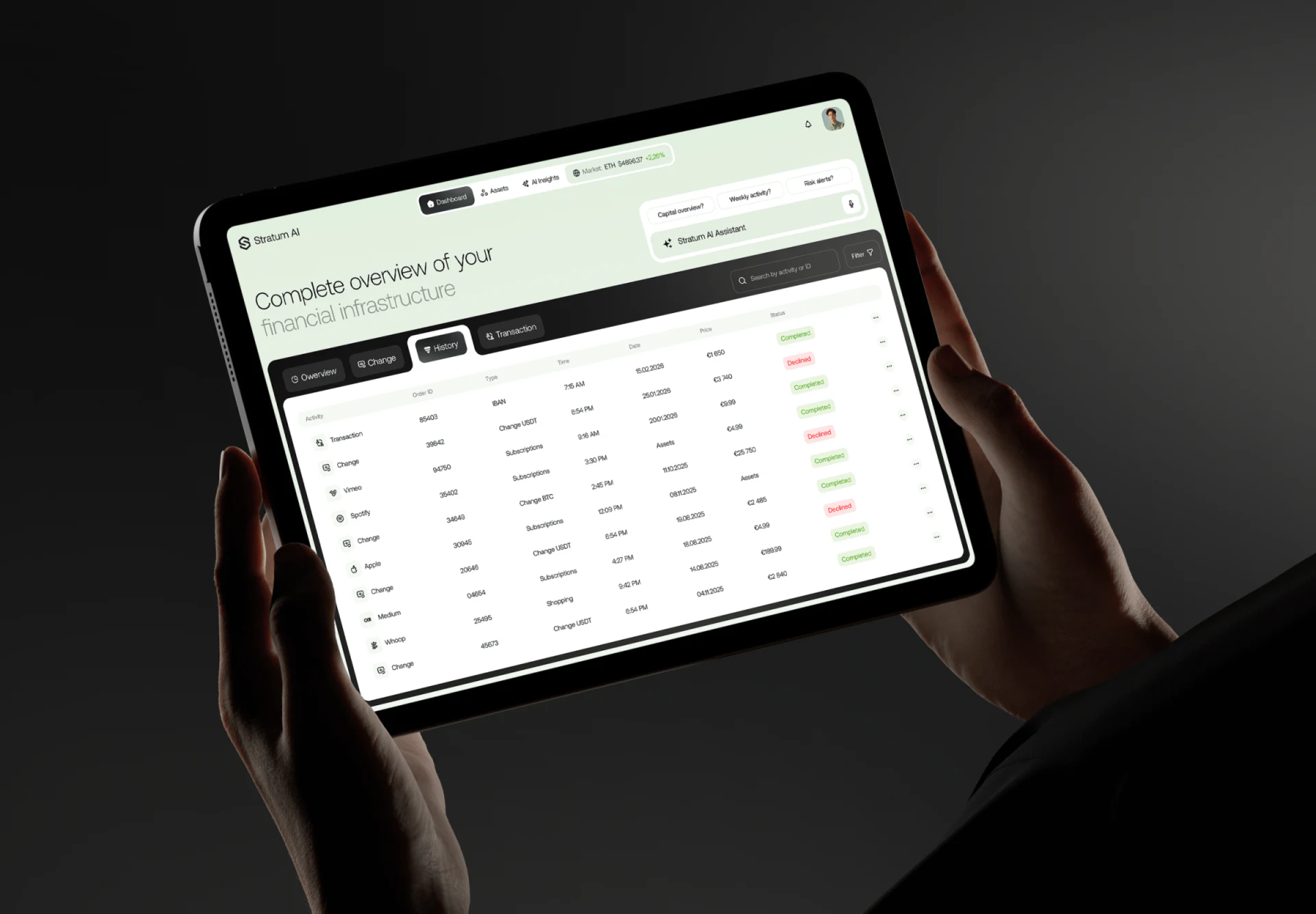
History separates Activity, Order ID, Type, Time, Date, Price, and Status, with activity or ID search above. Completed and rejected use words as well as colors, while IDs give more stable cues than logos alone.
Some example Date or Price cells say Assets, conflicting with column meanings. Check values individually rather than only table alignment. Missing information should say unavailable or not applicable; familiar words do not make records complete.
If summaries carry scope into lists, highlight relevant records, and restore scope on return, overview and details become two scales of one check. The useful idea retains those scales rather than making everything recoverable only through questions. Clear structure provides a reliable place for data-summary correspondence.
Connect summaries with records
Account, business, and finance workspaces can define object scope and view hierarchy first, then link charts, summaries, and detailed records for cross-checking.
JVDS Design Studio provides UI/UX design, website design, and development services for workspace navigation, charts, and history lists.
 Link copied