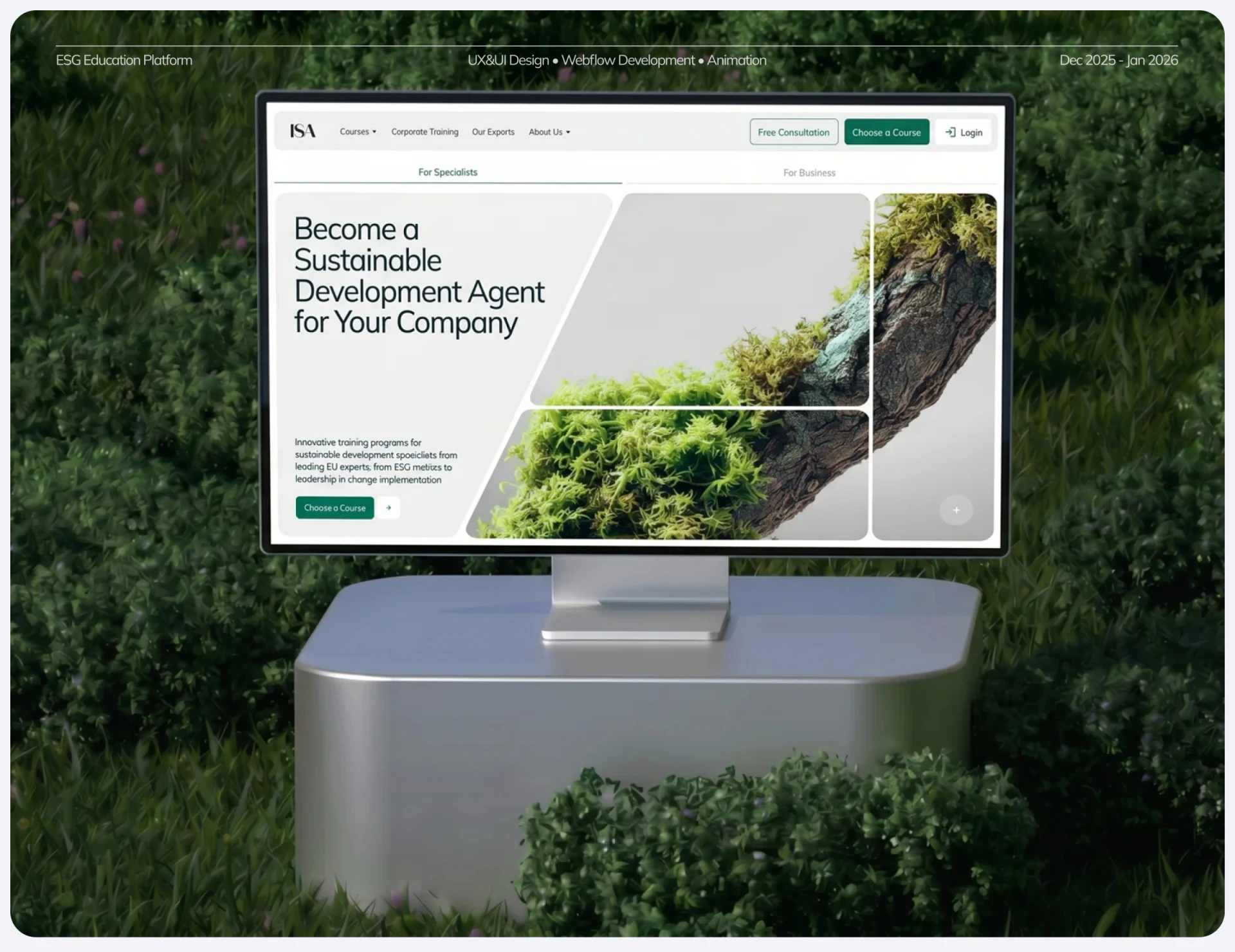
ISA’s course website design brings moss, branches, and green buttons into one visual system, while giving individual courses and corporate training separate entries. Natural elements introduce the theme; requirement summaries, instructor cards, and a questionnaire make learning choices concrete. This division between visuals and content is more useful than simply filling pages with plant photographs.
Key takeaways
- Natural branches and pale text areas keep the theme distinct and entries clear.
- Course conditions, instructor information, and business format entries support different stages of selection.
Branches cross the layout; text stays on pale areas
In the homepage hero, branches and moss spread along the right. Diagonal lines divide the composition, while a large heading and short explanation remain in a pale area on the left. Rich plant detail contrasts with the quiet gray-white text background, giving atmosphere and reading separate spaces.
Free Consultation and Choose a Course appear together at the top, with For Specialists and For Business below. Consultation serves people still deciding; course selection lets those with a goal proceed directly. Individuals and teams have different needs, and separate entries express that more directly than another shared introduction.
JVDS considers nature imagery valuable when it clearly relates to the topic. Branches, flowers, or moss can vary between pages while primary buttons keep the same green. Not every information row needs a plant behind it. Clear course conditions and controls make the visual language easier to sustain.
Course conditions provide a short decision summary
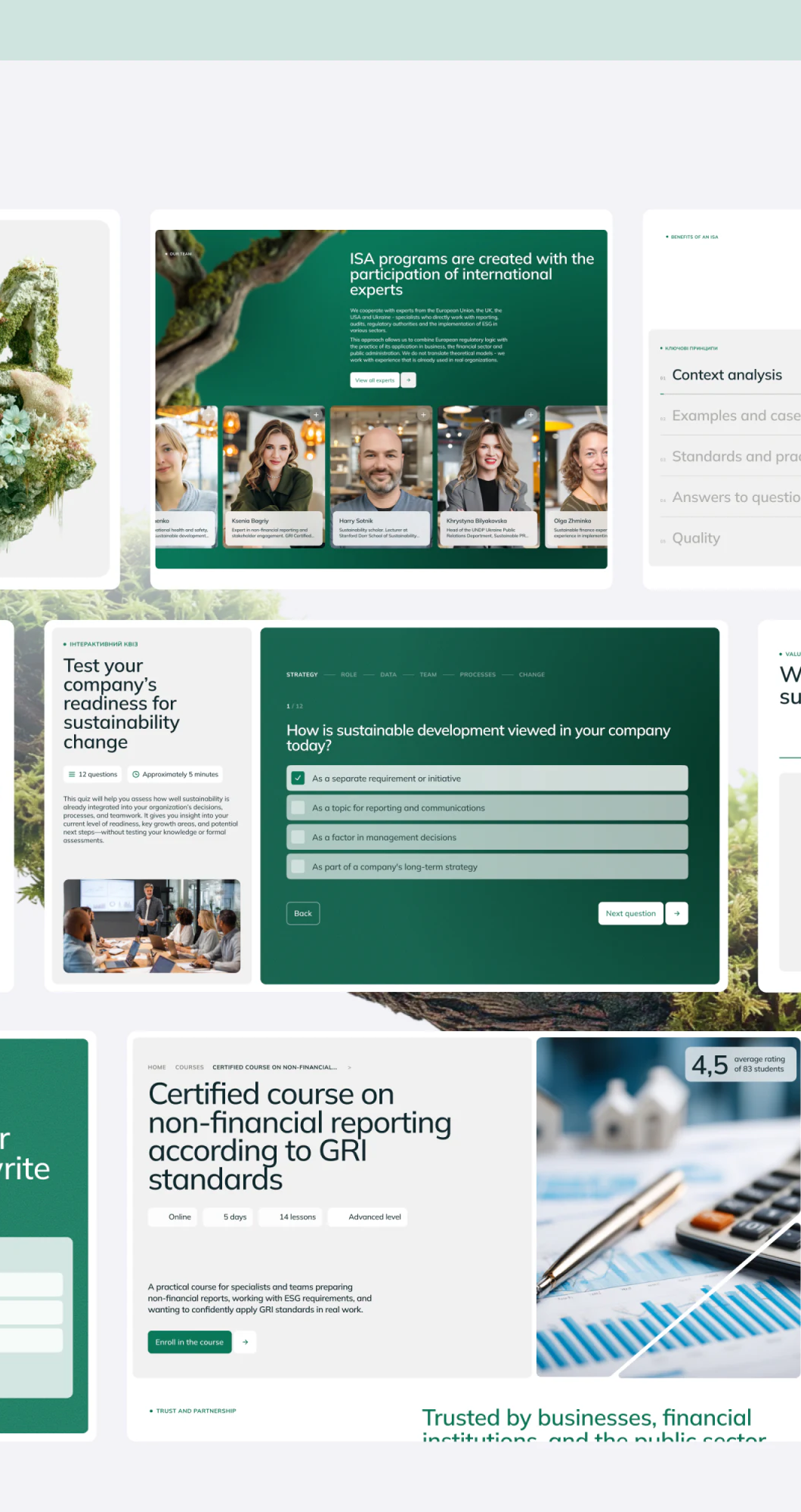
Course cards group Online, duration, lesson count, and level into lightweight tags, followed by title, introduction, and enrollment. These small labels attract less attention than imagery, but answer practical selection questions: format, time commitment, and whether prior knowledge fits.
The instructor section above uses dark green with repeated portrait, name, and explanation cards. People add a reference to the topic, allowing readers to identify the instructor before entering details. Ratings and lesson counts are page copy; this article examines their position, not verified teaching outcomes.
The questionnaire states its question count and estimated time first, then shows questions, options, and navigation in a dark green area. Pale option rows are easy to distinguish. The connection between results and courses is not fully shown. Further review could check recommendation explanations and whether answers persist on returning, rather than offering only a score.
Business pages address teams; articles add context
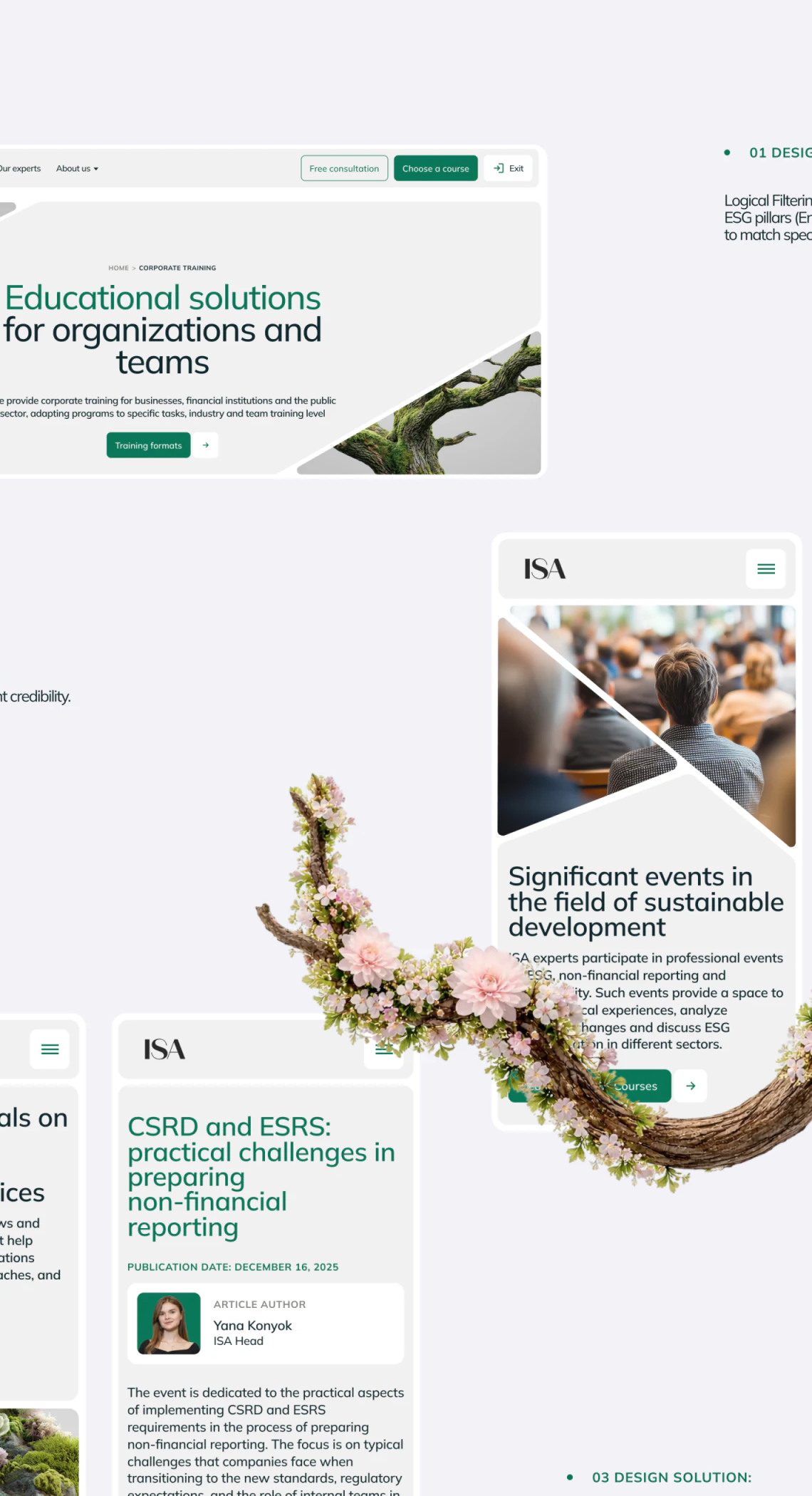
The corporate training hero directly describes educational solutions for organizations and teams, with Training formats beneath. Unlike individual course cards, it begins with format, suiting a stage where a business is discussing participant numbers, topics, and participation methods.
The adjacent mobile article continues pale backgrounds, green headings, and natural decoration. An author card groups name, portrait, and role. Courses, instructors, and articles share a visual family while addressing content, people, and learning arrangements separately.
A comparable training website could link related courses, experts, and articles, although the actual links require separate checking. Branches overlapping phones in the presentation collage cannot be treated as real page obstruction. Review should return to the text and button space inside each phone.
Frequently asked questions
Should individual courses and corporate training share an entry?
They can share visuals and topic material, but team training usually begins with formats and suitability. Arrange routes around the actual selection questions.
Design review checklist
- Standardize format, duration, and prerequisites for each course.
- Check how questionnaire results explain recommended courses.
Organize courses and learning entries
If your education platform serves both individuals and businesses, or needs to connect courses, instructors, and articles, bring the existing course list for discussion.
JVDS Design Studio provides UI/UX design, website design, and development services, helping organize page content, interface structure, and implementation needs.
 Link copied