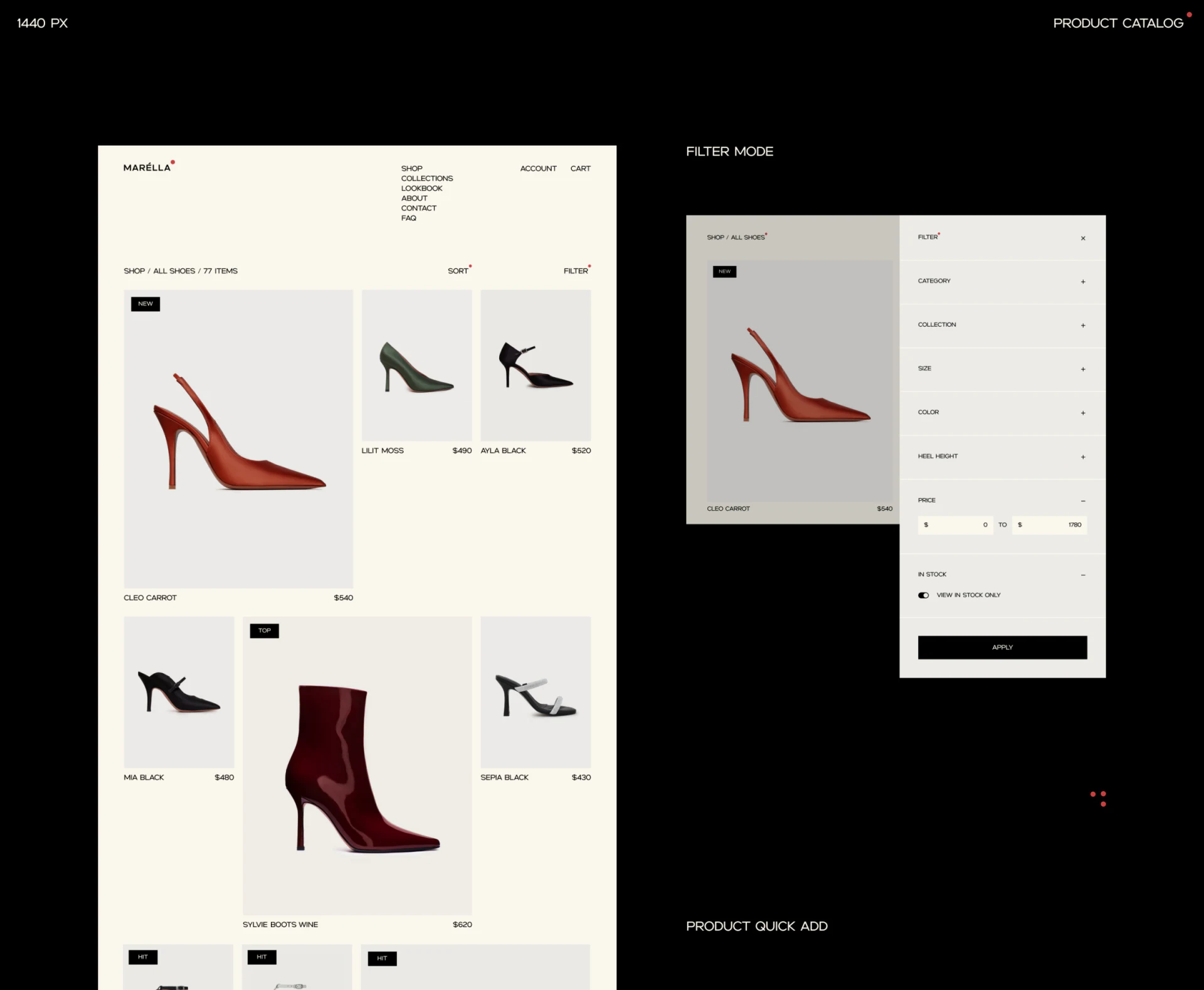
Marella’s footwear ecommerce design sets burgundy, green, and black shoes against off-white, making product photography prominent. The practical detail runs from filtering to checkout: heel height enters filters, sizes appear in details, and the cart retains the chosen size. Visual selection and purchase conditions follow one reading path.
Key takeaways
- Heel height and size enter filters, bringing category-specific conditions into selection early.
- Selected detail-page sizes reappear in the checkout summary, keeping the purchase object available for checking.
Filter fields come from the footwear itself
The catalog varies image sizes with ample whitespace. An expanded panel on the right quietly lists categories, collections, sizes, colors, heel height, and price. Off-white and pale-gray cards emphasize shoe outlines, controls mainly use black, and small red dots appear sparingly.
Heel height is a specific field that directly affects choice, like size. A generic panel limited to price and color would still send readers into every shoe detail for conditions. Exposing these fields early suits stores with a defined category where specifications materially affect selection.
Apply at the bottom explicitly submits the combined conditions. In use, selected conditions should remain visible and individually removable. View in stock only also needs a scope: any available variant, or the currently selected size? The screenshot does not provide the full rule.
Photographs show appearance; sizes define the selection
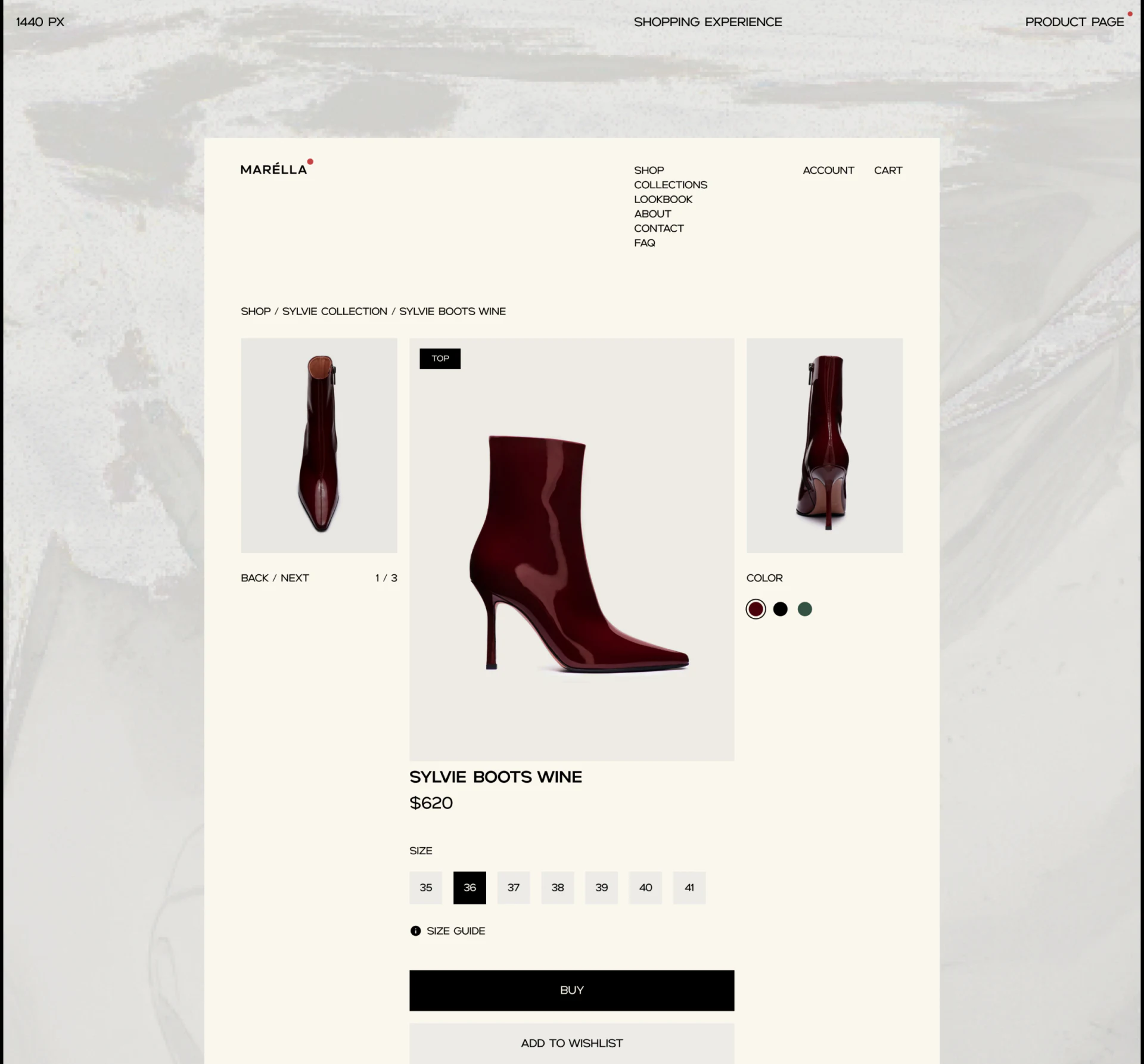
Front, side, and back views of burgundy ankle boots surround the largest central image, with color dots near supporting images on the right. Name and price sit below, followed by a row of sizes. The black selection is easy to find among pale-gray options, with Size guide and Buy farther down.
This suits footwear details: multiple angles explain shape, while color and size define a combination. Large photographs do not push selection onto another page, so readers can check within the current detail. Adding color names would also connect dots with the color named in the title.
JVDS values whether selection survives subsequent steps. After opening the size guide, returning to photos, or changing color, users should know if their combination changed. The image shows one selected style but cannot establish out-of-stock behavior, guide opening, or selection persistence.
The shoe identity remains alongside address entry
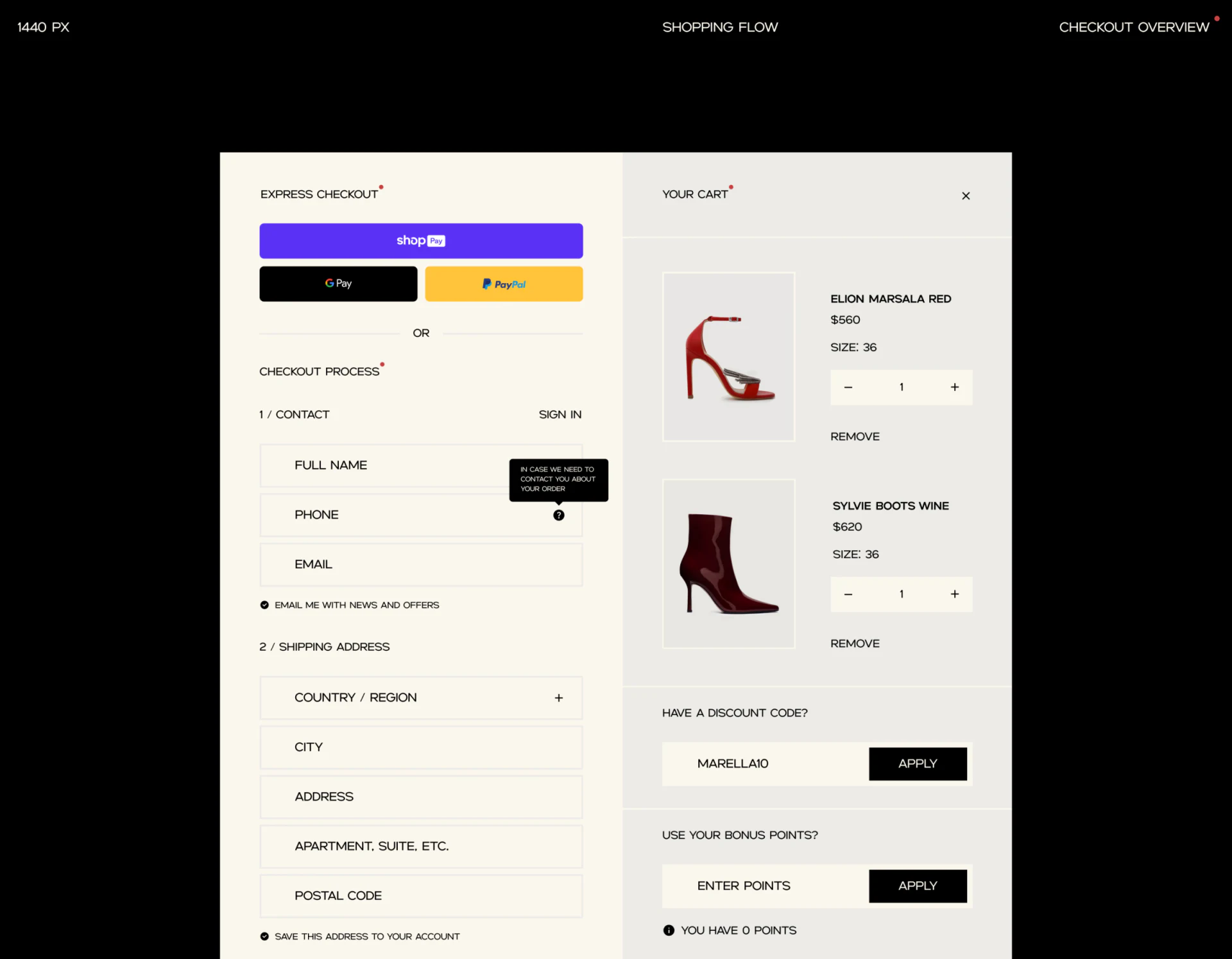
Checkout places express payment, contact, and delivery address on the left. Your Cart on the right repeats two shoes’ images, names, sizes, and quantities, with quantity changes and Remove beside each product. Readers can still check what they are buying during entry; this repetition is necessary.
A bubble beside the phone field explains its use for order contact, while promotional subscription and saved-address choices appear separately. Field explanations and choices are clear, helping readers understand their input. Discount codes and points have their own fields and Apply actions on the right, keeping cost changes within the page.
An actual review should check how totals change after size or quantity edits, whether entered addresses remain, and whether extra choices can be reversed easily. These processes are not shown. JVDS would focus on keeping this order’s color, size, and costs checkable throughout, with off-white and black continuing to provide clarity.
Frequently asked questions
Why should a cart still show size?
It records this order’s specific choice and needs checking before address entry or payment. A product name and image cannot replace specifications.
Design review checklist
- Confirm whether the stock switch relates to the selected size.
- After changing the cart, check address retention and cost changes.
Connect product presentation with specification choices
If your clothing or footwear store needs better filters, specification choices, and checkout summaries, begin with the most common shopping conditions.
JVDS Design Studio provides UI/UX design, website design, and development services to help organize page content, interface structure, and implementation needs.
 Link copied