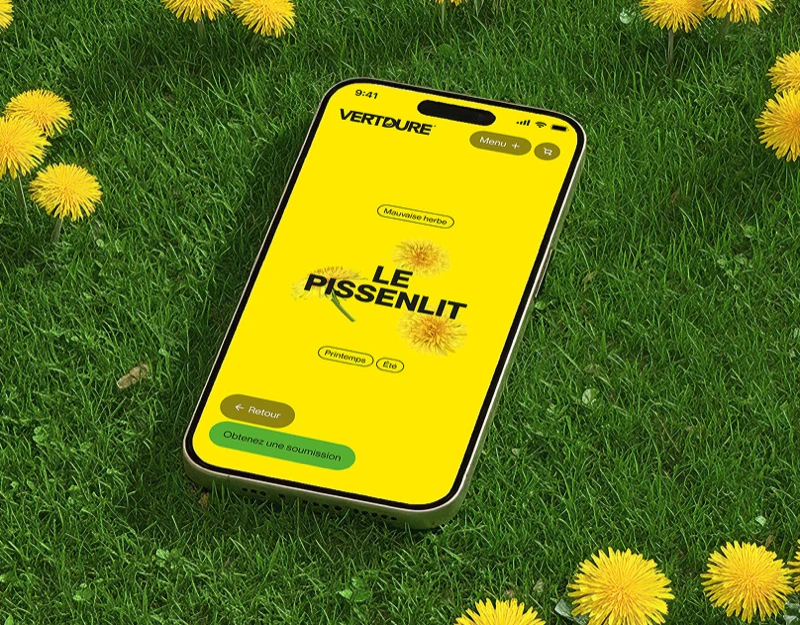
Vertdure and Vext share top branding, problem knowledge, quote buttons, and cues toward other services, while lawn and pest visuals differ markedly. Shared structure gives continuity; closer review asks whether service objects and business ownership stay equally clear after switching.
Key takeaways
- Shared structures support continuous browsing, with service names and quote ownership stated together.
- Empty-state headings should identify current progress accurately before quotes or service browsing.
- Knowledge, directories, and inquiry entries should organize around the same service object.
Explain the service before offering two actions
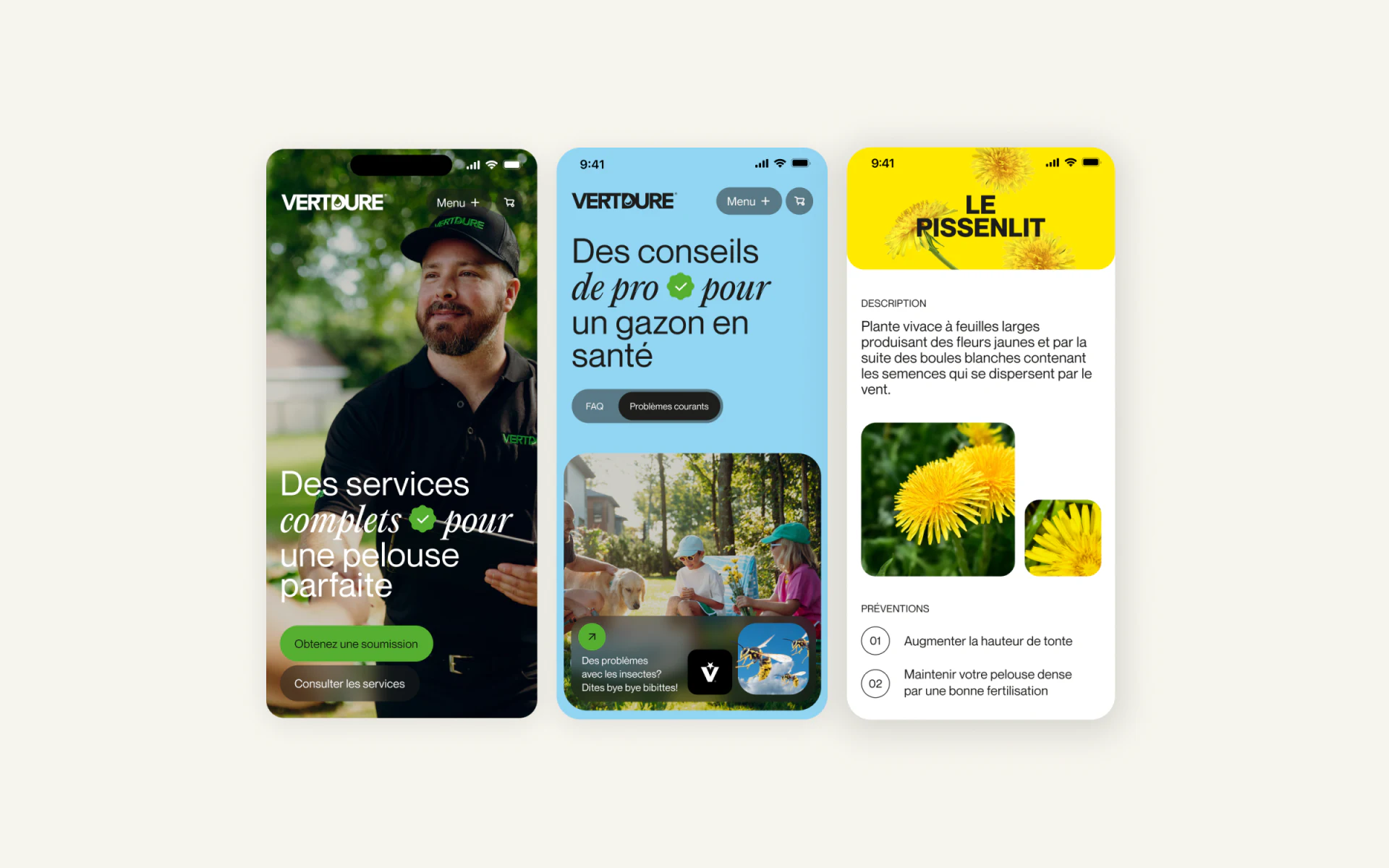
Vertdure uses a worker photograph and white regular/italic heading for lawn services. Adjacent green quote and black browse buttons serve visitors ready to inquire or still exploring. Photography gives field context; words and buttons turn it into onward actions.
A blue problem page provides a common-issues entry, with pest-service cues after a garden photograph. Yellow dandelion detail includes description, plant image, and numbered content. Colors distinguish areas quickly, while knowledge and quotes should clarify whether readers are investigating or choosing services.
Shared knowledge structure uses a different tone
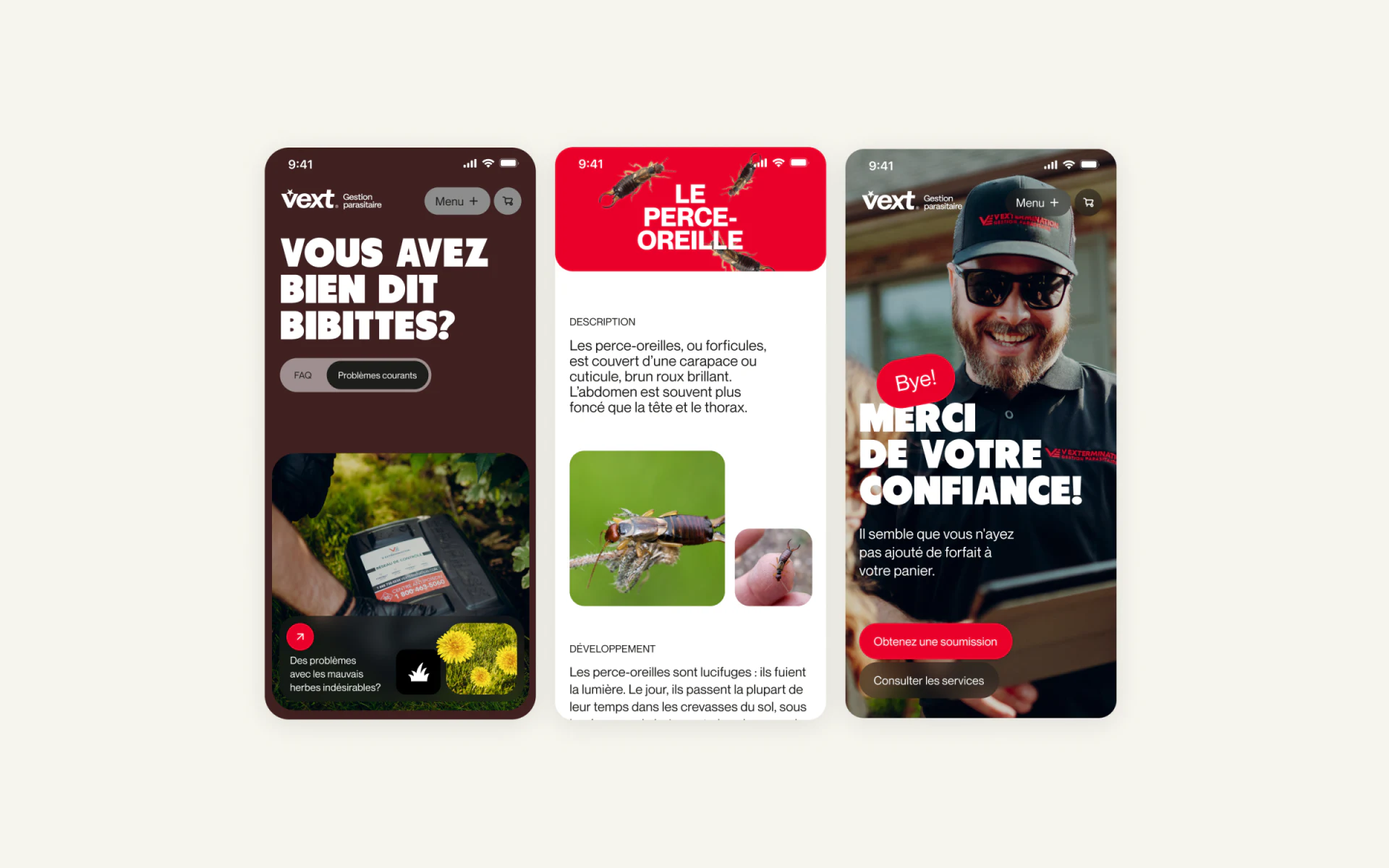
Vext uses brown and heavier white headings with field-worker photography; red earwig details arrange description, large and small images, and further content vertically. Stronger weight and color retain pest-service identity beside the lawn pages’ softer italics.
The lawn brand and arrow below create reciprocal guidance. Brand name, scope, and quote ownership should be stated after switching to prevent assumptions carrying over. JVDS Design Studio prefers shared navigation and components with separate checks of business names, entries, and action copy. Shared structure needs content ownership, beyond a color change.
Empty carts and directories should tell the same story
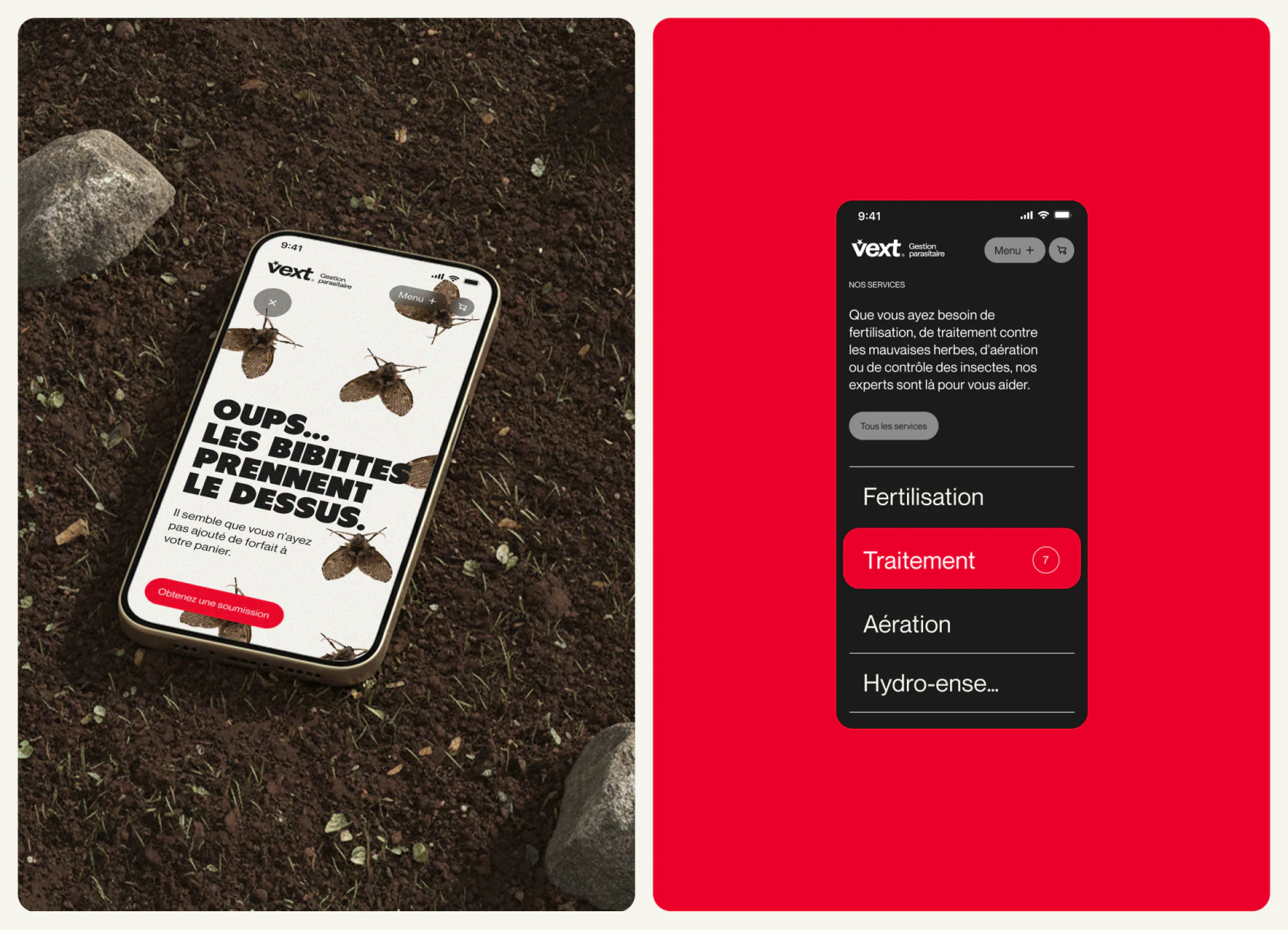
An insect-decorated Oops page says no packages are in the cart and offers quotes and services, connecting emptiness with actions. Another similar view says “thank you” before explaining no package was added. Gratitude may imply completion, so heading and state explanation should agree.
A black list arranges fertilizing, treatment, aeration, and other services, with one red row and 7. It supports scanning, but relationships to pest service and the number’s meaning need section explanations. Clarifying whether businesses share a directory also lets quotes receive the correct choices.
Connect knowledge queries with clear service choices
Multi-service local websites combine problem descriptions, directories, and inquiries. Follow the current object to check brand switches, service names, empty states, and quote ownership so each step has a defined business destination.
JVDS Design Studio provides UI/UX design, website design, and development services for mobile service categories, knowledge pages, and quote flows.
 Link copied