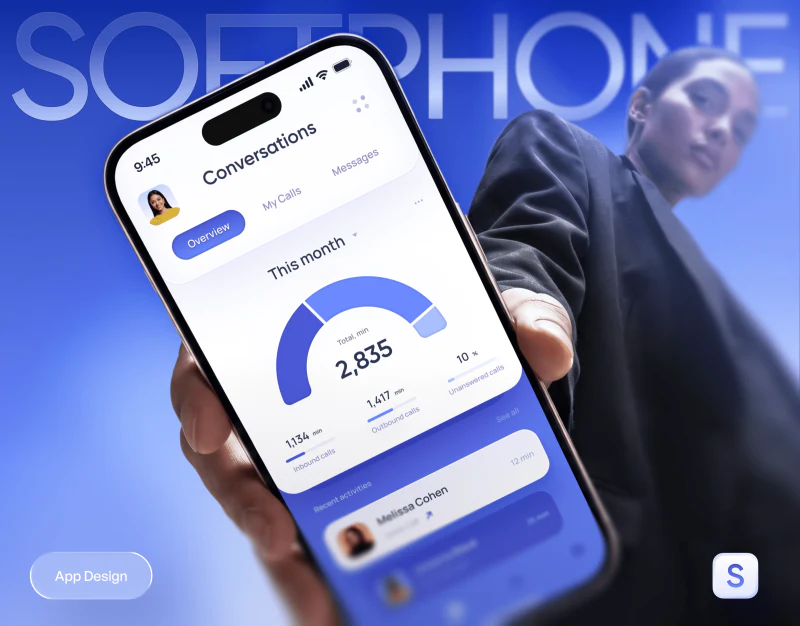
SoftPhone places calls, schedules, messages, and statistics in a shared blue and purple interface. The value of business communication app design lies in keeping these contents findable around the same conversation: the contact remains identified, time has a basis, and materials and original words can return to their corresponding record.
Calls and schedules sit close, with separate tasks explained
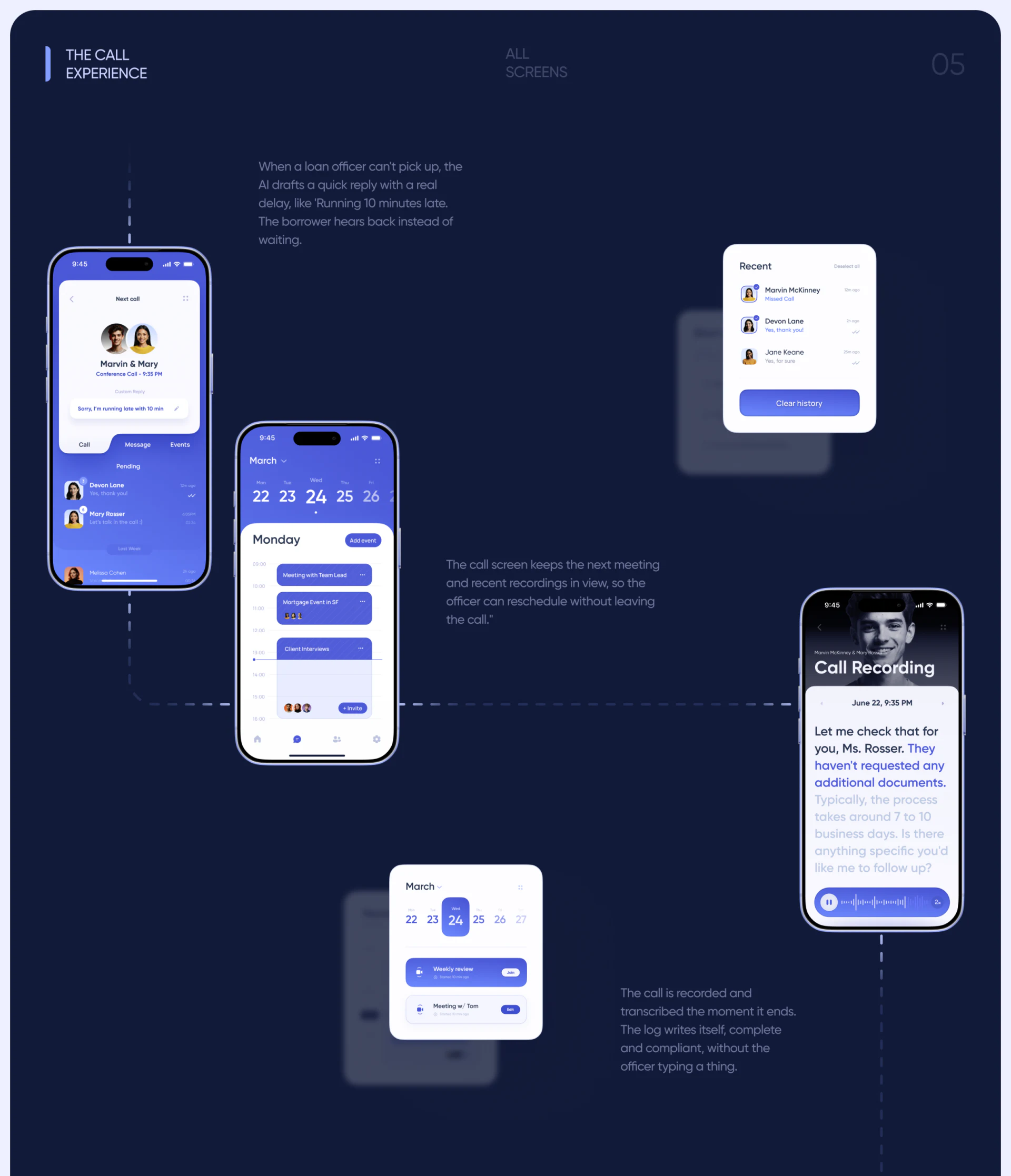
The Next call card shows a scheduled time below participant portraits and names, with an editable custom reply nearby and Call, Message, and Events sections below. The calendar arranges meetings on an hourly scale with Add event and Invite. The recording page retains participants, date, segmented text, and a waveform player at the bottom. These pages cover tasks before and after communication, making their relationship understandable.
Quick replies can reduce steps to finding a communication entry, and a calendar can show arrangements, but writing a delay in a reply does not mean the schedule has changed. The interface should separately express editing, sending, and notifying the other party. Transcripts should also connect text positions with playback time so readers can listen back to check wording rather than treating highlighting as evidence of accuracy.
Materials in the message timeline retain conversation context
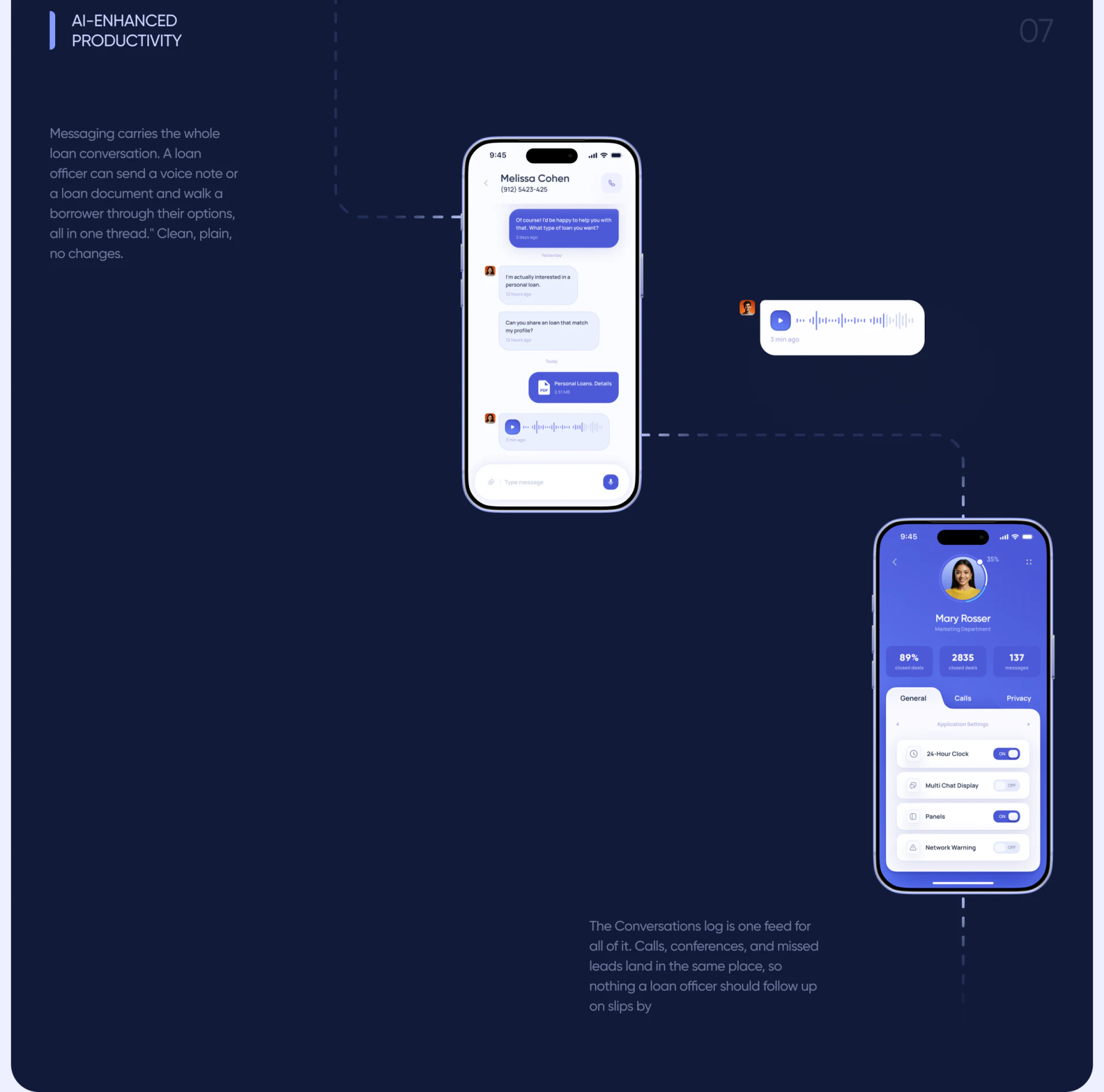
The message page keeps the contact and phone entry at the top, with text, PDFs, and voice messages arranged by time below. File cards show names and sizes; voice messages have play buttons and waveforms. Different contents stay in one thread, so the surrounding discussion can explain why a file was sent.
JVDS prefers attachment identity, sending time, and contact to remain visible together, especially when business conversations contain similar filenames. Versions, dates, or brief summaries can distinguish files, and returning from preview should restore the original message position. Voice messages likewise need duration and playback state to be located in a long thread.
The white message area and blue-purple tool area divide reading tasks clearly, with darker bubbles emphasizing the sender. Retaining contact identity supports checking more directly than adding elaborate decoration to every attachment type.
Statistics need a route back to dates and records
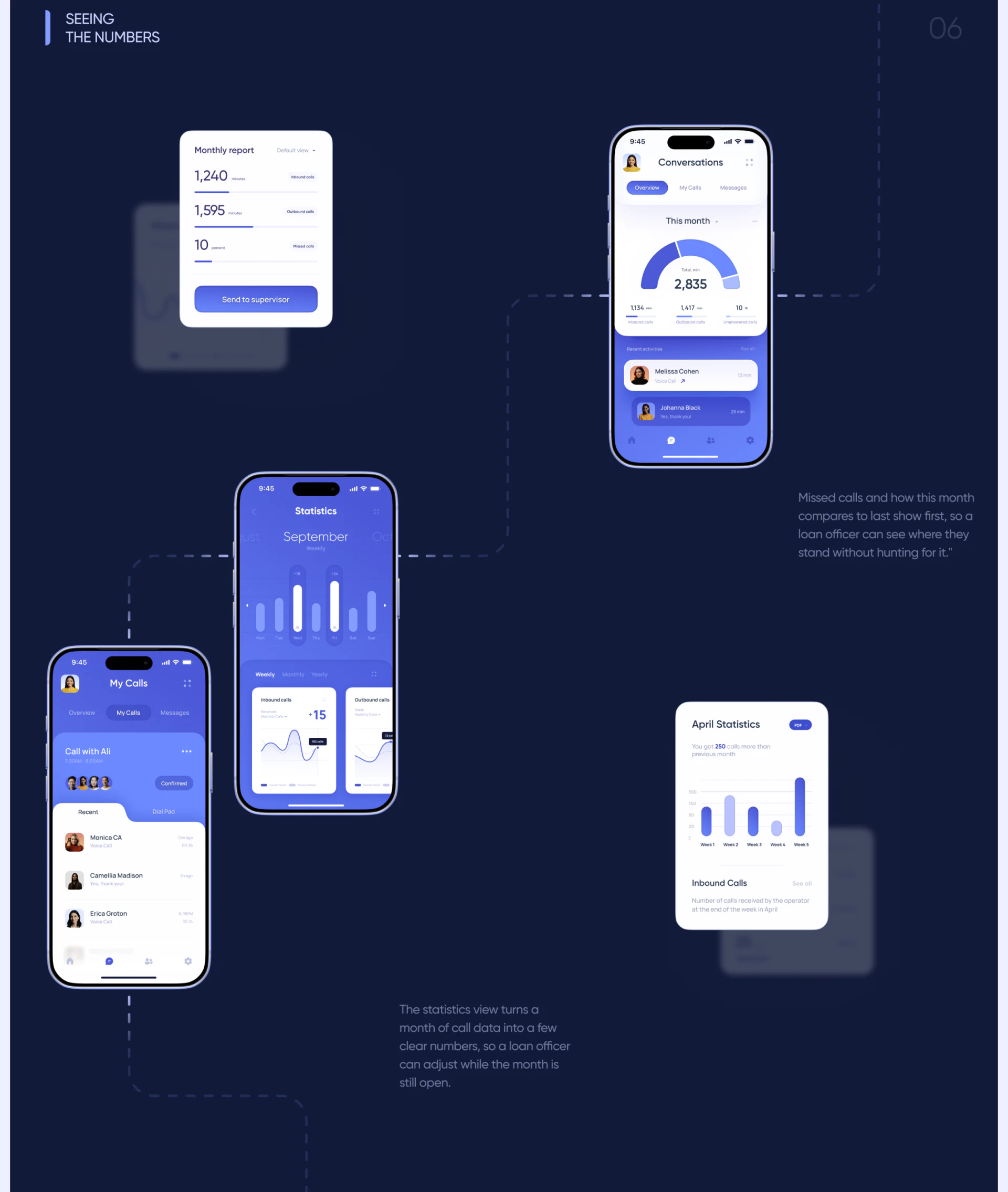
Conversations uses a semicircle and total minutes for this month, with incoming, outgoing, and missed categories below and contacts retained in recent activity. Monthly report also lists categories and offers an entry for sending to a supervisor, while another statistics card explicitly says April. Overview, report, and detail therefore provide different reading depths.
Monthly report does not directly name its month, and its example values differ from the overview. Start and end dates, reporting objects, and update time would help readers determine whether the scopes match. Minutes and percentages serve different purposes and need clear units and denominators; bar lengths alone cannot create a direct comparison.
If missed-call information leads to specific records, statistics can support follow-up. Exported reports should retain filter conditions so the content remains explainable outside the app. A coherent communication tool lets a conversation move from arrangements to materials and review, then leads from an overview back to objects requiring attention.
Organize communication around traceable business records
If your business app integrates calls, calendars, messages, attachments, and reports, start with contact and conversation identities before designing links among pages.
JVDS Design Studio provides UI/UX design, website design, and development services for business communication, material handling, and reporting interfaces.
 Link copied