This team AI assistant interface separates issue summaries, notification drafts and send feedback into three images. Problems have adjacent actions in dark-blue cards; the draft retains its target channel above, and Rewrite and Send remain distinct. Generated content first enters a page for verification before an outward action is considered.
Key takeaways
- Summaries pair issues with actions, while notification drafts allow checking channel and body together.
- Rewriting and sending remain separate; feedback headings, graphics and explanations should express one consistent status.
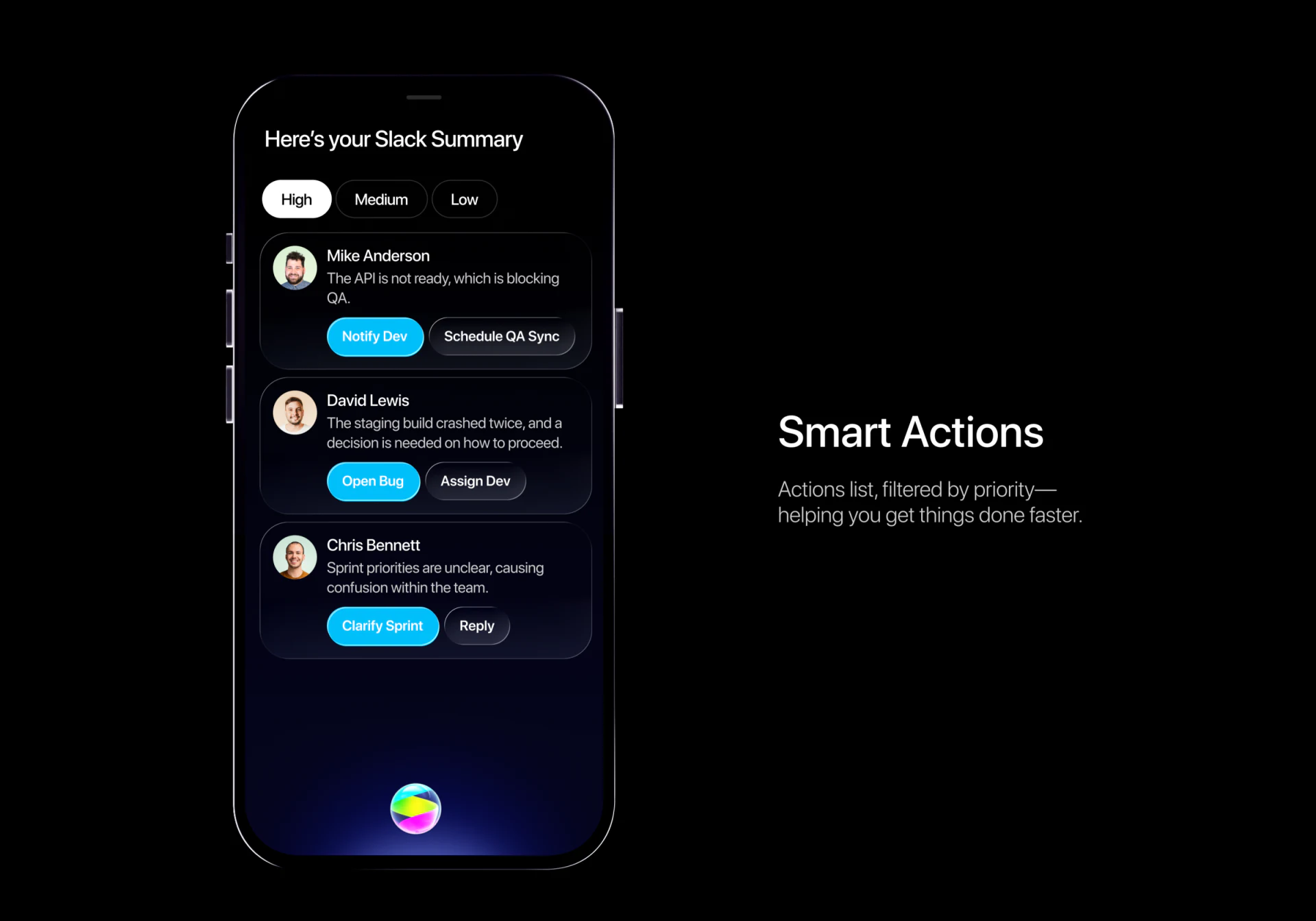
Summary cards keep issues close to next steps
High, Medium and Low form small tabs at the top, with High on white. Three people cards have avatar, name, short issue and two actions, contrasting cyan primary buttons with dark secondary ones. After reading a problem, people can find choices without leaving its card.
This AI summary can quickly organize scattered messages if brief sentences still lead back to sources. Names identify people; times, channels and originals help establish whether an issue still holds. The card content is an example, not evidence of real team blockers.
JVDS would prioritize paths to originals and latest replies. Notify Dev and Open Bug suit short button labels, but the affected object should be explained next. Summaries aid preparation; a prominent button should not replace checking content.
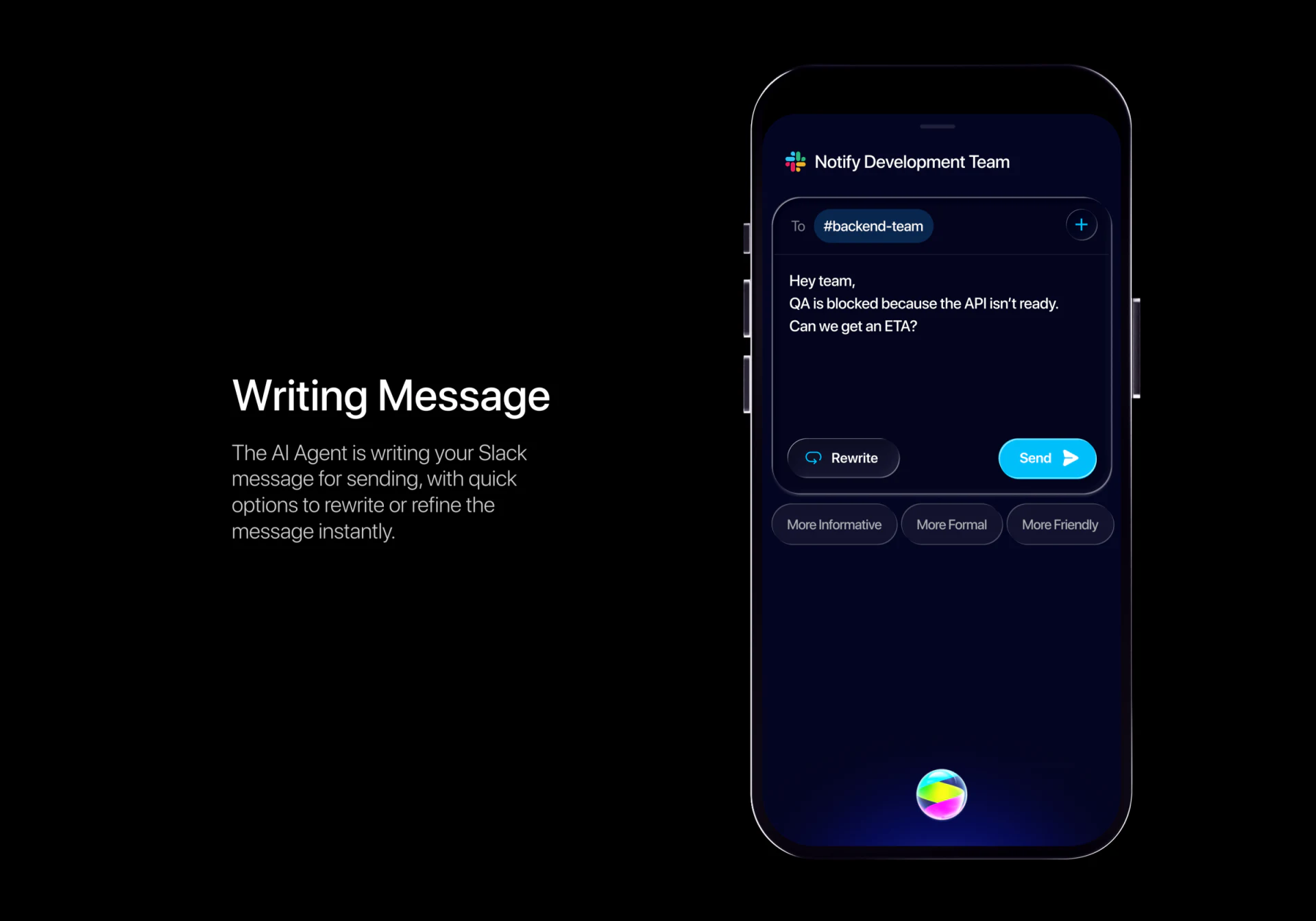
The channel stays above content; rewriting and sending differ
The To field shows backend-team above the draft body, with Rewrite and Send below the editing area and information and tone options further down. Target, body and actions share one screen for joint checking.
Cyan Send stands out more than Rewrite, which retains its own place. JVDS favors this division: adjusting text and delivering it to a channel are separate tasks. After tone changes, facts still need verification; changing targets also requires checking destination and sender identity.
Full input editing, channel switching and pre-send confirmation are not shown. Continue the review using one source message to check retained evidence, editable body and explicit identity and channel. This is closer to usability than evaluating generation speed alone.
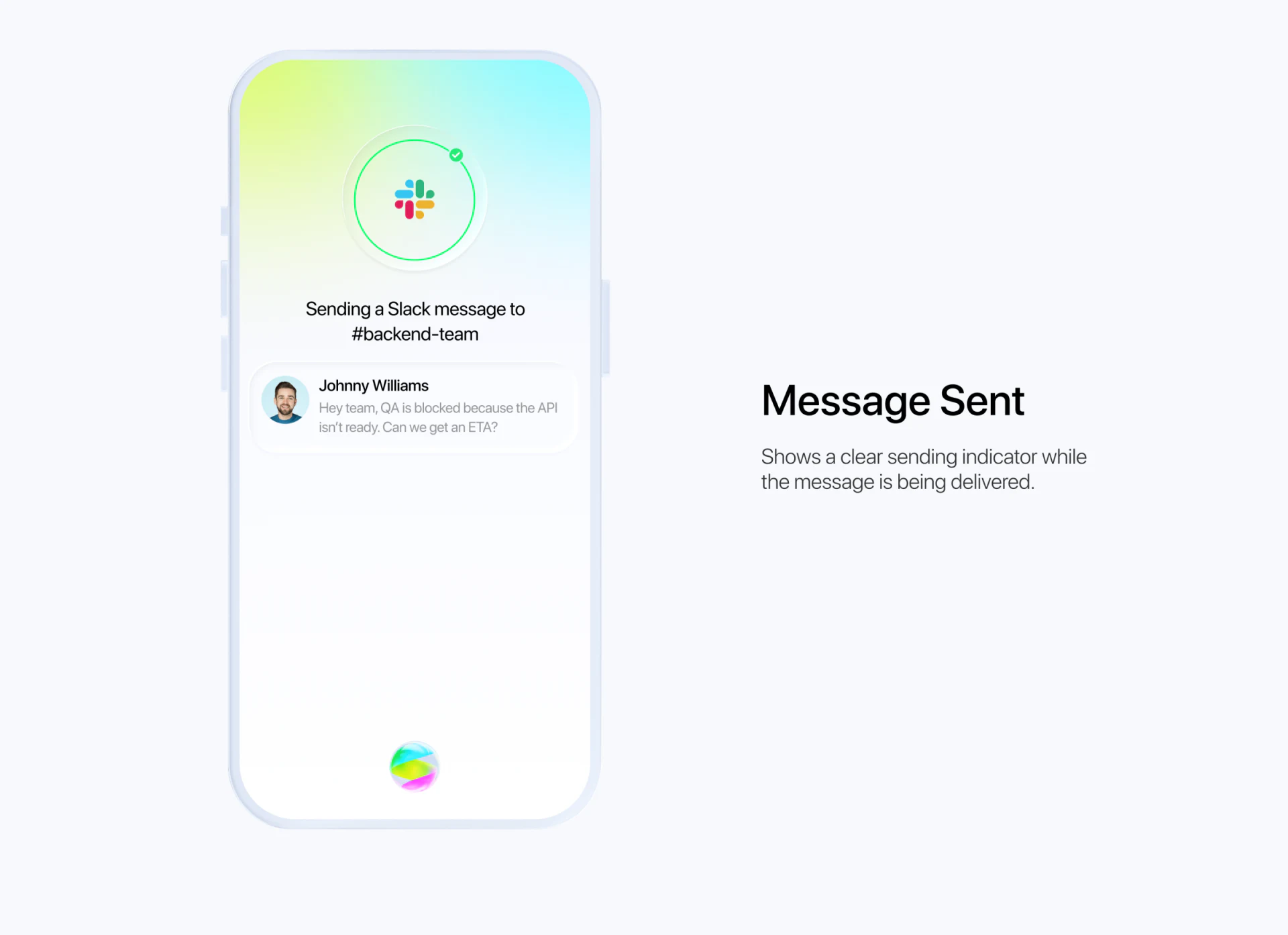
Feedback needs consistent status wording
Feedback switches to a pale background, with a green ring around the app mark and channel and sender summary below. The dark-to-light transition is clear without losing the destination entirely.
However, the large right heading says Message Sent while the phone and explanation still say Sending. Resolve this visible wording difference before deciding whether the ring should show progress or success.
Success can offer a place to view the message, waiting should state processing continues, and failure should explain retries. JVDS would align heading, graphic and body on one status to avoid repeat sending from ambiguous feedback. There is no receipt here, so the success heading is not evidence of actual delivery.
Frequently asked questions
Why should an AI notification draft explicitly show its channel?
The channel determines destination and should be checked with body and sender. Rewriting and changing destination cannot become one action.
Design review checklist
- Retain access from summaries to original text and latest status.
- Align Sending and Sent wording with their graphics.
Make team assistant actions verifiable
If your collaboration or AI tool needs organized summaries, drafts and result feedback, begin with the objects and states affected by actions.
JVDS provides UI/UX design and website design and development. We can work through page content, interface structure and implementation needs together.
 Link copied