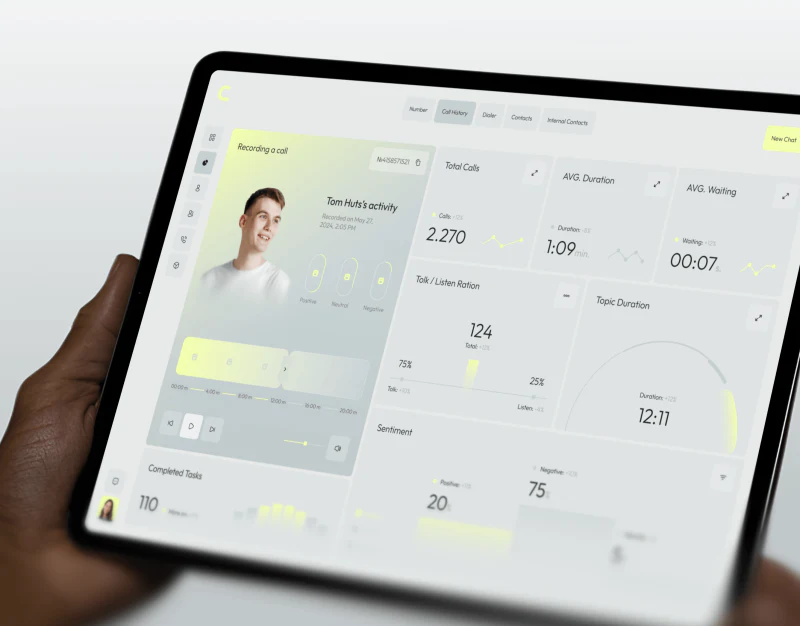
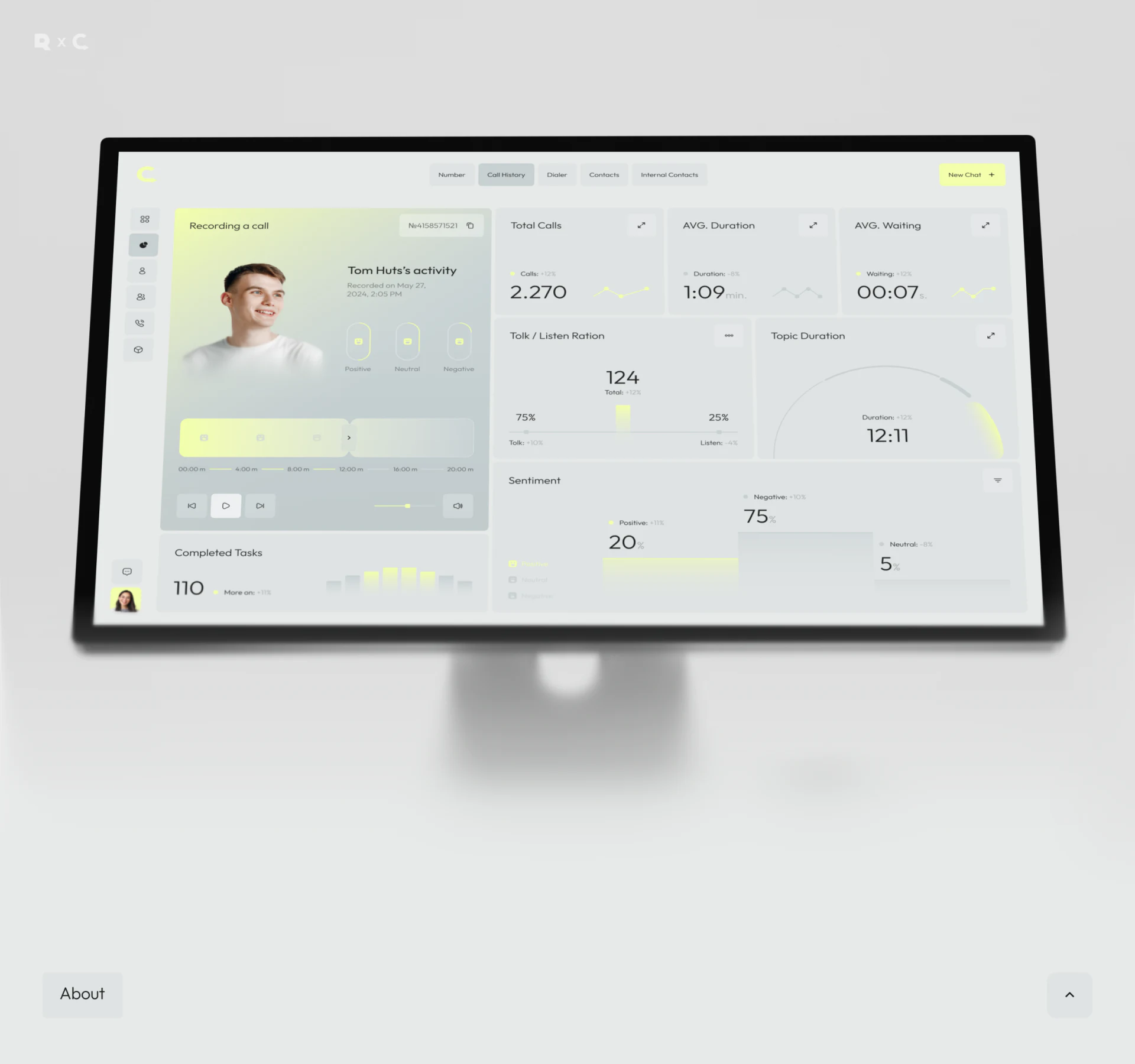
Convox places recording cards, call metrics and sentiment distributions in a light-gray workspace, using yellow-green for segments and key states. Charts remain connected to recording identity through people and time information on the left. This interface is better understood as a way to locate and replay material than as a summary label replacing a whole conversation.
Key takeaways
- Recording identity, timeline and analysis sit together for review.
- Sentiment labels locate material; units and scope explain metrics.
The recording card identifies what is being analyzed
Desktop uses an avatar, name and recording date on the left, with a segmented timeline, playback and volume below. Counts, average duration, waiting, talk/listen ratio and topic duration sit on the right. Identity and player share a card, giving the numbers a traceable subject.
Segment highlights and time marks should remain visible. Linking a topic or label to a range lets users replay it with a question instead of searching from the start. JVDS prefers analysis entries leading to specific segments, with room for review comments so interpretations can be discussed.
When someone has several conversations, date, recording ID and current segment should appear together. Overview and single-call metrics also need distinct labels, preventing team averages from being read as this recording’s performance.
Sentiment distributions retain category names
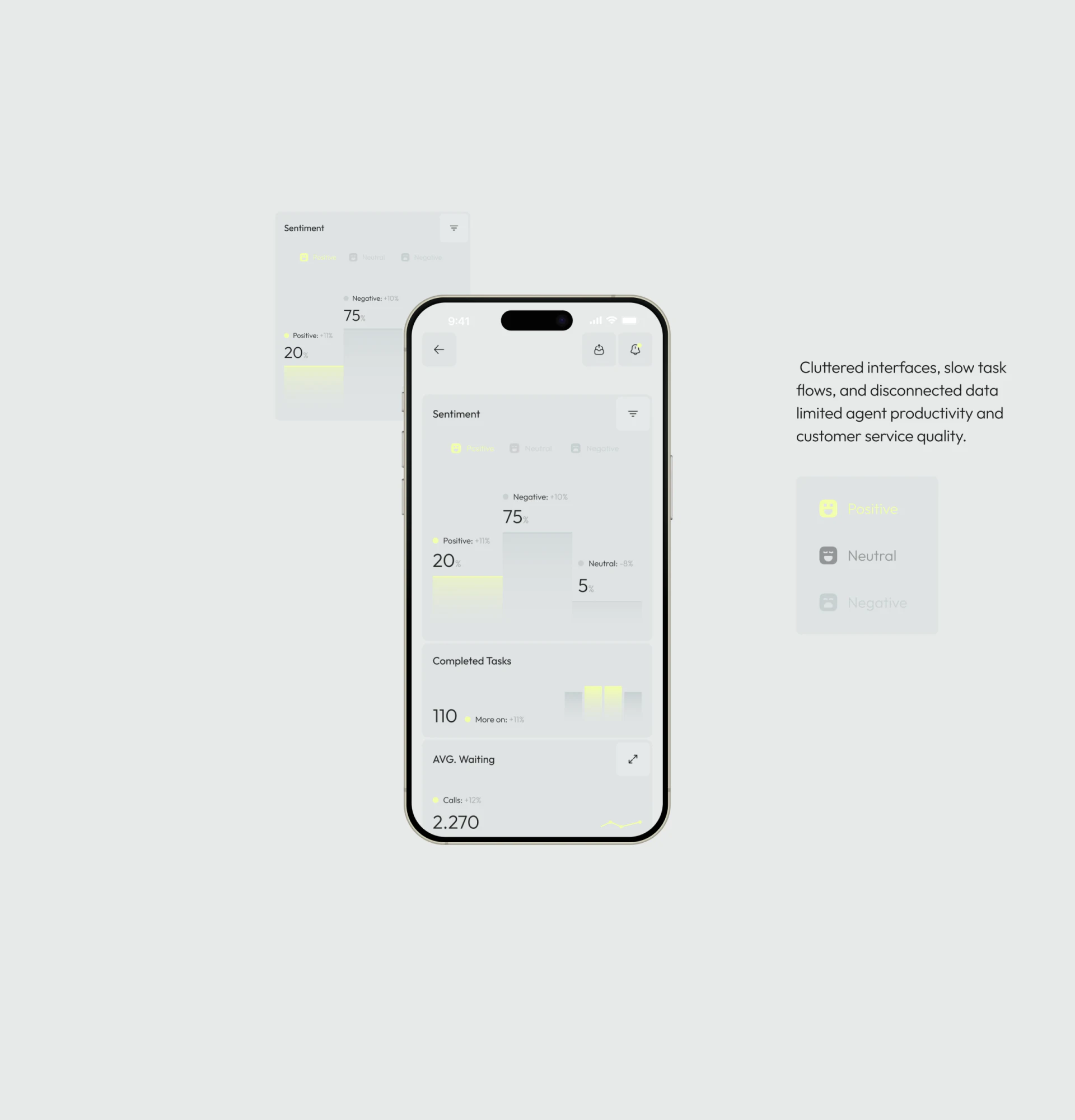
Sentiment pairs Positive, Neutral and Negative with icons and bars, using yellow for the current class. Mobile stacks sentiment and Completed Tasks, continuing desktop language in a short overview.
Unselected category wording is very pale. Color can recede to express hierarchy, but names should remain readable. Bar height represents distribution, icons support scanning and labels explain categories; these roles are not interchangeable.
Mobile’s AVG. Waiting card also contains Calls and 2.270, leaving its title and unit relationship unclear. Waiting duration, call count and change rate need separate names consistent with desktop. Larger numbers do not resolve an incorrect field.
Summaries work as finding aids
Sentiment and talk/listen proportions can suggest material worth checking; reasons still require the recording and context. One label should not directly evaluate an employee, particularly when someone disputes classification and needs the segment and review record.
A further interface can group labels, start/end times and review comments, showing what each opinion concerns. Supervisors or quality reviewers can distinguish automated prompts from human conclusions, turning attractive summaries into usable review routes.
Frequently asked questions
Can sentiment proportions directly evaluate performance?
Review them against the recording and context. Labels can guide finding and preserve segment evidence that remains open to discussion.
Should mobile metrics keep desktop names?
Names, units and statistical scope should agree for the same metric. Layout may change; meaning should not change with the container.
Design review checklist
- Identify the analysis subject and recording ID.
- Keep unselected category names readable.
- Align metric titles, units and scope.
Connect analysis with replay tasks
Call products can first relate labels to segments, then plan recording players, metric overviews and review records.
JVDS Design Studio provides UI/UX design, website design and development, helping organize page content, interface structure and implementation requirements.
 Link copied