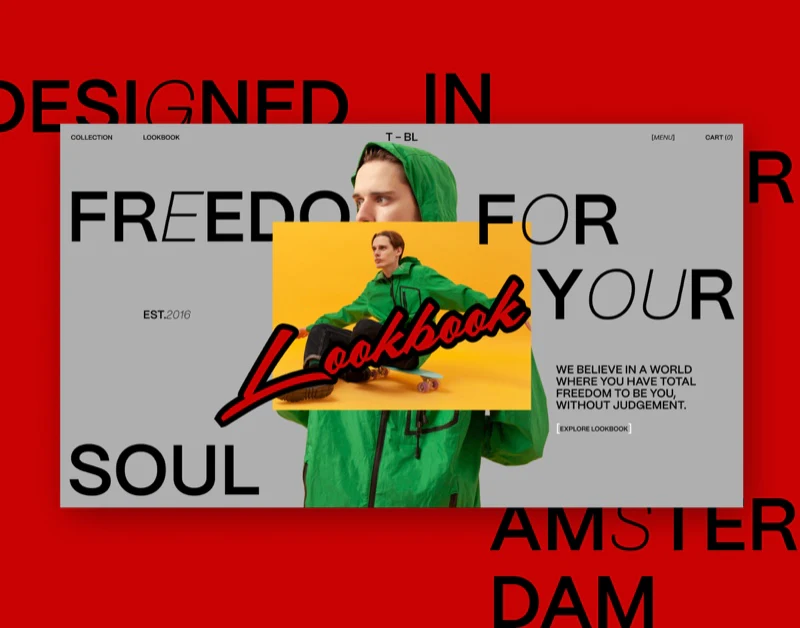
T-BL’s fashion ecommerce website feels like a fashion publication with shopping entries. Portraits, detail shots, and handwritten Lookbook lettering establish its style; on the jacket detail page, names, colors, sizes, and the purchase button return to an orderly arrangement. The coexistence of these two reading rhythms is particularly interesting.
Large type overlaps portraits, while the button keeps its boundary
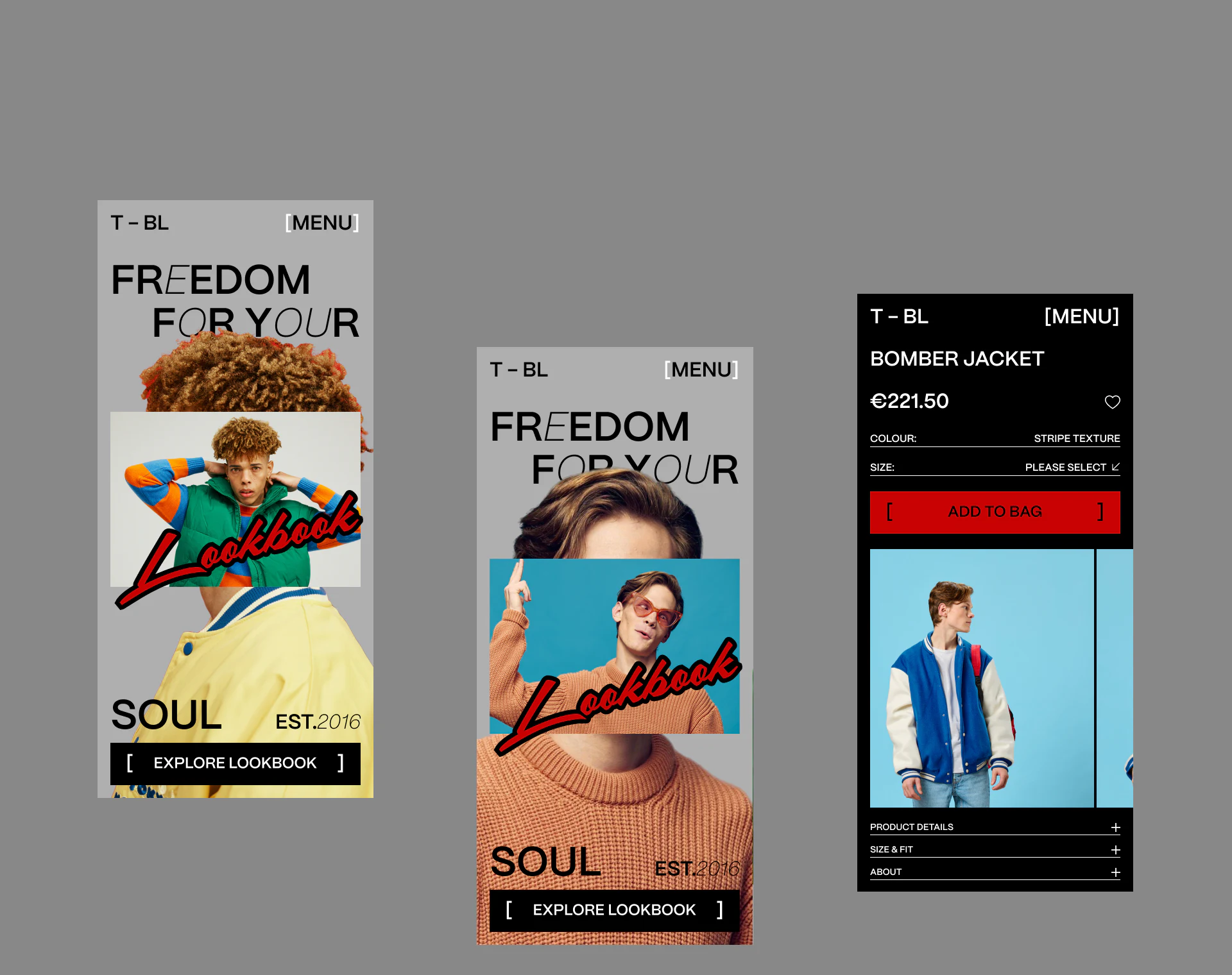
The homepage breaks the same group of people into hair, half-length portraits, and clothing details, with photographs overlapping one another. Portraits interrupt the large Freedom for your soul text, while red and black handwritten Lookbook lettering crosses the photographs diagonally. The composition has the directness of a handmade collage.
The useful distinction is that overlap happens mainly in the area expressing the brand’s style. Explore Lookbook remains a complete black button at the bottom, with unobscured text and brackets enclosing the entry. The image can be bold while the action leading onward remains clear.
A gray base makes the green vest, yellow shirt, and blue background stand out, while the interface itself uses few colors. This suits a brand whose main content is outfit photography: changing images supply variety, and navigation and buttons retain a reusable framework.
Square brackets recur around Menu, the exploration button, and Add to Bag, resembling editorial marks in a publication. They connect style and function without making every button handwritten. The distinction is practical: expressive lettering suits a few emphasized words, while frequently read navigation retains simple letterforms.
Heads and clothing details interweave on the homepage, then full outfit photographs return on the detail page. Cropping changes with the task, so content production also needs source images with enough spare space. A new brand with only one narrow photograph should not directly copy a multilayer collage; preserve the garment first, then consider the tension of overlapping images.
The product page gathers key text into one black area
The jacket detail page gives the product name and price first, followed by color and size, with Add to Bag next to the selection area. An outfit photograph appears below, followed by collapsible Product Details and Size & Fit sections. Readers identifying the product can capture the main information at the top.
JVDS considers the red purchase button more prominent here than the handwritten red lettering on the homepage: it occupies a defined rectangular area amid white text on black. The same color can serve different tasks on different pages; what matters is a clear hierarchy within each screen.
Please Select indicates that the pictured size field is unselected. In implementation, feedback can appear beside the size row while keeping the garment photograph visible. Selected, out-of-stock, and error states still need prototypes; this static detail image cannot establish how they behave.
Different image sizes give new arrivals an editorial focus
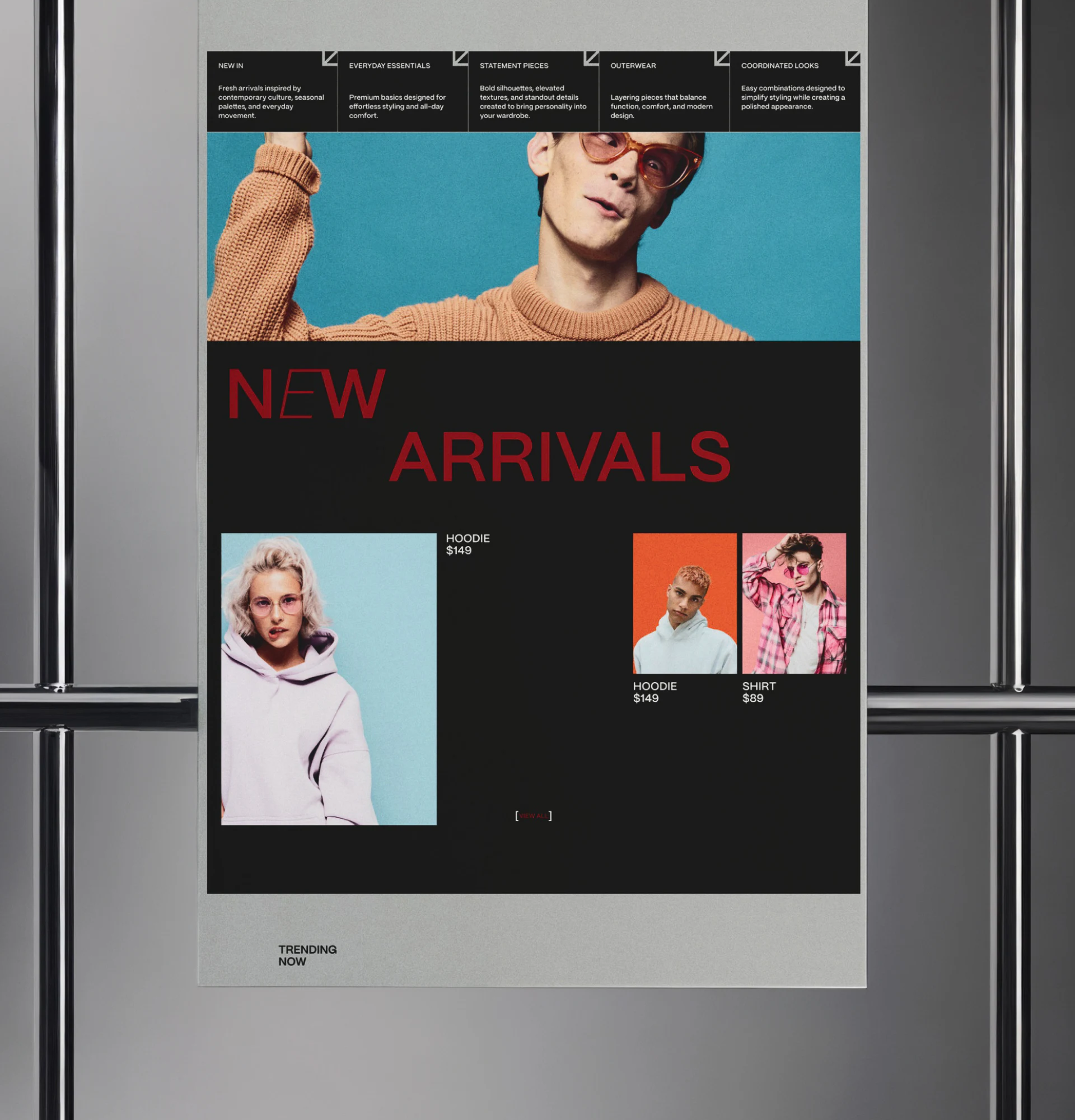
The new-arrivals section does not give all three garments the same image size. A hoodie occupies a tall image on the left, while two smaller items sit side by side on the right. Blue, orange, and pink portrait backgrounds stand out against black. The first impression is how the garments are worn, rather than a row of clothes detached from bodies.
Names and prices stay near their corresponding photographs: the large image’s text is at the upper right, and the two small images’ text is below. Placement varies, but the pairings remain understandable. This arrangement suits a small curated selection; with more products, consistent price placement would help comparison.
The large New Arrivals heading uses dark red and feels subdued against black. The view-all entry at the bottom is also small. If this section is meant to encourage further shopping, increasing contrast at both points would make the category and the availability of more items equally easy to discover.
Outfit photographs set the mood; detail entries explain the clothes
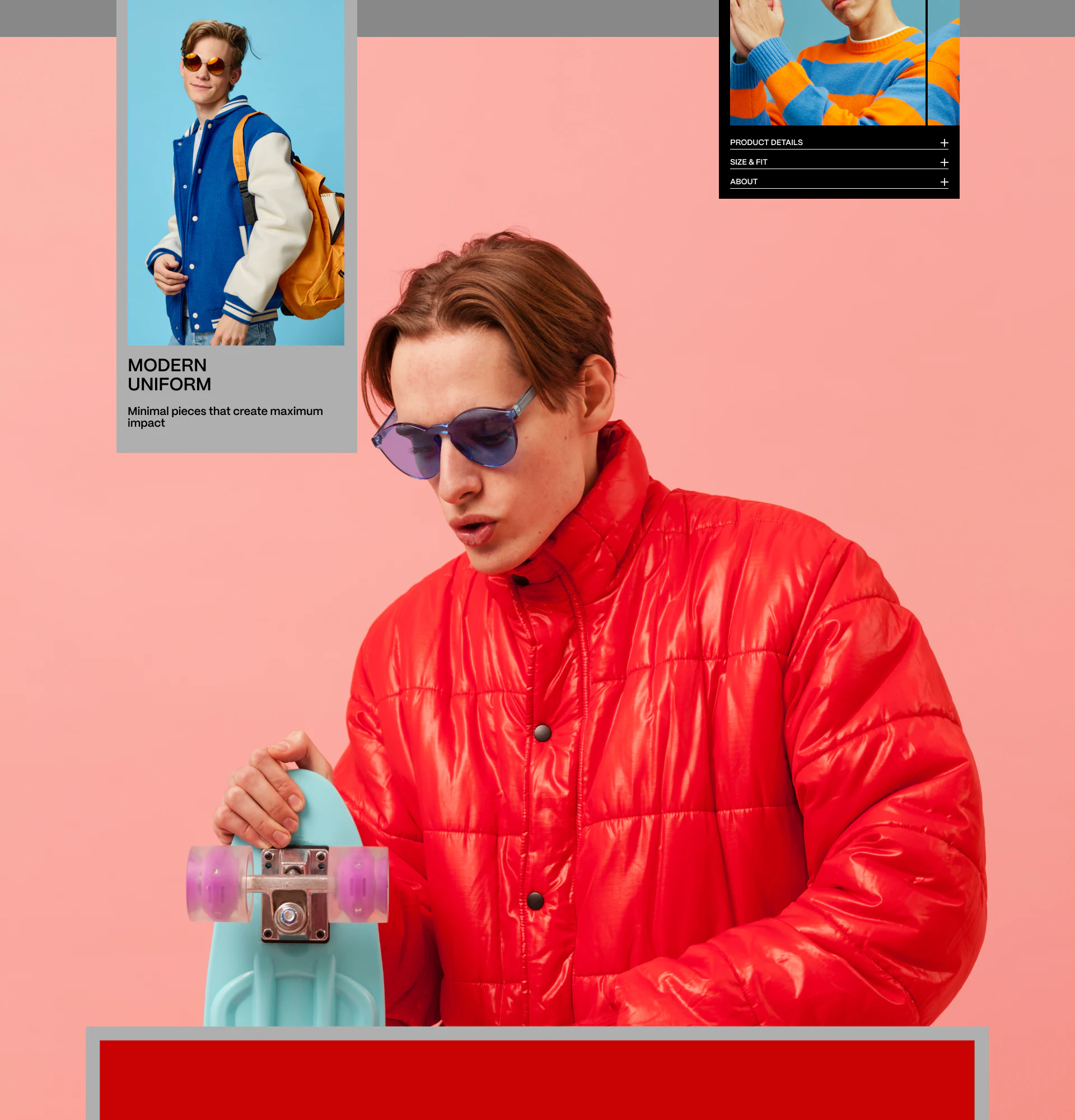
A person in a red coat fills a large pink background. A full outfit photograph of a blue jacket is inset at the upper left, while another garment and collapsible detail entries appear at the upper right. The large composition resembles a magazine spread, with small information areas offering views of different items.
The transferable idea is the change in scale: a large image shows pose and styling, a small image shows the whole garment, and collapsible entries hold material and fit information. A fashion brand website can use this division, provided every purchase entry clearly names its item, especially when many photographs share the screen.
Handwriting, square brackets, and fine dividers run through the images as a recognizable visual language. There is no need to copy every decoration. First establish which areas are for appreciating the imagery and which are for choosing products, then let text and photographs support those tasks.
Bring brand style into a shoppable website
If your clothing brand has a rich photography library, plan the lookbook, product listing, and detail pages together. JVDS Design Studio provides UI/UX design, website design, and development services. Bring your existing images and product structure to the discussion.
 Link copied