UI guidelinesare undeniably important. So when should a design team create them, why are they needed, and how should they be built? This article provides practical answers to each of these questions. Let us begin.
Why Create Design Guidelines? (Why)
If I developed one habit over two years of work, it was asking myself, “Why are we doing this?” before starting any requirement. Organizing guidelines is no different. Before beginning, we need to understand why the guidelines are needed. Recognizing the value of a task helps us accept it psychologically and execute it more effectively.
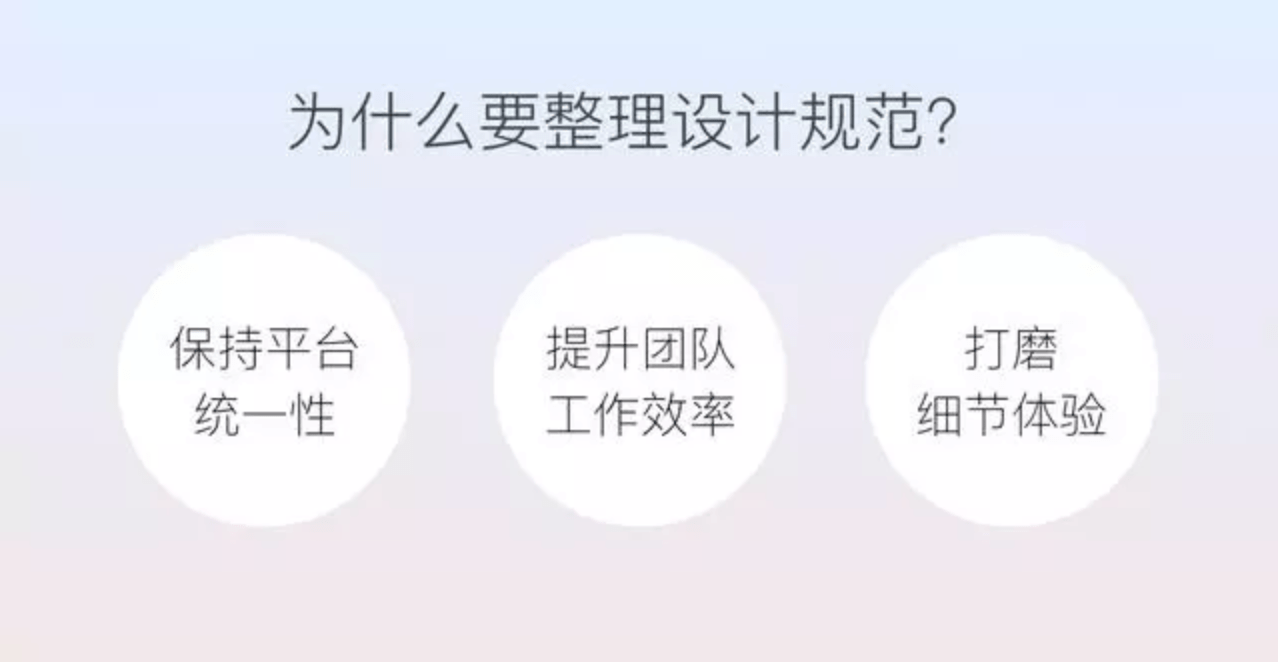
1. Ensure Platform Consistency
Consistency is a fundamental principle of interaction design. In a long-running project with multiple contributors, different designers are responsible for different modules. Each person has a distinct perspective and may create a different solution for the same element. This can confuse users and weaken the overall brand image. Larger products should therefore use design guidelines to define foundational elements and help many designers build a consistent product together.
2. Improve Team Efficiency
For the same basic element, if there is nodesign system, an interaction designer may define the behavior, a visual designer may create the appearance, and a UI developer may implement it. Every designer who later encounters the element may redesign it again. With a design system, the element needs to be designed only once. Any team member can reuse it directly without repeating the visual design and development work, significantly improving efficiency.
3. Refine the Experience in Detail
When documenting guidelines for an element, designers need to think through its scenarios and states. This process often reveals previously overlooked problems and creates opportunities for improvement. Examining a small element independently and turning that analysis into a complete guideline is itself a process of refining the details.
When Should Design Guidelines Be Created? (When)
Ideally, design principles, style, and guidelines would all be defined before design begins. In real projects, however, that is rarely possible. Early-stage teams usually move in small, rapid steps and launch first. As the product evolves through trial and error, the design does too. Defining a completely “correct” set of guidelines at the outset is therefore unrealistic.
Guidelines are usually needed when product development becomes more stable, the positioning and brand image are relatively established, more people are participating in design, and problems with consistency and efficiency begin to emerge.
What Makes a Good Set of Guidelines? (What)
Guidelines are written for people to read. Creating them is much like designing an interface: identify the target users, their goals, and the design goals before moving into execution.
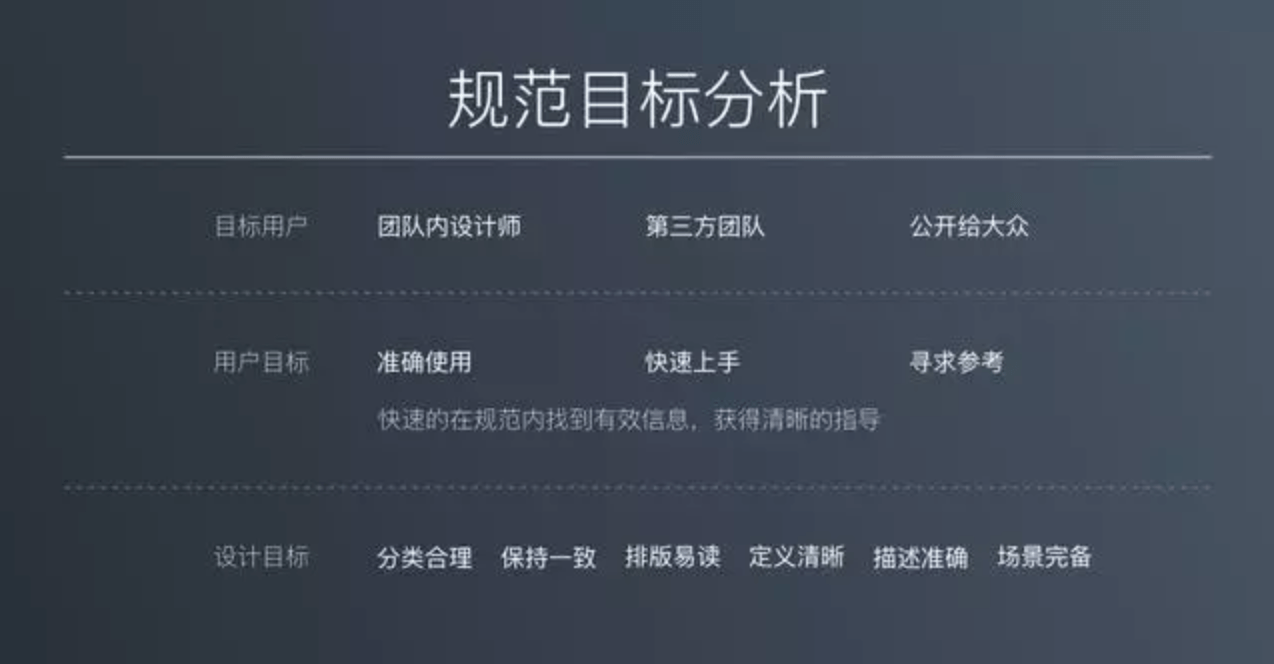
I. User Goals
The target users of design guidelines may be designers within one team, third-party collaborators, or anyone in the public. Regardless of audience, they share a basic goal: to find useful information quickly and receive clear direction. Each group also has distinct needs within that common goal.
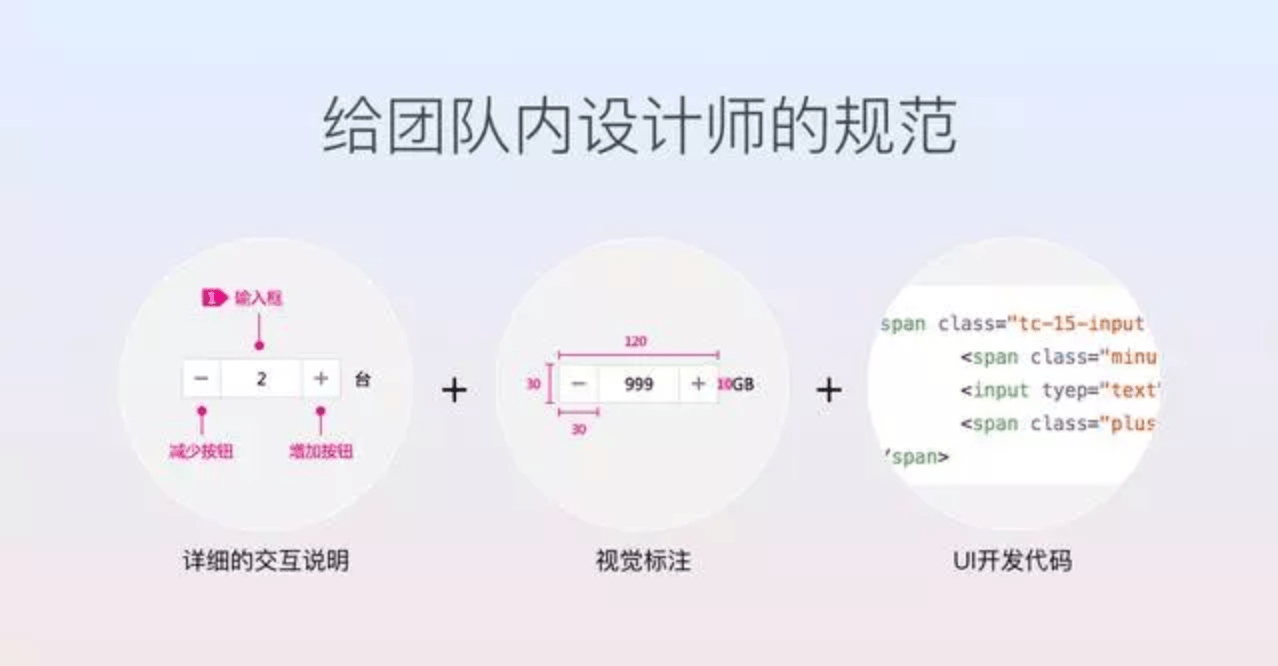
1. Internal Designers—Accurate Use
Internal designers generally need to create “accurate” designs based on the guidelines, use elements in the correct scenarios, and maintain consistency across the platform. Guidelines for an internal design team are therefore comparatively detailed. Tencent Cloud's internal guidelines, for example, include real interaction scenarios and explanations that help interaction designers understand and make decisions, as well as visual specifications that visual designers and UI engineers can reference.
2. Third-Party Teams—Rapid Onboarding
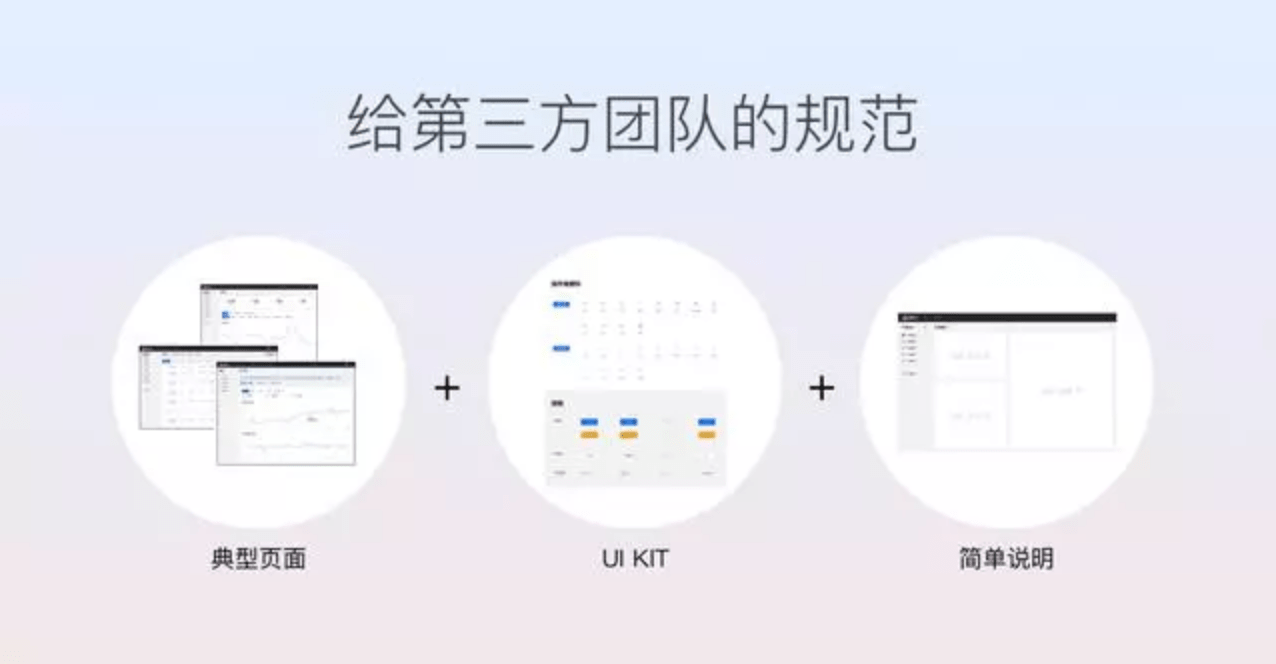
Design guidelines for third-party collaborators serve a different purpose: helping partners get started quickly. Handing them long, detailed internal documents does not guarantee they will have the patience to read them or follow the rules. In this situation, it is more effective to provide representative pages, a UI Kit, and clear, concise explanations. This helps partners understand page layout quickly and assemble pages from ready-made elements.
3. The Public—A Source of Reference
Public design guidelines range from highly detailed to simple and direct, depending on why they are published. Public guidelines intended primarily as a reference are usually more concise than internal design systems. Most present definitions, descriptions, and styles, supported by correct and incorrect examples. When public guidelines also need to support external partners, they include more detailed descriptions, visual specifications, code, and other implementation information.
II. Design Goals
Once user goals are clear, the design goals follow naturally. Good guidelines should be efficient and easy to understand. For internal design guidelines, execution should include sensible classification, internal consistency, and readable layout to help designers find information quickly. Clear definitions, precise descriptions, and comprehensive scenarios help them understand and apply the guidance.
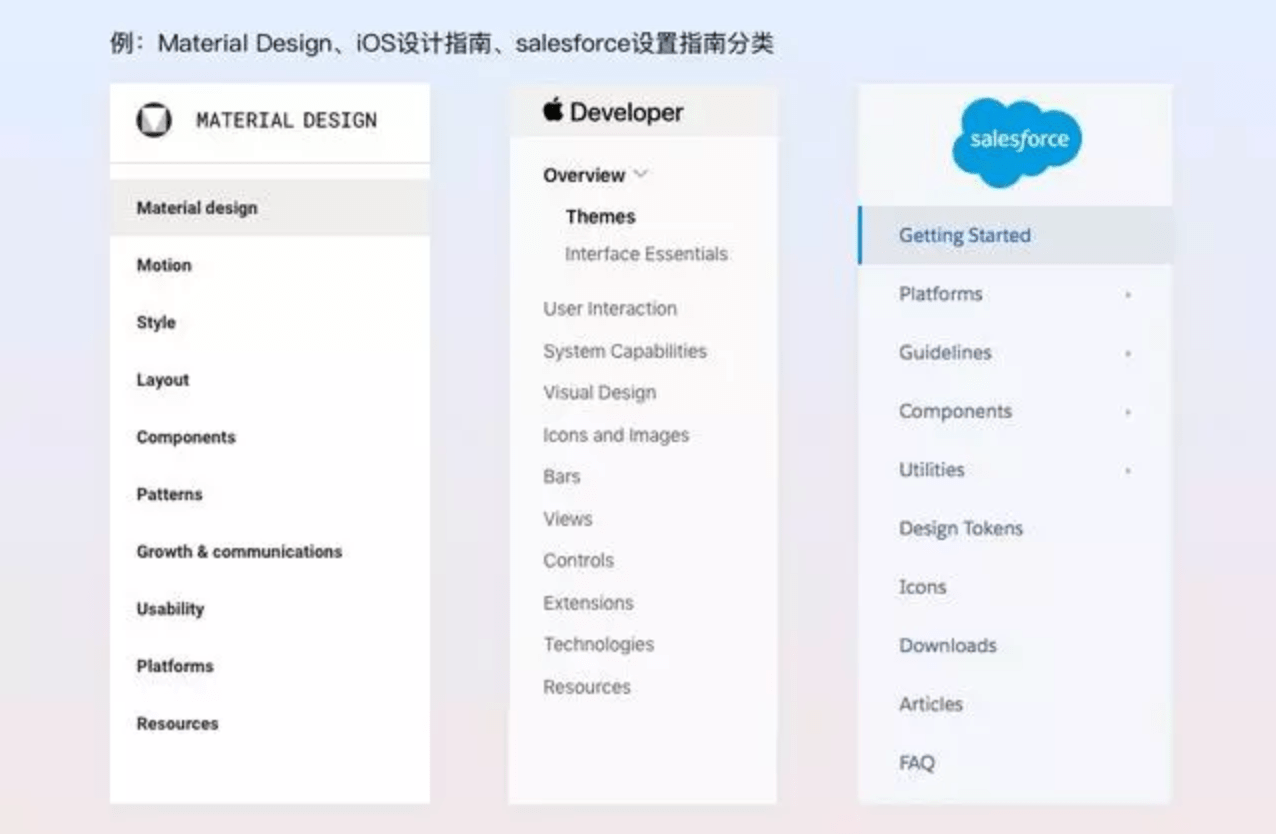
1. Sensible Classification
A complete set of guidelines usually contains a large amount of material. Logical classification is essential if users are to find what they need quickly.
2. Maintain Consistency
Keeping the contents and format consistent across every guideline creates a predictable pattern. After reading one guideline, users understand what sections to expect in the others and where to find specific information.
3. Use a Readable Layout
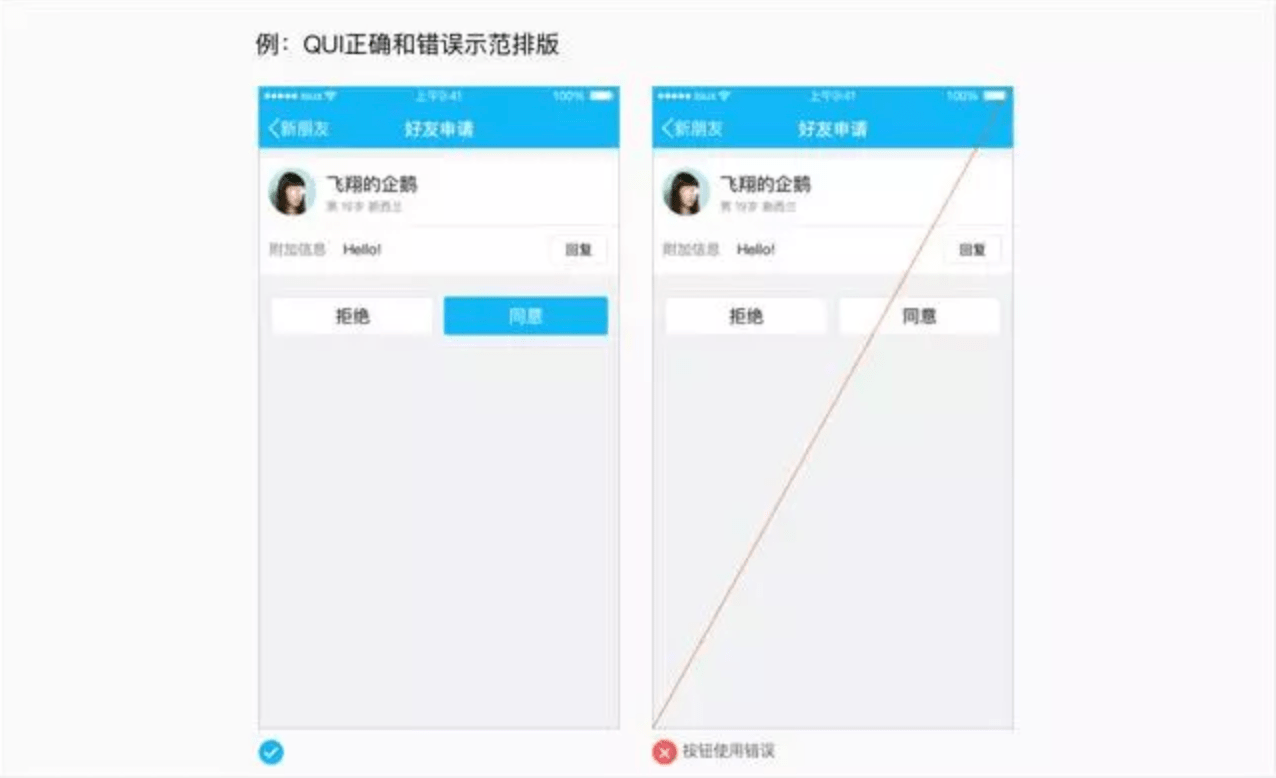
Reduce reading fatigue through appropriate typography, spacing, and white space. Combine images with clear explanations, distinguish correct examples visibly from incorrect ones, and use tables to organize information.
4. Provide Clear Definitions, Precise Descriptions, and Comprehensive Scenarios
Use plain, easy-to-understand language for definitions and descriptions. Help users understand what an element is, how to use it, and where it can be used. Guidelines cannot include every possible situation, but they should cover most common scenarios.
How Can Guidelines Be Organized Systematically? (How)
I. Create a Plan
Organizing design guidelines is a broad, long-term project. A clear plan helps the work move forward effectively. The planning process is shown below.
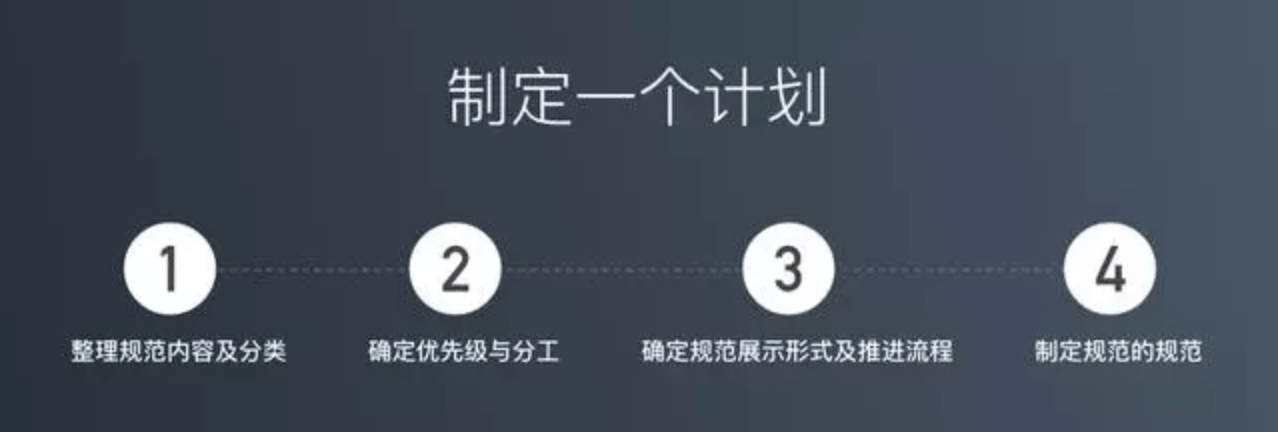
1. Organize Guideline Content and Categories
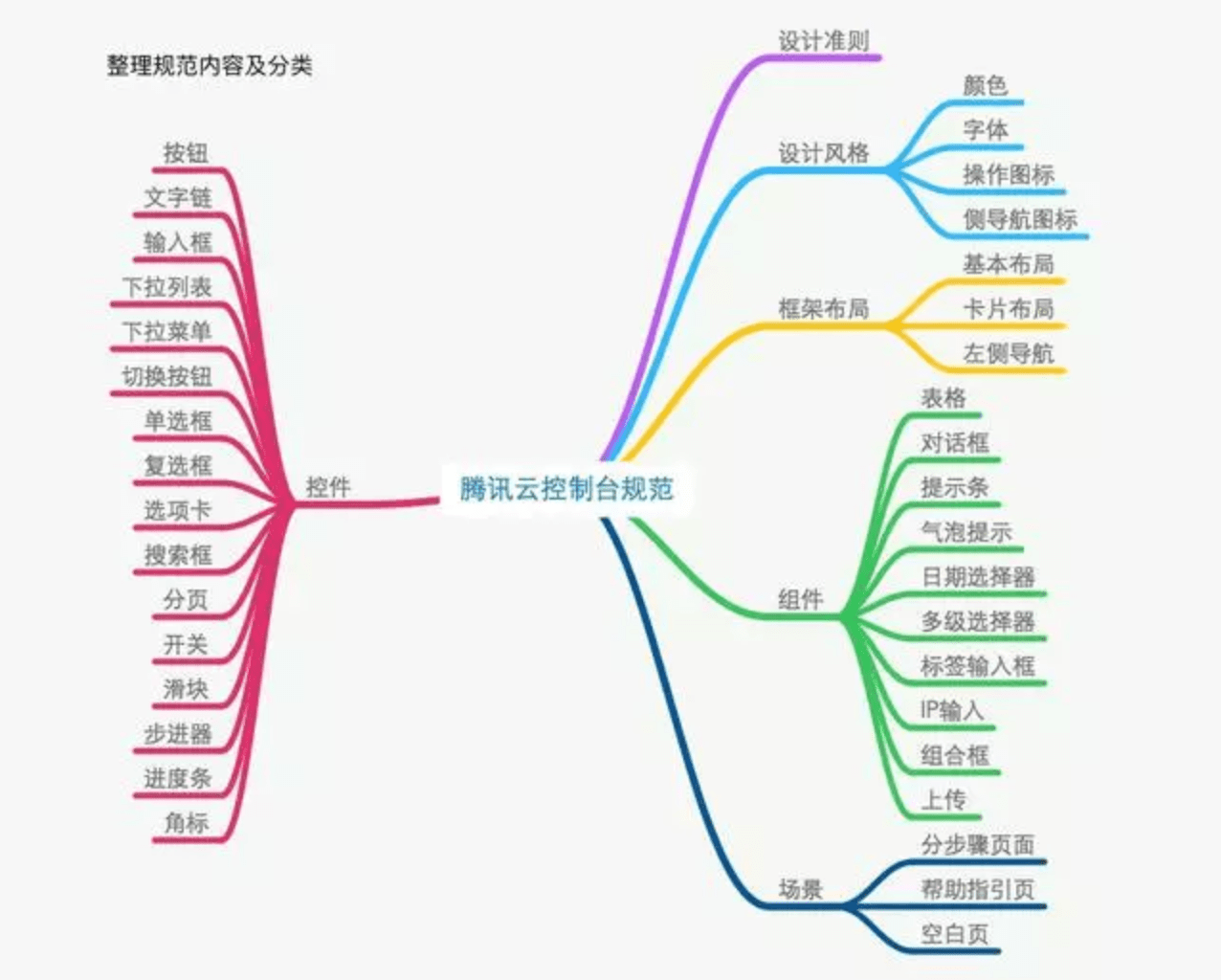
Before beginning, clarify what content needs to be documented and how it should be categorized. The diagram below shows the content and categories listed when we organized the Tencent Cloud guidelines. The initial list may be incomplete, but that is acceptable. Define the most basic categories and content first, then add anything that was missed as it emerges.
2. Set Priorities and Assign Responsibilities
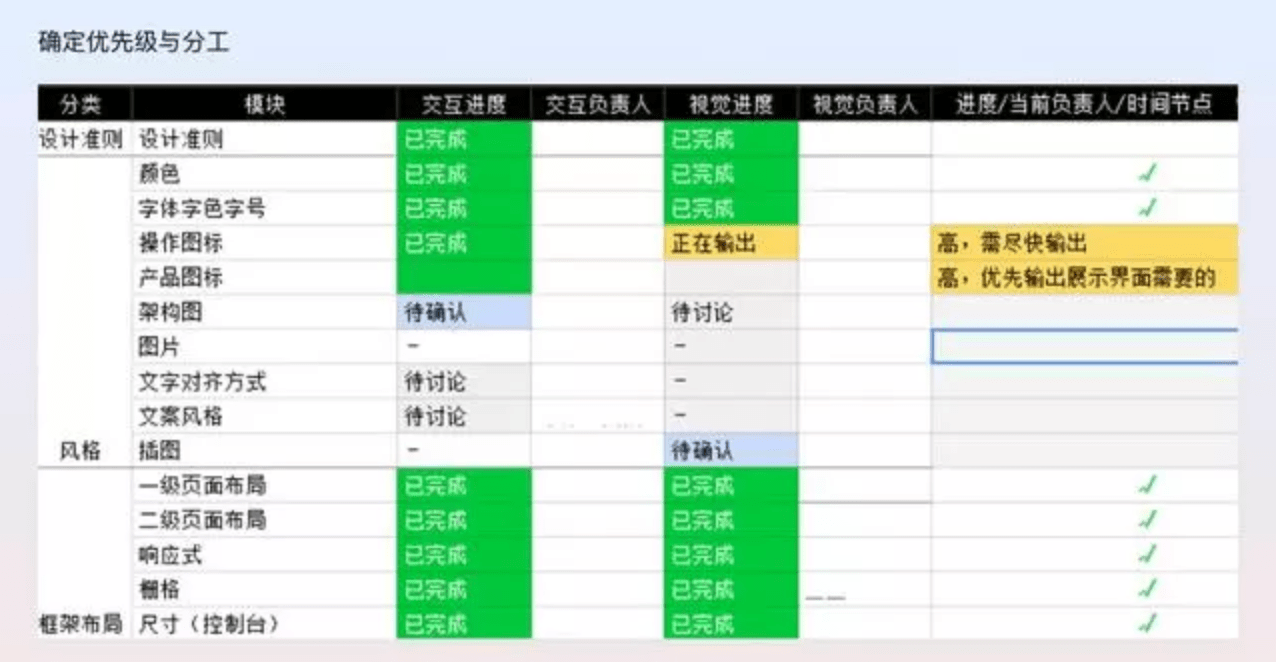
As the diagram shows, a complete design system contains a great deal of material. After organizing the content and categories, the team must set priorities and assign ownership. At the broadest level, first define the overall design style and framework; the details are easier to determine once the overall direction is established. Controls, components, and scenarios should generally follow next in that order. Controls form components, while controls and components together form scenarios, so defining smaller controls first makes components and scenarios easier to establish. Creating guidelines is the responsibility of the entire team. Ideally, every designer should participate. Sharing the workload improves efficiency and ensures that decisions are made through team discussion, with every contributor involved in and aligned with the outcome.
3. Determine the Presentation Format and Delivery Process
Choosing the presentation format also means identifying the target users. The team needs to decide who will read the guidelines, whether they will be published on a website or in a document, and whether the website will be public. These decisions determine the appropriate level of detail and the overall presentation.
The delivery process defines how the entire project will operate: how each designer produces assigned work, when discussions happen, how output is prepared, and who receives the handoff. Our process, for example, uses a guideline review meeting at a fixed time every week. Several topics are selected for each meeting, and the responsible designer organizes the open questions. The team discusses and confirms the decisions during the meeting. After two weeks of discussion, the final version is produced and handed to the next owner.
4. Create Guidelines for the Guidelines
The rules that govern the guidelines themselves also need to be decided in advance. I believe these rules have two parts: design principles and deliverable standards.
Design principles can be derived from the product's target users and from user and product goals. Every guideline should follow these foundational principles to meet user and product needs and improve the overall experience.
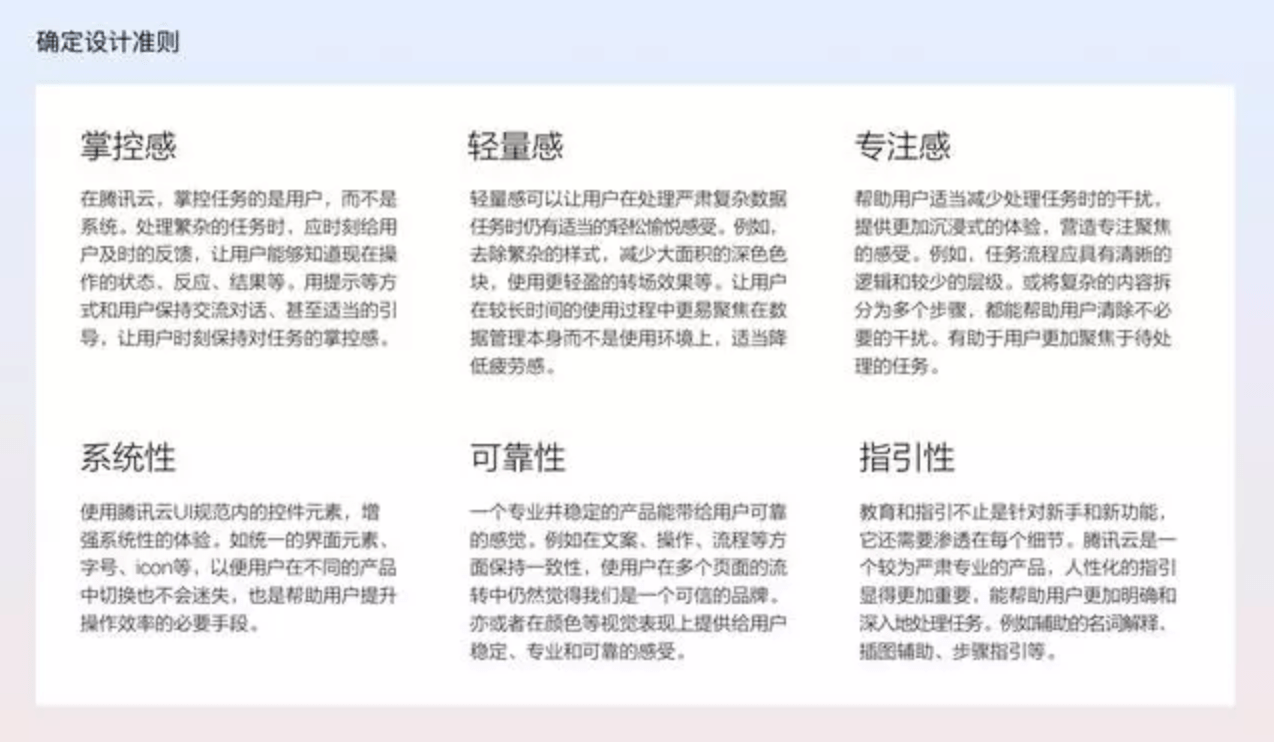
As noted earlier, internal consistency improves the efficiency with which people read guidelines. Defining deliverable standards in advance also helps designers produce work efficiently within an established format while maintaining consistency. Our deliverable standards include:
1. Required content: description, types and scenarios, usage instructions, visual guidelines, supplementary notes, related downloads, and the responsible designer.
2. Illustration dimensions, background colors, layout, typography and color use, and the visual treatment of correct and incorrect examples.
II. Workflow for an Individual Guideline
After the overall plan is established, the team can begin organizing guidelines one by one. Each individual guideline follows a process, as shown below. The following example explains the workflow for creating a “dialog” guideline.
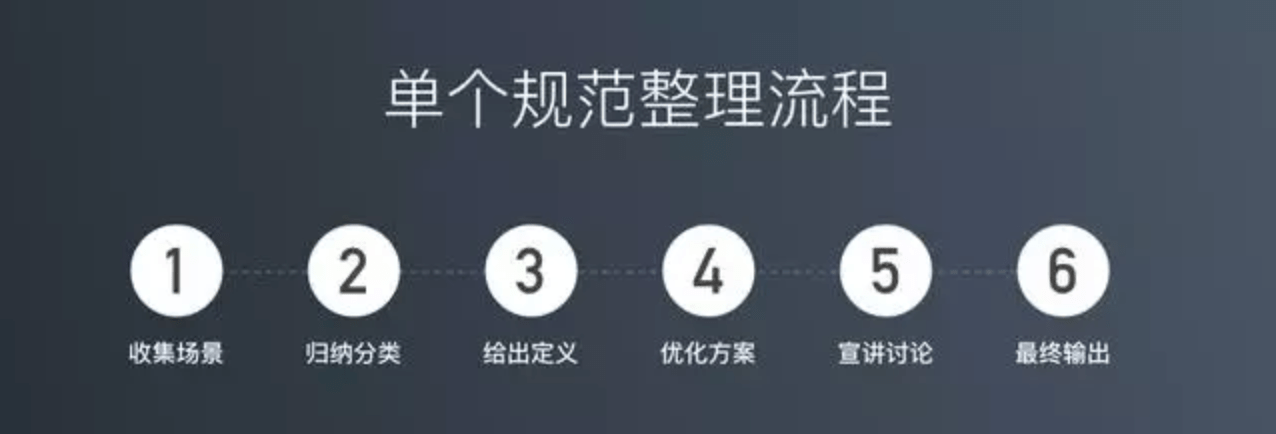
1. Collect Scenarios
When organizing guidelines for a mature product, the first step is to collect scenarios. Dialogs, for example, can appear in many places and take different forms. Before guidelines exist, a product may contain many kinds of dialogs, each designed somewhat differently. The first task is therefore to collect every dialog that has appeared in the product.
2. Group and Classify
After collecting the scenarios, classify them. Dialogs can be divided by style into “modal dialogs” and “nonmodal dialogs.” Modal dialogs can then be divided by function into “confirmation dialogs,” “feedback & warning dialogs,” and “form dialogs.” Classification consolidates numerous scenarios into a few representative categories. Defining and describing those categories in detail can provide effective guidance while reducing the number of guideline objects and improving product consistency.
3. Define the Element
Once the categories are established, begin with an overall definition of the object covered by the guideline—for example, what a dialog is and when it should be used. Each type also needs its own definition so users can understand the differences and choose the right category for a given situation.
4. Optimize the Solution
After categories and definitions are established, optimize each type and produce the final rules. When a detailed rule is uncertain, look to strong examples such as excellent products and well-known design guidelines. The team can also develop multiple solutions of varying quality based on real scenarios, then discuss and compare them together.
5. Present and Discuss
Once a guideline has been organized, present it to the team in a review meeting. List every issue that requires a joint decision in advance and prepare the comparison options. This makes the discussion more efficient, allows the team to confirm the final solution together, and ensures every designer understands the details.
6. Produce the Final Deliverable
After every issue is resolved, create the final output according to the deliverable standards and hand it off to the visual designer.
What Work Remains After the Guidelines Are Organized?
As with all design work, delivery does not mean completion.
After design files are delivered, the team still needs to verify implementation fidelity, ensure a successful launch, collect feedback, and continue improving the work. Design guidelines are the same. After completing them, ensure implementation quality and drive adoption of the new standards. Continue collecting missing elements, add them to the system, identify problems, improve them, and maintain and update the guidelines over time.
How Can Teams Innovate with a Mature Design System?
Standards and innovation have never been opposites.
1. Guidelines cannot cover every scenario, so not every situation needs to follow them 100%.
Scenarios not covered by the guidelines—or situations where the guidelines are unsuitable, such as special marketing campaigns or distinctive features—still provide room for innovation.
2. A strong experience comes first.
Guidelines support consistency in order to protect the experience. If departing from the guidelines in a particular scenario does not harm consistency or the experience—and instead creates a better outcome for that situation—there is nothing wrong with making an exception.
3. Guidelines are not permanent; they always have room to improve.
Guidelines need continuous optimization, iteration, and updates. Improving the system is itself a form of innovation. Visual styles may need to change over time, and new interaction scenarios may need to be added.
What Skills Can Designers Develop by Organizing Guidelines?
Writing guidelines with simple, sensible categories, comprehensive scenarios and details, and a clear, readable presentation is not an easy task. It draws on many foundational design skills, including:
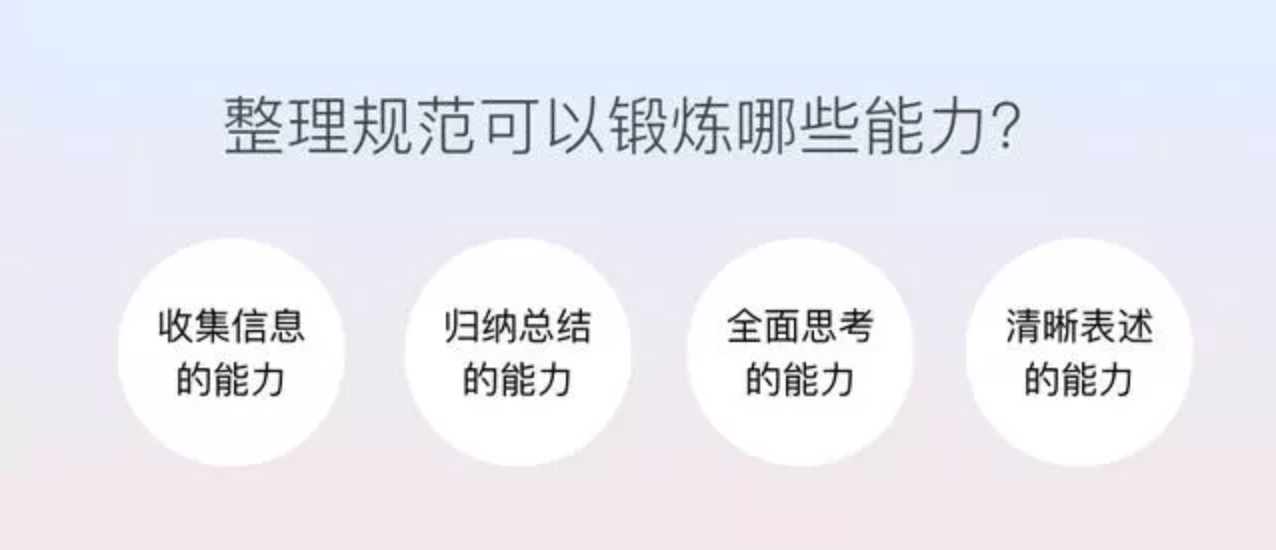
1. Information-Gathering Skills
Collecting scenarios, definitions, and strong examples while organizing guidelines strengthens information-gathering skills. This capability is also needed throughout everyday work. Before starting a requirement, for example, designers need to collect relevant background information and understand what is being done, why it matters, and how it should be approached.
2. Synthesis and Summarization Skills
Organizing collected information into simple, logical categories develops the ability to synthesize and summarize. Designers use this skill everywhere—from large-scale information architecture to the classification and presentation of fields in a form—to process information more effectively and present it clearly to users.
3. Holistic Thinking
I have always believed holistic thinking is the most important capability for an interaction designer. When organizing guidelines, designers must consider the full picture: when a dialog is appropriate, when it is not, and which situations call for each type. They must also think comprehensively about details, such as how many buttons a dialog needs, how they should be ordered, and which labels are easiest to understand. Everyday design work requires the same balance. Designers need to consider broad questions such as user goals, product goals, and the overall journey, alongside detailed questions such as exception handling and edge cases.
4. Clear Communication
Discussing guidelines with the team develops the ability to express an idea and persuade others. Producing the guidelines also strengthens clear writing and helps users grasp the key points quickly. Communication is essential for interaction designers because their daily work requires coordination and debate with many upstream and downstream colleagues. Clear expression helps designers communicate the results of holistic thinking, persuade others, and move the work forward.
Final Thoughts
Let us review the main points:
1. When a product reaches a stable stage and the number of contributors grows, organizing design guidelines becomes highly valuable. They improve product consistency, team efficiency, and the quality of detailed interactions. 2. Good design guidelines help users find useful information efficiently, but the emphasis of the guidance should vary for different audiences.
3. Guidelines should be created through systematic organization and a defined process so the work can proceed in an orderly way.
4. Delivering the guidelines does not mean the work is finished. The team still needs to drive adoption, iterate, maintain, and update the system.
5. A design system does not eliminate room for innovation. Standards and innovation have never been opposites.
6. Organizing guidelines is an excellent way for designers to strengthen foundational skills. Do not be discouraged by the complexity and detail of the work—it can gradually make us better designers.
Need design or website development services?
JVDS Design Studio is a professional design studio focused on digital product experiences and brand identity. We work with businesses in China and overseas that want to strengthen their brand image, improve user experience and grow their business, providing clear, usable UI/UX design, high-quality website design and development, app and mini-program development, and cohesive, distinctive brand identity design.
Working on a B2B system or an app? Share your current screens and key user tasks so we can discuss the design scope.
 Link copied