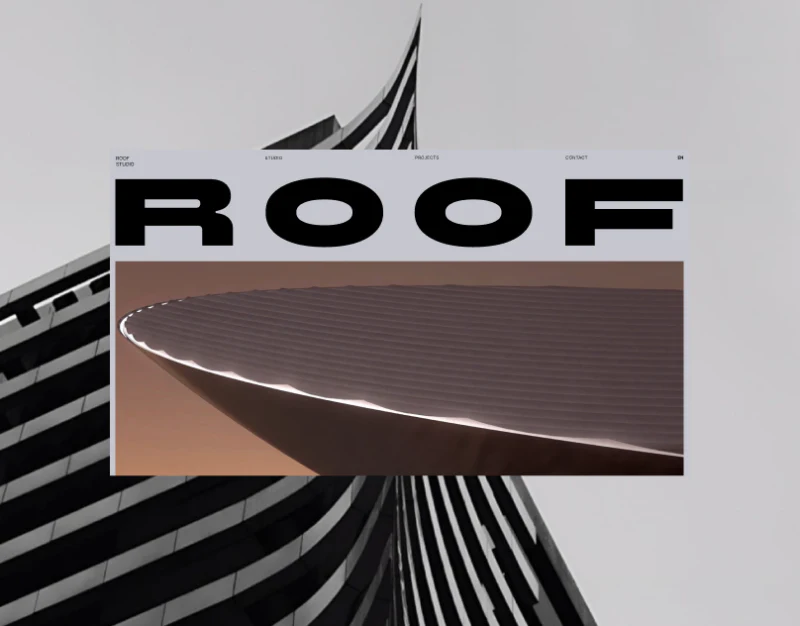

The most striking part of ROOF’s architecture studio website design is the almost undecorated table on Projects. A pale gray background, fine rules, and aligned fields first turn work into searchable records. On mobile, the index becomes a compact single column. This quiet structure is useful for readers comparing project experience.
Key takeaways
- The pale gray project table turns portfolio experience into information that can be compared across rows.
- The mobile index preserves the relationship between names and supporting information, while the inquiry page clearly enlarges writing areas.
Project names come with comparison fields
The desktop index places project names at the far left, with category, location, and year running across. Column headings are lighter than the entries, thin rules divide rows, and records follow a common baseline. Only a little navigation remains at the top, while the Projects heading does not dominate the table.
Large photographs convey architectural space and atmosphere; an index answers questions about scope: which categories appear, where projects are located, and how they are distributed over time. Putting these fields in the same row enables an initial comparison without opening every detail page. This is a valuable reading route for an architecture portfolio.
JVDS considers consistent data definitions central to a clear table. If one year means design started and another means completion, or locations vary between country and street, tidy rules cannot remove the uncertainty. Define the fields before choosing type size and row height when adopting this layout.
A small screen keeps each record together
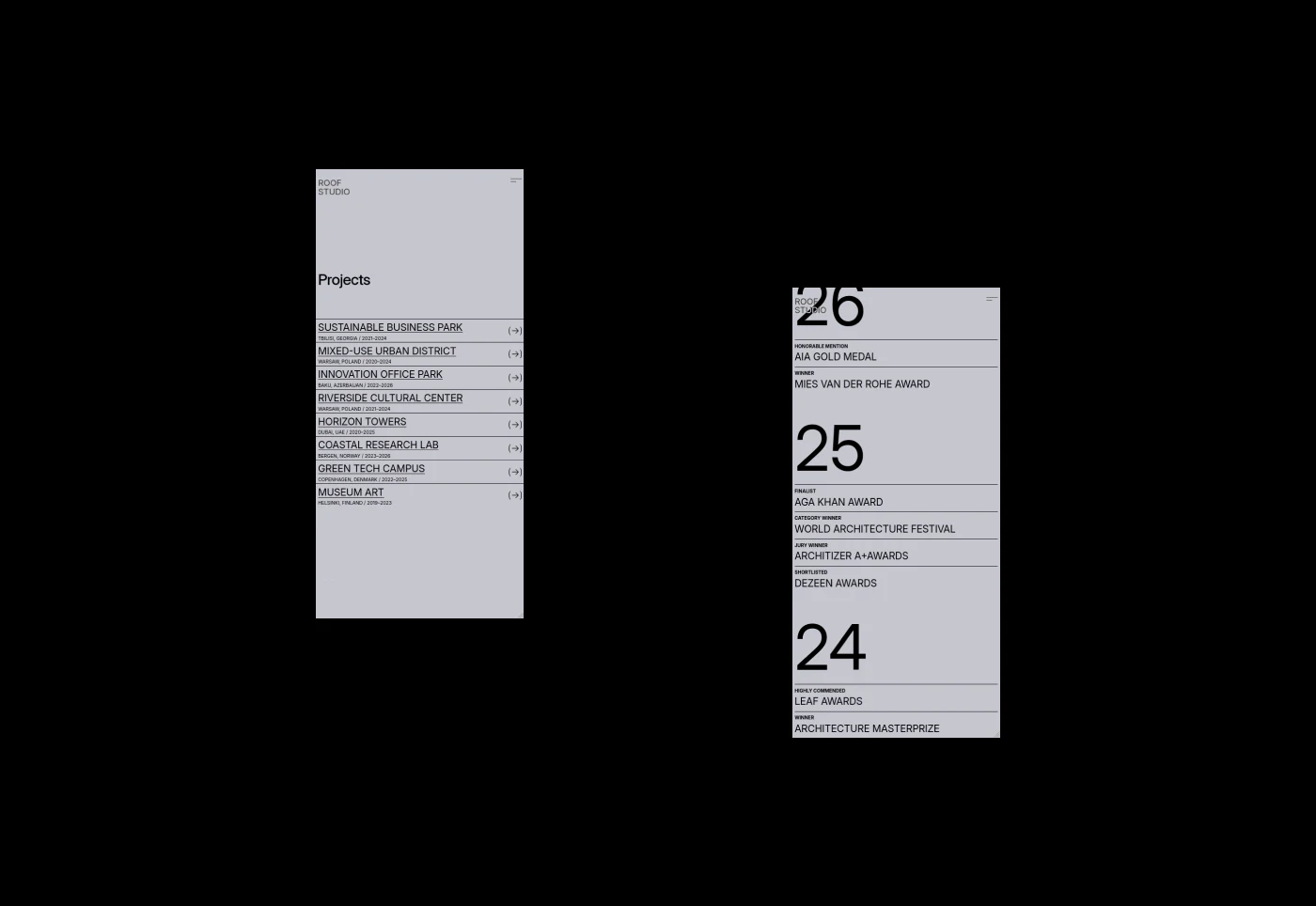
The mobile list does not try to retain four horizontal columns. It puts project names and supporting details into vertical records: name above, location and year below, with an arrow on the right. Project identity stays together, and the touch entry has a clear position.
The adjacent archive groups content beneath large years, using size to establish time hierarchy immediately. Both are information-led layouts, but the project list supports continuous scanning while the archive starts with finding a year. These images show that minimal interfaces do not require every item to use the same size.
Such a dense index suits relatively stable names and a small number of fields. Longer locations or multiple project tags would require another check that wrapped entries remain identifiable. The images show the mobile layout; horizontal gestures and actual responsive transitions still require separate verification.
The inquiry page gives writing more room
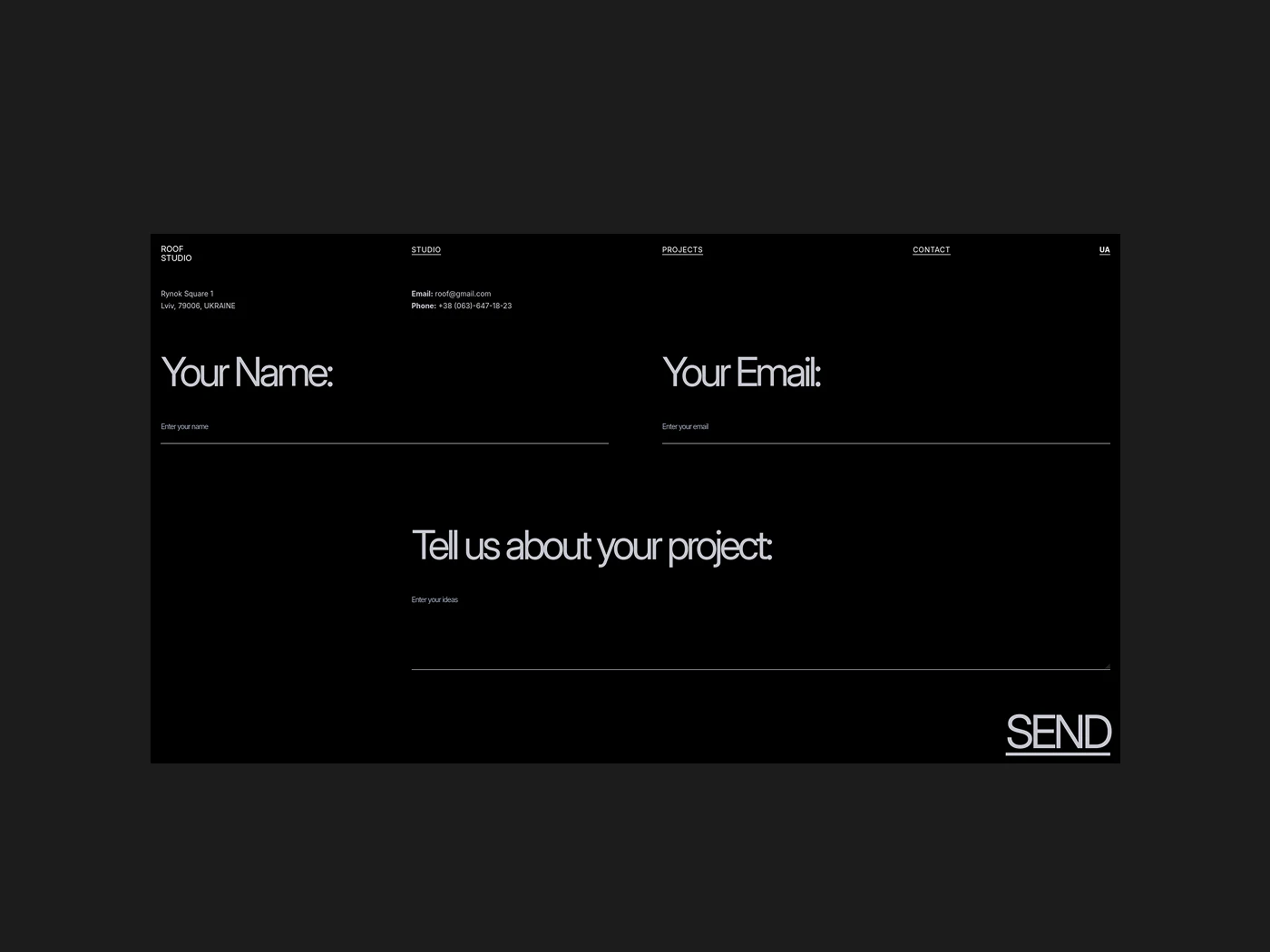
The black contact page contrasts sharply with the pale gray index. Your Name and Your Email sit side by side, the project description is below, and SEND is at the lower right. Labels are larger than input hints, with wider empty areas, making the purpose of the page easy to recognize.
A welcome detail is that contact is not buried behind a long studio manifesto. Name, email, and description provide a basic start to an inquiry, with visual restraint matching the project index. Additional needs could first be addressed with short hints rather than immediately adding fields.
For example, a hint beside the description could suggest location, type, and current stage, helping a first-time visitor organize the message. JVDS would review that hint alongside long-text readability: whether entered text stays visible, errors remain near fields, and sending receives clear feedback. The large type is easy to recognize, but cannot replace these states.
Frequently asked questions
Does an architecture portfolio need a project table?
A table helps when visitors compare categories, locations, and years. It can coexist with photographic detail pages; every project need not begin with a large image.
Design review checklist
- Standardize what project years and locations mean.
- Check mobile wrapping with the longest project name.
- Add one useful hint to the project description field.
Make a portfolio appealing and easy to consult
If you are organizing an architecture or spatial design portfolio and want project information and inquiries to be easier to use, the existing project list is a useful starting point.
JVDS Design Studio provides UI/UX design, website design, and development services, helping organize page content, interface structure, and implementation needs.
 Link copied