


Website & Design Insights
All Insights
 Interface Design
Why do browsers always fill in the wrong forms? Autocomplete is not "the browser thinking it's smart", but rather an input semantics that design and development should jointly define
Users have already saved their names, email addresses and addresses in the browser, but every time they re-enter them on the corporate website, it is often not because the browser's capabilities are insufficient, but because the fields do not provide an input purpose that the machine can understand. Autocomplete can simultaneously enhance efficiency, reduce input errors, and assist some users with cognitive impairments.
 Interface Design
Is it true that the smoother the web page animations are, the better? For some users, parallax, zooming and large movements may directly cause discomfort
When the page scrolls, a significant parallax of the background, cards flying in from a distance, and the entire screen zooming in after clicking are just "cool" for many users, but they may cause dizziness and nausea for users with sensitive vestibules. Reduced Motion does not turn off all animations, but provides a safer alternative expression for non-essential movements.
 Web Insights
Should an international corporate website use ccTLD, subdomain or subdirectory? There is no universal answer to the URL structure. The key lies in the degree of market independence and maintenance costs
example.de, de.example.com and example.com/de/ can all host the German site, but they differ in brand independence, maintenance costs, permissions, infrastructure and geolocation. The most feared aspect of an internationalized URL structure is not "choosing the wrong one", but rather maintaining three complex systems simultaneously for SEO purposes when the business is not ready.
 Web Insights
How often should old articles be updated to be useful for SEO? What really needs to be updated is the "content that is no longer accurate or no longer solves the problem".
Changing the publication date of the 2023 article to 2026 and adding the phrase "Latest version" at the beginning will not automatically make the content more valuable. Google's current people-first guidelines explicitly oppose mechanically modifying dates or significantly adding or deleting content to make a website look fresh. Updates should be based on facts, user needs and search performance.
 Web Insights
With more and more pages on an corporate website, why does SEO need to redo the information architecture first? Search engines also need to understand "which pages are the most important"
Just because a website has 3,000 pages doesn't mean that a search will know which 30 are the most important. If the core product can only be found from the Sitemap, there is no thematic relationship between the articles, and a large number of pages become isolated islands, the SEO issue is primarily an information architecture problem rather than adding a few more keywords.
 Web Insights
Can Programmatic SEO still be done? Batch generation of pages is not a problem; the real risk lies in mass-producing "pages with no new value added"
"Programmatic" is not an object prohibited by Google. Weather, flight, job position, product and location directories could already be generated on a large scale from structured data. The risk lies in the fact that in order to cover keywords, pages are created in batches that offer almost no new value to users and whose main purpose is to manipulate search rankings.
 Web Insights
Will a website be "punished" by Google if it contains duplicate content? What enterprise websites truly need to address is the dispersion of signals and the repetition of page values
It is very common for enterprise websites to have "multiple URLs for the same content": print pages, tracking parameters, filtering, product models, regional sites, and reprints. Google's current documentation clearly states that some repetitive content is a normal phenomenon and does not automatically violate the spam policy. The real problem is that search and users don't know which page should be used the most.
 Web Insights
Why is it that "browsers can see React/Next.js websites, but Google may not see them immediately"? JavaScript SEO needs to understand the rendering chain
Just because a user's browser can run full JavaScript doesn't mean that search engines have the same content when they first crawl HTML. Google can render JavaScript, but crawling, rendering and indexing are different stages. The more a key page relies on the client to run before it appears, the more the technical SEO needs to be clearly verified.
 Web Insights
The Title and Meta Description are not "qualified once the word count is filled": The search result copy should first let users know whether this page is worth clicking on
Writing a Title of 60 characters and a Description of 160 characters does not mean that SEO is complete. Google generates Title links and snippets based on the page content and queries. What the page meta-information truly needs to do is to accurately, uniquely and scannable express "what this page is and why it is related to the user's search."
 Web Insights
Infinite scrolling is very smooth for users. Why is it that SEO is prone to problems? The list page should be designed with both "How people browse" and "how search discovers" simultaneously.
For users, scrolling down keeps loading smoothly. For search crawlers, they usually do not keep scrolling and clicking "Load More" like real people do. If the subsequent content does not have independent crawlable URLs and links, a beautiful infinite list may make a large number of pages difficult to be discovered.
 Web Insights
Is it enough to just put all the URLs in Sitemap.xml? A good Sitemap should only submit "pages that you really hope to be indexed by search engines".
Many CMS systems will output all the tabs, search pages, filter parameters, draft addresses and canonical duplicate pages to the Sitemap. The result shows that the XML appears very complete, but it is actively submitting a batch of URLs to the search engine that it does not even want to be indexed.
 Web Insights
What exactly is the difference between robots.txt and noindex? One tube for crawling and the other for indexing. Never use them in reverse
The Disallow in robots.txt tells crawlers "Do not crawl here", and the noindex tells searches "Do not index this page". Disallowing a page and adding "noindex" at the same time may seem like a double guarantee, but in fact, web crawlers may not be able to see the "noindex" at all.
 Interface Design
Are likes or dislikes on AI products useful? True feedback design should be able to answer "What's wrong and why?"
"This answer is not good" might be due to incorrect facts, being too long, having an inappropriate style, being from an unreliable source, or not following instructions. There was only one click. The team knew the user was dissatisfied, but they didn't know whether to fix the model, Prompt, search, interface or product rules. The feedback needs to be specific enough and at the same time, it should not turn users into free annotators.
 Interface Design
What should an enterprise AI backend manage? Models, data, permissions and usage records cannot all be crammed into one "Settings"
The administrators of enterprise AI are not concerned about the rounded corners of the input boxes, but rather: Which employees can use which models? What kind of data can AI read? Can the Agent send emails and modify the CRM? Is the cost out of control? Can problems be traced after they occur? The management backend needs to re-establish the information architecture around the governance objects.
 Web Insights
How Should Canonical URLs Be Used? Do Not Treat rel="canonical" as a Universal Fix for Duplicate Website URLs
Canonical identifies the URL a website prefers as representative of a group of duplicate or highly similar pages. It is not crawl control or a command guaranteeing immediate adoption by Google. Where a corporate website has parameters, print versions, HTTP/HTTPS variants or multiple hosts, organize content relationships first, then align redirects, page declarations, internal links and sitemaps.
 Interface Design
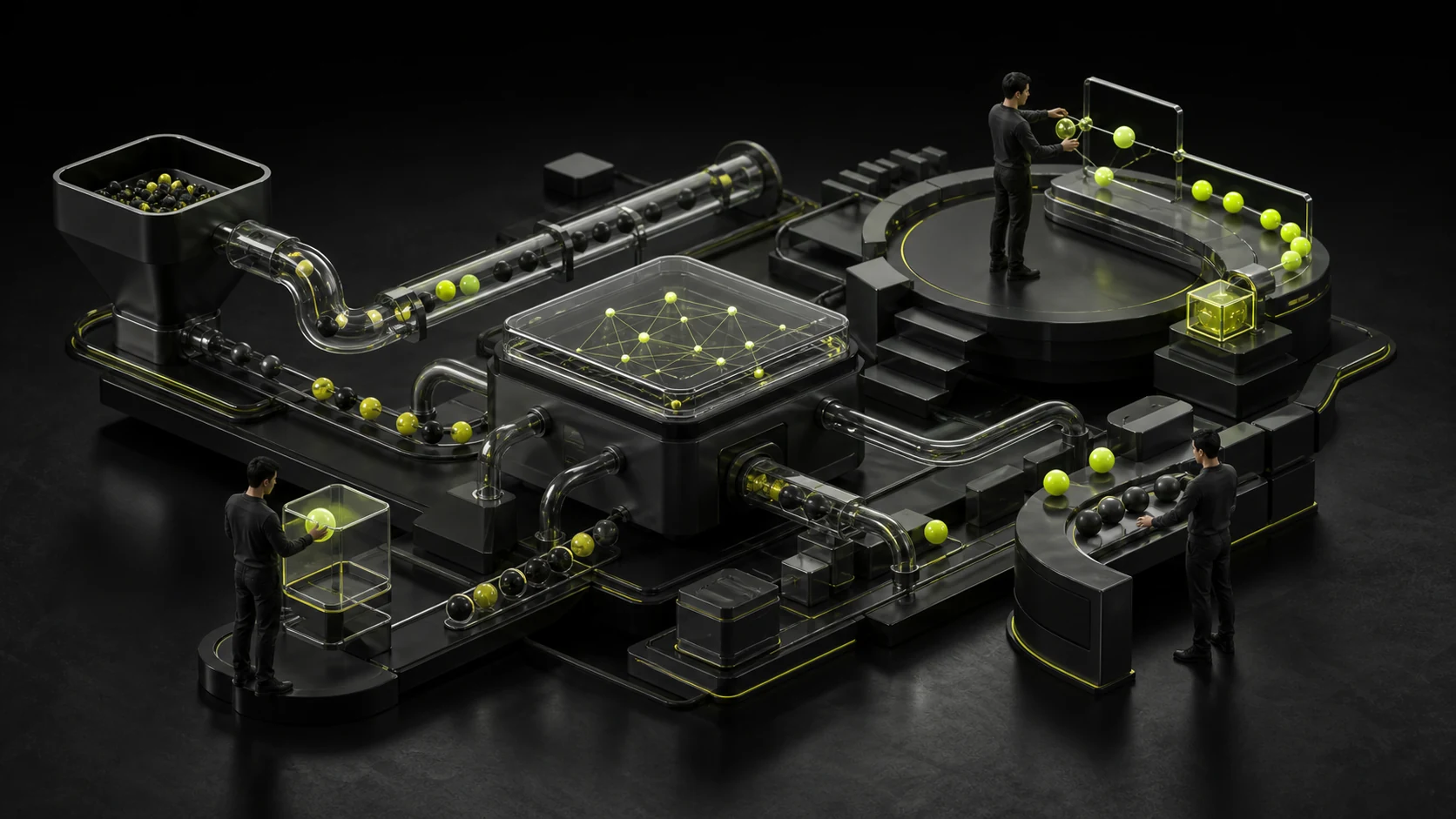
The Human-in-the-Loop is not "AI finishes, humans take another look": True human-machine collaboration should place humans at the key judgment point
If AI requires people to recheck each piece of data it processes, the efficiency improvement will be limited. If completely unsupervised, high-risk errors may be magnified in batches. The core of the Human-in-the-Loop is to identify which decisions must be made by humans, which repetitive tasks can be completed automatically, and when exceptions escalate.
 Interface Design
What should be said when AI is unsure? "Answering wrongly in a serious manner" is the failure state that most needs to be designed
The greatest experience risk for AI is not occasionally saying "I don't know", but still generating a very complete and very certain answer when there is insufficient information. The failure status should help users determine whether the result is reliable and provide methods to move forward, rather than just placing a sentence at the bottom saying "AI may make mistakes."
 Interface Design
What exactly should AI "Remember me" remember? Memory UX must design benefits, scope and deletion capabilities simultaneously
It would seem stupid if AI forgot users' preferences every time, but it would be disturbing if it remembered everything. The key to Memory does not lie in "remembering as much as possible", but in enabling users to understand what the system has recorded, why it has been recorded, and where it will affect, and to be able to view, correct and delete it at any time.
 Interface Design
Why can't AI just display a circular Loading? For long tasks, it is necessary to let users know "where have you reached now?"
Traditional interface requests can be made within two seconds using Spinner, while AI tasks may require retrieving documents, invoking tools, analyzing data, generating results, or even waiting for external systems. What users are truly anxious about is not "waiting for ten seconds", but whether the system is stuck, how long it will take, and whether they can leave.
 Interface Design
Why shouldn't the AI-generated results only be "re-generated"? Editing, partial modification and version comparison are the true collaborative experiences
Users are usually not "completely satisfied" or "completely invalid" with AI results, but rather 80% are usable and 20% need to be modified. If the product only offers Regenerate, users have to bet on a brand new version every time. True AI collaboration requires support for retaining good content, making local corrections, and reverting to previous versions.
 Interface Design
To what extent can AI agents perform automatically? Truly high-risk actions must be designed with "confirmation, preview and revocation".
If an email is generated incorrectly, it can be rewritten. When AI automatically sends emails to customers, deletes databases or submits payments, the cost of errors is completely different. Agent UX cannot merely add a "Run" button. Instead, it is necessary to decide when to execute automatically and when it must be confirmed first based on the consequences.
 Interface Design
Why do AI answers need to display the source? Citation UX truly addresses the question "Can I verify this sentence?"
"According to company policy, you can get reimbursed." If there is no source, users can only trust the model. If the original policy text can be opened nearby, the corresponding provisions can be located and the update time can be seen, the AI will change from "drawing conclusions for me" to "helping me quickly find evidence".
 Interface Design
How should the input box of an AI product be designed? The Prompt Box should not make all users start from scratch
A huge empty input box with the phrase "Ask anything" seems very free, but for those who use professional AI tools for the first time, it might also mean "I don't know how to ask". A good Prompt Box should help users understand what the system can do, what context needs to be provided, and how to gradually turn vague goals into executable tasks.
 Interface Design
How can form error prompts be written so as not to drive users crazy? "Format error" is not a qualified solution
If a user fills in the wrong information, it is not an exception but a normal path of the form. A page that only shows "There are 3 errors" after submission leaves all the costs for location and correction to the user. Good verification will clearly indicate the fields, reasons and correction methods, and enable users to smoothly return to the task after correction.
 Interface Design
How to choose between Toast, Banner and in-site message? Notification design is not about "informing users", but about managing attention
"Save successful" can disappear after a few seconds, but "Account will be deactivated in 3 days" cannot just appear as a 2-second Toast. The selection of notification components should be determined by the importance of the information, whether action is needed, and whether history is to be retained, rather than which component is the most convenient to develop.
 Interface Design
Why is the permission design of enterprise software the most feared? The Role/Permission UX should let users know "who can see what"
The real risk of permission configuration is not "complex pages", but that users do not know which people, which data and which operations will be affected by a single check. The UX of enterprise software permissions needs to translate technical access control into a scope of responsibility that administrators can understand.
 Interface Design
Is it necessary to pop up a second confirmation before deleting? The design of hazardous operations should be determined based on whether they can be revoked or not
If every time a user deletes a draft, they have to pop up "Are you sure?" Are you really sure?" Unconscious click confirmation will soon form. However, if only a 3-second Undo is given to delete the entire organization, it may cause unacceptable losses. The core of the design for hazardous operations lies in the consequences, reversibility and scope of impact.
 Interface Design
Why are SaaS backend tables getting more and more difficult to use as they are made? The real problem with the data table is not "too much information", but that the tasks have no priority
The background table is most likely to become the place where "all departments want to add a column". The last screen has 18 columns, 6 buttons per row, and the status tags are in various colors. Users still need to export to Excel. What really needs to be addressed first is: When users come to this table, what tasks do they most frequently complete?
 Interface Design
Why don't complex products showcase all their functions at once? Progressive disclosure is not about "hiding things", but about controlling cognitive costs
The difficulty of complex products does not lie in their numerous functions, but in the fact that users only need a small part of them at each moment. The goal of progressive disclosure is to first present the information needed to complete the current task, and then expand advanced capabilities when needed by the user, rather than randomly hiding functions in "More".
 Interface Design
Why does the SaaS beginner's guide get longer and longer? A truly effective Onboarding should enable users to complete their first real task as soon as possible
When a user logs in to a SaaS for the first time, they don't need to know that the system has 27 functions first. He needs to complete a real action that can prove the value of the product as soon as possible. The goal of Onboarding is not to "cover all the functions", but to shorten the distance from registration to getting the result for the first time.


