


Website & Design Insights
All Insights
 Interface Design
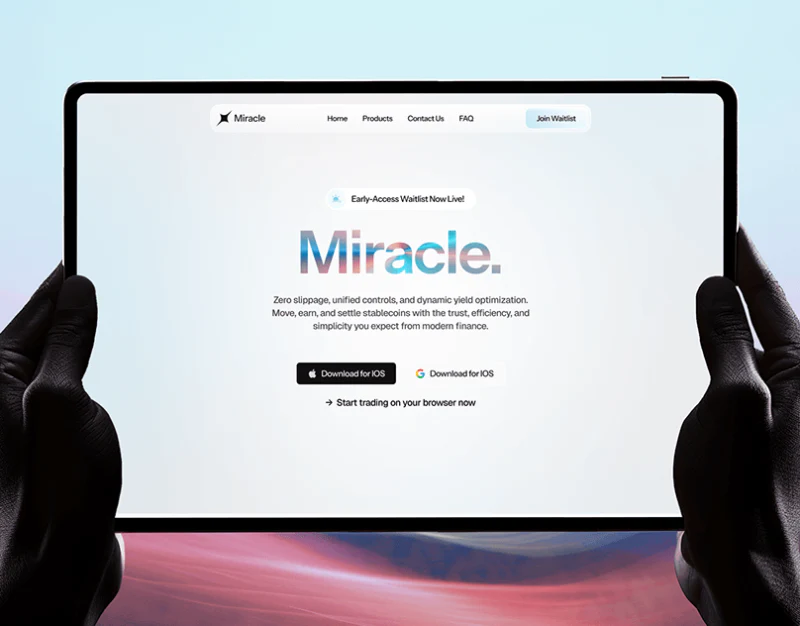
Trading Platform Website Entry Design: Access States
The entry pages of financial trading platforms, forex and commodity brokers, cross-border clearing networks, and digital asset exchanges often have a dual mission: use a modern, forward-looking visual language to communicate the platform's technical fluidity and responsiveness, while avoiding a closed black box that requires registration and login before visitors can even see market prices.
 Interface Design
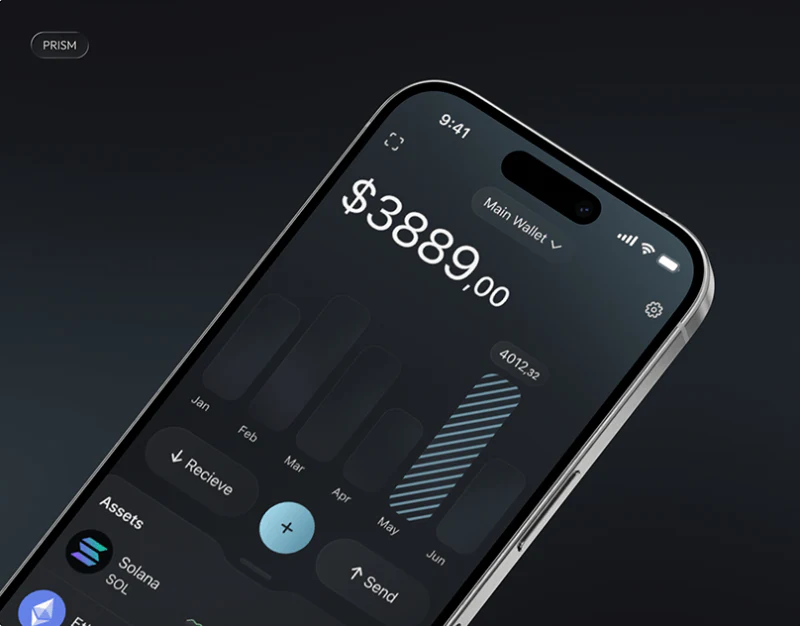
Asset Wallet Information Hierarchy Design: PRISM’s Numbers
In multi-currency collection wallets for cross-border e-commerce, corporate treasury management systems, and digital asset wallets such as PRISM, nearly 80% of the screen content consists of numbers: total valuation, balances in each currency, converted values, 24-hour profit-and-loss percentages, frozen margin, transfer fees, and transaction histories. Without a strict visual hierarchy for these numbers, users can easily read the wrong row when making transfers or reconciling accounts, or even mistake the total valuation for the balance currently available to withdraw.
 Interface Design
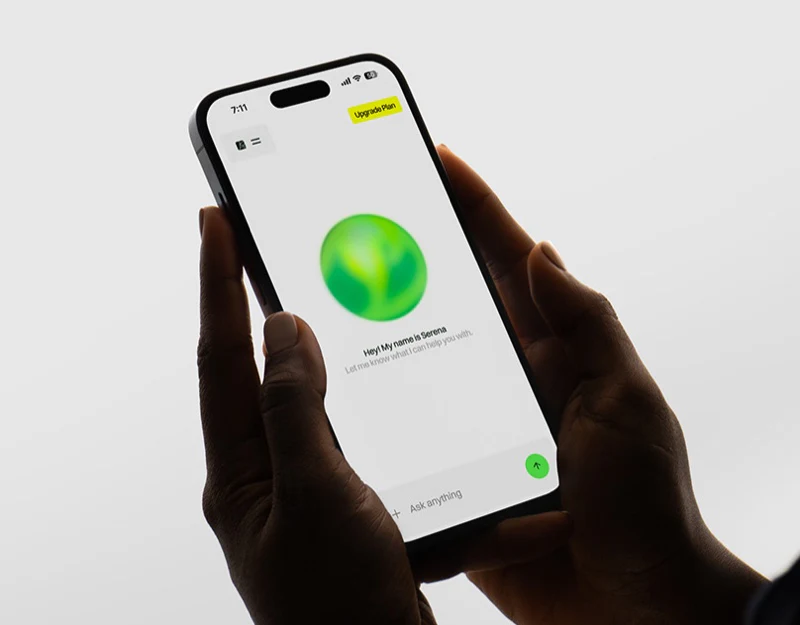
Agricultural AI Assistant Interface Design: Identify Objects
Many businesses developing industry-specific AI assistants, copilots, or agents directly copy the plain-text chat bubble interfaces of general-purpose large language models. Yet in business settings with clearly defined physical spaces and assets—such as smart agriculture, water infrastructure inspections like Smart Reservoir Manager, and factory equipment maintenance—plain-text responses often cannot directly guide work in the field.
 Interface Design
Smart Ring App Design: Read the Metrics in Orange
For screenless or tiny-screen wearables such as smart rings and fitness bands, almost all core interactions take place in the companion mobile app. Every minute, sensors collect more than a dozen physiological metrics, including heart rate variability (HRV), blood oxygen saturation, deviations in skin temperature, deep and light sleep stages, and resting heart rate. If an app's first screen presents a dozen brightly colored line charts at once like a hospital monitor, ordinary users may not only struggle to understand them but also develop health anxiety.
 Interface Design
Payment Operations UI Design: Overview to Approval
Unlike financial apps for individual consumers, an enterprise payment operations dashboard serves finance specialists and treasury managers who handle hundreds of supplier payments, cross-border foreign exchange settlements, refund reviews, and investigations into risk-control exceptions every day. For these dense enterprise systems, such as the NEXIVA enterprise finance collaboration platform we serve, the primary measure of UI/UX quality is not how attractive the illustrations are, but how many mouse clicks it takes to process 50 transactions awaiting approval, and whether users might click the wrong thing.
 Interface Design
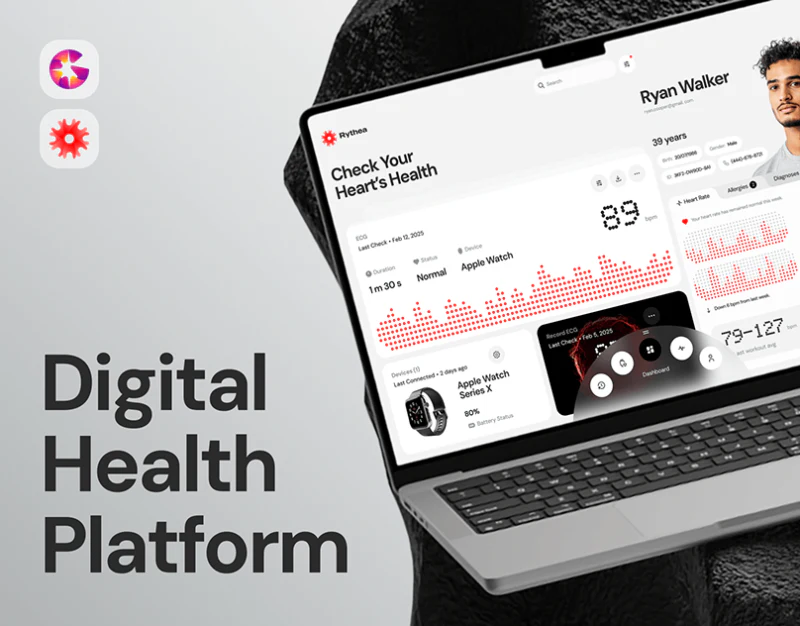
Cardiac Monitoring Interface Design: Context for Readings
In UI design for digital health products such as heart rate monitoring, ambulatory ECG, and blood pressure and blood glucose logging, the greatest ethical and usability challenge is how to present physiological readings to ordinary patients or older users without medical training, preserving the rigor of medical data without causing needless alarm over isolated numerical fluctuations.
 Interface Design
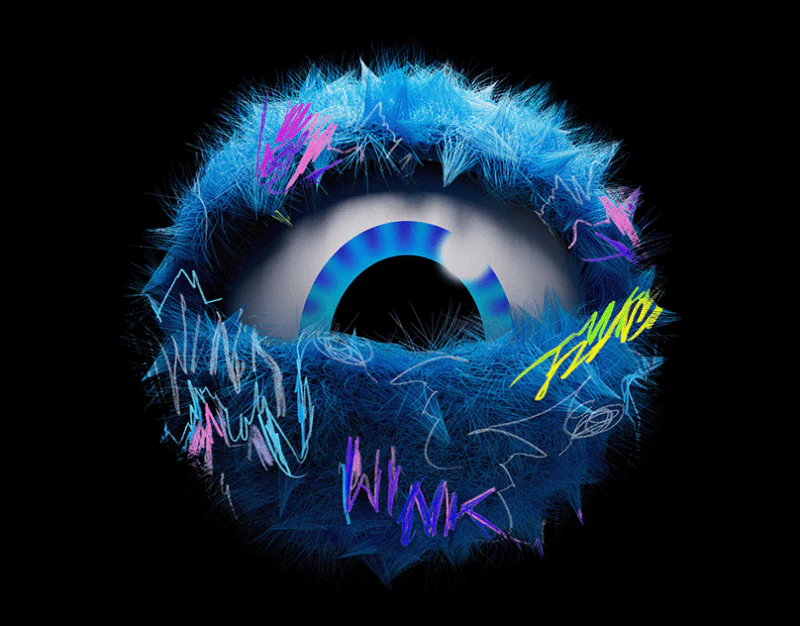
App Brand Asset Design: Key Visuals and Icons
When starting the design of a new app or mini program, many businesses want to maximize the sense of their brand. They ask designers to make the home-screen app icon highly complex, then fill every in-app page background, navigation icon, empty state, and loading animation with three-dimensional gradient brand logos. Once the product launches, the whole interface looks cluttered and overworked, and users struggle to find its core features.
 Interface Design
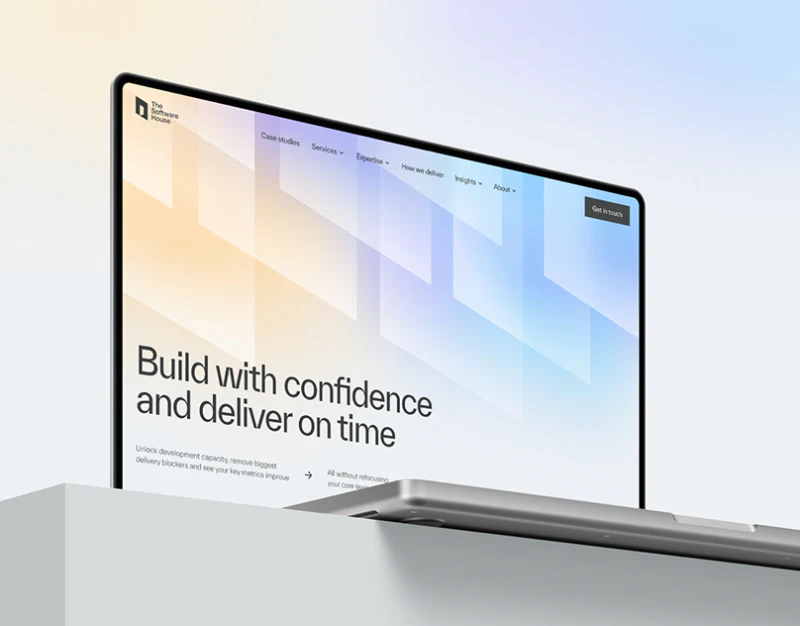
Software Service Website Design: Stable, Specific Pages
Once a software and IT services or digital solutions company reaches a certain scale, its website often needs to present 5–8 core product modules alongside more than 10 vertical-industry solutions, such as manufacturing, retail, finance, healthcare, and education. At this stage, website teams are particularly prone to two mistakes:
 Interface Design
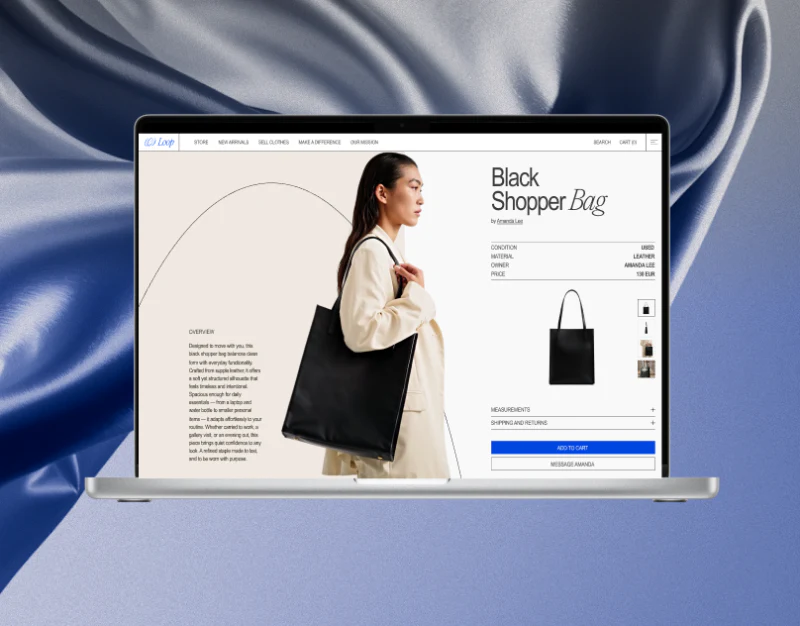
Circular Fashion Ecommerce Design: Curation and Receipts
When designing e-commerce websites for sustainable circular fashion, curated vintage boutiques, and environmentally conscious recycled clothing, brands need to convey two very different signals simultaneously: first, aesthetic sophistication, making circular fashion feel like a forward-looking lifestyle rather than the purchase of cheap used goods; and second, completely transparent physical evidence about each item, because every one-of-a-kind piece has its own condition, flaws, measurements, and material provenance.
 Interface Design
Family AI Scheduler Design: Niva’s Starts and Confirmation
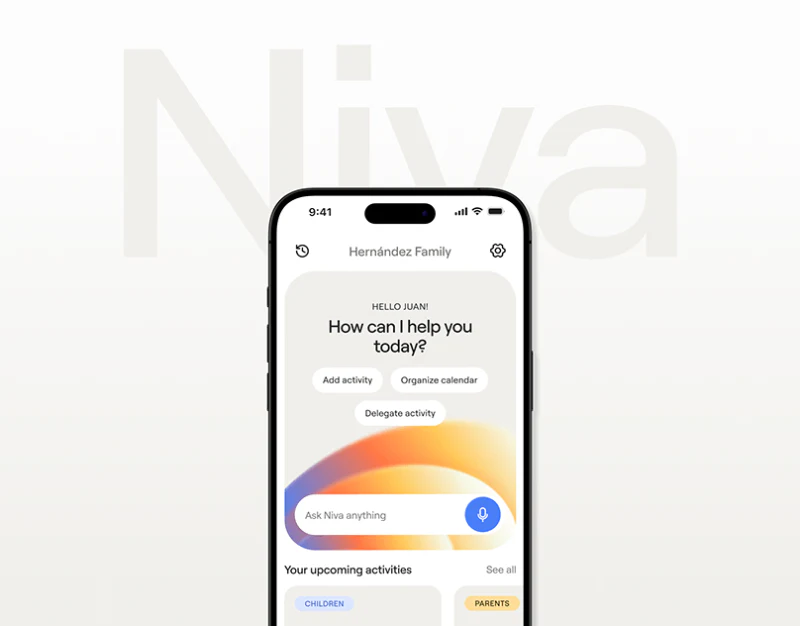
Niva invites everyday planning with warm gray cards, soft gradients, and direct verbs. Instead of only an empty chat box, its home offers adding, organizing calendars, and delegating. Family AI scheduler design can make expression easy first, then make dates, people, and responsibility explicit in the resulting records.
 Interface Design
Children’s English App Design: Feedback Beyond Characters
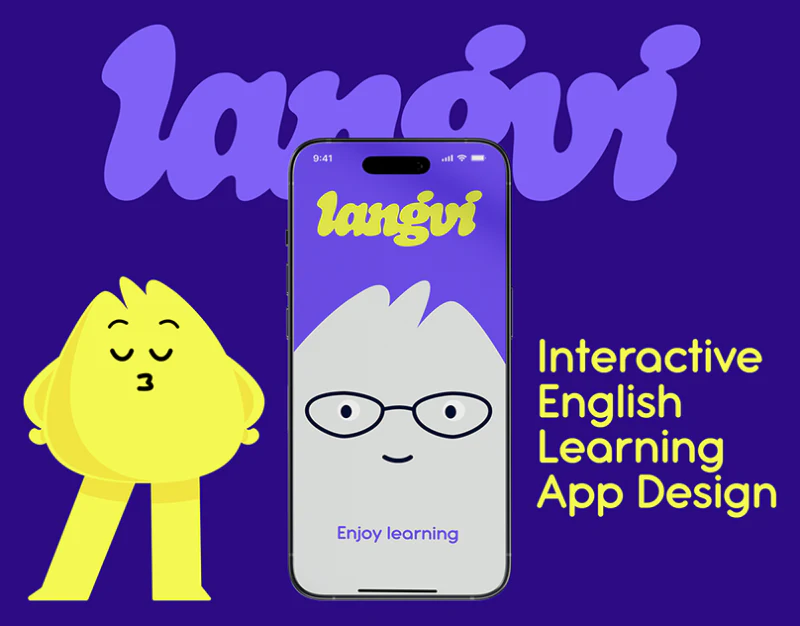
This English learning app combines yellow characters, purple backgrounds and pink cards into a friendly language. Avatars, questions, calendars and completion pages retain it for continuity. Characters encourage; answers, progress and records need explicit expressions of their own.
 Interface Design
AI Communication Training Website Design: One Clear Practice
Speekr uses black backgrounds, orange buttons, and light serif headings for a quiet editorial character. Practice Solo, feedback, and custom conversations occupy separate modules, with trial and demo beside each other on mobile. Organizing the introduction around one complete practice session would make this structure easier to understand.
 Interface Design
CRM Deal Detail Design: Identity, Stages, and Tasks
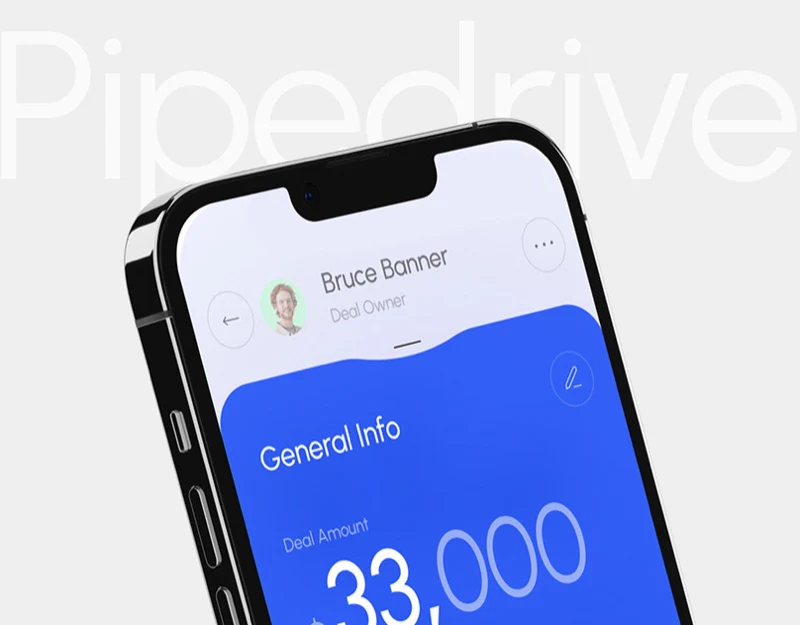
These CRM details group owner, organization, contact, amount, stages, notes, and tasks around Palo Alto Networks deal. Color and large containers make the page lively, but information roles matter more. Sales staff need to identify the deal, understand progress, then handle specific work. These layers should not merge into one generic completion state.
 Interface Design
Technical Brand Visual Design: GenLayer’s Form and Routes
When creating a visual brand identity for a consumer product, such as a cup of coffee or a skincare product, you have many tangible starting points: plant ingredients, scent associations, and everyday scenes from users' lives. But when designing a brand for a deeply technical company working on foundational technology protocols, blockchain infrastructure, compilers, database engines, or AI compute layers, designers often find themselves staring helplessly at a whiteboard. The product has no physical casing and rarely even a conventional admin interface. It consists entirely of lines of code and consensus algorithms running on servers. How do you establish a visual identity for that?
 Interface Design
Breathwork Course Website Design: Compare Levels and Plans
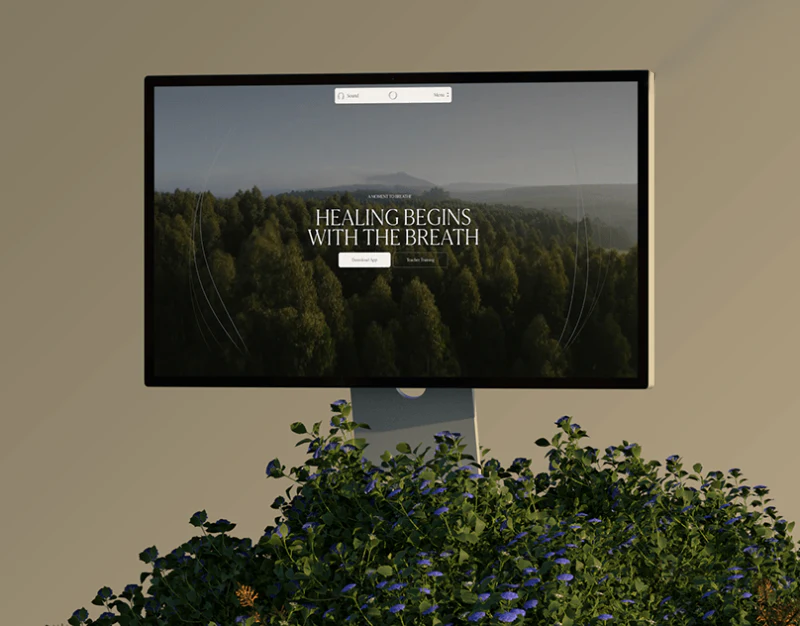
Frequency organizes brand, courses, and articles with plant photography, beige backgrounds, and serif type. Breathwork course website design can create a calm viewing rhythm before placing training levels and arrangements clearly. After atmosphere, readers need to compare what they will join and in which format.
 Interface Design
Financial Product Website Design: Distinct Entries in Blue
Aurum’s financial product website design creates a distinct style through blue, white cards, and dimensional marks. Account actions, platform entries, and business services share the visuals. Though the entries look similar, they answer different questions and need words to retain task distinctions.
 Interface Design
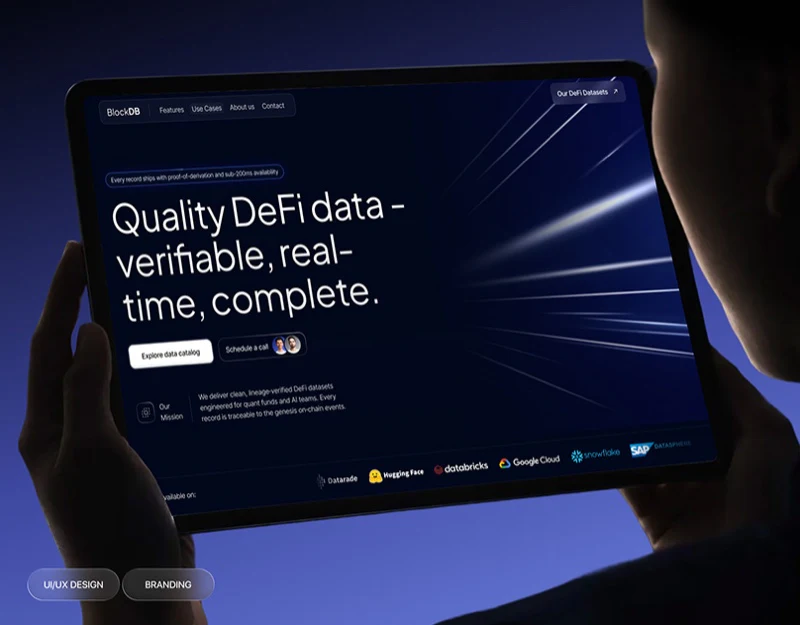
Data Service Website Design: Catalog to Custom Needs
BlockDB uses deep blue, white type and a few pale-blue dimensional graphics for a restrained appearance. The hero offers both catalog exploration and a call, while the sample section adds custom requests. These serve people wanting information first, those with questions and those needing discussion. The focus becomes an information route that carries increasingly clear needs into the next step.
 Interface Design
Architectural Glass Website Design: Fluid Glass Scenes
Transparent materials are hard to explain with close-ups alone. Fluid Glass brings architectural openings, furniture, and outdoor light into one image, then uses categories and projects to lead toward specific needs. The benefit is direct: readers see spatial relationships, then can turn an appealing image into an object for discussion.
 Interface Design
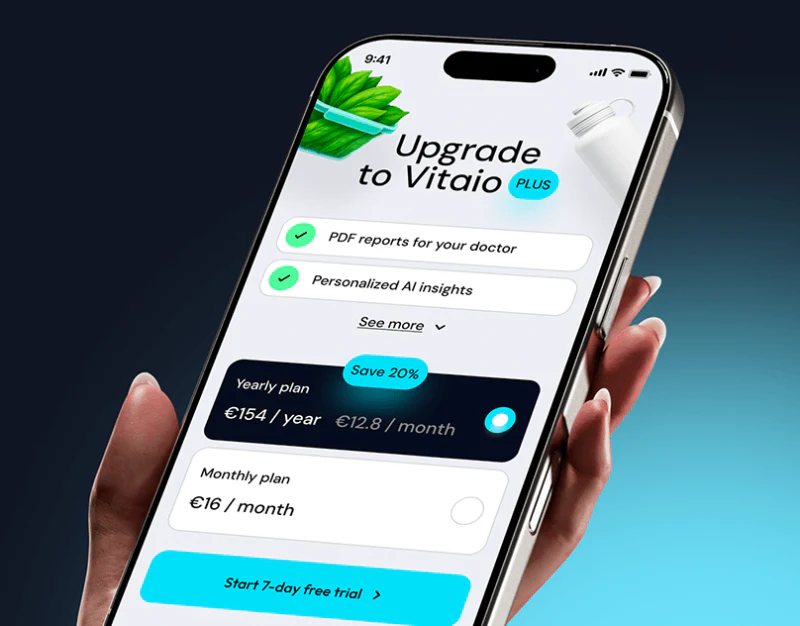
Family Health Record Design: Identity in Every Entry
Vitaio uses pale backgrounds, cyan emphasis, and small object icons to make sleep, hydration, and activity records approachable. Family pages show name, age, and relationship before entries, a useful order for shared viewing. Identity, record time, and data meaning still need to remain clear.
 Interface Design
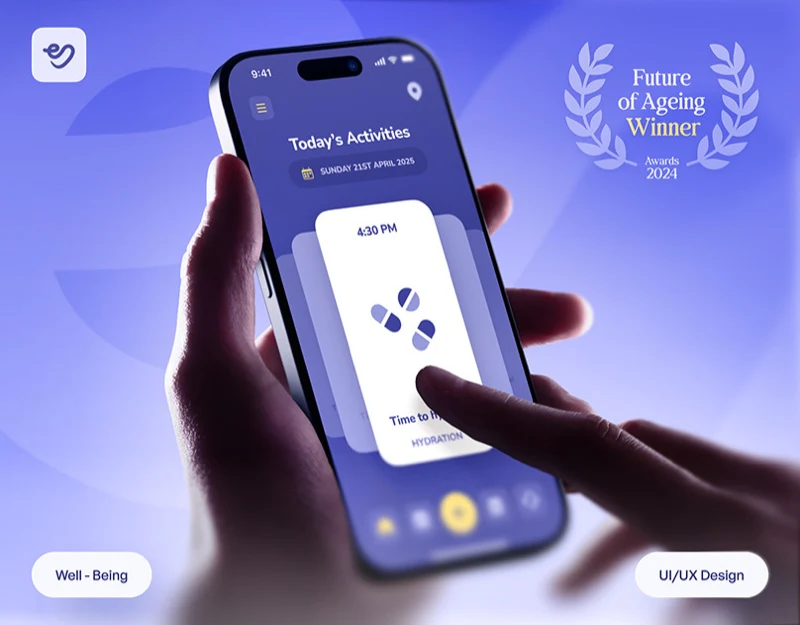
Elder Care App Design: One Reminder per Card
This elder care app design uses pale purple, white and yellow, with reminder cards depicting breakfast and water as direct objects. Record overviews and maps have separate pages rather than merging all tasks into a vague score. Gentle color creates warmth; nearby times, tasks and specific actions supply practical value.
 Interface Design
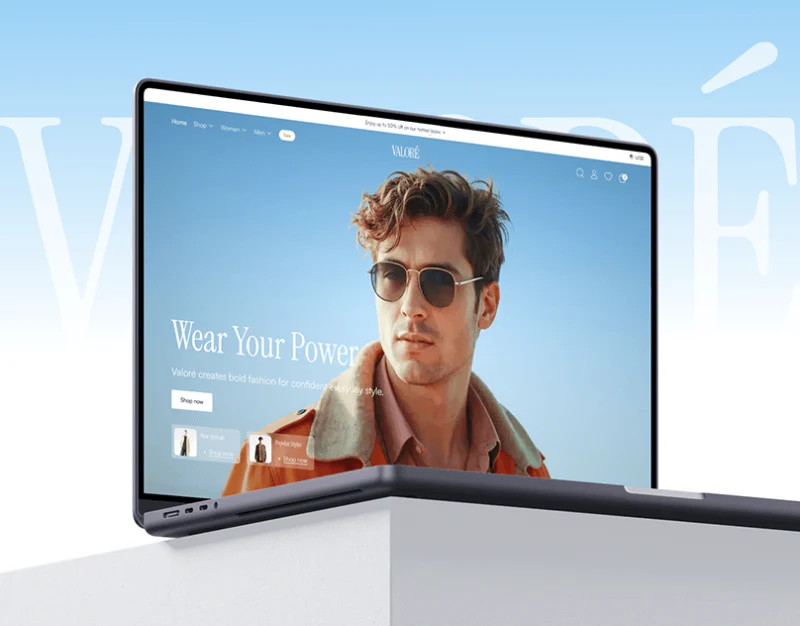
AI Styling Shopping Interface: Chat, Preview, and Options
Valore’s styling assistant asks about the shopping occasion before presenting candidates in conversation. Try-on previews then offer another way to see garments, while details return to color and size. The useful sequence is expressing needs, seeing candidates, viewing previews, and choosing specifications. Each stage has an information task; their connections make recommendations purchasable choices.
 Interface Design
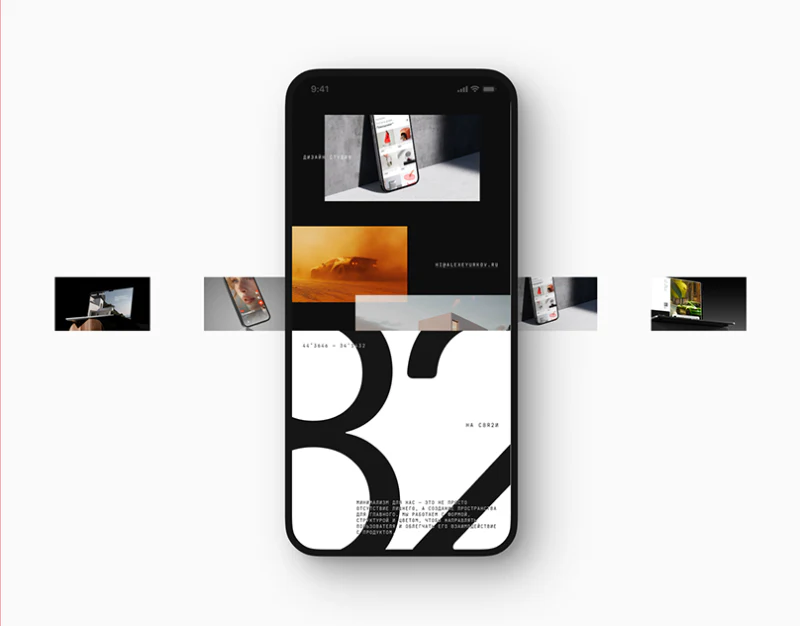
Creative Studio Website Structure: КРЕМ’s Large Type
КРЕМ makes its mark and project names very large, but the three page groups do not maintain one density. The home establishes an impression, projects explain scope, and the blog gives text a white reading area. Creative studio website structure can learn from these shifts: brand expression has room while content retains its own way of being read.
 Interface Design
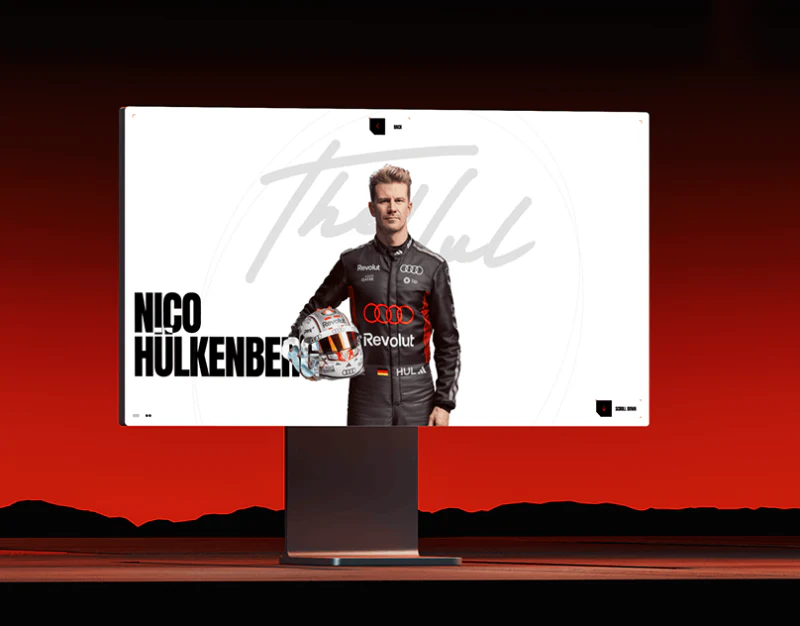
Racing Website Design: People and Technology Routes
This Audi F1 concept uses red, black and white, condensed large type and people photography to suggest speed. Team, profiles and technology have their own rhythms: portraits identify people, text supports biographies, and full-car and detail images explain parts. Visual intensity needs to suit different lookup tasks.
 Interface Design
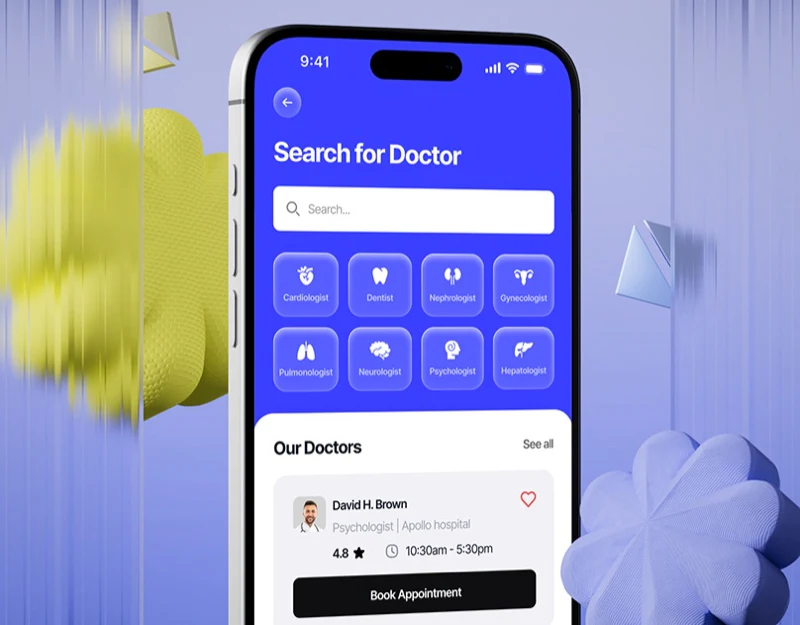
Medical Booking Interface Design: Check Doctor and Time
This medical booking interface organizes search with a blue area and white doctor cards, then places dates, slots, and booking actions in details. Personal information stays near conditions, while ratings separately name doctor, reception, and facilities instead of merging service objects into one score.
 Interface Design
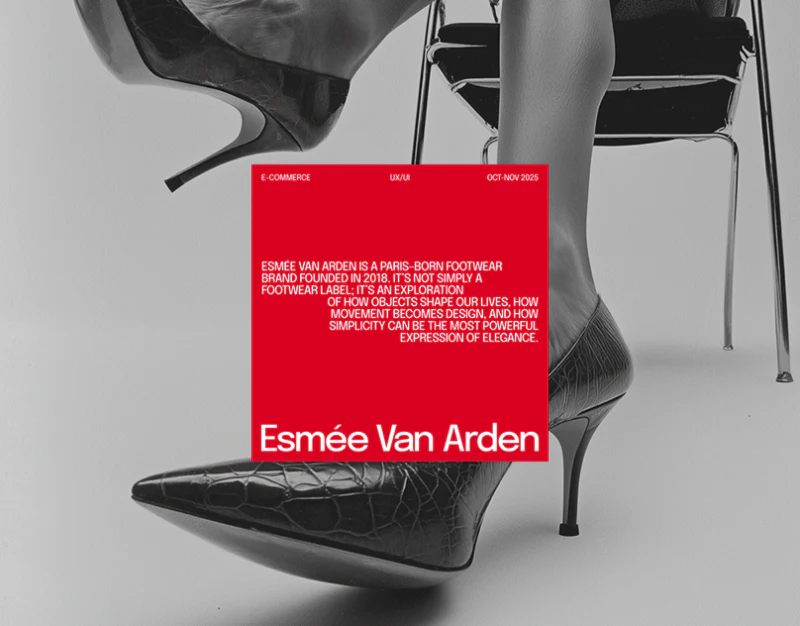
Footwear Ecommerce Size Design: Follow the Red Markers
Esmée Van Arden’s footwear pages use red text and pale gray backgrounds as a distinct language. Large images show silhouette, material, and color; red carries search conditions, specifications, and actions. From 37.5 in the catalog to selected size and checkout summary, this continuity is more interesting than one page’s styling. It makes choices traceable while requiring states and data to agree.
 Interface Design
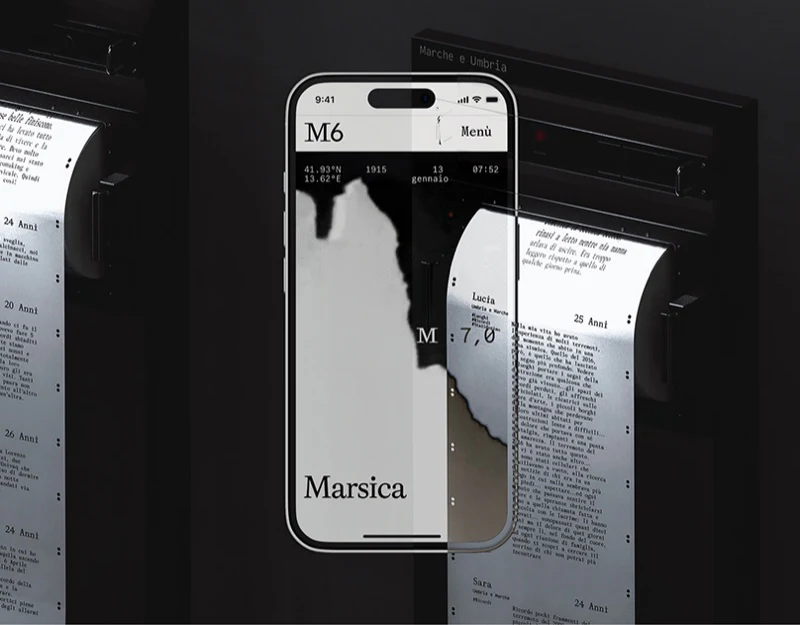
Digital Archive Exhibition Design: M6 Across Media
M6 extends personal narratives from maps to exhibition paper rolls. The website supplies location and filtering, while paper offers continuous reading; both share the order of name, age, region and body. In digital archive exhibition design, these simple fields form a valuable connection: media can change while readers still recognize the memory they are reading.
 Interface Design
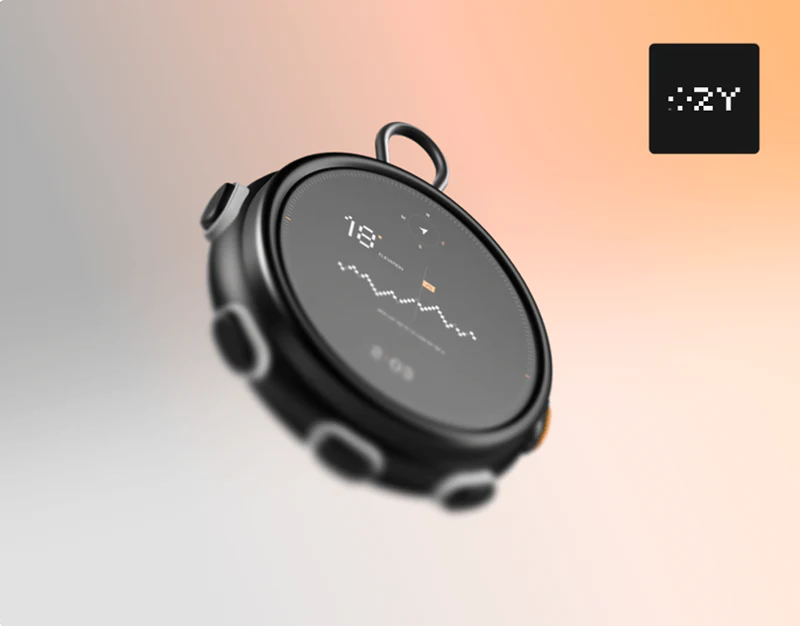
Outdoor Hardware Website Design: Connect Looks to Uses
OZY presents an outdoor device with black backgrounds, pixel type, and stepped edges. Outdoor hardware websites can establish strong recognition while explaining how a device is carried, what the screen shows, and what buttons do. Style connected to explanation supports further understanding.
 Interface Design
Weather App Scene Design: Changing Skies, Stable Forecasts
This weather app scene design expands flat characters into skies, grass, and dimensional figures. Sunshine, night, rain, and snow change the atmosphere while temperature, hourly forecasts, and charts largely retain their positions. Scenes vary, but the route to information has continuous references.
 Interface Design
Banking App Transaction Receipt: Back to the Card
After a transfer, people often want more than success: which card paid, where the money went and where to find the record later. This banking app transaction receipt keeps a large amount, card suffixes and follow-up actions in one white panel. Their relationships matter more to us than the green check alone.
 Interface Design
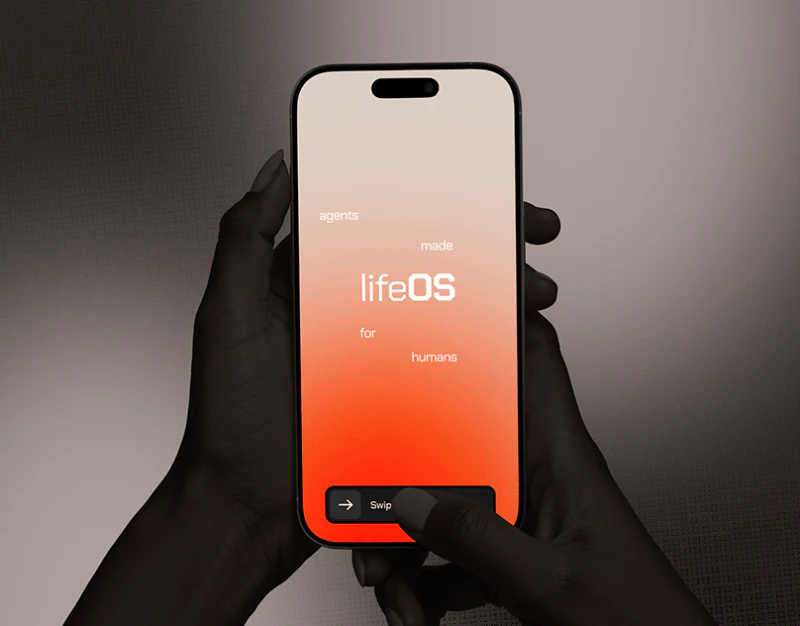
Personal AI Automation Interface: lifeOS Task Visibility
lifeOS uses warm backgrounds, white cards, and black buttons to make automation feel like everyday tools. Its key is making goals, execution paths, service permissions, and results visible in separate layers. A personal AI automation interface needs to show how tasks will happen before it can earn trust.


