


Website & Design Insights
All Insights
 Interface Design
iPhone Duo UI/UX Adaptation: Foldable Design Is More Than Extra Screen Sizes
As foldable phones and dual-screen mobile devices—including large book-style foldables, compact clamshell foldables, and concept dual-screen devices—become more common among premium business users, enterprise apps and consumer apps for high-value purchases frequently encounter a usability problem: when users unfold their phones into a roughly square, tablet-like aspect ratio, such as 4:3.5 or 1:1, an interface originally designed for a tall, narrow phone screen at 20:9 is simply stretched sideways. One image fills the entire screen, a line of text runs to 50 or 60 Chinese characters, or huge black bars are left on either side.
 Interface Design
Homeware Ecommerce Design: From Makers to Products
Permanent Collection places objects and their makers within the same gentle layout. Cream backgrounds, delicate serif headings, and black-and-white working photographs do not compete with product colors. More useful is the direct connection from a maker introduction to their work, while individual details give appreciation and purchasing clear areas.
 Interface Design
Creative Agency Website Design: Authors with Their Work
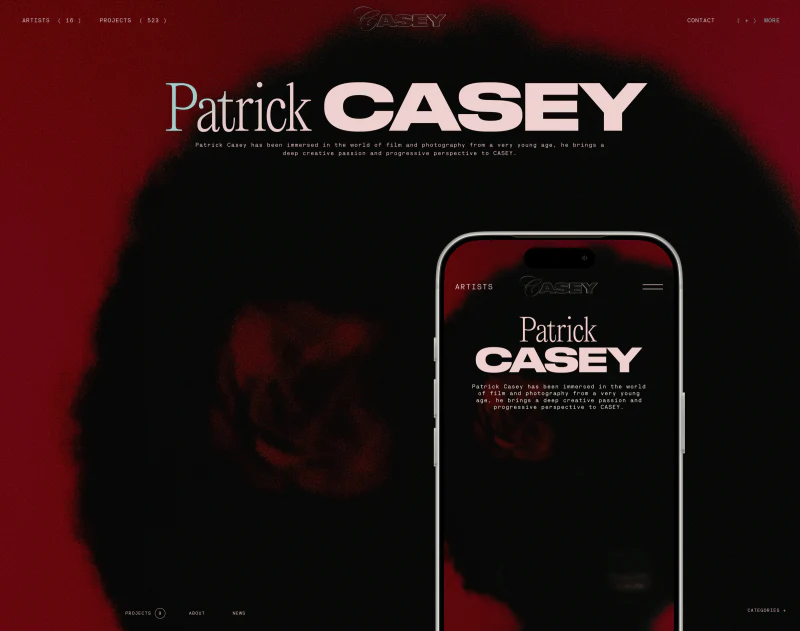
CASEY’s creative agency website gives author and project names large scale. Pale-pink lettering stands out against black, followed by project photographs; news uses smaller, denser entries. This scale contrast creates a poster-like impression while keeping clues for finding creators.
 Interface Design
Watch Ecommerce Website Design: Blue Hero, White Details
VOXA’s watch ecommerce website uses a broad blue field to frame a mechanical watch. A large dial sits on the right, while text and a white shopping button stand separately on the left. The product content then returns to white. This sequence gives both expressive imagery and specific purchase choices a place.
 Interface Design
Furniture Ecommerce Website Design: Finding Each Product
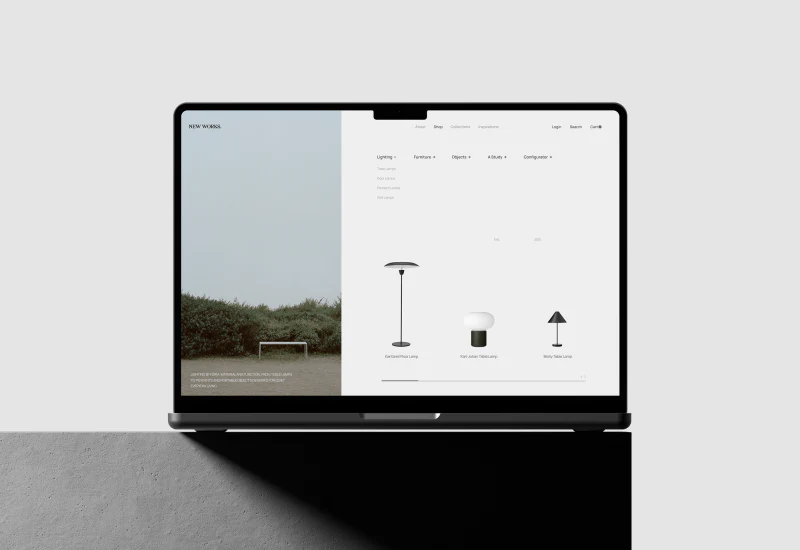
New Works’ furniture ecommerce website design is quiet: fine grid rules, pale backgrounds, and generous space let the silhouettes of lamps and chairs come forward. More interestingly, lifestyle photographs do not start a separate visual system. They enter the catalog directly, then connect to individual products on room pages.
 Interface Design
Call Analysis UI Design: Returning to the Recording
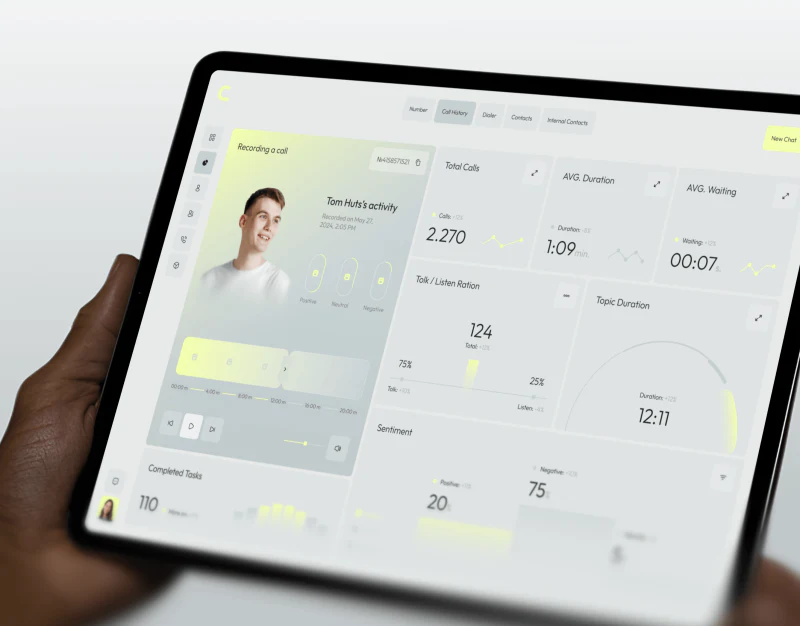
Convox places recording cards, call metrics and sentiment distributions in a light-gray workspace, using yellow-green for segments and key states. Charts remain connected to recording identity through people and time information on the left. This interface is better understood as a way to locate and replay material than as a summary label replacing a whole conversation.
 Interface Design
Wallet App Interface Design: Show Where the Money Is
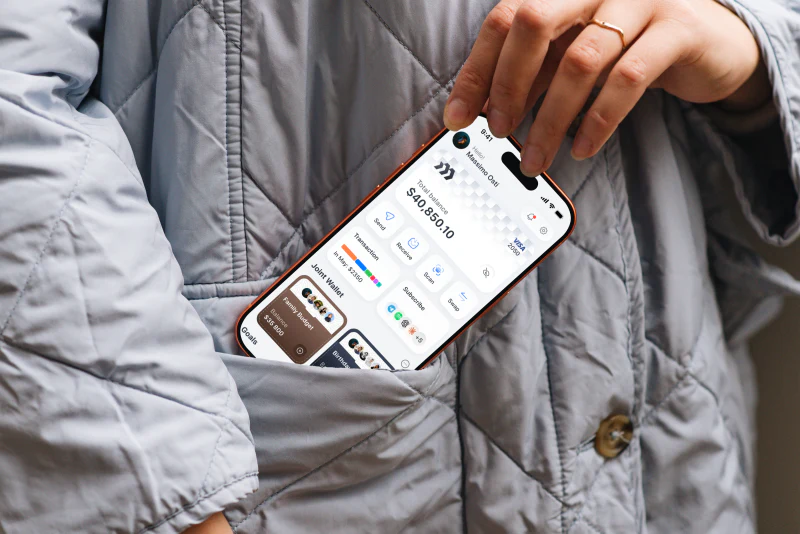
This wallet app interface uses a light white and gray base, with balances, quick actions, and shared wallets in separate rounded cards. Its focus is giving different funds and actions their own places. Analytics and transfer confirmation continue this division, providing a clear visual thread across the images.
 Interface Design
Delivery App Design: Choices Beside the Parcel
Nova Post’s delivery app design places delivery status close to things that can be adjusted. The parcel page shows redirection, time selection, and nearby pickup, while the map retains a courier contact card. It answers “where is it?” and also offers a direction for handling that parcel next.
 Interface Design
Construction Management SaaS UI Design: Locating Model Data
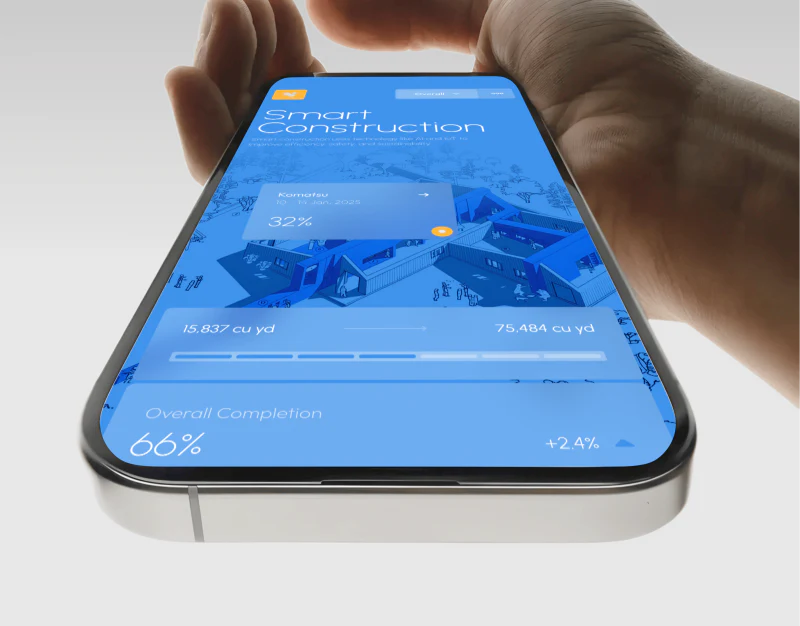
Tectra’s construction management SaaS UI places a building cutaway at the center of the workspace. Dots and progress overlays sit inside the blue model; cross-sections and metric cards continue in white areas. Finding a location before reading its values is the clearest direction in these images.
 Interface Design
Music App Player Design: Large Art, Compact Controls
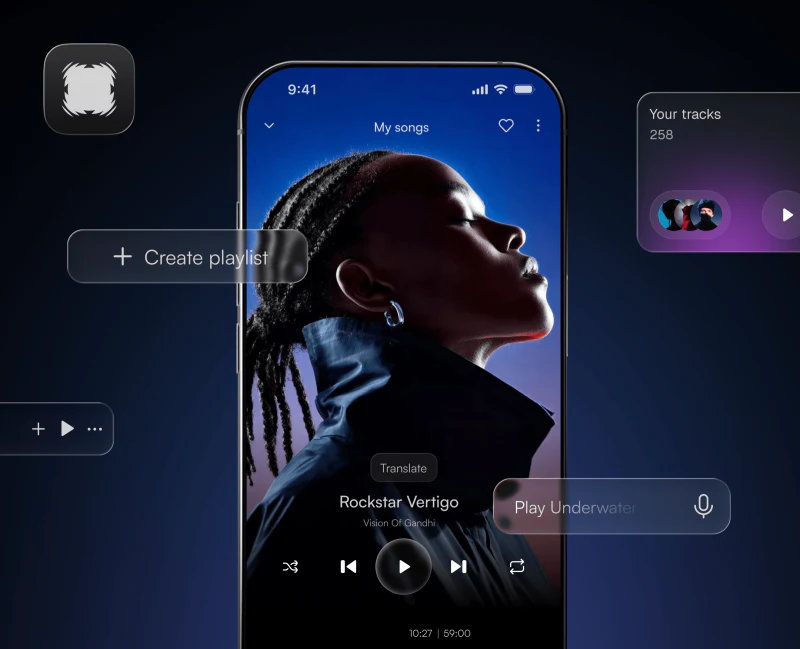
Aura’s music app player design gives atmosphere and actions different scales. A full player lets a portrait fill the screen, an expanded panel groups buttons together, and a compact bar retains only the artwork, song name, and a few actions. The division of work across these sizes is the most useful detail to examine.
 Interface Design
Architecture Studio Website Design: ROOF’s Project Index
The most striking part of ROOF’s architecture studio website design is the almost undecorated table on Projects. A pale gray background, fine rules, and aligned fields first turn work into searchable records. On mobile, the index becomes a compact single column. This quiet structure is useful for readers comparing project experience.
 Interface Design
Call Center Dashboard Design: Blue Zones
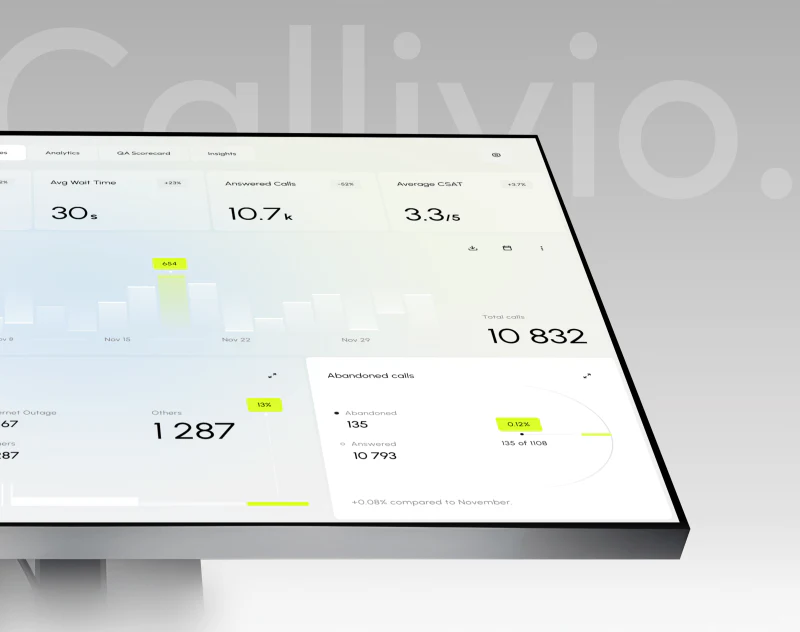
Callivio’s call center dashboard immediately presents two areas: a blue personal summary on the left and pale operational reports on the right. Yellow touches only the current bar and a few percentages. This palette gives dense data boundaries and highlights selected readings without requiring a large alert box.
 Interface Design
Fashion Ecommerce Website Design: T-BL’s Collage and Order
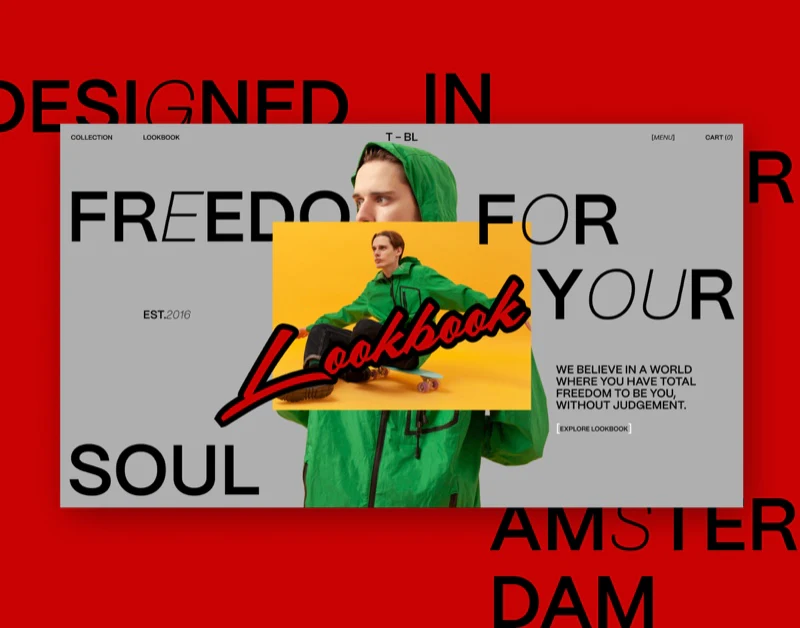
T-BL’s fashion ecommerce website feels like a fashion publication with shopping entries. Portraits, detail shots, and handwritten Lookbook lettering establish its style; on the jacket detail page, names, colors, sizes, and the purchase button return to an orderly arrangement. The coexistence of these two reading rhythms is particularly interesting.
 Interface Design
Financial Interface Design: Readable Figures in Gradients
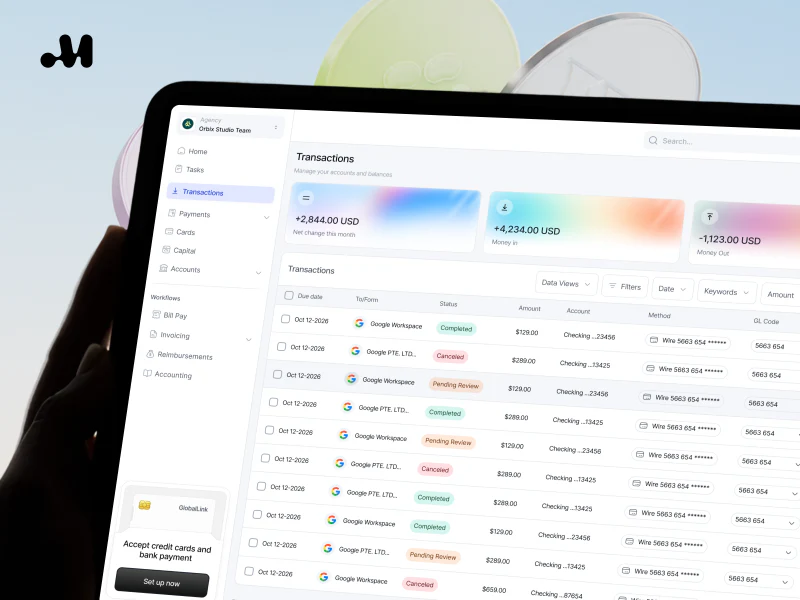
The appeal of Maven’s financial interface design lies in its restrained gradients. Orange, purple, and blue give account cards different appearances, while the amounts and cash-flow labels stay in stable positions. Further along, charts and payment requests carry that clarity into more specific tasks.
 Interface Design
Financial Infrastructure Website Design: Clear Routes
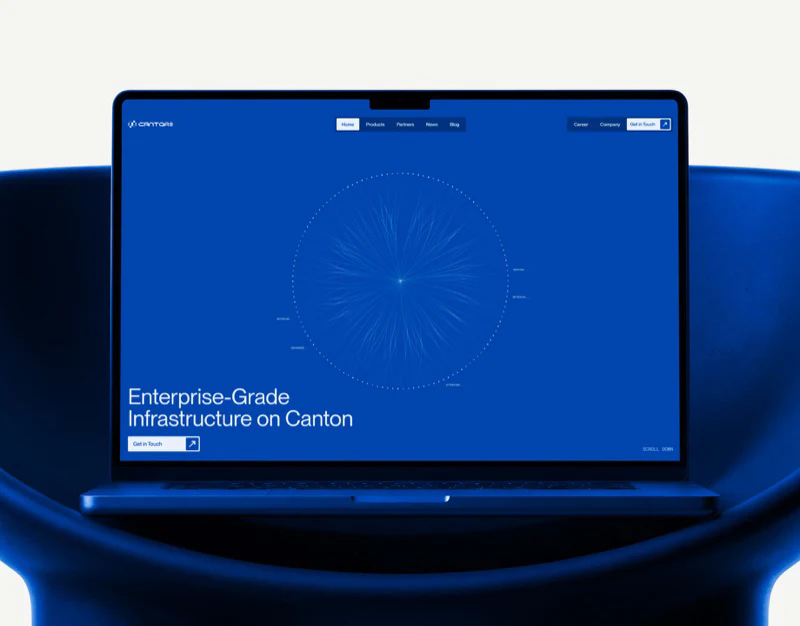
Cantor8’s financial infrastructure website uses vivid blue confidently without giving every page the same density. A circular network draws attention on the mobile homepage, the menu switches to white, and the business and inquiry pages each have clear arrangements. The useful question is how these changes give an abstract technology introduction concrete entry points.
 Interface Design
Finance SaaS Dashboard Design: Reading Black and White
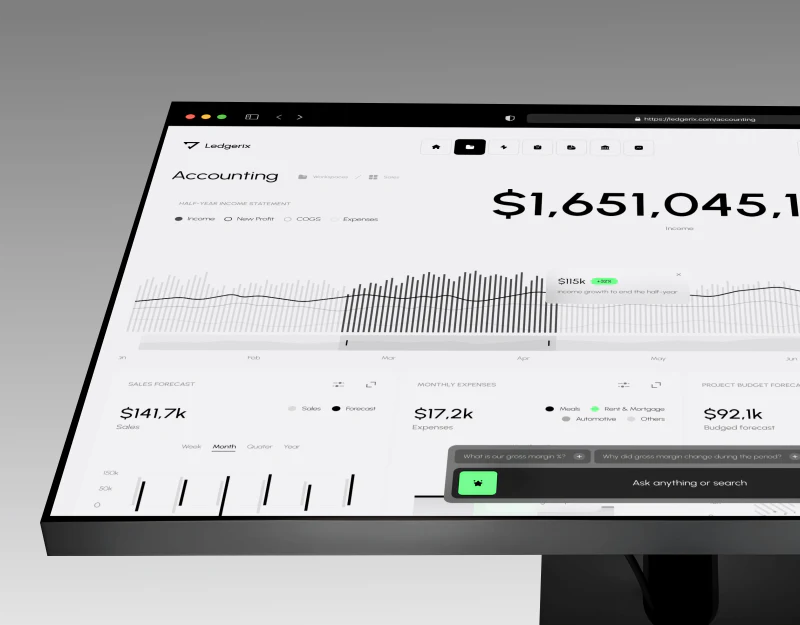
This Ledgerix finance SaaS dashboard reserves its most prominent position for the income amount. Gray and white charts surround it, while green appears only in change indicators and assistant entries. Its distinguishing feature is a clear center of attention, followed by trends, forecasts, and questions in sequence.
 Interface Design
Language Learning App Design: Talkie’s Practice Flow
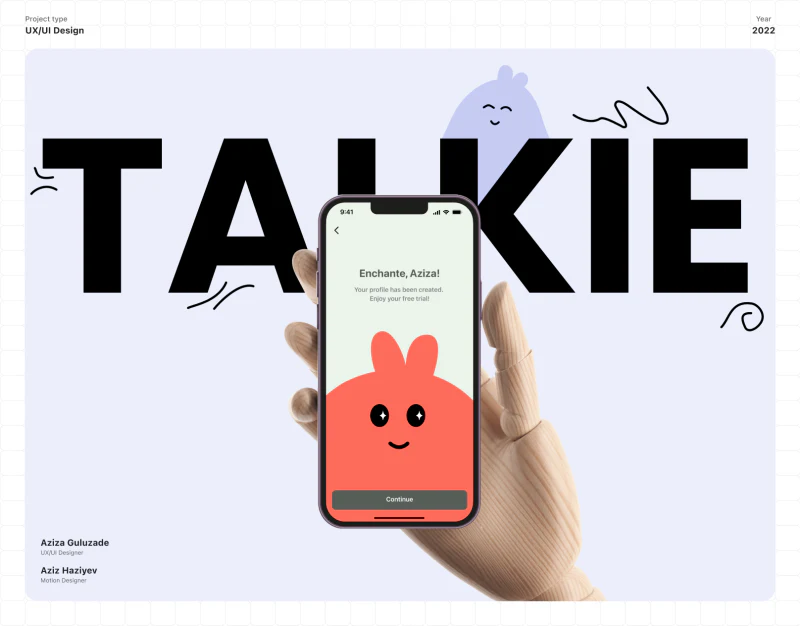
What makes Talkie’s language learning app design interesting is that the questions keep changing while the page rhythm stays familiar. Pale green backgrounds, coral options, and Continue at the bottom carry through from onboarding to practice, making the next step easy to locate.
 Interface Design
Mood Logging App Design: Why Carely Feels Approachable
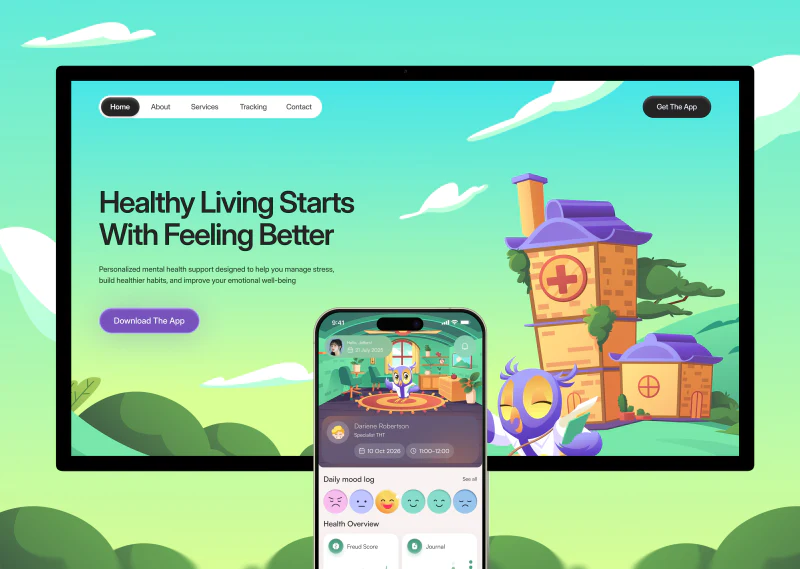
The charm of Carely’s mood logging app design begins just before you make an entry. An owl stands in a room with windows, plants and a rug; a row of expressions sits below. The scene invites a slower look, while the entry point for recording a mood stays easy to find.
 Web Insights
Electric Bike Website Design: How Should a Product Page Present Features, Specifications and Services?
In European, North American, Japanese, and South Korean markets, e-bikes and smart two-wheelers generally sell for US$1,500 to US$4,000. Before buying such high-value durable goods, for which the riding experience matters so much, overseas consumers have three core concerns: “Does this bike's frame size suit my height?”, “Will its battery range and climbing power be enough for my daily commute?”, and “If the motor or drivetrain breaks, who can repair it locally?”
 Web Insights
Google AI Search Optimization: How to Decide Whether a Proposed Website Upgrade Is Necessary
As Google AI Overviews and various AI search engines become more widely used, many website development and marketing vendors have begun selling so-called dedicated AI search optimization packages for GEO / AEO. In practice, however, many unprofessional vendors use scripts to mass-generate hundreds of low-quality AI question-and-answer articles that begin with “Direct Answer:”, or stuff hidden FAQ entries into website code. This approach not only fails to secure long-term recommendations from AI engines but also directly triggers Google's scaled content abuse penalties, causing organic rankings to plummet across the entire website.
 Web Insights
Google Still Shows the Old Site Name: What Should You Check After a Website Redesign?
After a brand refresh or website redesign, many businesses encounter a frustrating problem: even though the homepage's <title> has already been changed to the new brand name, the site name shown above the URL in Google or Baidu search results, or the suffix at the end of internal page titles, stubbornly retains the old name. It may even create a confusing combination such as “New Brand Name - Old Brand Name.”
 Web Insights
WordPress or Shopify for an International B2B Website? Start With Inquiry and Ordering Tasks
When export businesses and companies expanding overseas begin building a standalone website, the technology decision they most often struggle with is: “Should we build with WordPress (or a custom CMS), or go straight to Shopify?” The internet is full of all-or-nothing arguments, but any recommendation that ignores a company's actual transaction model (what customers ultimately need to do on the website) is one-sided.
 Web Insights
The Staging Site Uses noindex: How Do You Check It Has Not Carried Over to the Live Website?
One of the most regrettable yet frequent accidents during website redesigns and migrations happens like this: while developing on a staging server (such as staging.example.com), the development team selects “Discourage search engines from indexing this site” in the global settings to prevent search engines from indexing the staging website prematurely. On launch day, the operations team synchronizes the staging database and code to the production domain in a single step, but forgets to turn off noindex. Within a week of the new website's launch, dozens of core keywords that previously ranked on the first page disappear from both Baidu and Google.
 Web Insights
Does One English Website Need Separate US and UK Versions? Decide from Business Differences First
When planning their English-language website, many businesses expanding into European and North American markets wrestle with a question: “The United States and the United Kingdom are both target markets for us. Do we need separate sets of pages under /en-us/ (US website) and /en-gb/ (UK website), in addition to /en/?”
 Web Insights
Embedding a Third-Party Form or Booking Tool: How Do You Prove a Customer Actually Completed the Submission?
To quickly connect their internal CRM or scheduling tools, many businesses embed third-party forms or booking widgets on their website's contact page (such as HubSpot Forms, Calendly, Typeform, Feishu Bitable forms, or Jinshuju). In day-to-day operations, however, marketing and sales teams frequently argue over the results: marketing sees 200 clicks in the advertising dashboard and assumes people must have completed the form; sales says it received only 2 notifications. Worse still, because the third-party tool is embedded in an <iframe>, the analytics tool cannot capture actual submission completion events at all.
 Web Insights
Where Should a Trade Show QR Code Lead? Keeping a Website Event Page Useful Before, During and After the Show
During the annual spring and autumn Canton Fairs, electronica in Munich, CES, or specialist industry exhibitions, companies print large quantities of brochures, roll-up banners, and business cards. Yet we find that 80% of companies direct the QR codes at their booths straight to their website homepage, or to a temporary third-party H5 page that becomes a dead 404 link once the exhibition ends.
 Web Insights
Changing CMS During a Redesign: Should Historical Inquiries, Attachments and Follow-Up Notes Be Migrated Together?
When redesigning and replacing the CMS of an aging corporate website that has been operating for 5 to 10 years (for example, upgrading from an early DedeCMS, EmpireCMS, or legacy PHP system to a modern technology stack), its backend database often contains more than products and articles. It also holds thousands of past customer messages, inquiry form records, and customer-uploaded tender documents/drawing attachments accumulated over the years.
 Web Insights
Merging Subsidiary Websites into a Group Website: What Should Happen to Old Domains and Product Pages?
When a business expands through acquisitions or upgrades its brand architecture, it often needs to consolidate 3–5 previously separate subsidiary/division websites under one new main group website. From a technical and SEO perspective, this is a high-risk “heart bypass operation”: if all the subsidiaries' old domains are simply redirected to the group homepage in a single sweep, the long-tail product keyword rankings each subsidiary has built over many years will be wiped out within two weeks.
 Web Insights
Duplicate GA4 Events After a Redesign: How Do You Check Triggers in Website Code, GTM and Plugins?
If one action produces multiple identical GA4 events after a redesign, first map the test action to its sending sources before deciding which configuration to disable. Original website code, Google Tag Manager (GTM) and plugins may all send events. Removing one directly could turn duplication into missing events.
 Web Insights
Ads Are Still Running After a Website Redesign: How Do You Verify Landing URLs and UTM Parameters Together?
If ads are still running during a website redesign, acceptance checks should begin with the actual entry configurations in the advertising account and continue to the point where a customer can complete an inquiry. A working new product page and a redirect from an old URL cover only part of the process. The ad’s final URL, tracking configuration, language pages and mobile forms need to be checked together.


