


Website & Design Insights
All Insights
 Interface Design
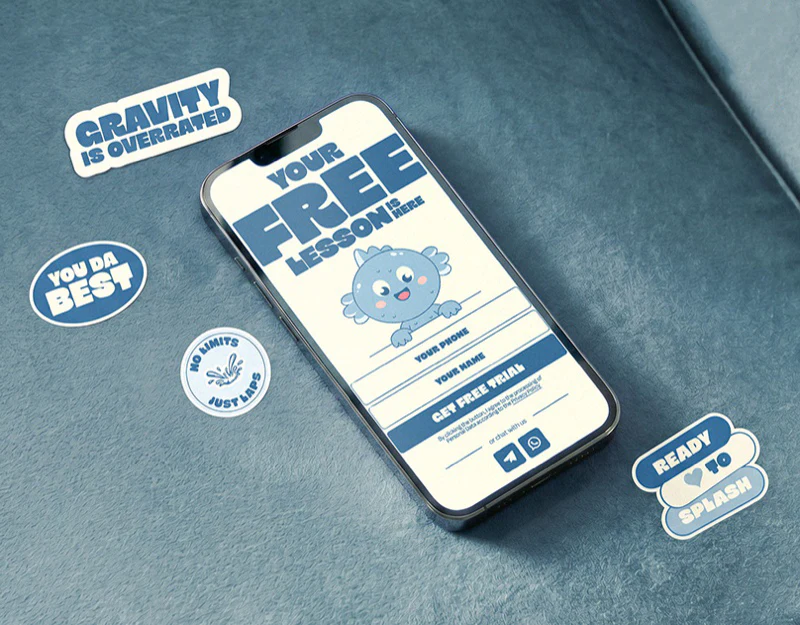
Children’s Course Website Design: An Ocean Theme
SOI’s children’s course website design resembles a set of ocean-themed posters. Cream supports bold blue type, with anchors, hats, and small sea characters beside photographs. Different sections remain recognizably one brand. Specific graphics create warmth, while course information and booking need a steadier hierarchy.
 Interface Design
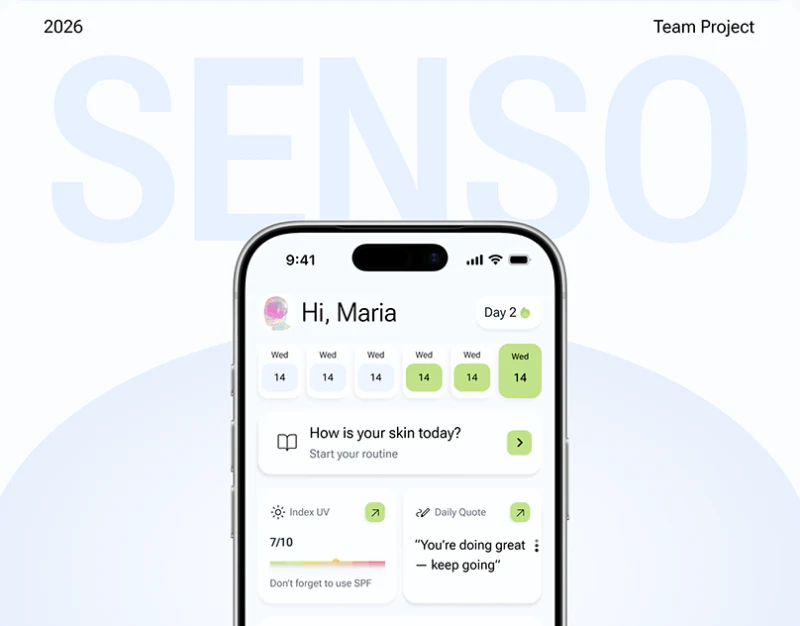
Skincare Tracking App Design: Senso’s Recording Layers
Senso’s skincare tracking app design separates today’s tasks from observations worth recording in detail. The home page offers morning and evening plans with checkboxes; the diary adds levels, tags and notes. Pale green links the actions, giving everyday recording a clear starting path.
 Interface Design
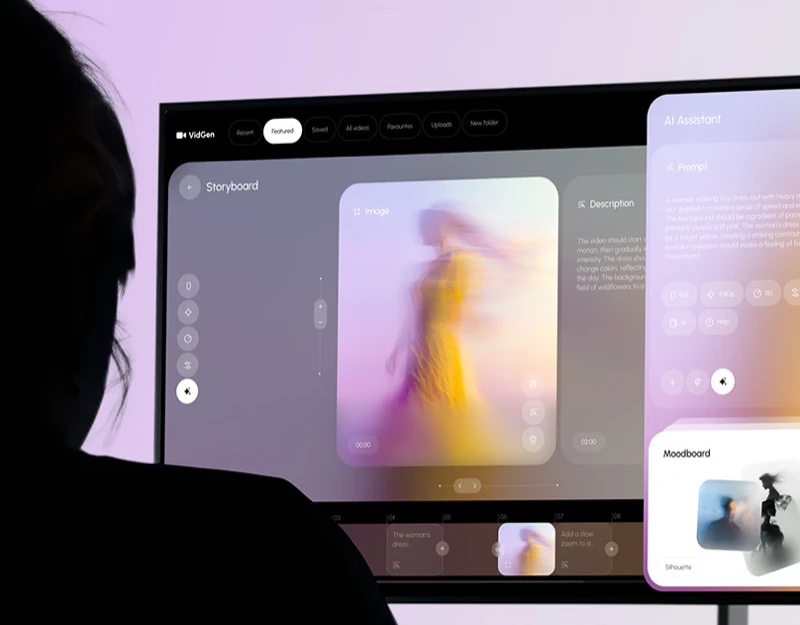
Video Generation Tool Design: Prompts for the Current Shot
VidGen presents images, shot descriptions, generation prompts, and references in one workspace. Video generation tool design needs room for creative expression while specifying which shot these inputs affect. A stable editing object makes relationships among text, parameters, and generated results easier to understand.
 Interface Design
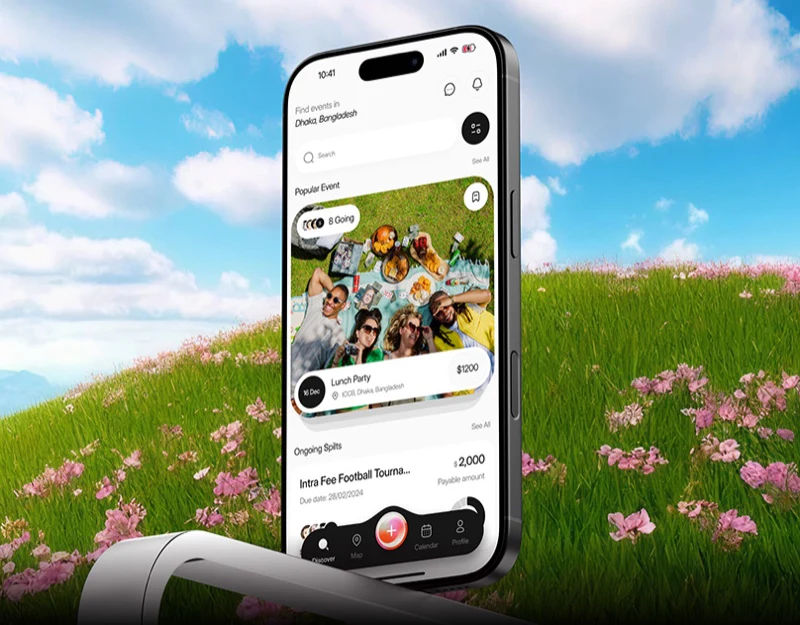
Bill-Splitting App Design: Personal Share and Whole Bill
This bill-splitting app design divides personal shares, activity summaries, and payment progress into pale cards, reserving pink for a few actions and selected states. Amounts remain connected to activities and participants. Splitting bills, buying tickets, and group discussion still have different tasks that need clarity within the shared style.
 Interface Design
DeFi Dashboard Design: Cyan for Data and Actions
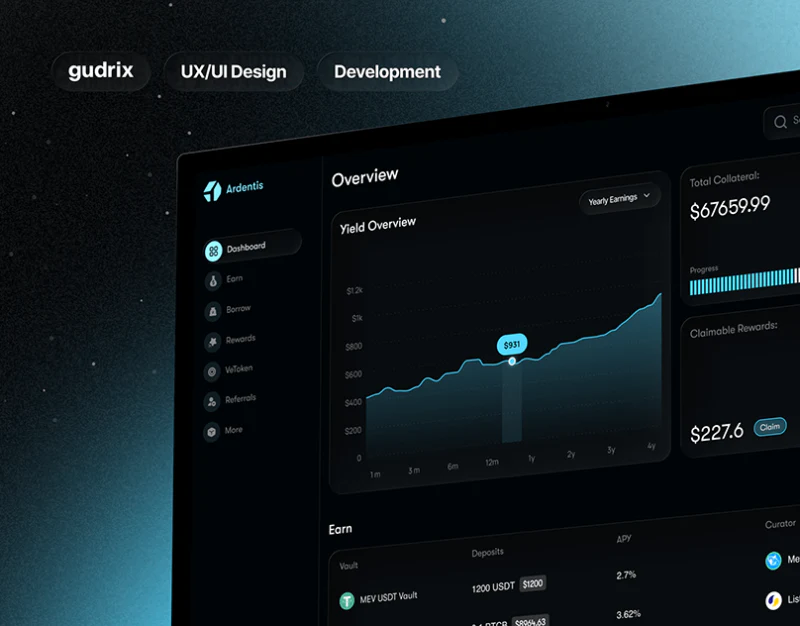
Ardentis’s DeFi dashboard design places cyan on curves, selected items and primary buttons, keeping most backgrounds close to black. The overview establishes scope through a large trend and small amount cards, then supplies specific objects in the asset list below. Color is consistent while reading density varies.
 Interface Design
AI Product Website Design: Auralis’s Gentle Explanations
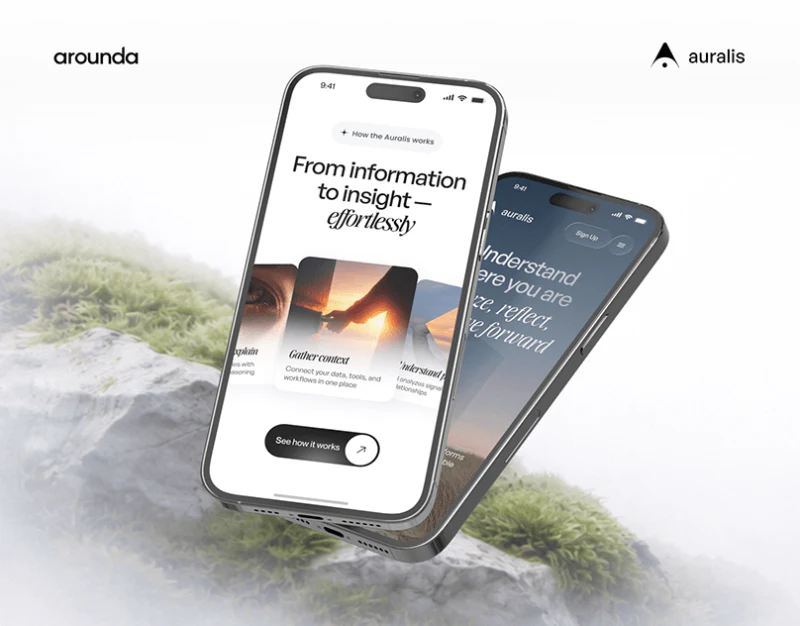
Auralis’s AI product website replaces familiar machine imagery with grass, sky, and a person. Plain and italic type combine, while work cards spread like a fan, giving the technical introduction a calm character. The next task is making this atmosphere work with specific capability explanations.
 Interface Design
Personal Brand Website Design: Topics Connect Content
Mark Woodland’s website establishes a distinct identity with dark blue backgrounds, portrait imagery, and large condensed type. Its more practical arrangement separates introduction, topics, experience, and media types. Visitors can choose what interests them before deciding how much background to read.
 Interface Design
Clinical Trial Website Design: Shared Study Cues
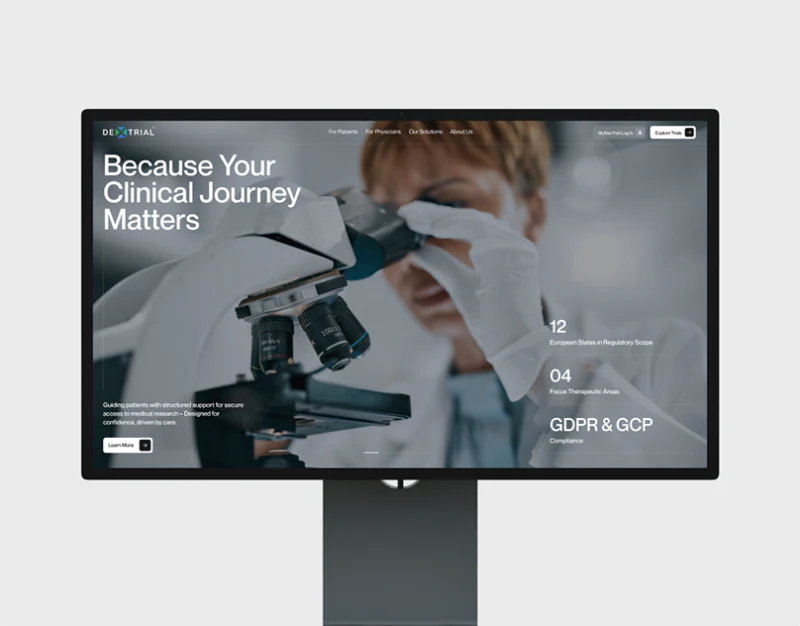
Dextrial’s clinical trial website design uses cards for patients, doctors and research organizations to explain different tasks, then gives lists and details common study cues. Pale backgrounds, people photographs and light icons make the pages approachable; titles, identifiers, statuses and contents navigation support finding information.
 Interface Design
Social Event App Design: Photos, Maps, and Ticket Cards
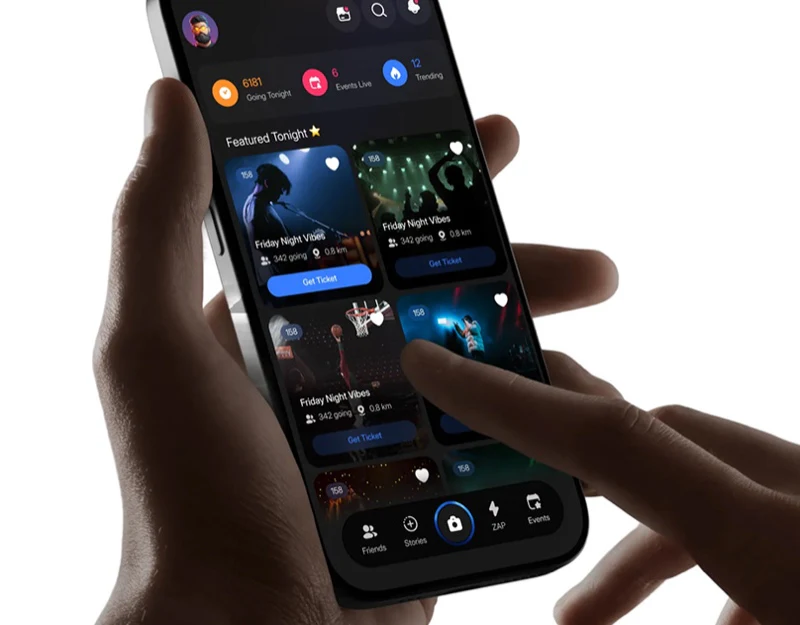
Momento’s social event app is lively, with friend portraits, nightlife photographs, and event cards. Yet names, times, and venues remain below the map, and checkout returns amounts to clear summary rows. Photographs invite further viewing; event information helps users decide where to go. Each gets its own place.
 Interface Design
Curatorial Website Design: Index and Red Features
Ulysses de Santi’s curatorial website design moves between a quiet black-and-white index and strong red features. The archive helps locate exhibitions, features introduce themes, and object and person descriptions unfold the images. Different content is not compressed into one uniform image stream.
 Interface Design
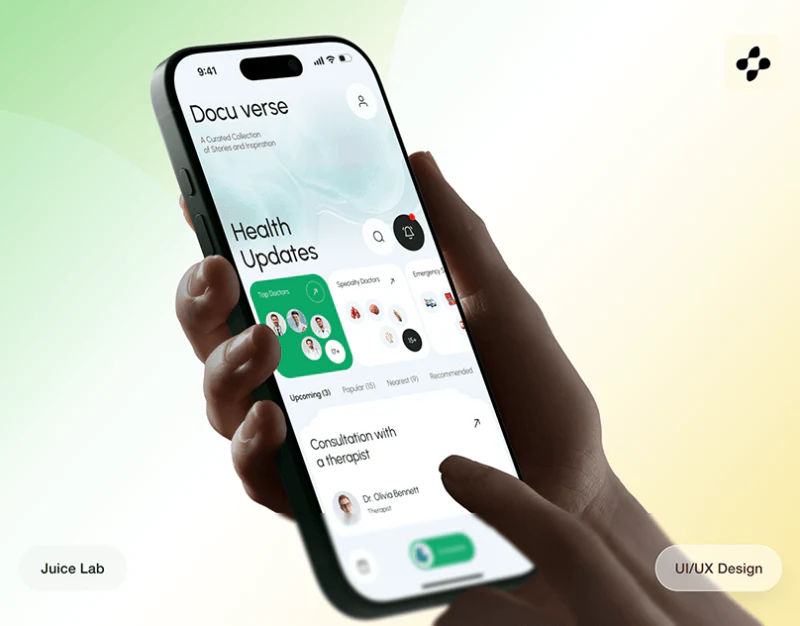
Health Service Booking Design: Keep the Choice Identifiable
DocuVerse puts a map, professional profiles and schedules in white cards, using green to emphasize selection and booking. Avatars offer recognition cues, while service cards and fees add specific conditions. Health service booking design needs location, person, service and time to keep pointing to the same choice.
 Interface Design
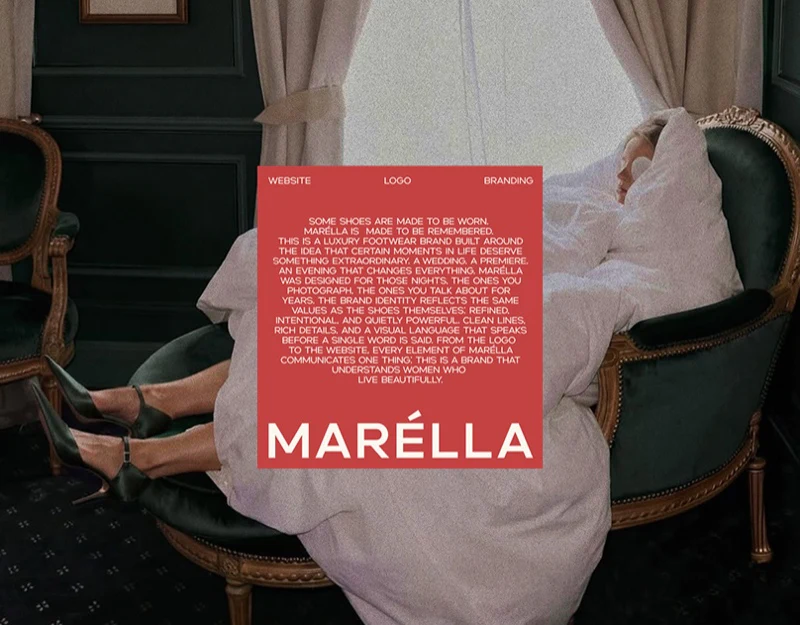
Footwear Ecommerce Design: Heel Filters to Size Checks
Marella’s footwear ecommerce design sets burgundy, green, and black shoes against off-white, making product photography prominent. The practical detail runs from filtering to checkout: heel height enters filters, sizes appear in details, and the cart retains the chosen size. Visual selection and purchase conditions follow one reading path.
 Interface Design
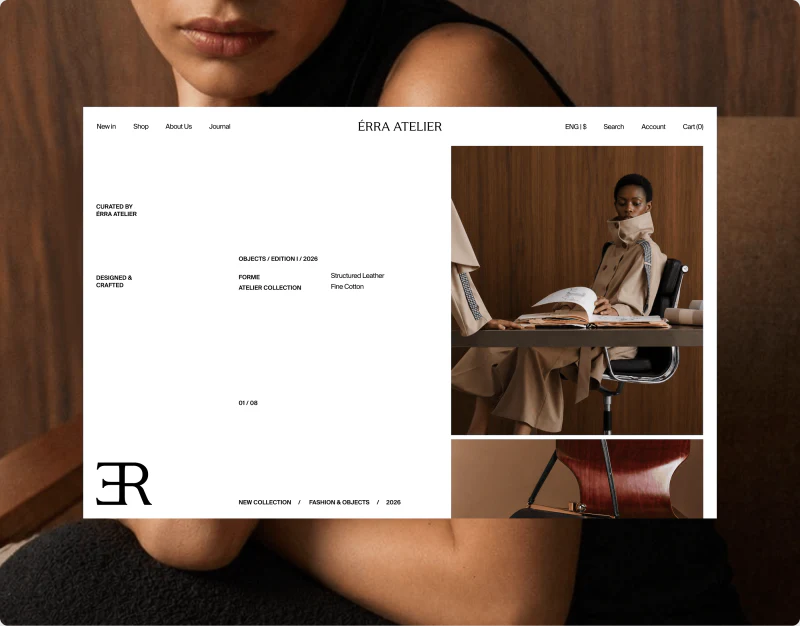
Fashion Ecommerce Design: Space for Styling and Products
ÉRRA ATELIER’s fashion ecommerce design readily leaves space. A large portrait sits beside a much smaller accessory image, while product grids and details use quiet pale backgrounds. The space does more than set a mood: photographs, text, and options have boundaries, allowing readers to see the outfit before studying one garment’s silhouette and conditions.
 Interface Design
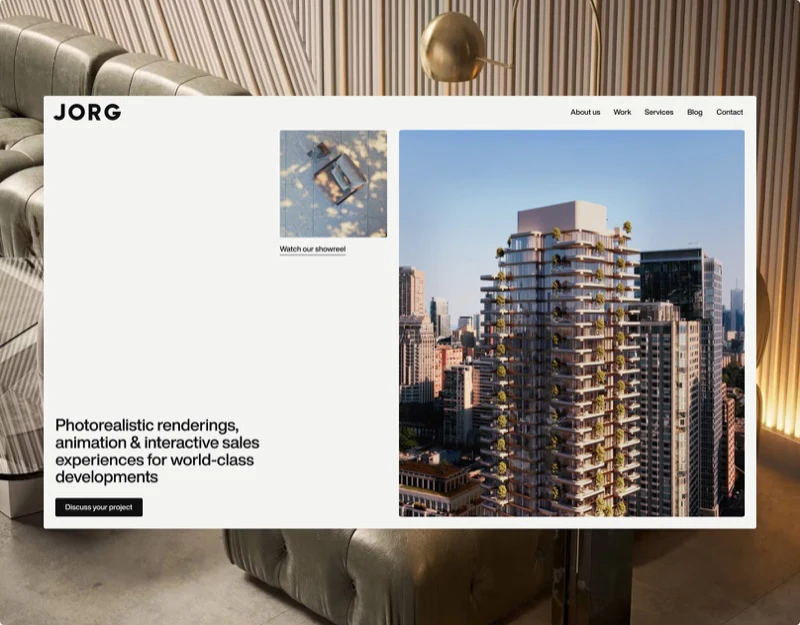
Architectural Visualization Website Design: Image Rhythm
JORG’s architectural visualization website design gives most of its space to architectural images. A wide terrace opens the sequence, followed by three columns of projects; individual projects and articles then establish their own textual rhythm. White space lets spaces at different scales come into view gradually.
 Interface Design
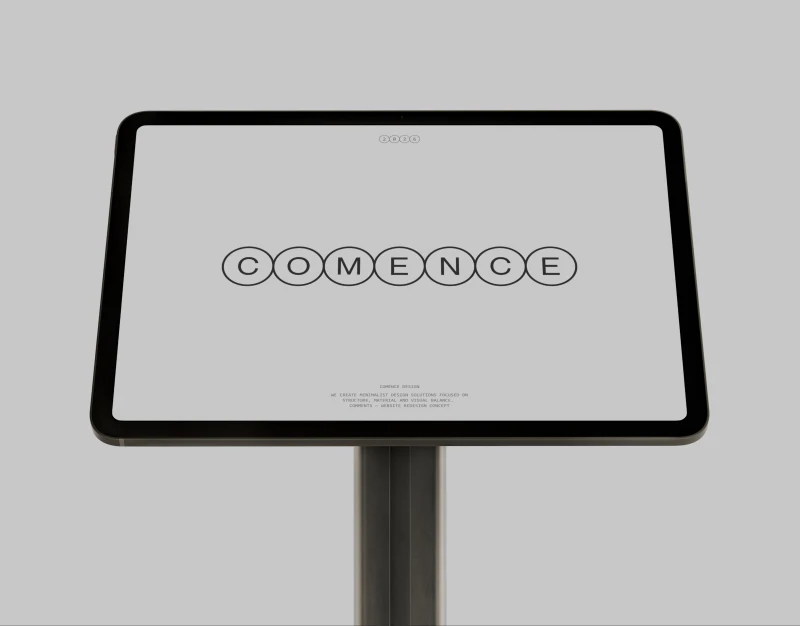
Material Portfolio Design: Name and Explain the Close-up
Comence’s portfolio gives material close-ups generous space, letting white pages, fine lines, and circular arrows recede. Material portfolio design can use this restraint to emphasize surfaces and structure, while retaining names, categories, and explanations so viewers remember more than an attractive texture.
 Interface Design
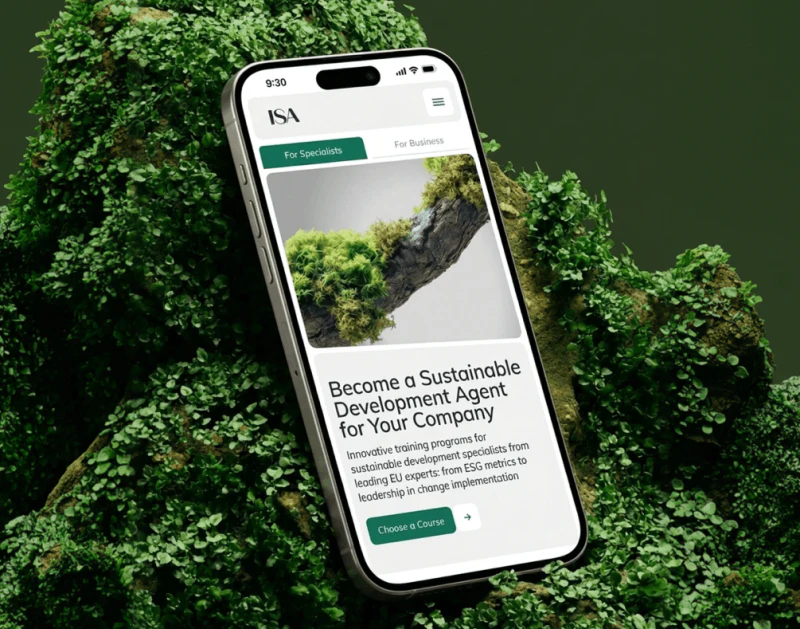
Course Website Design: Two Paths Through a Nature Theme
ISA’s course website design brings moss, branches, and green buttons into one visual system, while giving individual courses and corporate training separate entries. Natural elements introduce the theme; requirement summaries, instructor cards, and a questionnaire make learning choices concrete. This division between visuals and content is more useful than simply filling pages with plant photographs.
 Interface Design
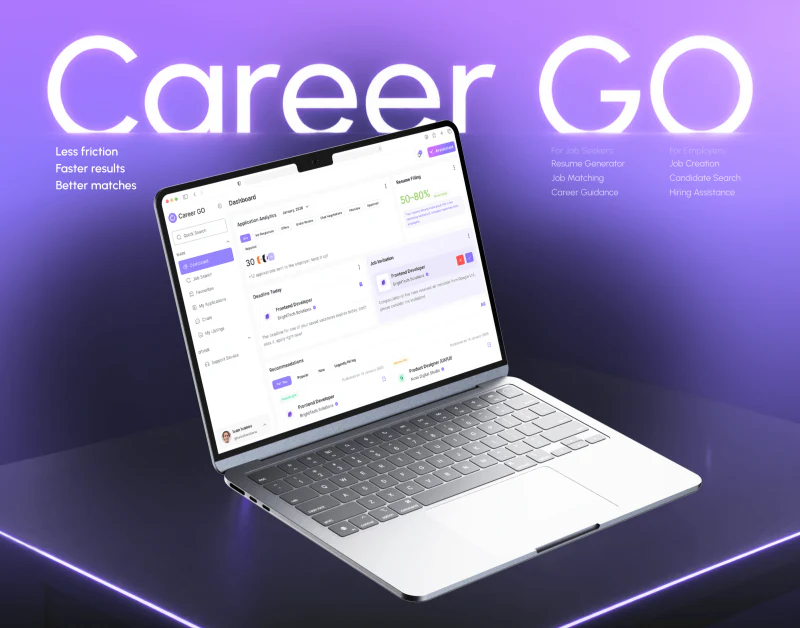
Recruitment Platform Design: Job Context in Chat
Career GO repeatedly places job information where decisions are made: applications have job cards and chat has a role strip at the top. Purple highlights current sections, selection and the user’s own messages. Readers can continue along a job rather than remembering a conversation solely by an avatar.
 Interface Design
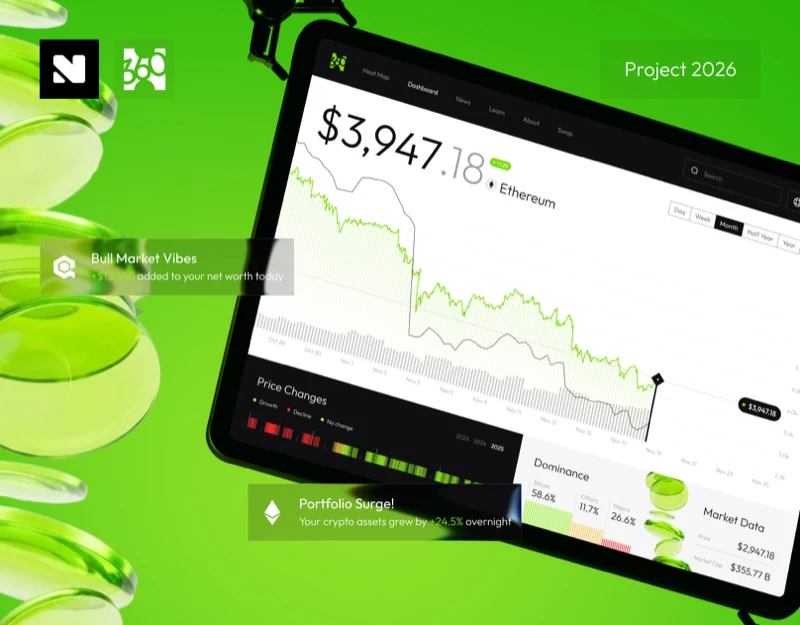
Market Dashboard Interface Design: Read Trends with Periods
Coin360’s market dashboard catches attention with a large price, then unfolds time through a wide curve. Monthly controls stay beside the chart, while annual strips have their own area. Keeping scope findable while reading a trend is the useful arrangement here.
 Interface Design
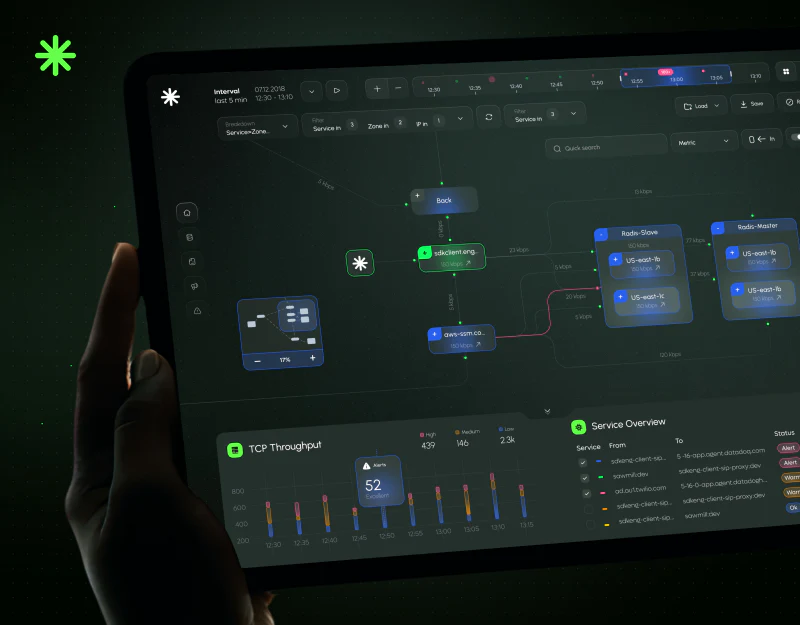
Monitoring Dashboard Design: From Topology to Status
FlowTune uses a dark green canvas, blue-green nodes, and compact metrics for service monitoring. Desktop relationships and mobile overviews have different emphases: one shows how services connect, the other what needs attention. The key is making objects, time, and alerts comparable across both views.
 Interface Design
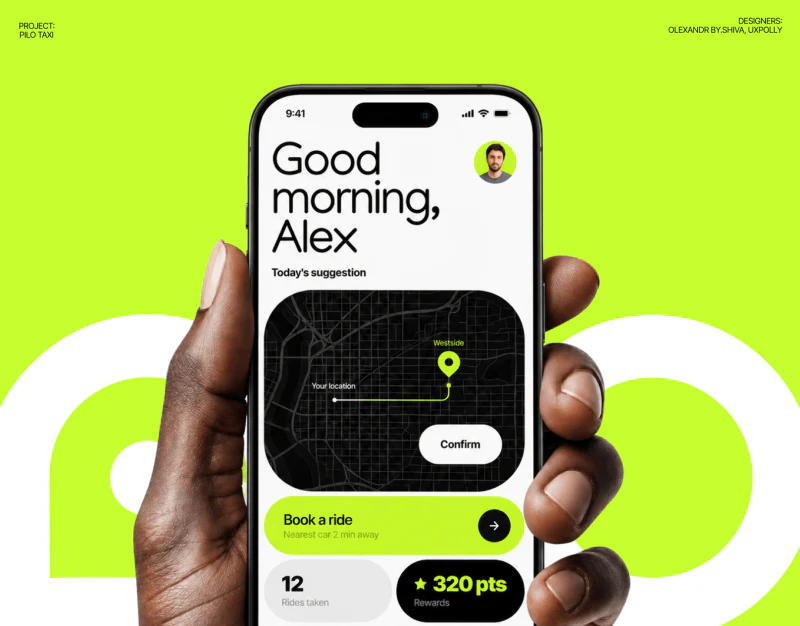
Autonomous Ride App Design: Explain the Trip State
Pilo’s autonomous ride app uses black, white and bright green for clear hierarchy: destination input sits in a white drawer, journey time in a lower card, and arrival brings distance and cost together. The interface is simple; its useful detail is how place, state and action wording work together.
 Interface Design
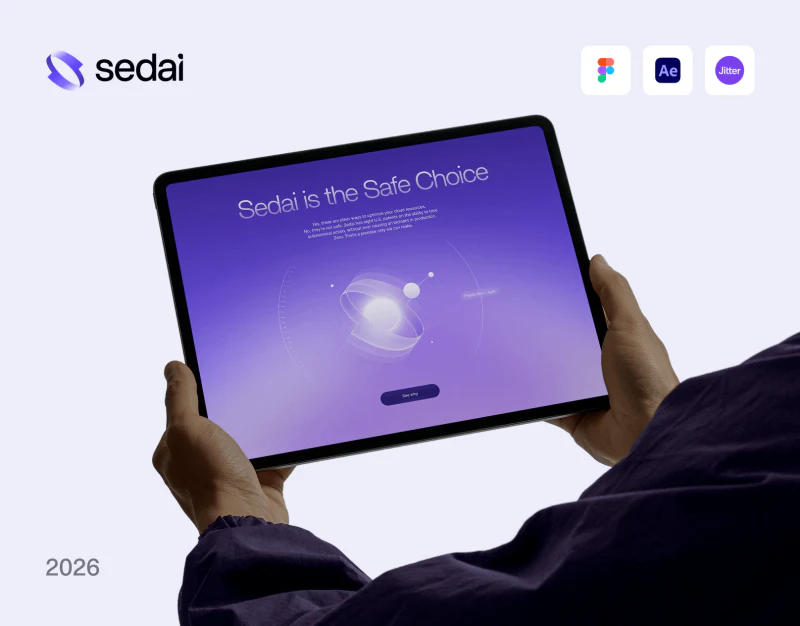
Cloud Product Website Design: A Purple Visual Argument
Sedai’s cloud product website uses a glowing purple core to express a technical character, then incoming calls, cost bars, and checklists to address separate topics. Information takes more than one abstract illustration: brand atmosphere stays consistent while each reader concern gets its own image.
 Interface Design
Technology Brand Website Design: A System in Blue
In these Sui technology brand website designs, blue is more than a shared background. Glows, ring fragments, and vertical textures recur, then recede within research summaries and rule pages. The value of a visual system lies in allowing different content densities within the same language.
 Interface Design
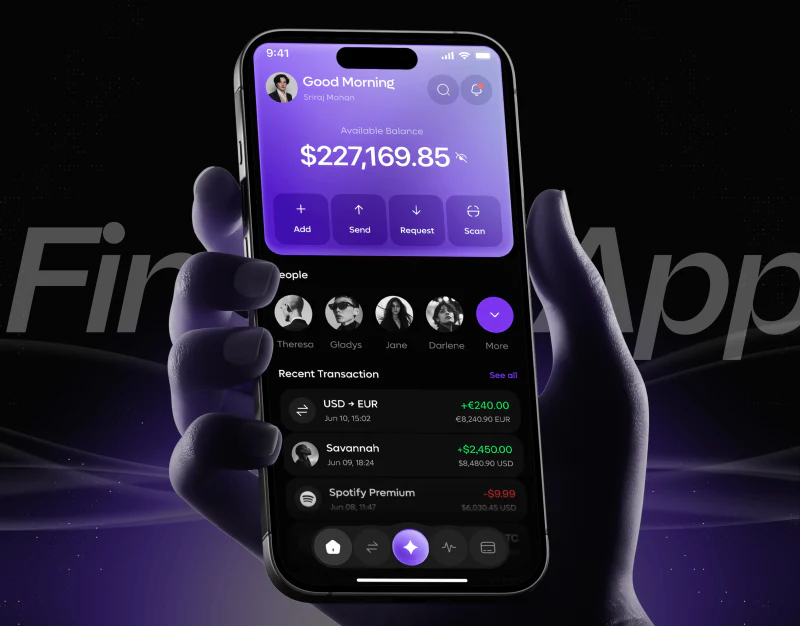
AI Wallet App Design: Voice Creates an Editable Draft
Fintora emphasizes voice with black backgrounds, purple gradients and waves, while retaining common money actions and transaction lists on the homepage. Voice can express several conditions in one sentence; records help review results. Between them, the essential element is a clear, editable instruction summary.
 Interface Design
Real Estate CRM Interface Design: People and Properties
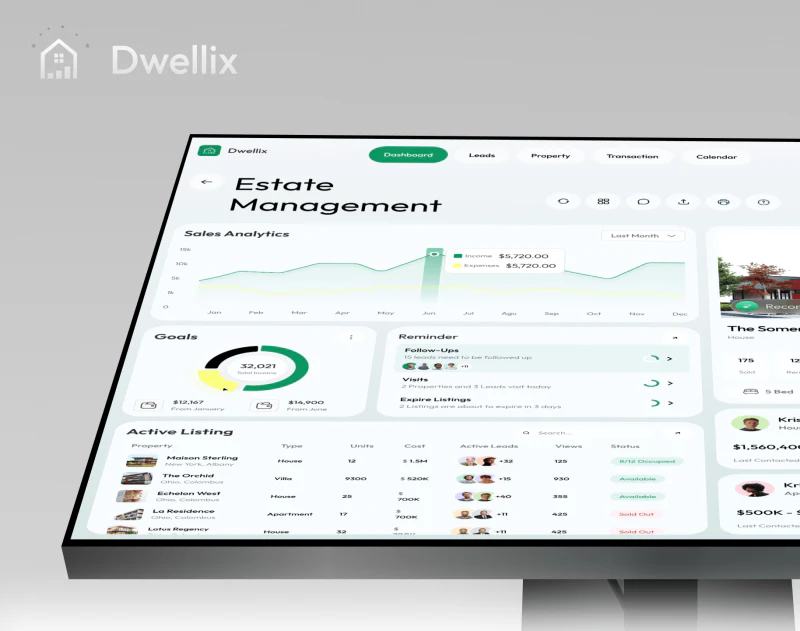
Dwellix’s real estate CRM interface places properties, customers, and follow-up reminders on one pale gray-green dashboard. Green buttons stand out, while house photographs and portraits help identify objects. The useful idea is giving everyday work a place alongside statistics; a closer review asks whether the cards connect around the same customer and property.
 Interface Design
Credit Dashboard Design: Scores, Sources, and Trends
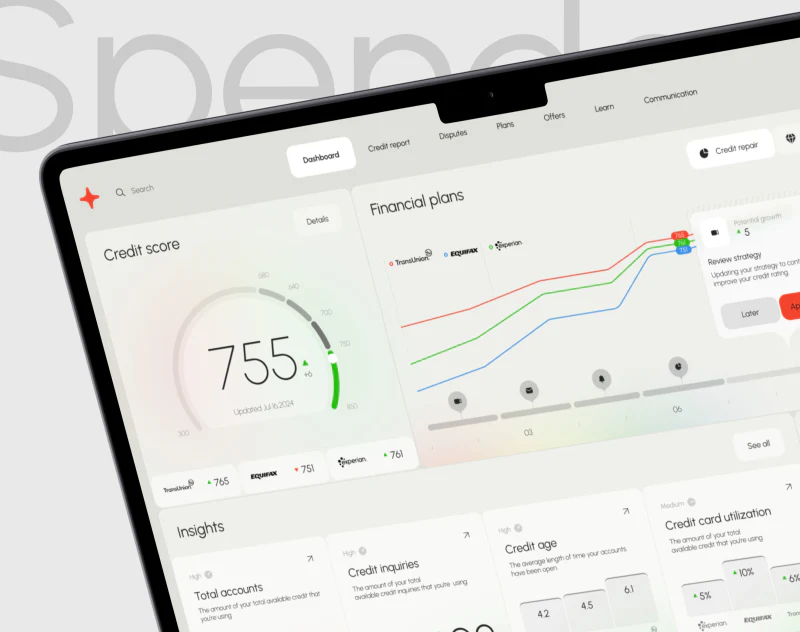
Spendex’s credit dashboard design places a large score inside a semicircle and retains three agency cards directly below. After the prominent number, readers can continue into differences between sources. Pale backgrounds, fine curves, and red-green indicators keep the overview light without reducing its information to a single gauge.
 Interface Design
Film Portfolio Website Design: Images with an Index
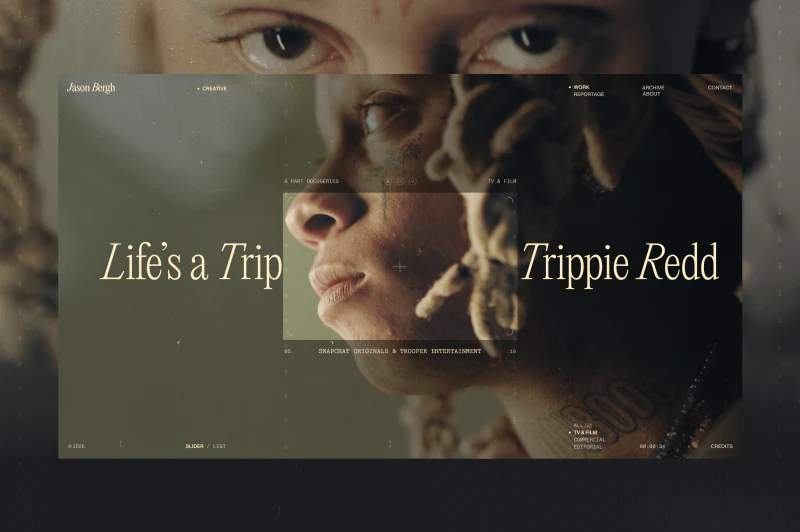
Jason Bergh’s film portfolio opens with a close-up that draws visitors into the work. Warm-yellow serif lettering sits on dark-green imagery, while lists and categories keep positions at the edges. Cinematic atmosphere and finding tools share a screen, making their relationship worth examining.
 Interface Design
Business Communication App Design: Keep Records Together
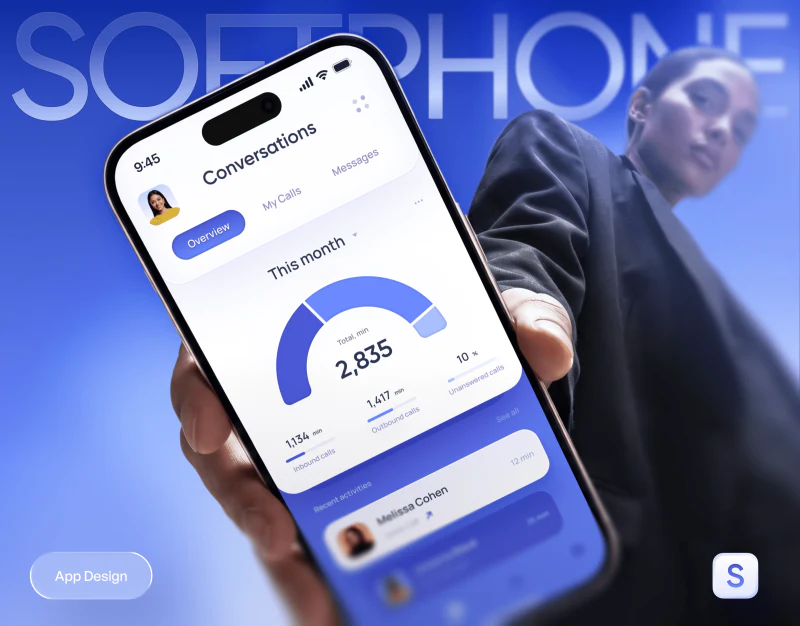
SoftPhone places calls, schedules, messages, and statistics in a shared blue and purple interface. The value of business communication app design lies in keeping these contents findable around the same conversation: the contact remains identified, time has a basis, and materials and original words can return to their corresponding record.
 Interface Design
Voice AI Website Design: Explain Agents Through Tasks
Transform9’s voice AI website design separates agent introductions into scheduling, task handoff, routing, and outreach. Conversations or task illustrations sit beside headings on white backgrounds, giving the abstract AI concept visible work to discuss. The useful connection is between each illustration and heading, beyond the technological mood of blue gradients.
 Interface Design
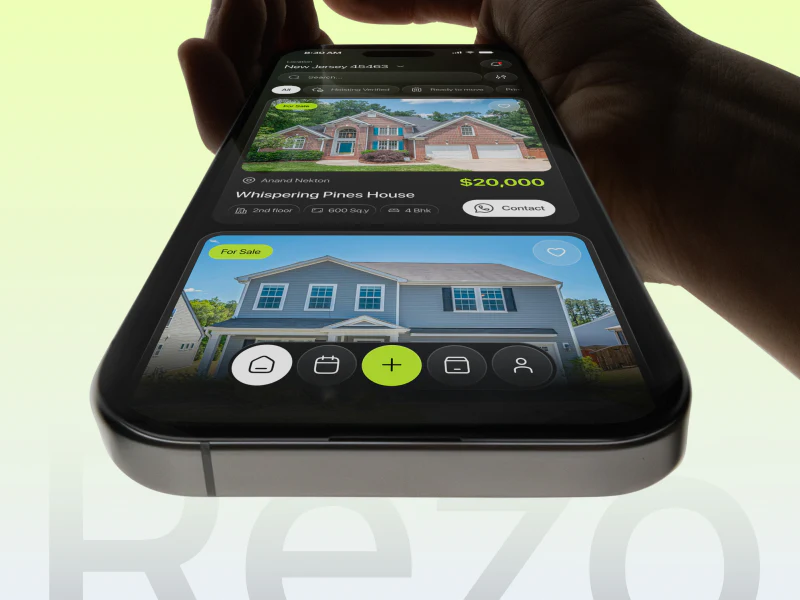
Property App Design: Clear Conditions on Dark Screens
Rezo’s property app does not make everything bright. White highlights buying or renting, yellow-green marks prices and bottom actions, and other conditions sit in quieter dark groups. It offers a useful study of how transaction intent, property information and a next step remain findable amid substantial content.
 Interface Design
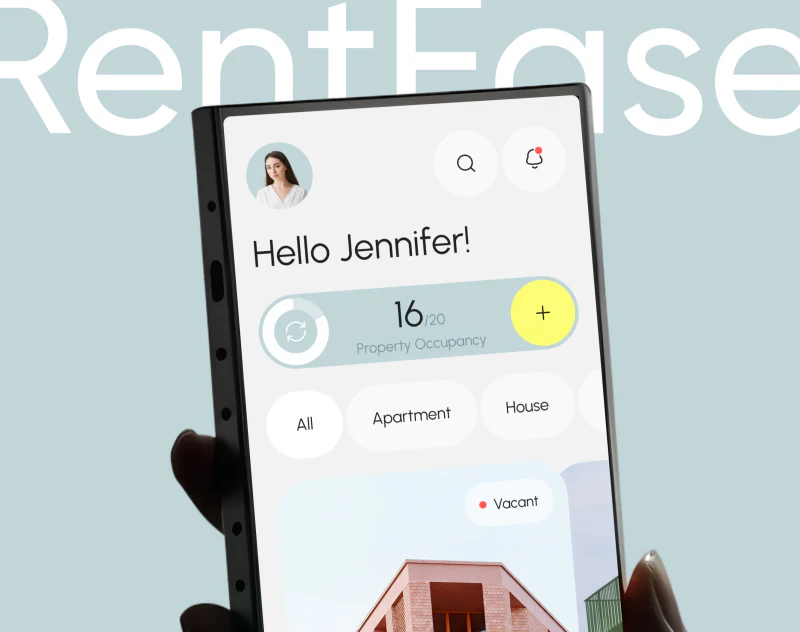
Property Management App Design: RentEase’s Soft Data Cards
RentEase gives property management app design a light touch: pale-blue expense cards, bright-yellow bars, and rounded labels make the data page feel less like a traditional report. The useful details are filters exposed above charts and property photographs explaining expense cards on the introduction website.


